Page 0 Banner Photo
Cover Page
Calendar Banner Photo
Calendar
Announcements Banner Photo
Announcements Arriving Late - Late Pass Essential, START AND FINISH TIMES, School tours, Breakfast Club, Curriculum Days, Teachers allocated professional practice day, Collecting Your Child Early, Parents on School Grounds, Scholastic Issue #6 is out now! Orders due Sep 2, ASSEMBLY Friday Sept 9th, LAST DAY TERM 3
Principal's Message Banner Photo
Principal's Message Parent Opinion Survey, School Fundraising, Fathers and Special Others, Wednesday 7th September - No students required at school, RUOK Day - 8th September, Footy Day and last day of term, Prep Enrolments 2023, Chookas to our VSSS performers!
Parent/Caregiver/Guardian Opinion Survey Banner Photo
Parent/Caregiver/Guardian Opinion Survey
BOOK WEEK! Banner Photo
BOOK WEEK!
Father’s & Special Other’s Banner Photo
Father’s & Special Other’s
 SRC Banner Photo
SRC
Canteen FOOTY SPECIAL Combo Banner Photo
Canteen FOOTY SPECIAL Combo
Page 9 Banner Photo
Page 9
Safe Around Schools Banner Photo
Safe Around Schools
Mask update from the Department of Education Banner Photo
Mask update from the Department of Education
Parking Banner Photo
Parking REMINDER - We are all in this together!
Messages from Ms Tooba Banner Photo
Messages from Ms Tooba
Hoop Time update Banner Photo
Hoop Time update
Library Support Request Banner Photo
Library Support Request
Early Learning Centre Banner Photo
Early Learning Centre What is happening in the ELC, Our Learning, News and Reminders, Celebration of Learning 
Prep Update Banner Photo
Prep Update Upcoming Learning, News and Reminders, Celebration of Learning
Year 1 Update Banner Photo
Year 1 Update
Year 2 Update Banner Photo
Year 2 Update Upcoming Learning, News and Reminders, Celebration of Learning
Year 2 Camp Banner Photo
Year 2 Camp
Year 3 Update Banner Photo
Year 3 Update Current learning:, Book Week and Spelling Bee  , CELEBRATION OF LEARNING 
Year 4 Update Banner Photo
Year 4 Update Upcoming Learning, News and Reminders, Celebration of Learning
Year 4 Camp Banner Photo
Year 4 Camp
Year 5 Update Banner Photo
Year 5 Update Upcoming Learning, Celebration of Learning, News and Reminders
Year 6 Update Banner Photo
Year 6 Update Upcoming Learning, News and Reminders, Celebration of Learning
Year 6 City Camp Banner Photo
Year 6 City Camp
Specialist Update Banner Photo
Specialist Update
Private Instrumental Music Lessons Banner Photo
Private Instrumental Music Lessons
Digital Learning Banner Photo
Digital Learning Creating Content, iMovie (iPad & Macs), Clipchamp (Windows & Chromebook), Canva(Windows, Chromebook & IOS)
First Aid Update Banner Photo
First Aid Update
From Our Community Banner Photo
From Our Community
Hillsmeade Videos Banner Photo
Hillsmeade Videos School Video Tour
View archive
Published by
Hillsmeade Primary School
82 The Promenade, Narre Warren South, Victoria, 3805, AUhttps://www.hillsmeade.vic.edu.au/hillsmeade.ps@education.vic.gov.au03 9704 6313 Facebook X / Twitter Vimeo
Banner Photo

Digital Learning

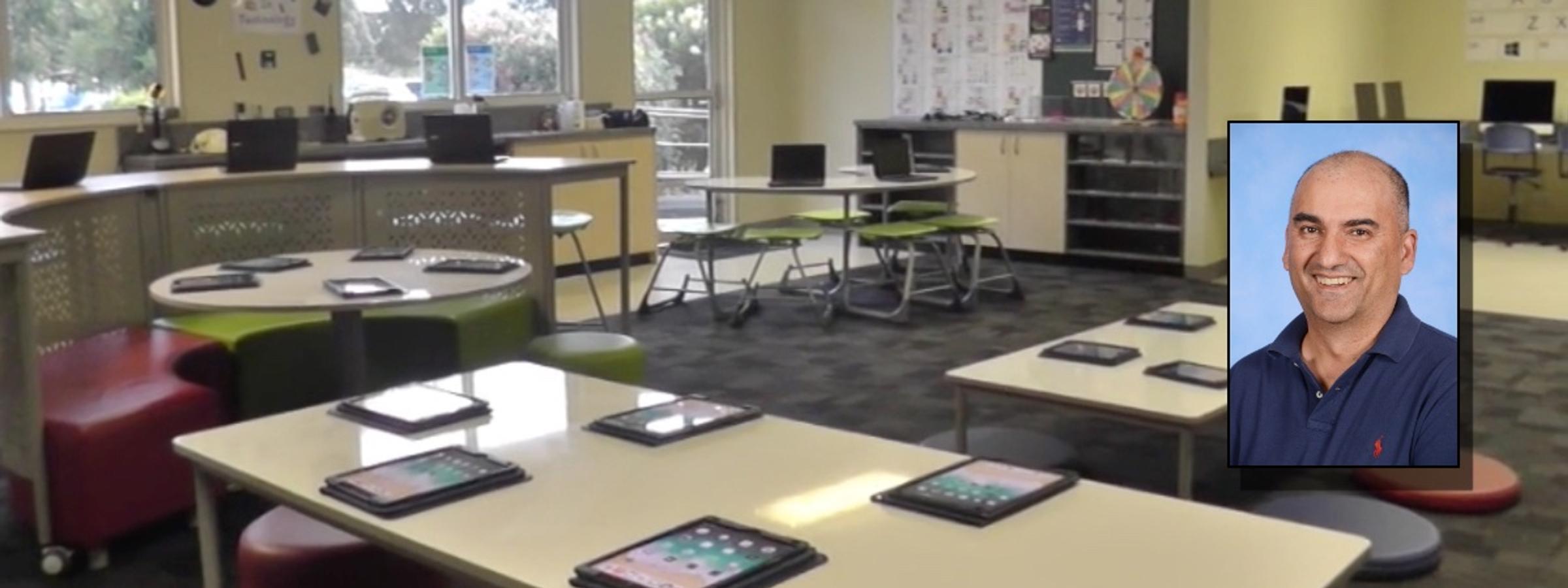
Hardev Singh: Learning Specialist ICT

Creating Content


Everyone enjoys listening to and viewing content.  An enormous amount of listening and viewing material caters to the needs of all groups. This interest can be harnessed as a learning opportunity and learning tool, and with encouragement and guidance, to become a content creator. 


Being a content creator has many benefits.  It gives you a voice to show your expertise and interest in any topic.  You develop interpersonal skills, build a brand and following, learn how to use content-creating tools and software, write scripts, and work with other contributors.


Numerous platforms assist would-be content creators in developing a product by editing, adding special effects and music, and narrating their pieces.  Here are three that I would recommend students can use to begin their journey to becoming successful content creators. 

 

iMovie (iPad & Macs)


Gallery Image


Apple's iMovie is the mainstay of the schools content creating learning tool.  It is an easy stepping stone to editing videos through its clean and elegant interface.  Even though it lacks some of the formats and features supported in other programs, it still allows the user to use creativity and style to engage the viewer. 

Here are some "how-to" guides to assist you in learning how to navigate iMove:

 

Clipchamp (Windows & Chromebook)


Gallery Image

This video maker is now owned by Microsoft and included with Windows 11.  It is beginner-friendly with a drag-and-drop interface but has advanced video editing features to help you cut, crop and resize video, record screen and webcam, edit green screen videos and even add AI voiceovers.  It can be used to make engaging videos to demonstrate a skill, in-depth tutorials, share a holiday experience and more. 

Here are some "how-to" guides to assist you in learning how to navigate Clipchamp:

 

Canva(Windows, Chromebook & IOS)


Gallery Image

Canva is an Australian design tool platform that is ideal for use in education to create beautiful projects. It is home to thousands of free, professionally designed templates that can be customised with just a few clicks.  Simply upload your photos or videos to Canva, drop them into the template of your choice, and save the file to your computer.