From the Head of Academic Culture's Desk

I am excited to share three important updates to our school’s online learning platform.
Update 1: LION
Firstly, Schoolbox is being reintroduced under a new name — LION. The name is an acronym for Learning and Information Online Network. Many schools choose to give their own flavour to their LMS by moving away from the generic brand name of Schoolbox. We want our LMS to be a vibrant and engaging platform that students want to use. Calling it LION signals what our LMS is and it opens the way for branding that is meaningful and fun. A suggestions process was opened in 2025 where possible names and mascots were suggested. The suggestions were narrowed down to four. The staff and student body voted on the four options and LION emerged as the preferred name and a lion character was the preferred mascot.
Update 2: Meet Rory!


Rory is the end product of a long process of consultation between students, staff, parents and our Graphic Designer Paul Orton, also a parent in the college community.
The inspiration for Rory came from an illustration by a Grade 2 student. Mr Orton took the student’s drawing and turned it into a series of possible mascots. The preferred iteration was selected and Rory was born.
The name Rory reflects our college’s classroom creed Ready Respectful and Responsive with the repetition of the R sound. You will see images of Rory around the school, on laptops and Badges reminding students and teachers of our classroom creed with his LION roar RRR.
Rory has also been developed as a soft toy. Each primary class and select places in the college – The Wellbeing centre, The VCE Common room and the College office, all have their own Rory.

Rory attends camps and excursions, appears in class photos and news items. He is dearly loved by many primary students and he has taken on a life of his own. In Grade 2 he has his own letter box and he receives mail from the students every day.





Update 3: LION App
Parents and students can download the new LION app to their phones to access LION.
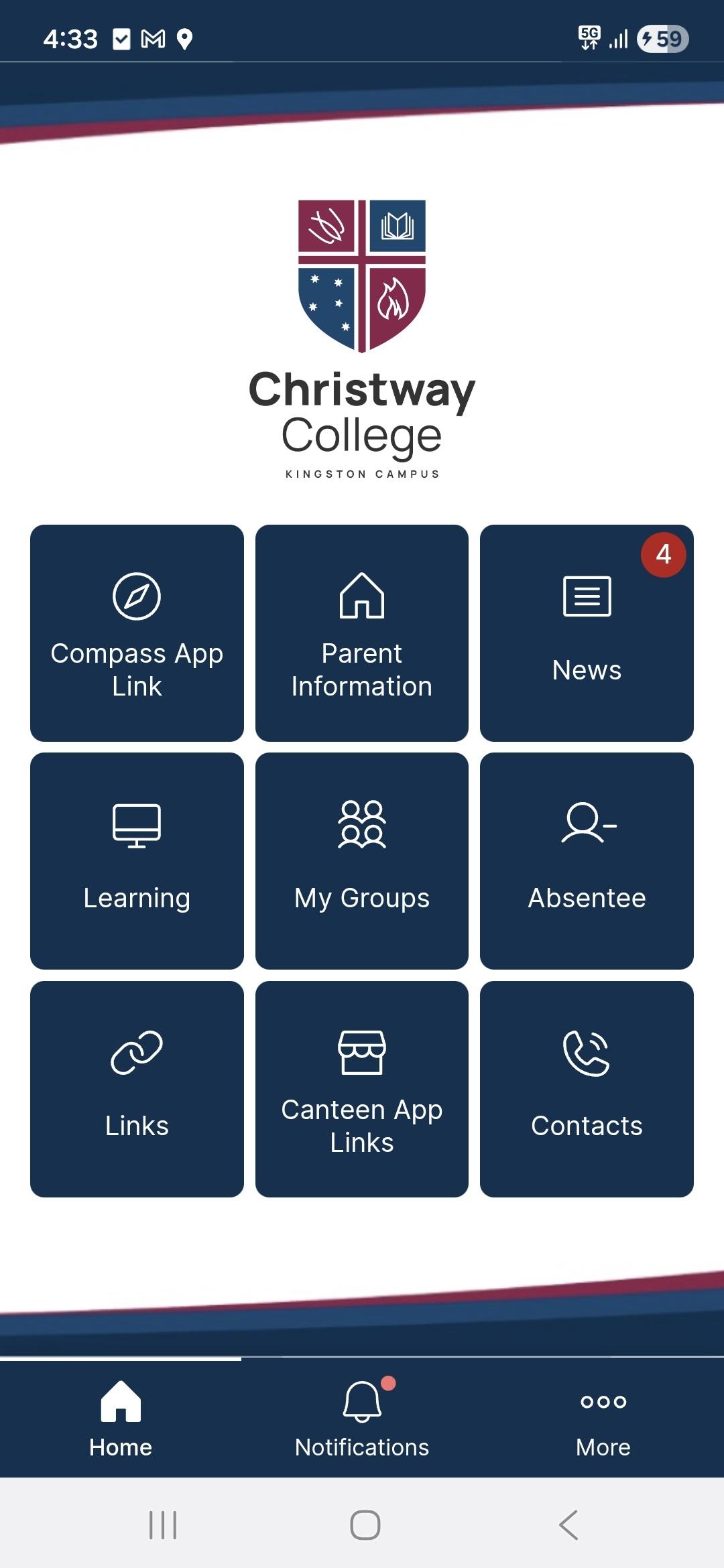
Simply visit the Apple App Store or Google Play Store, search for LION Christway College Kingston. Ensure you are downloading LION Kingston (which is blue) NOT LION Wyndham (which is red). Download, click through the process, accepting each suggestion and finally, Login using your usual school credentials. The App allows you to receive notifications, check student results/grades, access Compass, order food from the canteen, report an absence, and more. Download the App and have an explore.
We look forward to this new chapter with LION and hope Rory evokes a smile as well as providing a helpful hand along the way.
Angela Landy
Head of Academic Culture