

















Page 0 Banner Photo
Cover Page
Dates to Remember  Banner Photo
Dates to Remember Term 4, DECEMBER, January 2023, February 2023
Principal Team Editorial Banner Photo
Principal Team Editorial Farewell 2022
Learning & Teaching Banner Photo
Learning & Teaching Maestro, From Amplify to ELEVATE in 2023
Laptops 2023 Banner Photo
Laptops 2023 Laptops for 2023
The Falcon Yearbook Banner Photo
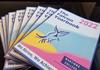
The Falcon Yearbook Second Print Run
Health Centre Banner Photo
Health Centre Happy Holidays from the Health Team!, End of year Reminders!
Senior School  Banner Photo
Senior School Year 12 Results, Preparing for VCE in 2023, Year 9 Mock Interviews
MYLNS Banner Photo
MYLNS The Differences and Similarities between the Romantic and Classical Period.
Gold Level Celebrations Banner Photo
Gold Level Celebrations
Humanities Banner Photo
Humanities  Game of Life
Maths Banner Photo
Maths Australian Maths Competition, KIOSC Mathspace Competition  
Science  Banner Photo
Science Wantirna Places 1st & 3rd in the Engineers Without Borders Innovation Challenge!
Student Leadership Day  Banner Photo
Student Leadership Day
Outdoor Education Banner Photo
Outdoor Education Year 7 Canoe Education
Art & Technology  Banner Photo
Art & Technology Product Design, VCE Media, Art & Technology Wrap Up
Performing Arts  Banner Photo
Performing Arts Performing Arts Captains, Year 8 Drama 2022, Piano Soirée, Piano Keys Available for Collection, Instrumental Re-Enrolments 2023, Want to Learn an Instrument? Join our Program! Join the Fun!
Activities Week Banner Photo
Activities Week The Movies, Funfields
News from the 

Library Banner Photo
News from the Library Summer House Reading Challenge 2023, Please Return Your Books, Term 4 Resident Writers, 2023 Artisan of the Month, and Resident Writers
Career News Banner Photo
Career News Year 12 Results
Student Wellbeing  Banner Photo
Student Wellbeing Support Services, Youth support services , Parent Support
General Information  Banner Photo
General Information General Office / Reception, 2022 Staff Contacts, Student absences, Arriving Late to School, Early Departure from School, Year 12 study periods, Uniform Shop, Library Hours, Lost Property, Student Pick up and Drop Off, College Vision, College Policies, Wantirna College

Camps, Sports and Excursions Fund  Banner Photo
Camps, Sports and Excursions Fund CSEF Application, New Families to Wantirna College, CSEF Information, Claiming Your CSEF Benefit
Community News  Banner Photo
Community News Aboriginal & Torres Strait Islander News, Interested in Lawn Bowls? 
View archive
Published by
Wantirna College
90 Harold Street, Wantirna, Vic, 3152, AUWantirna.sc@edumail.vic.gov.au0398019700
Banner Photo

Laptops 2023

Laptops for 2023

At Wantirna College all students have a computer as a basic tool for learning.  Our aim is to make the process of your child owning a computer as easy as possible for you.


Current Year 9 students and some others

In 2019 when your child was looking to start at Wantirna College the next year, we talked to you about our 1:1 program for Year 7 to 9 students. Many of you chose the option of using a leased computer through the College. Please note that the College never sold computers only leased them.


The term of the lease expires at the end of this year. At the completion of the lease the terms allow the leasee to purchase the computer for a market price. We have determined the market price for the leased computer is $1. In the last week of your child’s attendance at Wantirna for this year, they will need to either return the computer or decide they wish to keep the computer. DET regulations state that if the computer is being kept it will need to be brought to the IT office where all programs apart from Windows 10 will be removed from the computer. Once the programs are removed the computer can be taken home.


If you don’t want the device then you can donate it to the College. We will then reimage suitable devices as loan devices for students who may need them.


Parents and students with a leased computer that started in 2020 have a number of options for 2023.  They are:


1. To keep the current computer, have all the programs removed and then reload any software including the software available from DET through the College at no charge. Please note as the computer is then the property of the student the computer is considered a BYOD and the following apply:

  • Technician support is limited to only assisting students whilst they load the settings required to the College wireless network and internet access.
  • The College technicians cannot fix software or hardware issues for these devices.
  • There is no insurance or warranty coverage for the device.

2. Purchase a new device from the College’s preferred supplier. This can either be a Windows computer or an Apple MacBook. Details and a link to purchase are available in the attachments below.


3. Purchase a device from another supplier and use this as a BYOD under the terms listed later in this letter.


Please download the following attachment for more information on the types of devices available and Bring Your Own Device information.

Please scan the QR Code below for information about the Apple Mac computers available for Year 10 and above.

Gallery Image


Andrew Lewis

Assistant Principal