Page 0 Banner Photo
Cover Page
For your diary  Banner Photo
For your diary Key Dates
From the Principal  Banner Photo
From the Principal
Whole school assembly Banner Photo
Whole school assembly Celebrating our school community
International Women's Day  Banner Photo
International Women's Day Celebrating inspiring women, Out of Uniform Day - Friday 11 March
Digital Photography and the Storyteller Banner Photo
Digital Photography and the Storyteller Staging scenes from a film
State Parliament work experience Banner Photo
State Parliament work experience
Student Services : Careers  Banner Photo
Student Services : Careers Year 10 Work Experience - deadline approaching, ANU applications are open for current Year 12s, Girl's programming event at University of Melbourne
Sports Report  Banner Photo
Sports Report Division Baseball and Softball , Year 9/10 Northern Regional Cricket success , VCE Cricket - Regionals
Student Services News : Wellbeing  Banner Photo
Student Services News : Wellbeing International Women’s Day – Tuesday 8th March, Coping with bad news , Clubs Fair, Family Therapy , Family Violence and Parenting Resources
Wellbeing Programs Banner Photo
Wellbeing Programs Raise Mentoring – Year 7 and 8 , Parent Information Session – I CAN Mentoring – Monday 21 March
Respectful Relationships : Parent Seminar Banner Photo
Respectful Relationships : Parent Seminar Respectful Relationships, Human Sexuality and Protective Safety
From the Library  Banner Photo
From the Library Monday craft – Zine Workshops, New Games for the Library, Puzzle Table and Puzzle Club, Graphic Novel and Manga suggestions please!
Welcome new staff : Part 3 Banner Photo
Welcome new staff : Part 3 Joining our community 
Matilda the Musical Banner Photo
Matilda the Musical The cast list is complete!
Athletics Carnival : Save the date  Banner Photo
Athletics Carnival : Save the date
Parent Teacher Student Conversations  Banner Photo
Parent Teacher Student Conversations Bookings open Wednesday 15 March, What you need to know , How will they work?, Supporting keeping to time , How to book, Who to see
Tech tips : Naplan Lockdown Browser Banner Photo
Tech tips : Naplan Lockdown Browser Downloading the NAPLAN Lockdown Browser
Financial Assistance  Banner Photo
Financial Assistance Help with the cost of camps, sports and excursions, NHS Empower Fund:  Helping Students in need
Top tips : Using the Compass help page  Banner Photo

Top tips : Using the Compass help page A guide for parents and carers, Resetting your Compass Password
Community Notices  Banner Photo
Community Notices Help young people prepare for working life, Play soccer with FC Clifton Hill, Are you interested in a student exchange?, Open Studios at Yarra Youth Centre, Karate for Kids in Brunswick , Free girls' cricket Autumn Vibes program, Brunswick Juventus seeking U15 players, Play footy with the Brunswick Dragons, Preston Bullants seeking new U16 players , Qoya classes in Thornbury
View archive
Published by
Northcote High School
St. Georges Rd, Northcote, Victoria, 3070, AUhttp://www.nhs.vic.edu.au9488 2300
Banner Photo

Top tips : Using the Compass help page 

A guide for parents and carers


We have consolidated a range of compass help guides on a page on the Northcote High School website. Check out the Compass help page for information on:

  • How to reset your password
  • SMS attendance alerts
  • How to email staff
  • Confirming your Compass details
  • A guide booklet for families

Resetting your Compass Password


A quick refresher for all families, this information is also on the Compass Help page of our website. 


Follow these easy steps if you need to reset your Compass password at any time.


You can reset your password on the front page of the Compass login:  using “can’t access your account?” (see example below)
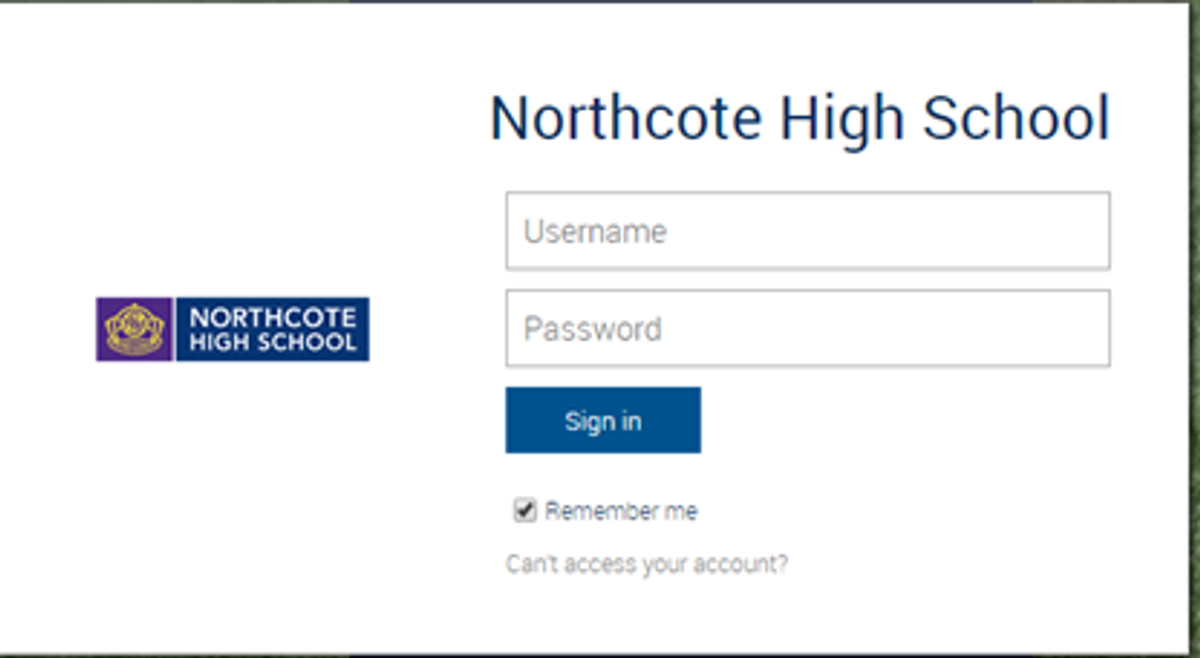
Gallery Image


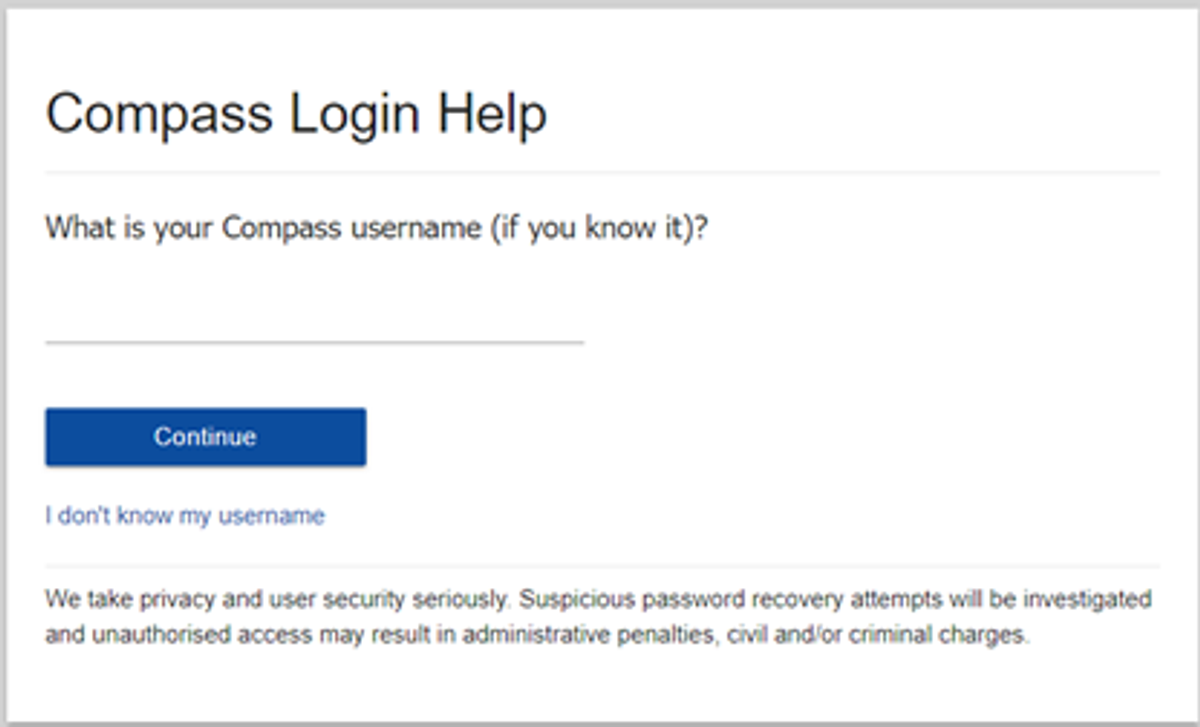
Enter your Compass username. (see example below)
 

Gallery Image


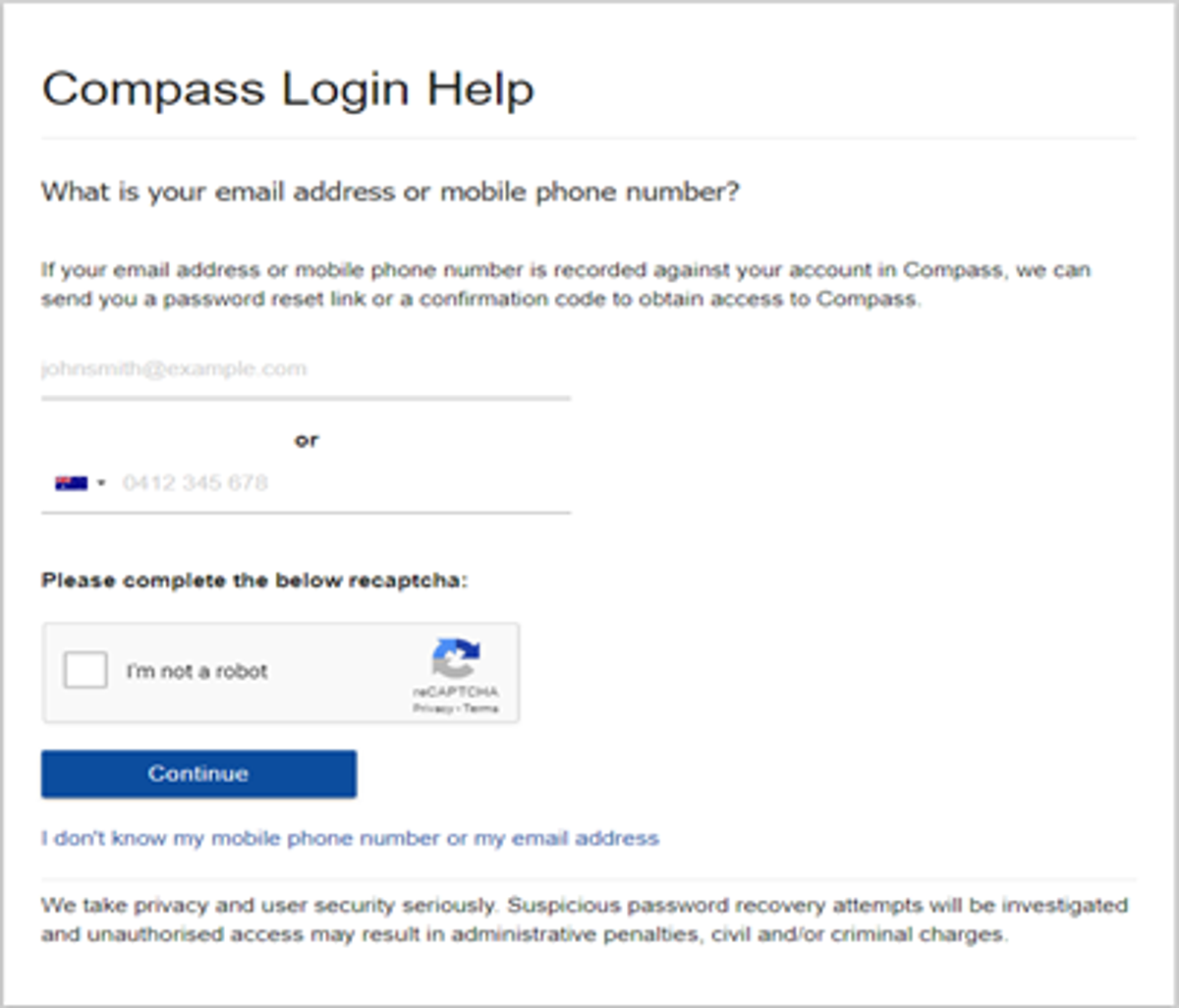
The next page will ask for either your email/or phone number etc, ensure all relevant areas are completed.


Important Note: For families that live at the same address the password reset can only be sent to parent #1 recorded details and will need to match the details that are currently recorded against your Compass account. 
 

Gallery Image


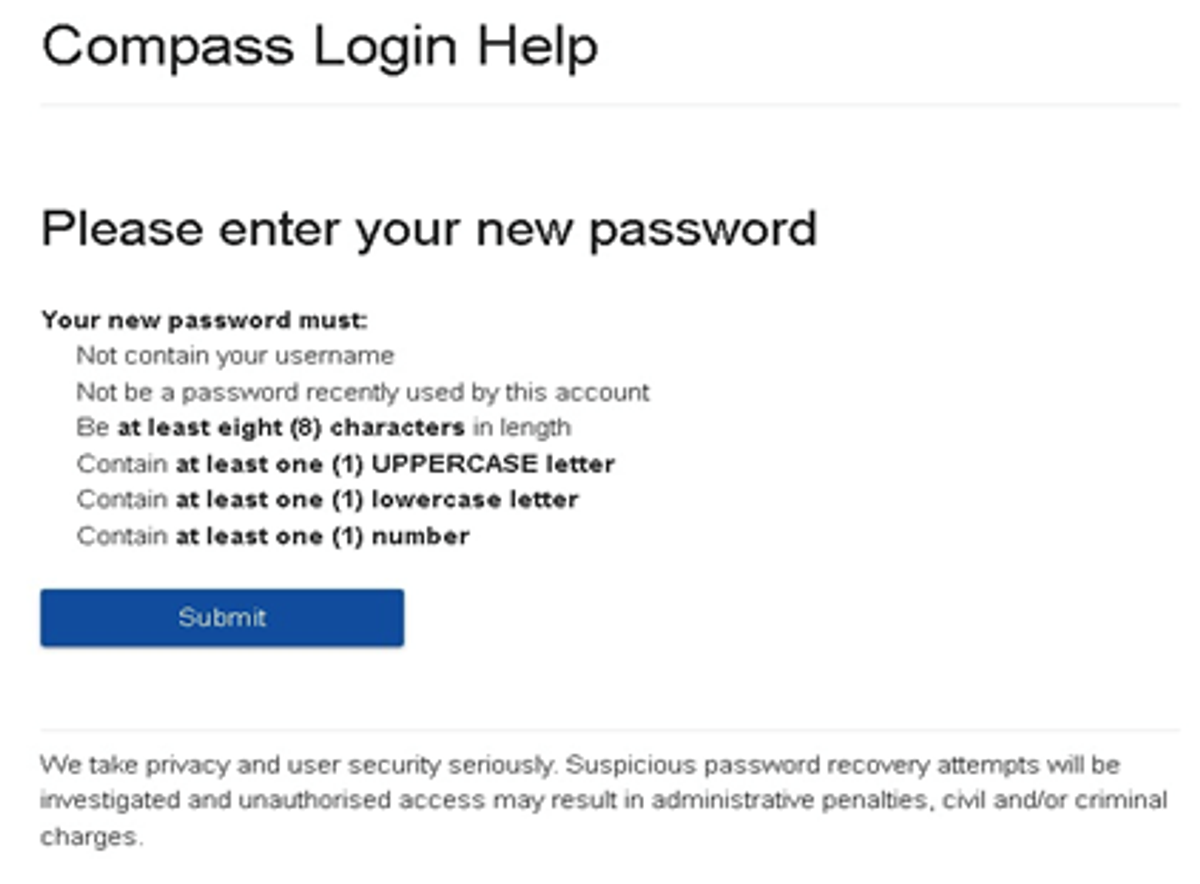
An email will be sent to you with a link to change your password. It is important that you DO NOT use a previously entered password. 
 

Gallery Image


What to do if you see the following message from Compass when trying to reset your password:

Please contact the school's general office.
Unfortunately, we are unable to recover the password for this account online. Please contact your school for further assistance.


If you see this message, it means you missed one of the steps and you are now are stuck in a loop. 


If this happens, please click on this Compass link, also accessible via our website homepage, to get to a fresh Compass page and restart the process.


Top tips

  • Compass username will be the first three letter of your surname (in capital letters) followed by 4 issued numbers
  • Email/phone number used must match parent captured details currently held in Compass.
    • Families that live together share parent # 1 user name and password (reset to parent #1 recorded details held in Compass)
    • Families who live separately will each have their own username and password
  • You must use a new password each time you reset; Compass will reject any previously used password. (if it rejects, it will ask you to contact the school, if you refresh the page it will let you try again).
  • It is best to reset your password on a Computer rather than a phone.


This information can also be accessed on our website under Communicating with Families: How to reset Compass Password