
From the Office
Subject Contributions

Dear Parents and Carers,
Pakenham Secondary College is dependent on voluntary contributions from parents to achieve the best possible education and support for our students. These contributions support the curriculum programs, school services and resources, together with ensuring the operation of the school's extended learning and co-curricular programs.
Please visit your Compass Portal - Course Confirmation / School Payments, to learn more about how you can make a payment of voluntary contributions. Please contact the General Office via the following email: 8223-excursions@schools.vic.edu.au or phone 5945 1433 should you have any queries.
Please note that information relating to 2026 voluntary contributions is available on our website by clicking on the button below.
Kind Regards
PSC Administration
General Office
The General Office/Reception is open from 8:15am to 4:15pm Monday to Friday throughout the school term.
The office phone number is (03) 5945 1433 and the email address is: pakenham.sc@education.vic.gov.au
Important message about Student Absences
If your child is absent from school, it is a government requirement that an explanation is given for this. Please follow our absence procedures by either logging your child’s absence on to Compass or calling the absence lines (details below). Doing so saves our admin and teaching staff a significant amount of time which can then be directed to teaching and learning and student wellbeing instead. We appreciate your support in this matter.
Kate Logan
Assistant Principal
Student Absence Procedure
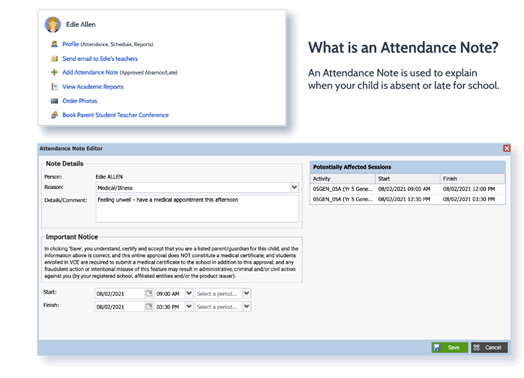
If a student is unable to attend school, is going to be late or needs to leave early, the school must be informed of all absences, whether it be illness, appointments, holidays or any other reason.
The easiest way is to Login to Compass with your Parent Login and “Add an Attendance Note” (please click on the image for details).
Please click here for the Compass Login or you can call the school office on 5945 1433 on the morning of the absence.
Dedicated Absence Lines
Dear Parents/Carers,
In the first instance, the easiest way to log your child’s absence is to enter it directly on Compass. Instructions for doing this can be found here.
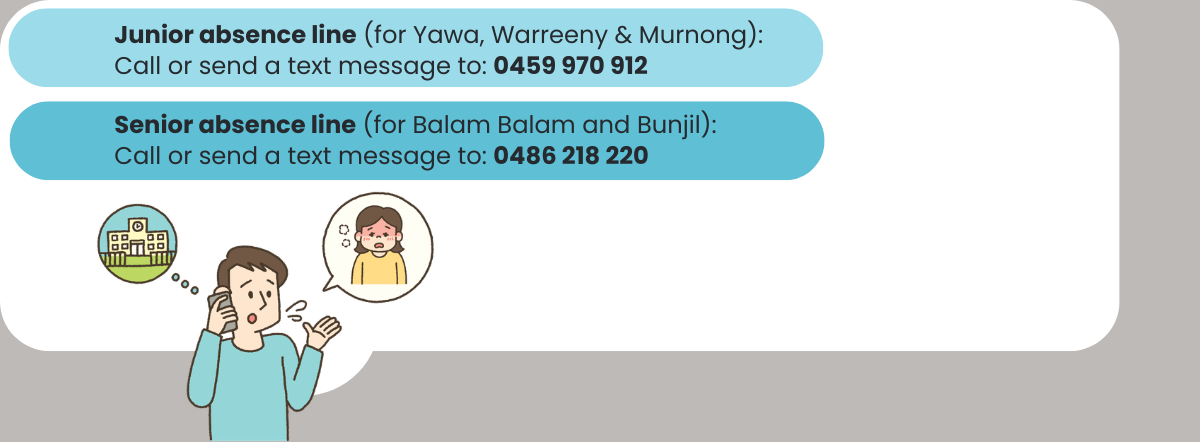
We now have another way for parents and carers to notify us of absences; we have two dedicated absence lines - one for the Junior Sub Schools and one for the Senior Sub Schools. These lines are available 24 hours a day, 7 days a week.
Parents and carers can either call or text as soon as they are aware their child will be absent - whether it's for the current day or a future date.
WHICH LINE SHOULD I USE?
Junior Sub Schools (Yawa, Warreeny and Murnong):
Phone or send a text message to: 0459 970 912
Senior Sub Schools (Balam Balam and Bunjil):
Phone or send a text message to: 0486 218 220
When contacting the school, please include:
Your child’s first and last name
Their home group (or year level, if you unsure)
WHY REGULAR ATTENDANCE MATTERS
Regular school attendance is critical for students to succeed. At Pakenham Secondary College, we are committed to supporting student learning through consistent attendance.
In our Senior Sub Schools, students enrolled in VCE, VCE VM or VPC must also meet VCAA attendance requirements - a minimum of 90% attendance per unit is required to pass.
Being absent even once a fortnight can result in missing up to four weeks of school per year. Where possible, we ask that you:
Book appointments outside of school hours
Plan family holidays during school breaks
Under state legislation, students under 17 must attend school for at least 200 days per year. Parents/guardians are legally responsible for ensuring this requirement is met.
NOTIFYING THE SCHOOL OF ABSENCES
In line with Department of Education guidelines, all schools must know when and why a student is absent. If we do not receive notice of an absence, we are required by the Department to contact families on the same day to ensure the student is safe.
You can notify us in one of the following ways:
Compass:
Log the absence through the Compass School Management System (Instructions available here)
Phone or Text:
Leave a message on the junior or senior school absence line
Only parents or legal guardians can authorise absences. Notifications from other individuals will not be accepted.
Thank you for supporting your child’s education and wellbeing through consistent attendance. If you have any questions, please contact the College on 5945 1433 or via email at: pakenham.sc@education.vic.gov.au.
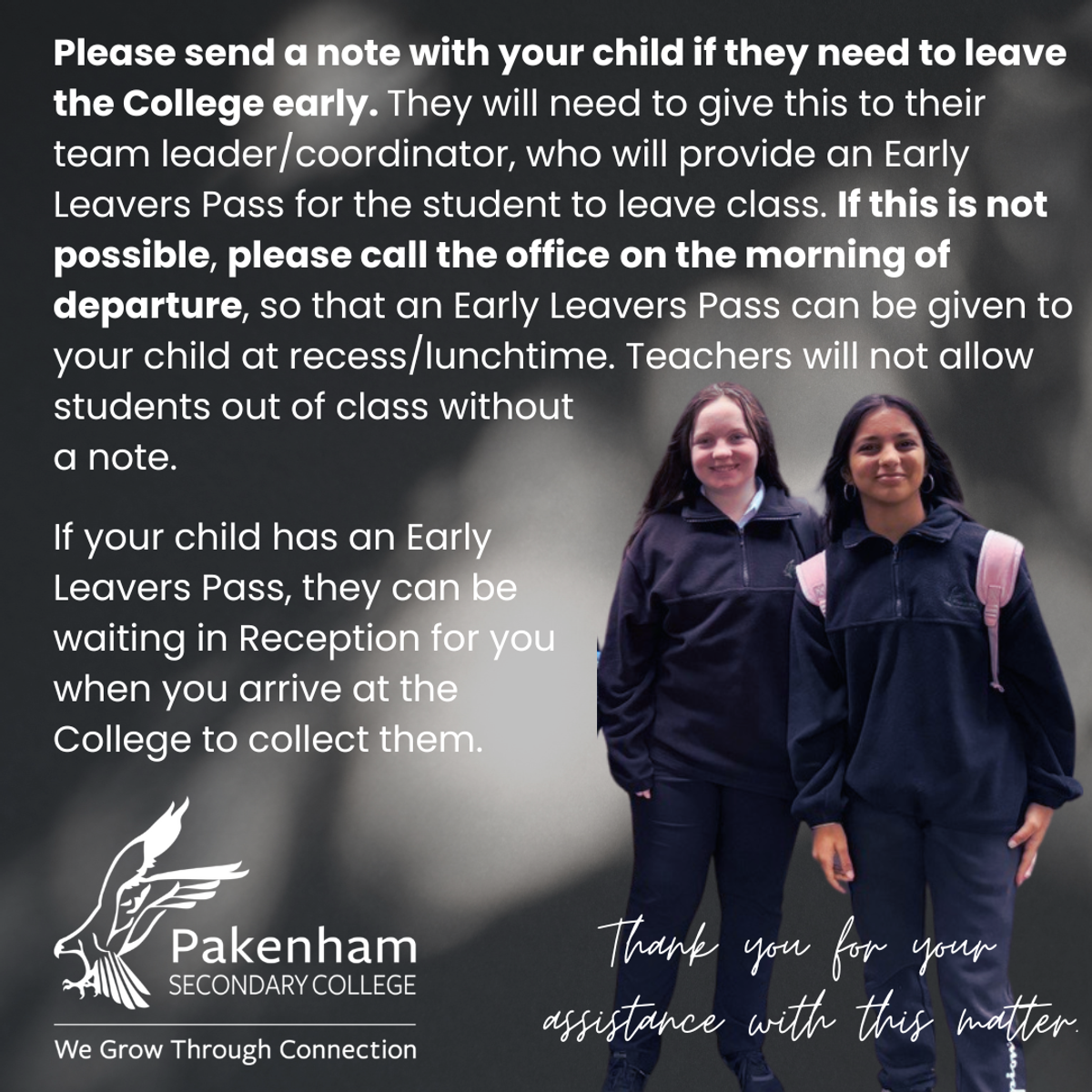
Students departing early from school
Bell Times
| Locker Bell | 08:45 am - 08:55 am |
| Period 1 | 08:55 am - 09:55 am |
| Change Over | 9:55 am - 9:59 am |
| Period 2 | 9:59 am - 10:59 am |
| Recess | 10:59 am - 11:30 am |
| Locker Bell | 11:30 am - 11:36 am |
| Period 3 | 11:36 am - 12:36 pm |
| Change Over | 12:36 pm - 12:39 pm |
| Period 4 | 12:39 pm - 1:39 pm |
| Lunch | 1:39 pm - 2:09 pm |
| Locker Bell | 2:09 pm - 2:15 pm |
| Period 5 | 2:15 pm - 3:15 pm |
Parent Details

If you have moved house or changed phone numbers, please remember to fill in a ‘Change of Details’ form. The form can be collected from the General Office. Please return this form as soon as possible. It is important that we have your most current details for general purposes and in case of an emergency.

It is also important that you keep your mobile phone and email address details up to date on Compass. This is to ensure you do not miss out on vital information including student attendance alerts. To do this:
Login to your Compass account, and select the Cog Icon in the top right-hand corner of the page.
Select Update My Details from the drop-down menu provided.
Fill in your new details as desired, then select the Update My Details button to save.
Uniform Shop
The school uniform store is no longer onsite and is now open at the new location of:
Noone Officer Uniform Store
Shop 6
45 Siding Avenue
Officer
It is open 6 days a week for easier access.
To find out more about our Uniform, please visit pakenhamsc.vic.edu.au/uniform.
Uniform Shop Opening Hours
| Monday - Friday | 9am until 5pm |
| Saturday | 9.00am - 1.00pm |
Compass
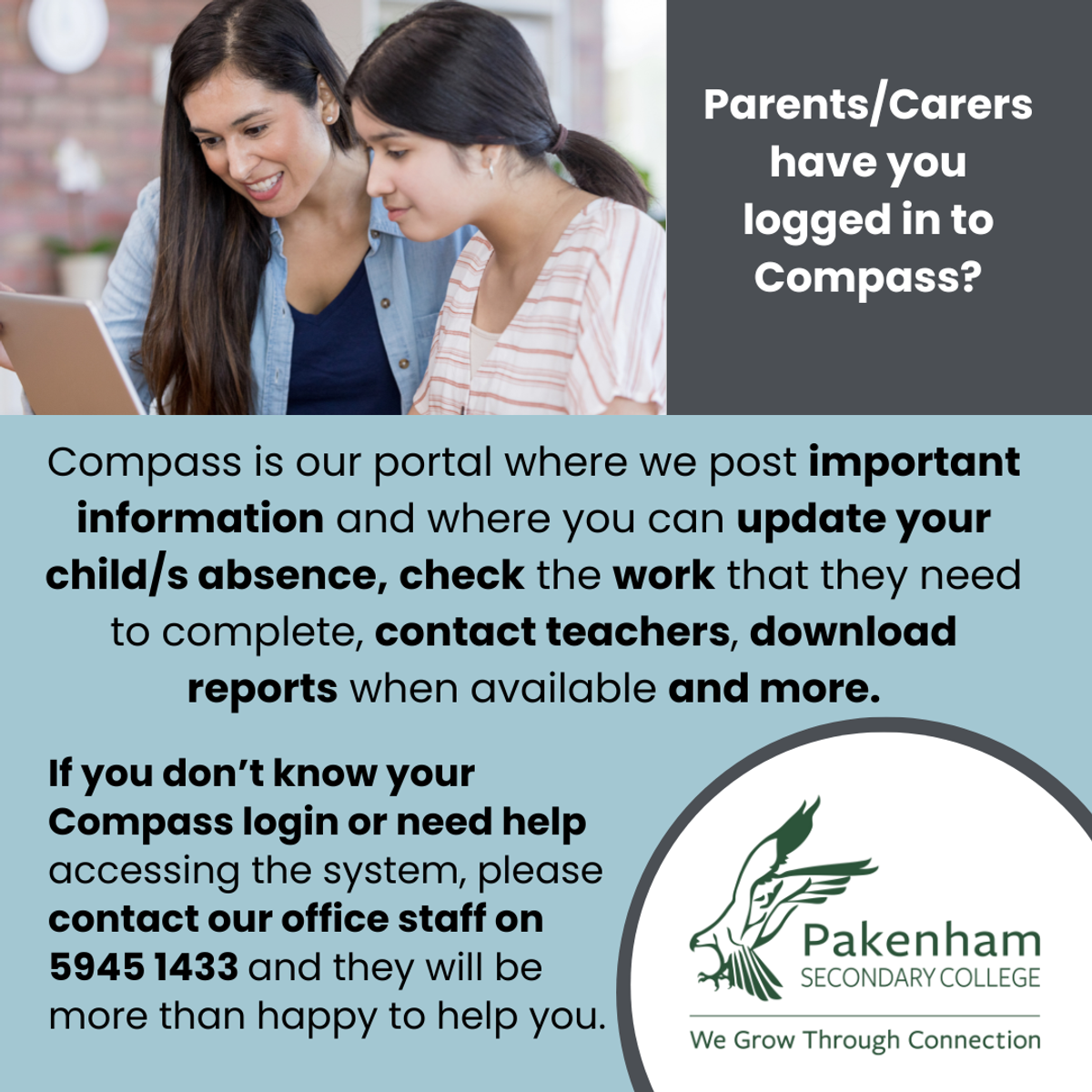
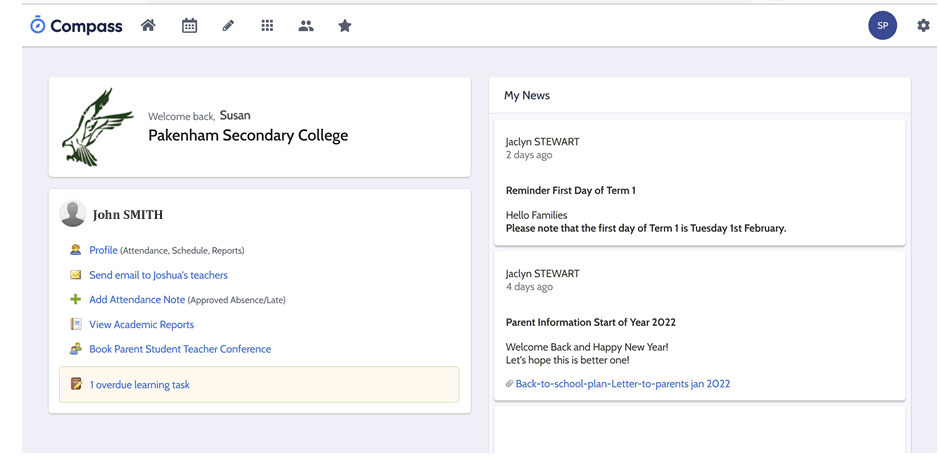
Compass is our portal where we post important information and where you can update your child/s absence, approve incursions/excursions, check the work that they need to complete, contact teachers, download reports when available, book parent/student/teacher interviews and more.
Please feel free to call the College with any questions you may have on 5945 1433. Our General Office will be more than willing to help you as best they can. Please read further below for some short visual guides on how to use Compass.
Click here for the Compass Login.
Compass Guide
We have had a request from some parents to provide a Guide for the main areas of Compass. Please find below details of the Parents Compass Home Page.


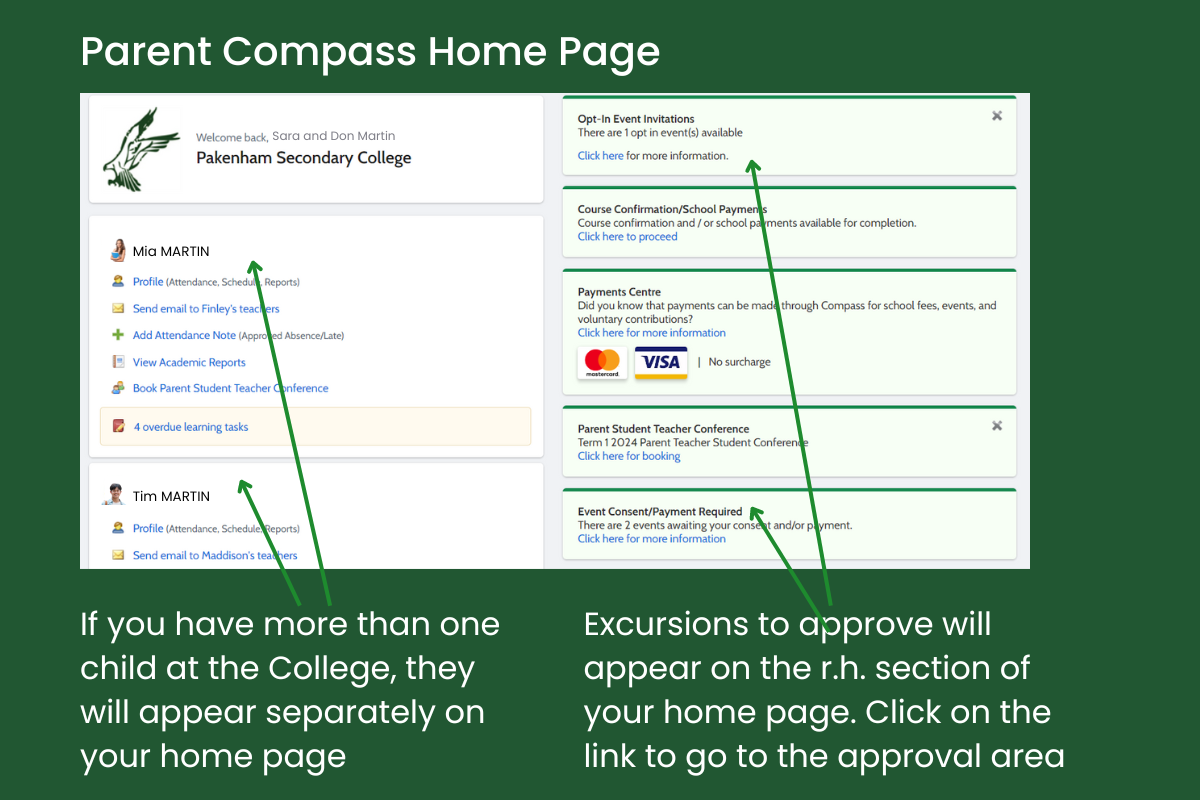
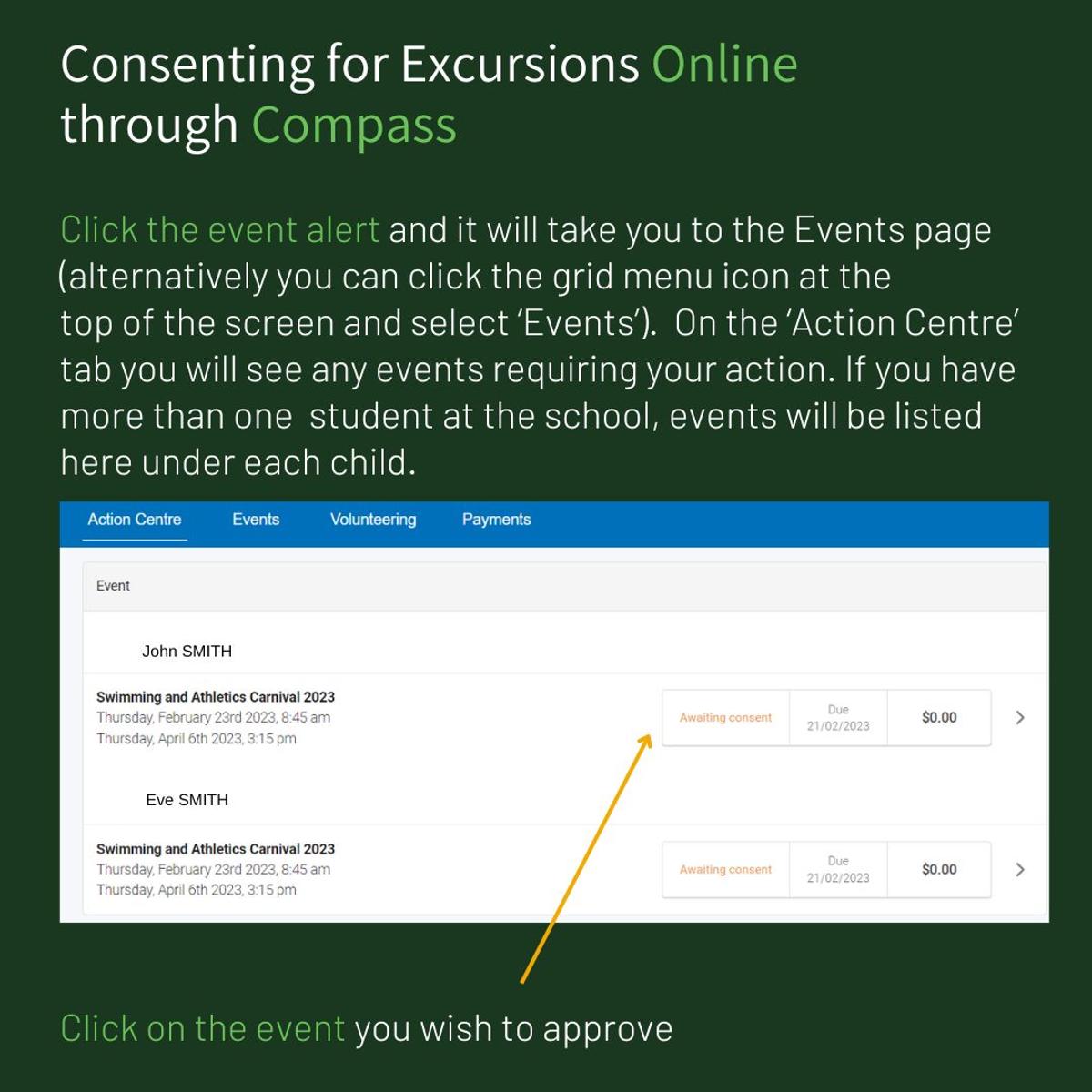
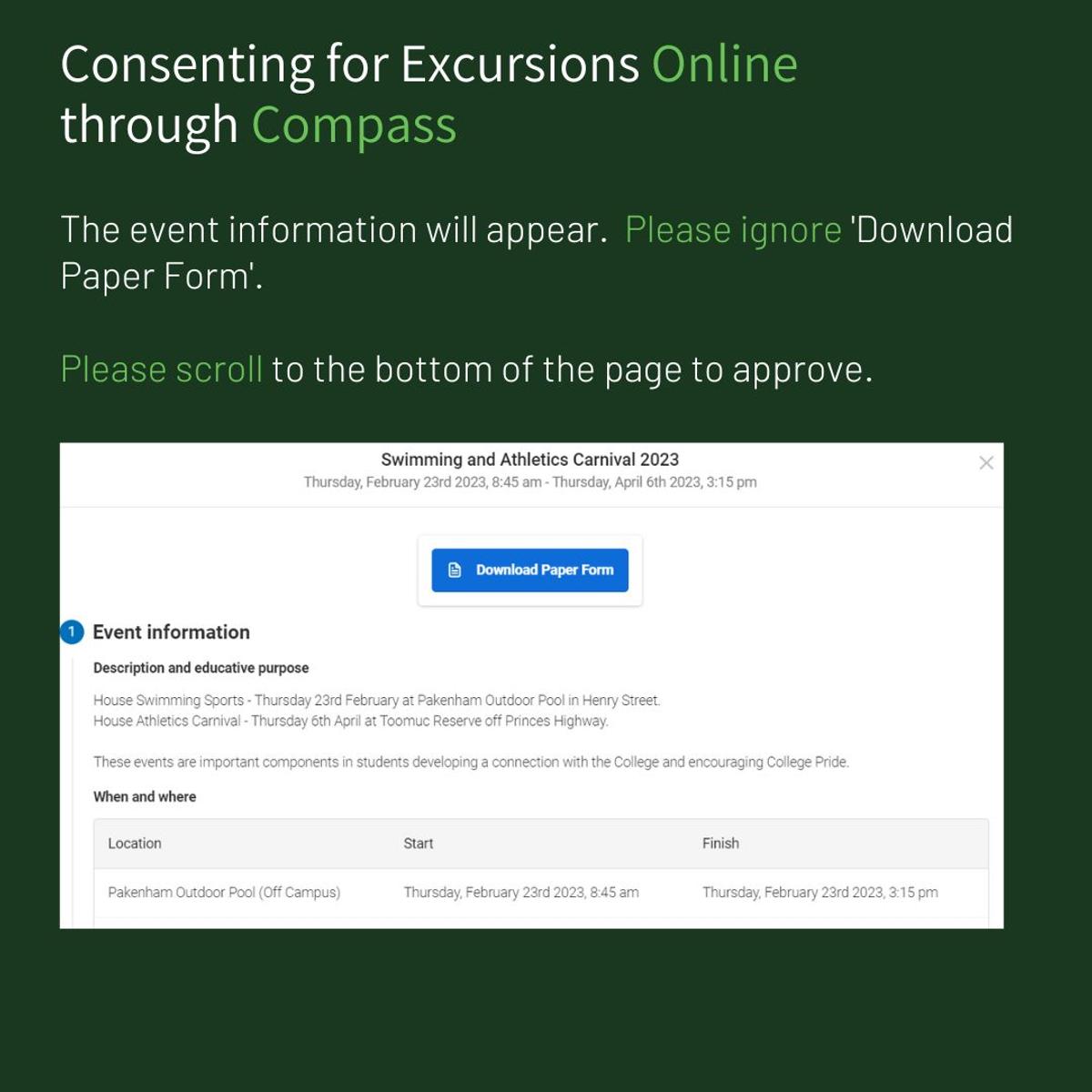
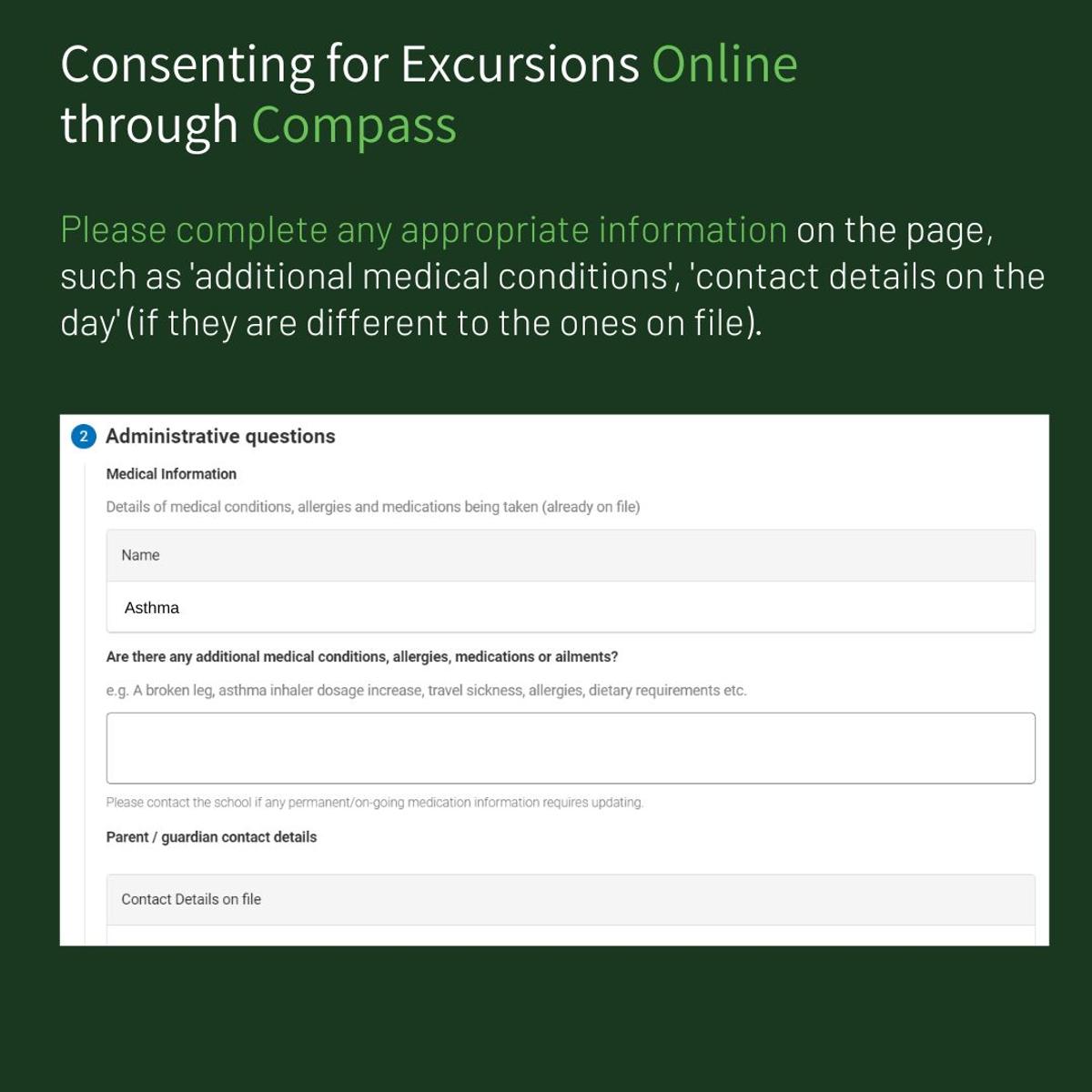
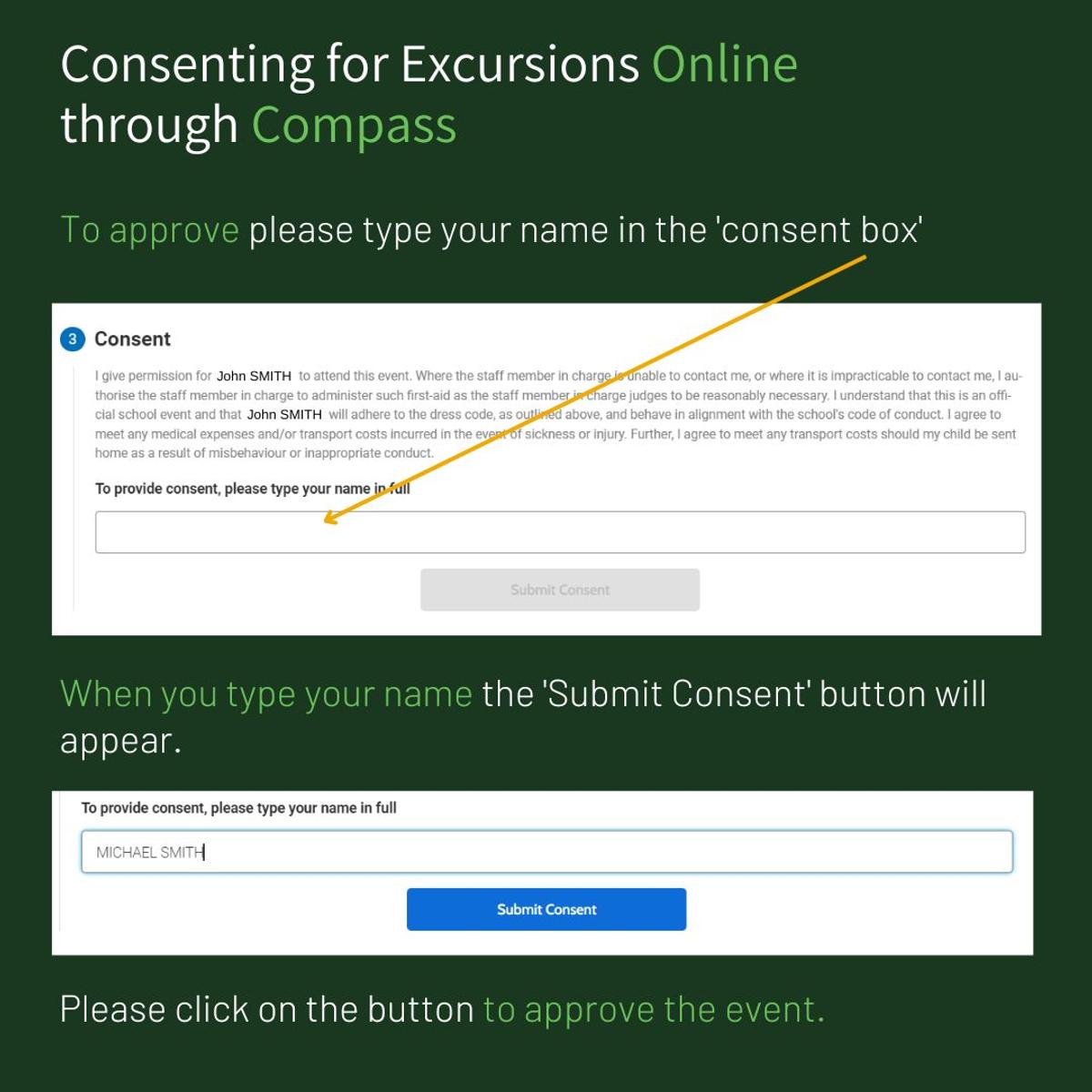
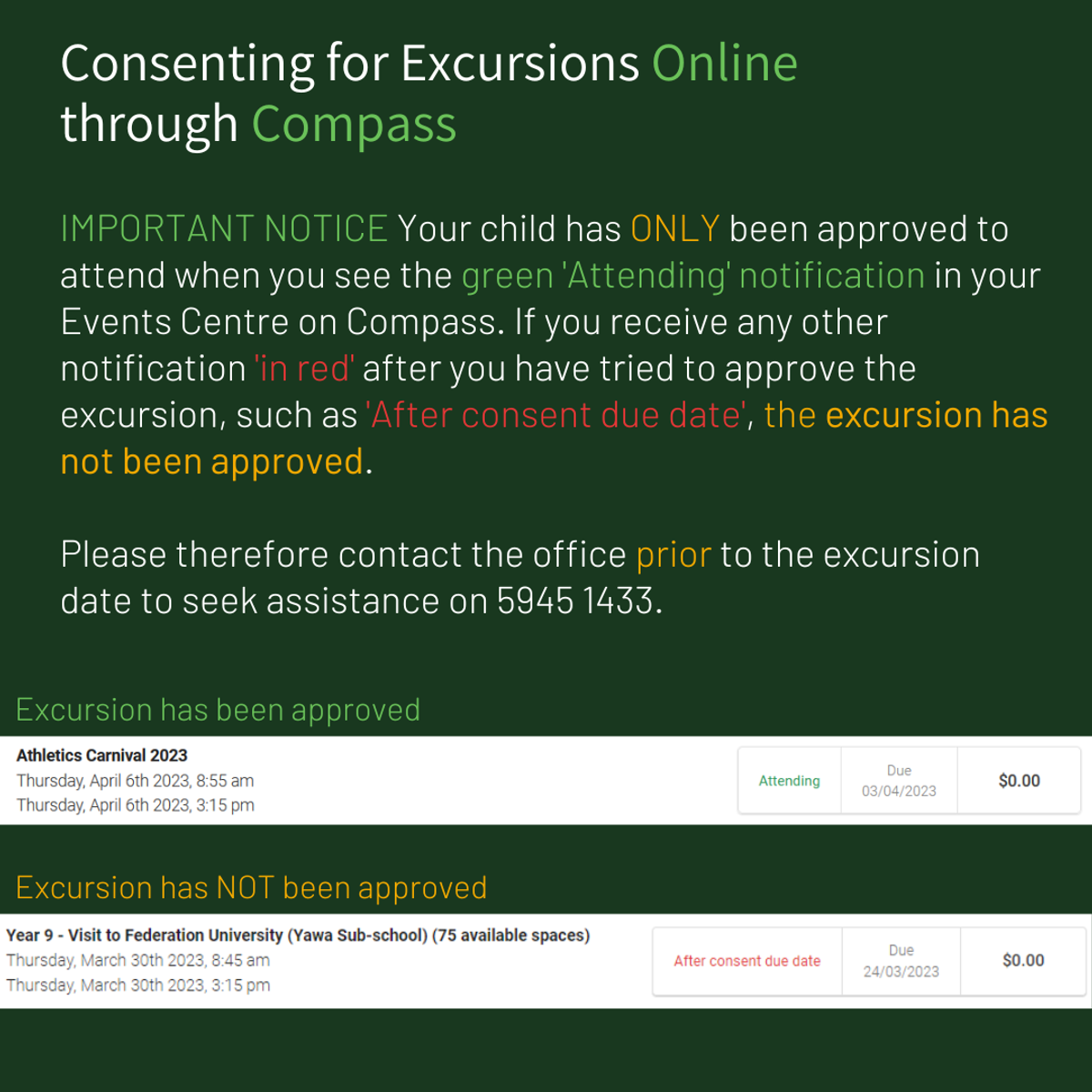
Excursion Approvals - Online Only
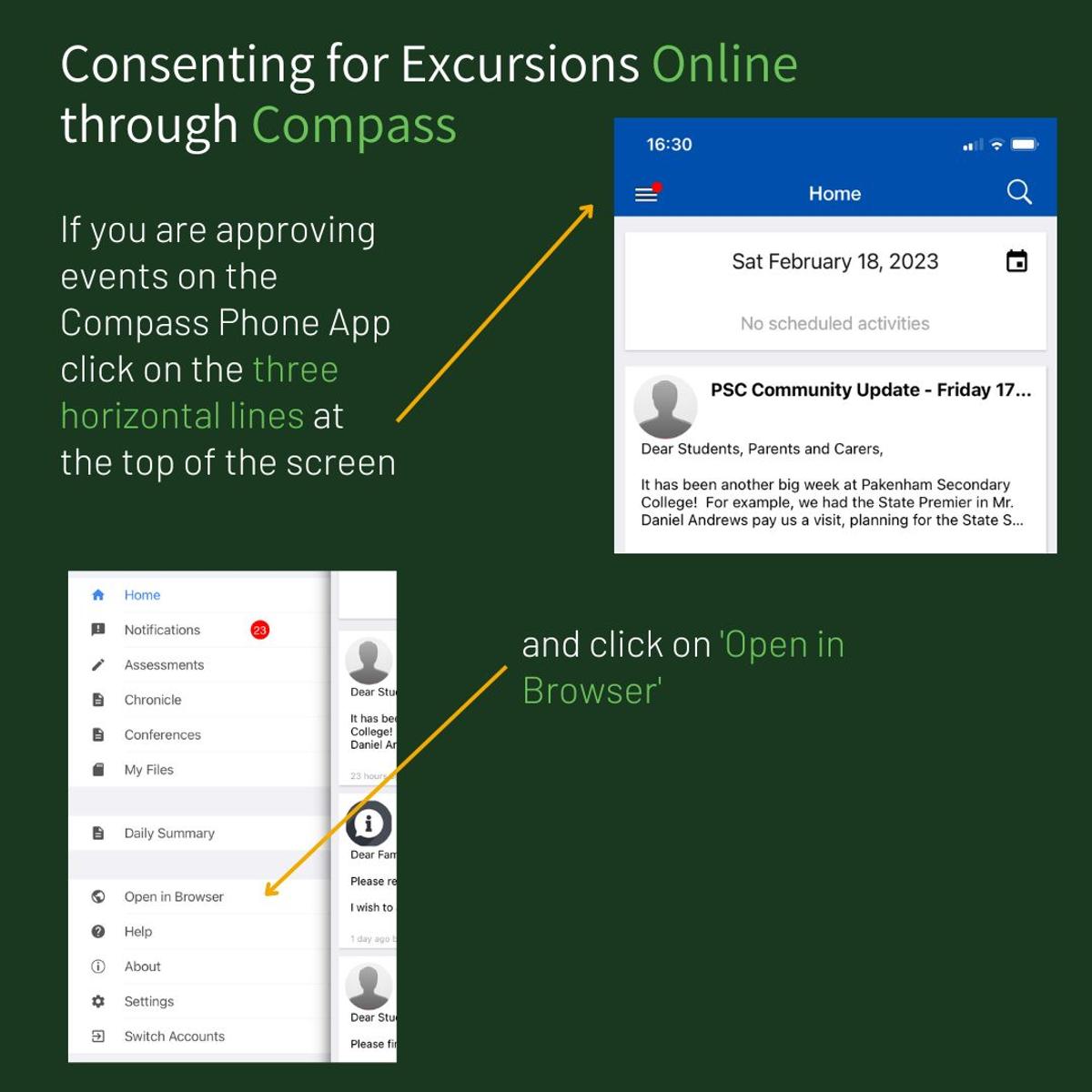
Pakenham Secondary College have 'gone digital' for excursion approvals! For any incursion/excursions that your child will be attending this year, approvals will be made via your (Parents/Carers) Compass. Paper copies will no longer be provided.
Parents/Carers, if you do not have your Compass login, need a new password or need any help, please contact the office on 5945 1433.
Please follow the instructions below for approvals.

Student Absences
If a student is unable to attend school, is going to be late or needs to leave early, the school must be informed of all absences, whether it be illness, appointments, holidays or any other reason.
The easiest way is to Login to Compass with your Parent Login and “Add an Attendance Note” (please click on the image for details).
Please click here for the Compass Login or you can call the school office on 5945 1433 on the morning of the absence.
Compass Pay
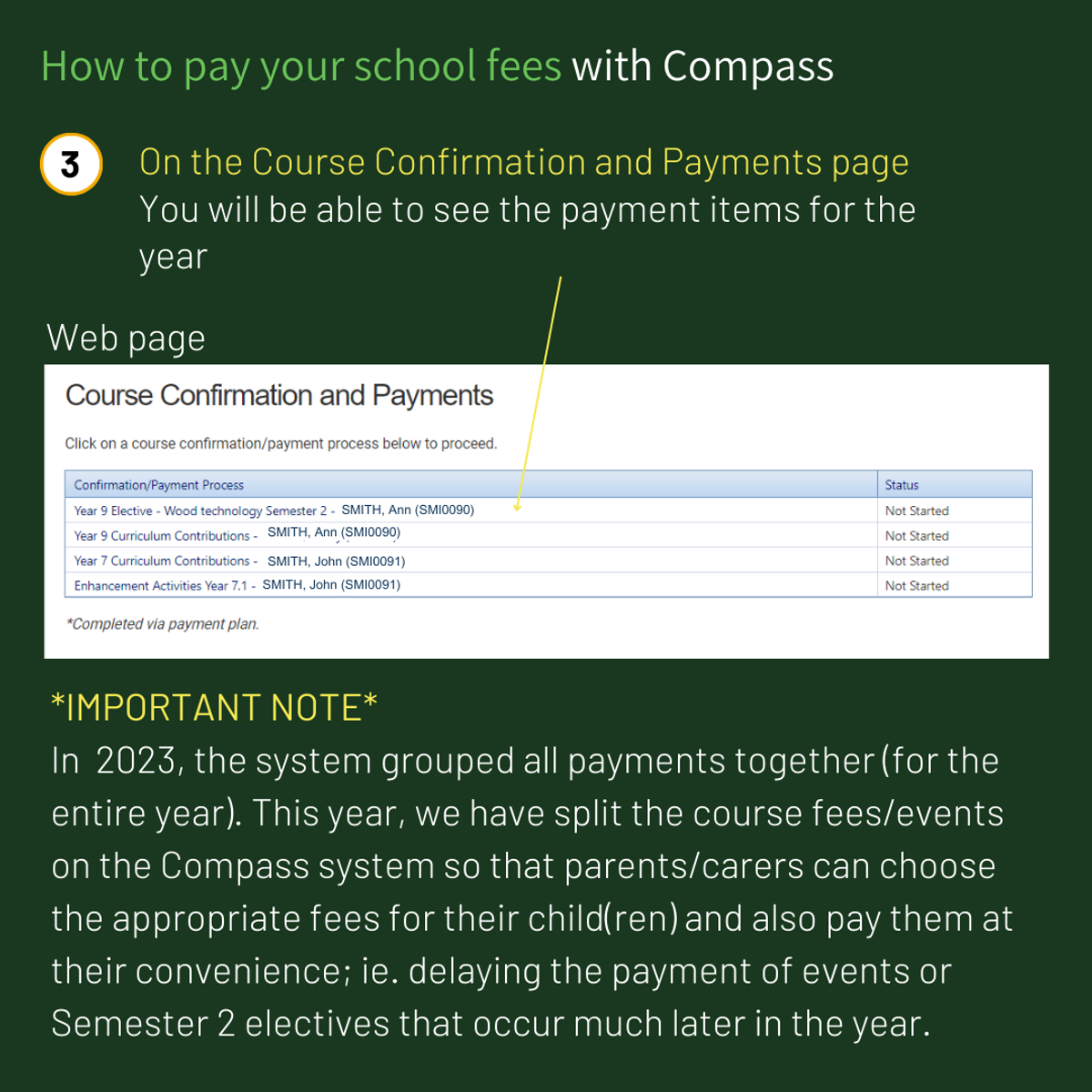
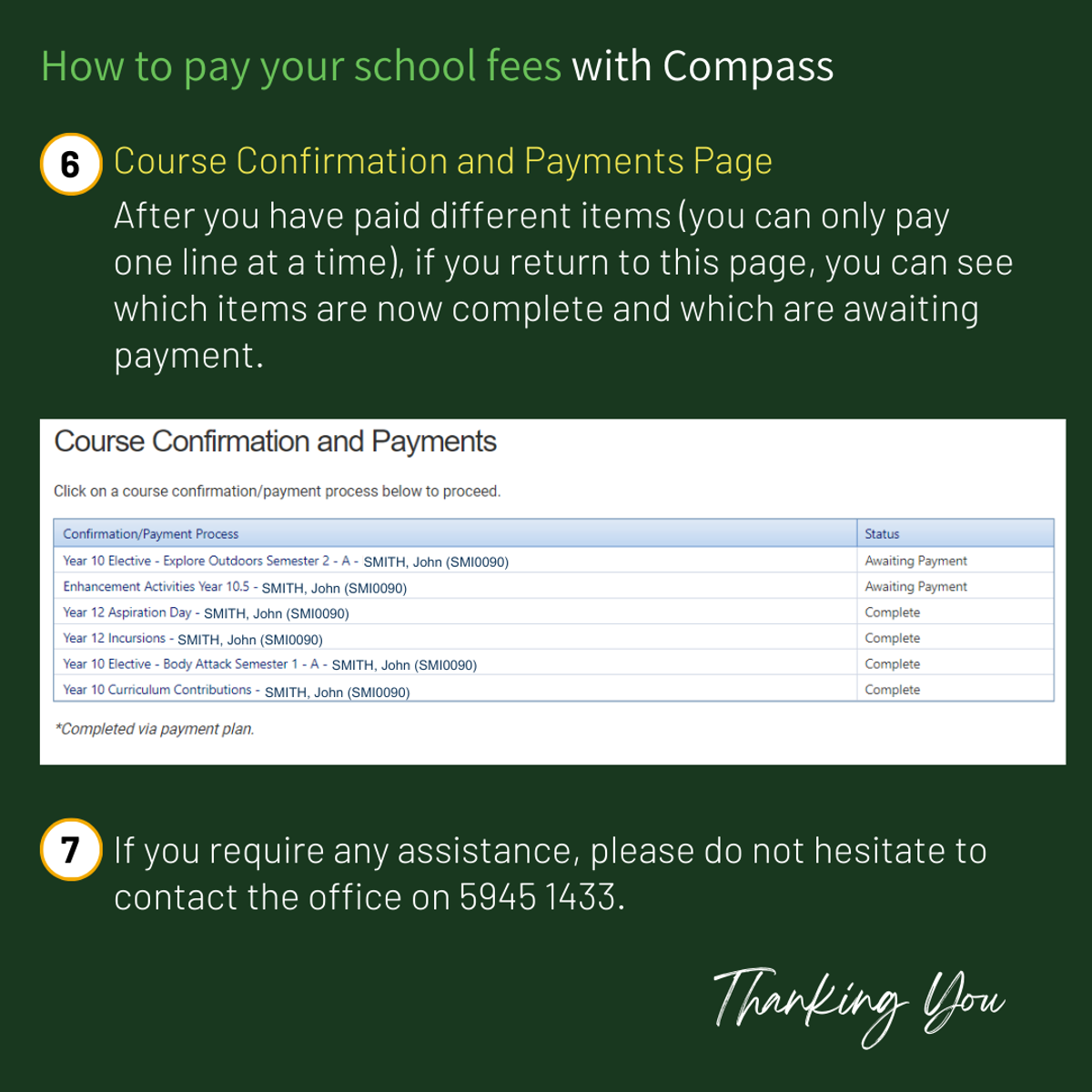
Please find below instructions on how to pay your school fees through Compass. If you have any questions, please contact the office on 5945 1433.




More Compass Information
If you require further information on Compass please visit the following link: