Online Safety Hub






















 John XXIII College
Online Safety Hub
The Hub includes expert advice on the most pertinent cyber safety issues and frequently asked questions around platforms like TikTok, Fortnite, Instagram, and more. There are app reviews with age and safety recommendations, a range of guides and resources to help ensure healthy boundaries around screen time and gaming, and step-by-step instructions for using parental controls and filtering out inappropriate content.
The Screen Time Problem Doesn't End When Kids Start School
Screens are woven into almost every part of your child’s school day. There are laptops at school. Phones on the bus. YouTube after school. Gaming with friends. Group chats pinging throughout the evening. And homework that genuinely requires a device. (They’re always “just doing my homework” when we see them on a screen, right?)
Despite Australia's under-16 social media restrictions, my conversations with parents in schools suggest social media remain a significant issue for many families. Data is clearly showing that the kids haven’t given up their social media accounts, and Facebook hasn’t kicked them off. So what can we do about it?
Ask what the screen is replacing
We often focus on screen time as a number. "How long have you been on that thing?"
A more interesting question might be: What didn't happen because you were on it?
- Did your child get enough sleep?
- Did they move their body?
- Did they spend time with friends face-to-face?
- Did they talk to anyone in the family?
- Did they read, create, play, practise an instrument, kick a ball, walk the dog, or simply experience boredom long enough to figure out what to do next?
Screens have an opportunity cost.
Don't let screens become the default
Screens promise cheap dopamine (which allows us to feel good), and something researchers call “digital soothing”.
- Bored? YouTube.
- Stressed? TikTok.
- Awkward moment? Grab the phone.
- Can't sleep? Scroll.
- Nothing happening for 30 seconds? Check notifications.
(And we, as adults, are often just as bad.)
Change the environment, not just the rules
Telling a 14-year-old to "use your phone less" while their phone sits beside them buzzing with notifications is asking them to exercise extraordinary, impossible self-control.
Make the environment do some of the work. Keep phones away from bedrooms overnight. Create screen-free mealtimes. Have somewhere devices can live when they're not needed. Encourage homework to happen with unnecessary tabs, apps, and notifications switched off.
And importantly, make some of these family rules rather than "kid rules". It's difficult to convince our children that phones shouldn't interrupt dinner while we're checking ours under the table.
Give them something worth putting the screen down for
Your child might protest. They might tell you everyone else is allowed. They might be spectacularly unimpressed with your decision.
That's okay. Set boundaries around screens, then fill the space you've created with something better.
Food around the table. A lift to see a friend. A basketball hoop. A dog walk. Music. Books. Cooking. Conversation. Family movie night.
Our kids don't simply need less screen time. They need more life away from it.
Reference: 090326 Screen Time
Is Spotify safe for kids? App safety guide for parents
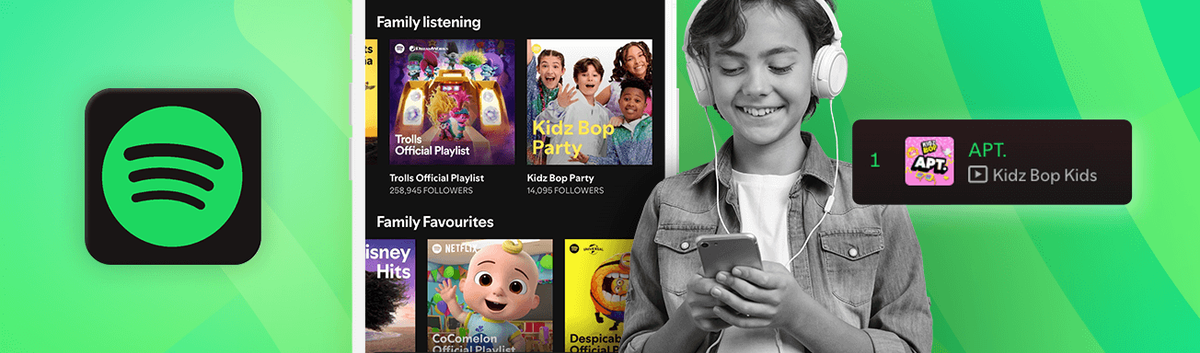
Spotify is a digital music streaming service, offering access to millions of songs, podcasts, and audio from artists all over the world. It’s on-demand radio for the streaming era, with the added bonus that over time, it becomes tailored to your listening interests, suggesting music, artists, and topics you might like, while curating playlists based on your listening history. Kids and adults alike love it for its ease of use, quick access to a vast online library of audio, and its high level of customisation – but Spotify is also home to some hidden risks that parents need to explore.
What can kids do on Spotify?
With the basic (free) version of Spotify, kids can listen to the full library of music and podcasts, but with breaks for ads, and they’ll only be able to press the “skip” button a few times before it stops them from jumping from song to song. The free version also shuffles playlists, and you can’t listen offline. Why is this important? With kids’ listening in shuffle mode across a huge variety of songs, genres, and artists, it’s difficult for parents to keep track of what they’re listening to, and whether they’ll be served with songs, ads or podcasts where the lyrics or content is inappropriate for their age.
Spotify does have a premium version, where parents may feel more in control: the paid subscription removes ads and skip limits, playlists are no longer shuffled, and kids can listen offline. Premium subscribers in some countries also have access to a range of audiobooks, which aren’t available in the free version. However, to manage explicit content, families have to purchase the more expensive “Family” subscription.
Spotify: the risks parents need to know
Explicit contentLong gone are the days where you could avoid songs or a whole album by vetoing any purchase with a “Parental advisory: Explicit content” label. Through Spotify, kids have access to a huge library of music with uncensored, graphic lyrics, podcasts discussing mature themes, and sexually inappropriate content. And just like most spaces on the internet where large numbers of users can edit, upload, and interact with the content, Spotify contains adult content, which is relatively easy to find or stumble across. Kids can find explicit album art, porn audio, and erotic podcasts across the platform. | Inappropriate contentBeyond music, Spotify is also host to a wide variety of podcasts and audio content, which cover a range of topics – not all of them child-friendly or age-appropriate. Discussions about adult relationships, substance abuse, violence, mental health challenges, and other complex subjects that aren’t appropriate for every age often feature in podcast content. And, because Spotify’s recommendations are driven by algorithms, the more your child tunes in to this kind of content, the more likely they are to be served more of it in the future. |
Risk of predationSpotify’s social features, like public playlists and collaborative playlists, might leave young users open to inappropriate interactions. With people all over the world able to access Spotify, and create custom playlists, these can be a channel for adults to contact unsuspecting children. One UK mother reported that a stranger had used Spotify playlists to communicate with her 11-year-old daughter, changing the title and description of the list to encourage her to send explicit photographs by uploading them as the playlist’s featured image. | Minimal parental controlsIn some countries, Spotify offers a family-friendly version of the app, Spotify Kids, which is tailored to younger children and offers singalongs, child-centred playlists, and custom audio based on your kid’s age (0-6 or 5-12). Unfortunately, this isn’t available worldwide, and the other option for parents of younger children, which is a Family subscription, simply filters out explicit content – kids can search and find it, but they won’t be able to click on it and play the audio. Parents can also filter out artists by navigating to their profile, selecting the three small dots that appear, and choosing “Don’t play this artist”. |
Making Spotify safer for kids and teens
Depending on your child’s age, there are different ways you can make Spotify safer for them to enjoy and explore. Across the age groups, it’s generally a good idea – if you can – to choose a premium subscription or use Spotify Kids if it’s available in your region. This will allow you to give young kids a more age-appropriate experience, or turn on explicit content filters. However, even if you can’t do this, there are still ways you can make Spotify safer for children and teens.
Make custom playlists
An easy way to ensure your child listens to music that you’re happy with is by creating playlists – which can also be turned into a family activity, where each family member curates music lists to their taste. You can add new songs over time, and there’s no limit to the amount of playlists you can create. Alternatively, if you don’t have time, or don’t want to create your own, you can explore the huge library of custom playlists and follow them from your child’s account.
Follow podcasts and artists
To help shape your child’s algorithm, it’s a good idea to follow podcasts or artists that they enjoy, or that you think provide value. Similarly, you can hide artists by selecting “Don’t play this artist” from their profile, and adjust the algorithm by selecting “Not interested” on recommendations, or “Remove this from my taste profile” on playlists. This will help shape their feed, and give them recommendations that are more likely to align with your values, and their interests.
Turn on explicit content filters (paid only)
To filter out explicit content, you’ll need to have a premium family account. In your “Account overview” section on the Spotify website, select “Premium family”, and then head to the name of the family member you want to manage. There should be a toggle that reads “Allow explicit content”. Make sure this is in the “off” position. You may need to keep checking these settings, as kids can also switch it back on.
Monitor social sharing
While it’s fun to see what friends and others are listening to, and Spotify’s social features can make listening a more collaborative experience, it makes sense to check in on their followers and block any they aren’t friends with in real life. You can also make playlists private, making it more difficult for their profile to show up in any search results.
Set healthy limits
While it’s beneficial for kids to listen to music and audio, there’s a time and a place for everything, and you may not want your child to have access to apps like Spotify at any time – for example, when they’re supposed to be sleeping, or when they need to get up and out of the door for school. Qustodio’s routine feature allows you to schedule tech-free moments in the day, and block apps like Spotify when you’d prefer your child not to have access.
Music and audio play an important role in helping children to understand how to express themselves, and how they explore the world. Podcasts can entertain, educate, and provide an escape through humour, among many other advantages that access to audio content can provide for young people. Not allowing your child to access audio streaming services means they miss out on different opportunities, so it’s a good idea to be aware of the risks and be open about them with your children, letting you flag problems together before they become serious – meaning the whole family can enjoy music together!
Reference: Is Spotify safe for kids? App safety guide for parents | Qustodio