Page 0 Banner Photo
Cover Page
For your diary  Banner Photo
For your diary Key Dates
From the Principal  Banner Photo
From the Principal
Northern Territory Trip Banner Photo
Northern Territory Trip Unforgettable experiences in the NT
Year 10 Visual Arts Banner Photo
Year 10 Visual Arts Exploring self portraiture
Outdoor & Environmental Studies Banner Photo
Outdoor & Environmental Studies Paddling through Melbourne City - down the Yarra we go!
Student Services : Wellbeing  Banner Photo
Student Services : Wellbeing Milo and Musings: Junior School, NCASA Workshop – Education for Year 11 students, R U OK? Day, Youth Fest- 2023, Satellite- September Programs
Get The Spiel  Banner Photo
Get The Spiel  New issue out now
C Block Bookshelf Gallery  Banner Photo
C Block Bookshelf Gallery  New student exhibition space is open
Our Equal State Conference Banner Photo
Our Equal State Conference Striving to break down gendered barriers 
Sports Report Banner Photo
Sports Report Year 8 Basketball, Year 7 and 8 Hockey, Year 7 Girls Regional Badminton, Year 8 Volleyball Mini Tournament  , NHS Volleyball Program student shout out , Coming Up :
VCE Vocational Major Banner Photo
VCE Vocational Major The environmental damage created by our disposable society
From the Library  Banner Photo
From the Library There's always something happening in the Library! 
Premier's Reading Challenge Banner Photo
Premier's Reading Challenge Developing a love of reading
Year 7 Visual Art Banner Photo
Year 7 Visual Art Landscape drawing at the Merri Creek
Audio Engineering : workshop opportunity Banner Photo
Audio Engineering : workshop opportunity SAE Create for a day program: Workshops for creatives
Student Services : Careers  Banner Photo
Student Services : Careers University open days, Year 12 VTAC applications, Year 9 Morrisby Program - Monday 11 September
Parent Teacher Student Conferences Banner Photo
Parent Teacher Student Conferences Reminder for Families
Comedy Fundraiser Banner Photo
Comedy Fundraiser Tickets still available
Purchasing Uniform Banner Photo
Purchasing Uniform Second Life Uniform Shop - Now open!, School Holiday and Term 4 Trading hours
Financial Assistance  Banner Photo
Financial Assistance NHS Empower Fund:  Helping Students in need
Top tips : Resetting your Compass password Banner Photo
Top tips : Resetting your Compass password A guide for parents and carers, Resetting your Compass Password
Community Notices  Banner Photo
Community Notices Jerome Rush. Holding up the Sky, Merri Creek PS Fete : 9 September, Free holiday program for students in Years 7&8, Young Workers community legal centre, School holiday program at Edinburgh Cricket Club, School holiday program at Primary Colours Art School, RIJI – Help required, Fitzroy Baseball Club seeking new members, Inclusive Social Soccer in Brunswick
View archive
Published by
Northcote High School
St. Georges Rd, Northcote, Victoria, 3070, AUhttp://www.nhs.vic.edu.au9488 2300
Banner Photo

Top tips : Resetting your Compass password


A guide for parents and carers


We have consolidated a range of compass help guides on a page on the Northcote High School website. Check out the Compass help page for information on:

  • Adding an attendance note
  • SMS attendance alerts
  • How to email staff
  • Confirming your Compass details


Resetting your Compass Password


A quick refresher for all families, this information is also on the Compass Help page of our website. 


Follow these easy steps if you need to reset your Compass password at any time.


You can reset your password on the front page of the Compass login:  under “can’t access your account details” (see sample below)
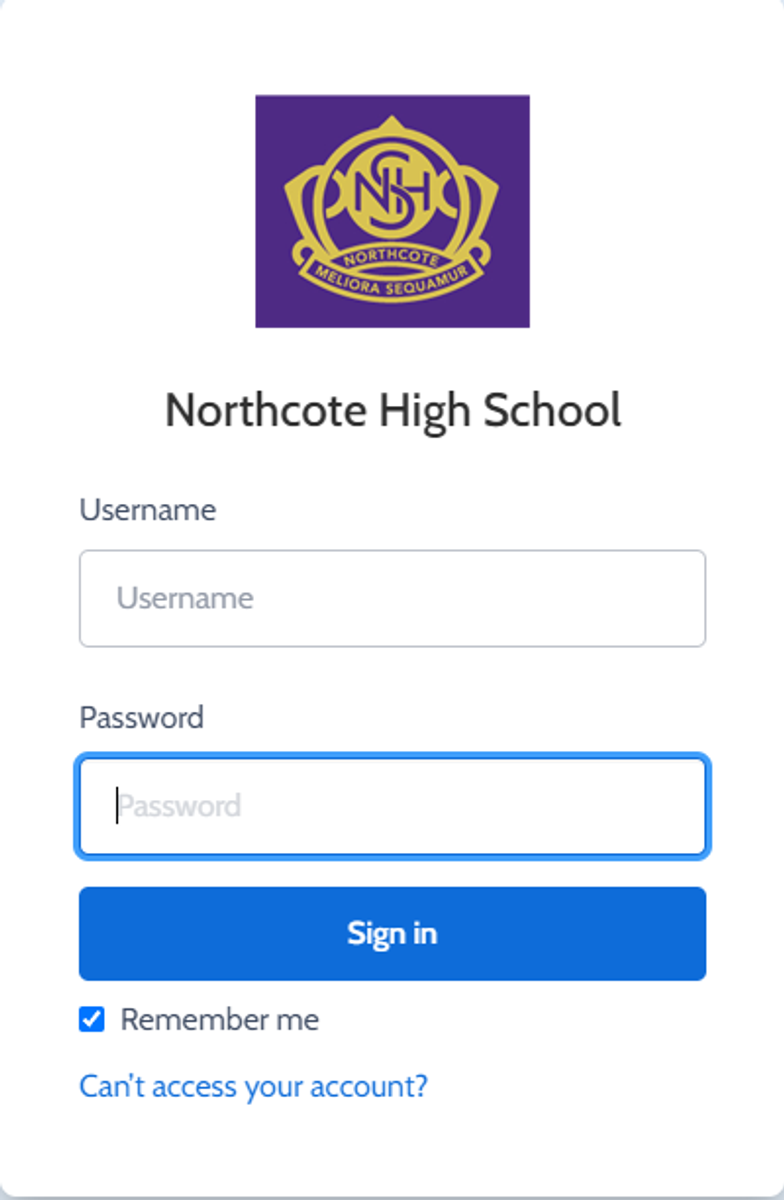


Gallery Image


Enter your Compass username. (see example below)
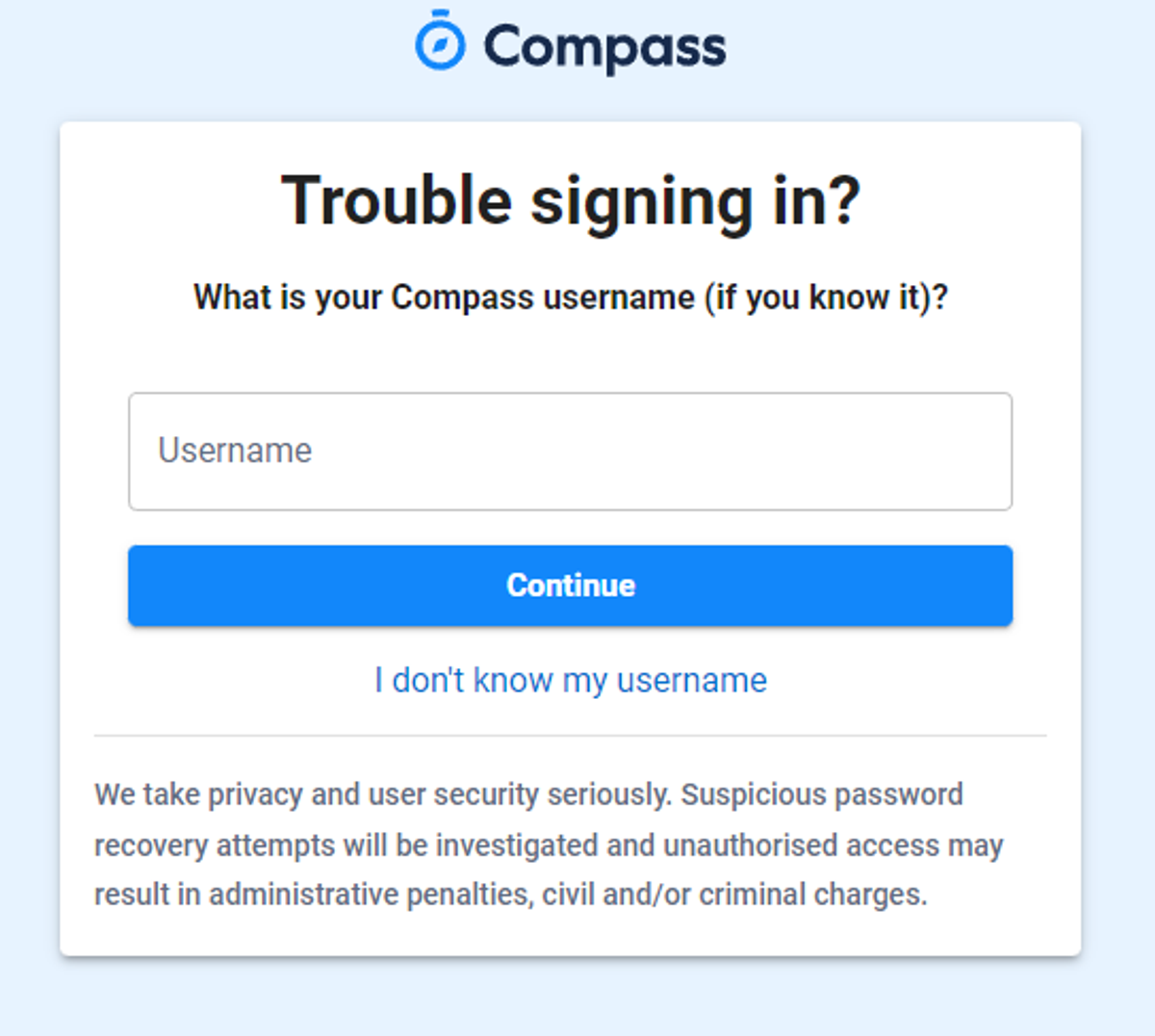
 

Gallery Image


The next page will ask for your email ensure all relevant areas are completed. 


DO NOT USE MOBILE OPTION

(Families that live at the same address only: Password reset can only be sent to parent #1 recorded details and will need to match the details that are currently recorded against your Compass account) 


(see example below)
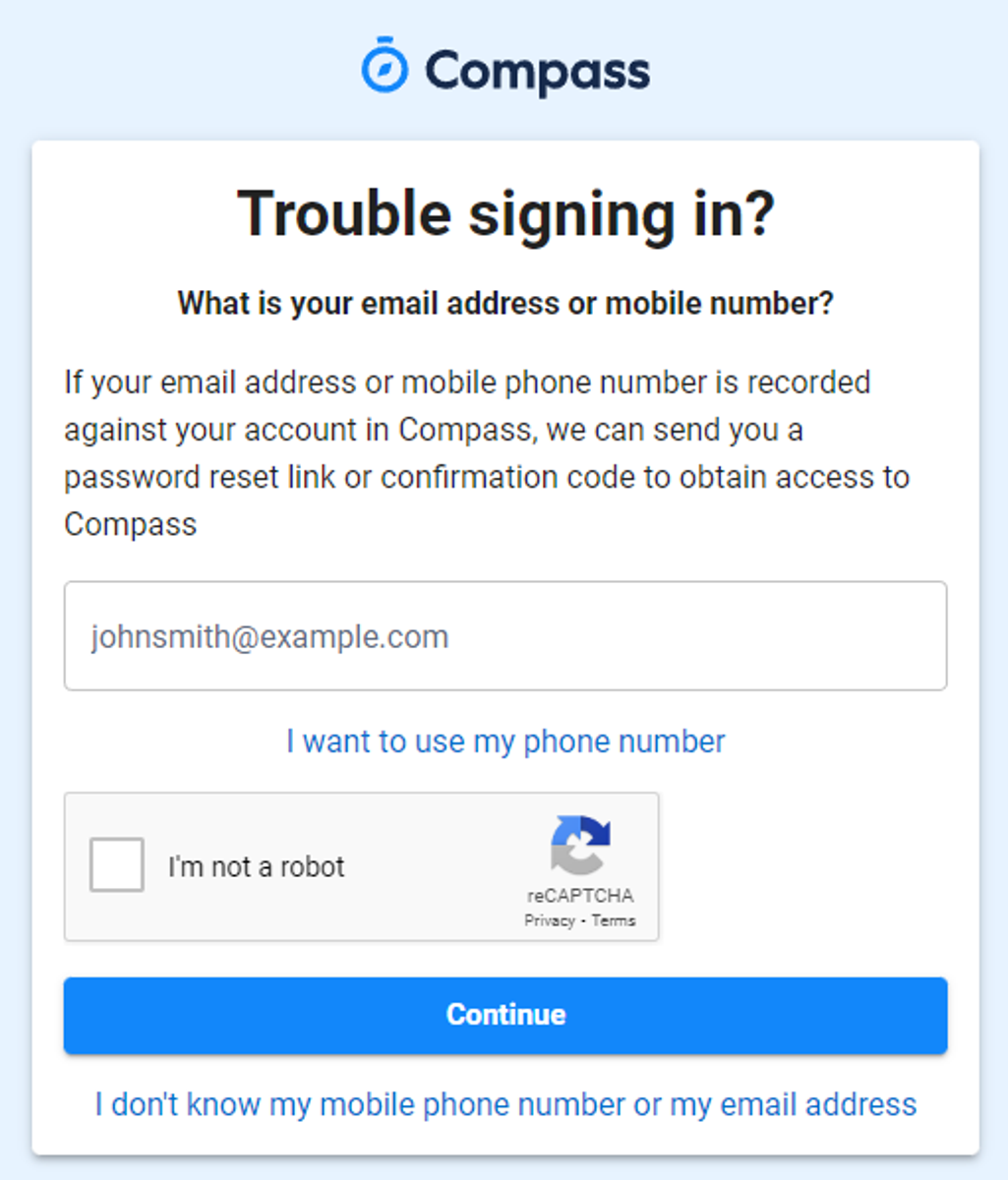


Gallery Image


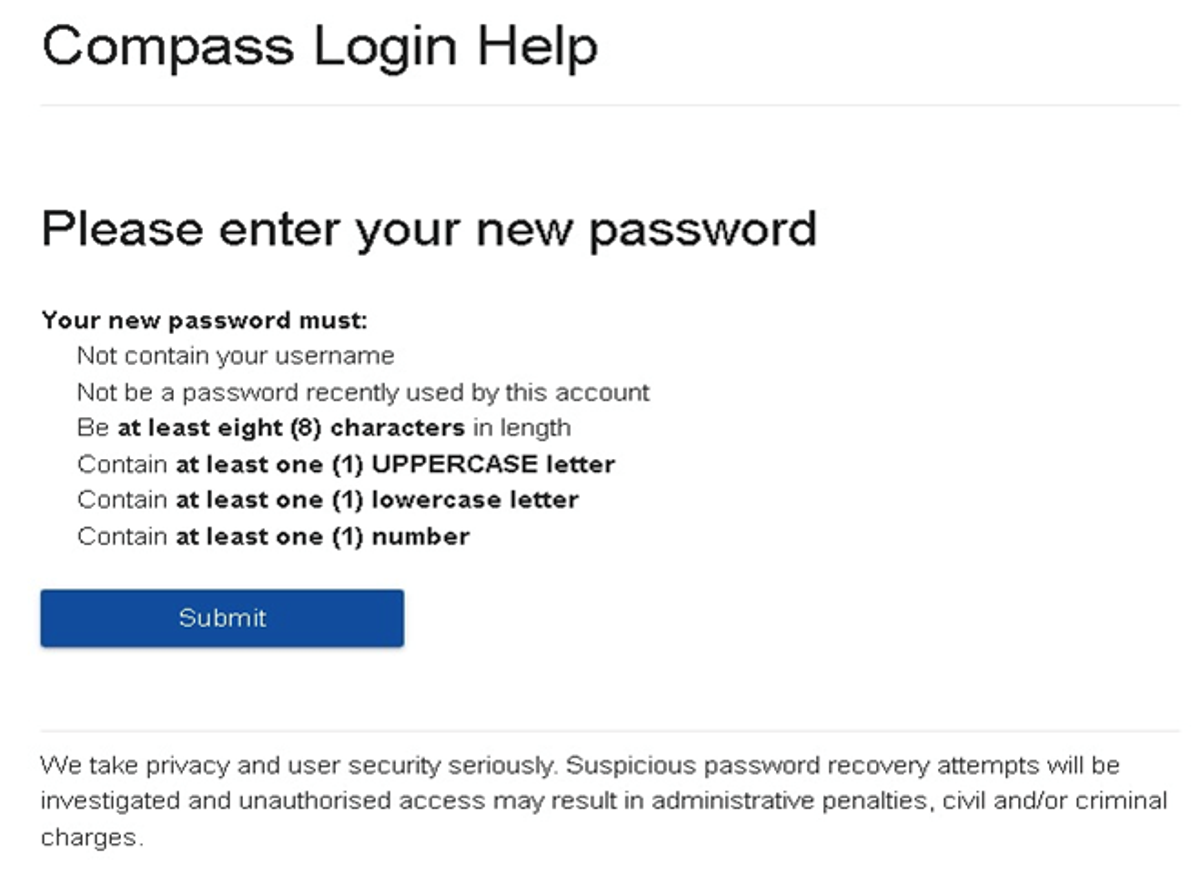
An email will be sent to you with a link to change your password.


(DO NOT uses a previously entered password) See information below on how to choose a password.
 

Gallery Image


. 


Top tips

  • Compass username will be the first three letter of your surname (in capital letters) followed by 4 issued numbers
  • Email/phone number used must match parent captured details currently held in Compass.
    • Families that live together share parent # 1 user name and password (reset to parent #1 recorded details held in Compass)
    • Families who live separately will each have their own username and password
  • You must use a new password each time you reset; Compass will reject any previously used password. (if it rejects, it will ask you to contact the school, if you refresh the page it will let you try again).
  • It is best to reset your password on a Computer rather than a phone.


This information can also be accessed on our website under Communicating with Families: How to reset Compass Password