Page 0 Banner Photo
Cover Page
Important Dates And Times Banner Photo
Important Dates And Times College Calendar:, Summary of Important Dates:, Bell Times:
From the Principal Team Banner Photo
From the Principal Team A great response to our uniform expectations, Heathers the Musical – an extraordinary achievement, STEAM Conference and Pupil-Free Day – Friday, Frankie and Ash make themselves at home, Looking towards the future, Winter illnesses are still with us
Principals' Day 2026 - Thank you Banner Photo
Principals' Day 2026 - Thank you
Heathers The Musical -            Teen Edition Banner Photo
Heathers The Musical -            Teen Edition
Heathers - Sponsor/Advertiser - a heartfelt thank you Banner Photo
Heathers - Sponsor/Advertiser - a heartfelt thank you  Production Sponsors/Advertisers  - a heartfelt  thank you
Arrival and Departure to and from School. Banner Photo
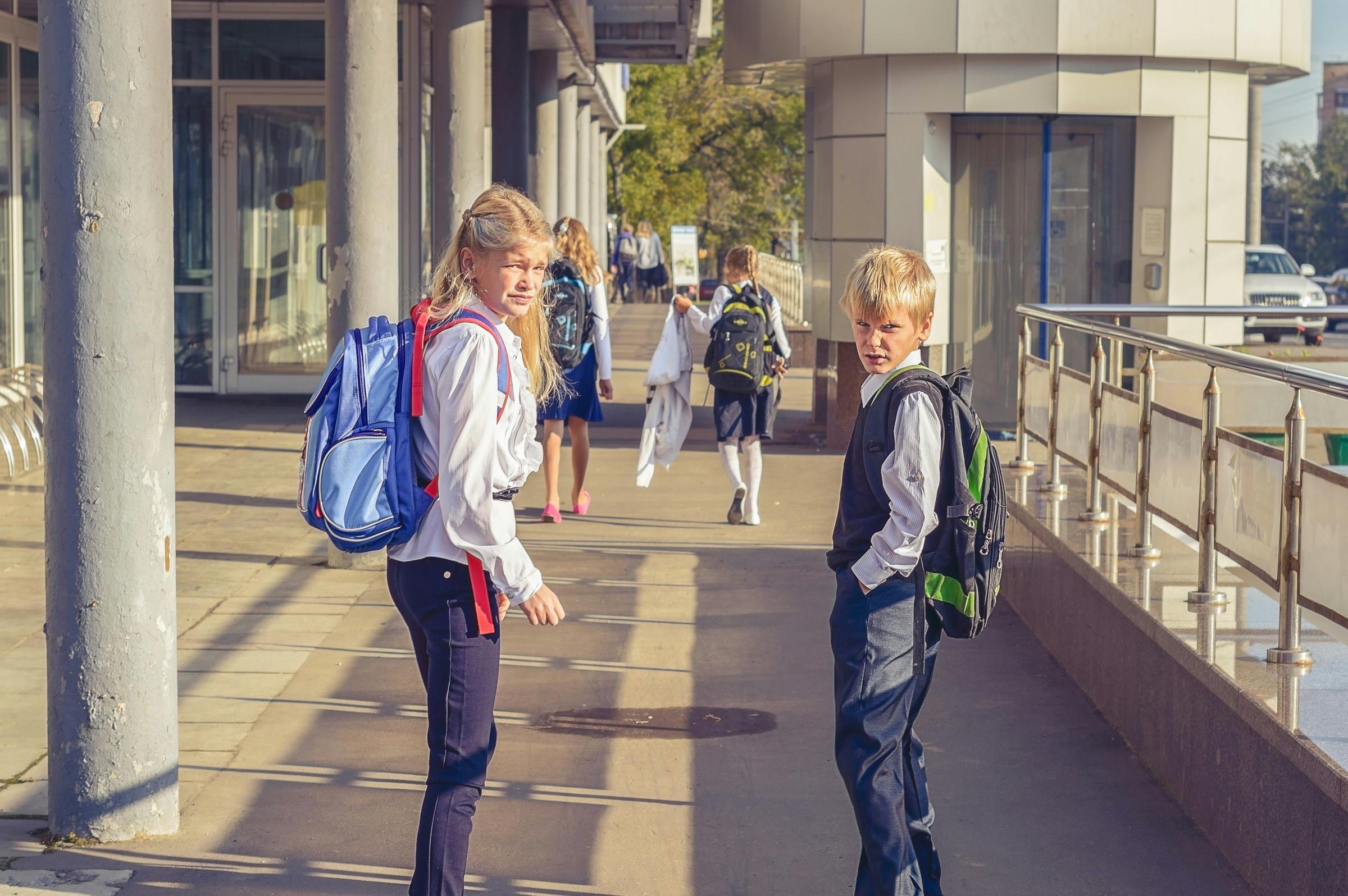
Arrival and Departure to and from School.

Languages Theatre News Banner Photo
Languages Theatre News 2026 Viewbank College Language Theatre - bookings now open
Year 9 Forensic Science – A Pawsome Visit! 🐾 Banner Photo
Year 9 Forensic Science – A Pawsome Visit! 🐾
Year 11 Ski Trip Mt Buller Banner Photo
Year 11 Ski Trip Mt Buller Year 11 Ski Trip Mt Buller
Chess Tournament Banner Photo
Chess Tournament Chess Tournament at Reservoir High School 
Strum Fest 2026 Banner Photo
Strum Fest 2026 Strum Fest 2026! 🎸✨
VCE VM City Experience 2026 Banner Photo
VCE VM City Experience 2026 VCE VM City Experience 2026, WORK EXPERIENCE 
VCD and Media Prototype Evening Banner Photo
VCD and Media Prototype Evening
VM PDS Community Project (group 2) Banner Photo
VM PDS Community Project (group 2)
NAPLAN Banner Photo
NAPLAN
Japanese Model UN Banner Photo
Japanese Model UN Japanese Model UN
Year 9 Fashion (Semester One) Banner Photo
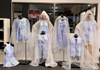
Year 9 Fashion (Semester One) Year 9 Fashion (Semester One) students: Designing for a Real-World Costume Brief for Spooky Kids Ensemble - Heathers, School Production.
German Banner Photo
German Congratulations German Classes – Choreography Award for German Competition
Unit 4 Outdoor  and  Environmental Studies  Banner Photo
Unit 4 Outdoor  and  Environmental Studies 
Sports News Banner Photo
Sports News Year 9 Students representing Victoria in the School Sport Australia Games, Senior and Intermediate NMR Badminton, Year 8 boys AFL Off To State., Intermediate Boys Futsal, Intermediate Table Tennis., Intermediate Mixed Hockey, Intermediate Girls Futsal, Team Vic For Esme
Library News Banner Photo
Library News Book Week is next week! 🎉
Year 7G & Year 7J Art & Design Banner Photo
Year 7G & Year 7J Art & Design Year 7G & Year 7J Art & Design: Ceramic Vases Exploring the Future of Coral Reef Ecosystems.
Wellbeing  Banner Photo
Wellbeing 
Get Involved at Viewbank College Banner Photo
Get Involved at Viewbank College
2026 College Contributions Now Available on Compass Banner Photo
2026 College Contributions Now Available on Compass 2026 College Contributions Now Available on Compass
General College Information Banner Photo
General College Information Study Hall (Homework Club), Viewbank College Uniform Suppliers, Viewbank College - Buy, Swap and Sell facebook page , Lost Property
Community News Banner Photo
Community News
View archive
Published by
Viewbank College
Warren Road, Viewbank, Victoria, 3084, AUhttp://www.viewbank.vic.edu.au9458 2811 Instagram
Banner Photo

Arrival and Departure to and from School.

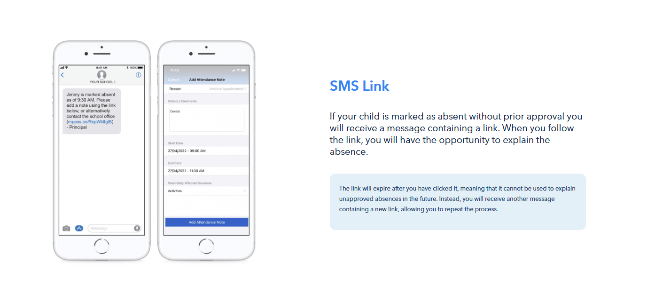
A friendly reminder that if your child needs to leave school during the day for an appointment, will be arriving late due to an appointment, or will be absent for the entire day, please submit an attendance note through Compass.

Providing attendance notes promptly helps us maintain accurate attendance records and ensures that all absences are recorded correctly.

Please note that students are still required to physically sign out and sign back in at the appropriate Year Level office:

  • Years 10–12: Senior School Office (Kiera)
  • Years 7–9: Middle School Office (Narelle)

Thank you for your support in helping us keep our attendance records accurate and up to date.


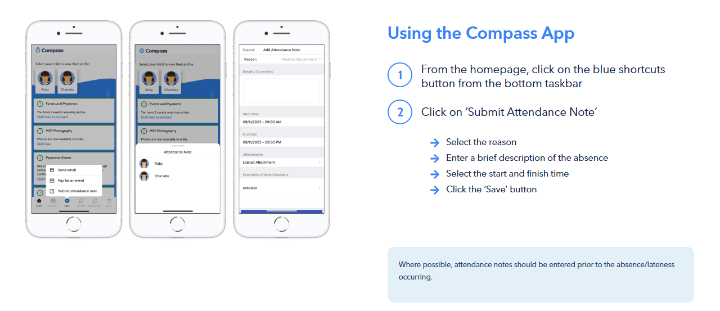
Entering an Attendance Note


1. Using the Compass Mobile App

  1. Open the Compass School Manager app on your smartphone.
  2. From your home screen, tap the "+" icon (Shortcuts) in the bottom taskbar.
  3. Tap "Submit Attendance Note" (or "Add Attendance Note").
  4. Select the child you are writing the note for.
  5. Choose the Reason (e.g., Illness, Medical Appointment, Family/Social).
  6. Enter a brief description in the details/comment box so the school understands the nature of the absence.
  7. Adjust the Start and Finish Dates/Times to ensure they cover the exact period your child will be away.
  8. Tap "Save" or "Add Attendance Note"


2. Using a Web Browser (Computer or Laptop)

  1. Go to the Compass School Portal.
  2. Log in using your parent username and password.
  3. Click on your child's profile picture or name on the home screen.
  4. Navigate to the Attendance tab.
  5. Click "Add Attendance Note/Approval".
  6. A pop-up window will appear. Select the applicable reason, add a description, and select the start and finish times/dates.
  7. Click "Save"


Attached is a link that will take you the Compass Guide for Parents please have a read 

A guide for parents & families | Compass Education AU


Gallery Image
Gallery Image