Page 0 Banner Photo
Cover Page
For your diary  Banner Photo
For your diary Key Dates
From the Acting Principal Banner Photo
From the Acting Principal Welcome back to Term 3
'Big History' Panel Discussion Banner Photo
'Big History' Panel Discussion Questioning the construction of truth in Science
BrainSTEM Challenge Banner Photo
BrainSTEM Challenge The power of inquiry-based learning
Celebrating Naidoc Week Banner Photo
Celebrating Naidoc Week Celebrating Indigenous culture
Sports Report Banner Photo
Sports Report Division Athletics , Senior Boys Regional Football, Junior and Intermediate Girls Football, Intermediate Netball, School Sport Victoria
Student Services : Careers  Banner Photo
Student Services : Careers Welcome to Term 3 , University Open Days 2021, RMIT launch early offer program, Swinburne University launch Early Offer program , Interested in a business cadetship with UBS Bank?
International Students Banner Photo
International Students Enjoying a pizza night
Student Services : Wellbeing  Banner Photo
Student Services : Wellbeing Coping with curve balls, Chill Skills for Year 7 & 8 Students , Resources round up
Non-Binary Awareness Week Banner Photo
Non-Binary Awareness Week Promoting the use of inclusive language in school 
From the Library  Banner Photo
From the Library Book Week 2021 – Old Worlds, New Worlds, Other Worlds , Bookmark Design Challenge Morning Tea 
Get into film making over lockdown Banner Photo
Get into film making over lockdown SmartFone FlickFest, Monash Arts Social Justice Matters video competition 
GAT Information  Banner Photo
GAT Information
Financial Assistance  Banner Photo
Financial Assistance NHS Empower Fund :  Helping Students in need, Camps, Sports and Excursions Fund (CSEF)
Monitoring Student Absences Banner Photo
Monitoring Student Absences Process for notifying families of student absences
Top tips : Resetting your Compass password  Banner Photo

Top tips : Resetting your Compass password A guide for parents and carers
Community Notices  Banner Photo
Community Notices Tuning into teens, Vote to name the Beavers Road bridge, Occupational Therapy as a Career @Austin Health, Creative writing competition
View archive
Published by
Northcote High School
St. Georges Rd, Northcote, Victoria, 3070, AUhttp://www.nhs.vic.edu.au9488 2300
Banner Photo

Top tips : Resetting your Compass password 

A guide for parents and carers


Follow these easy steps if you need to reset your Compass password at any time.


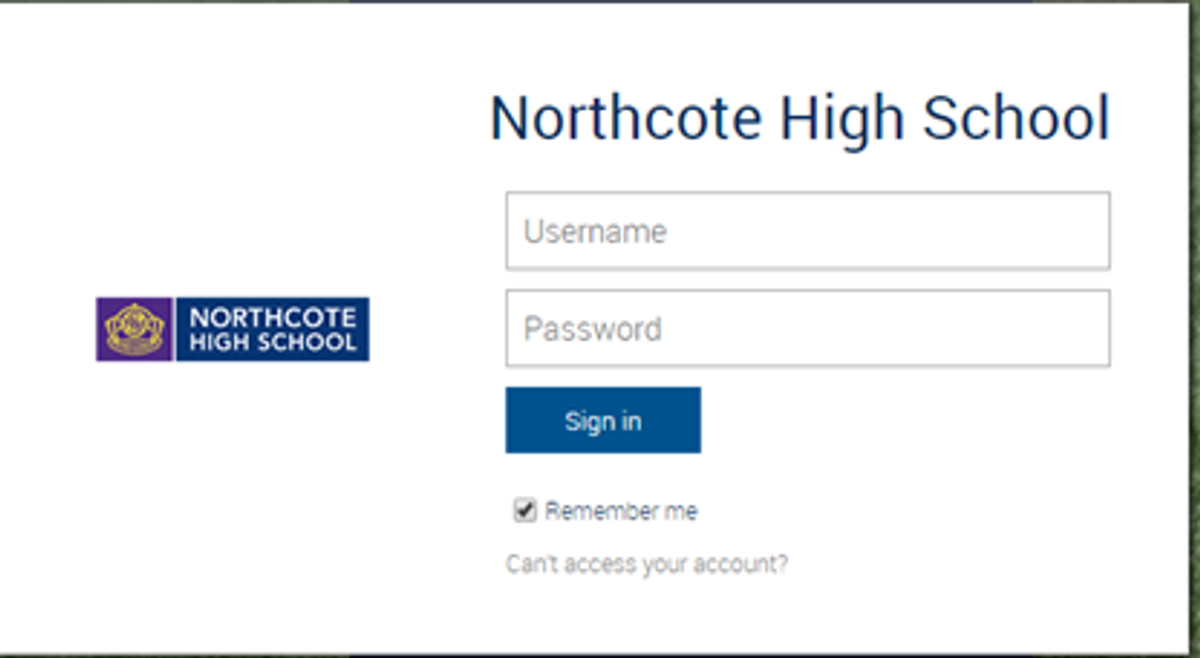
You can reset your password on the front page of the Compass login:  using “can’t access your account?” (see example below)
Gallery Image


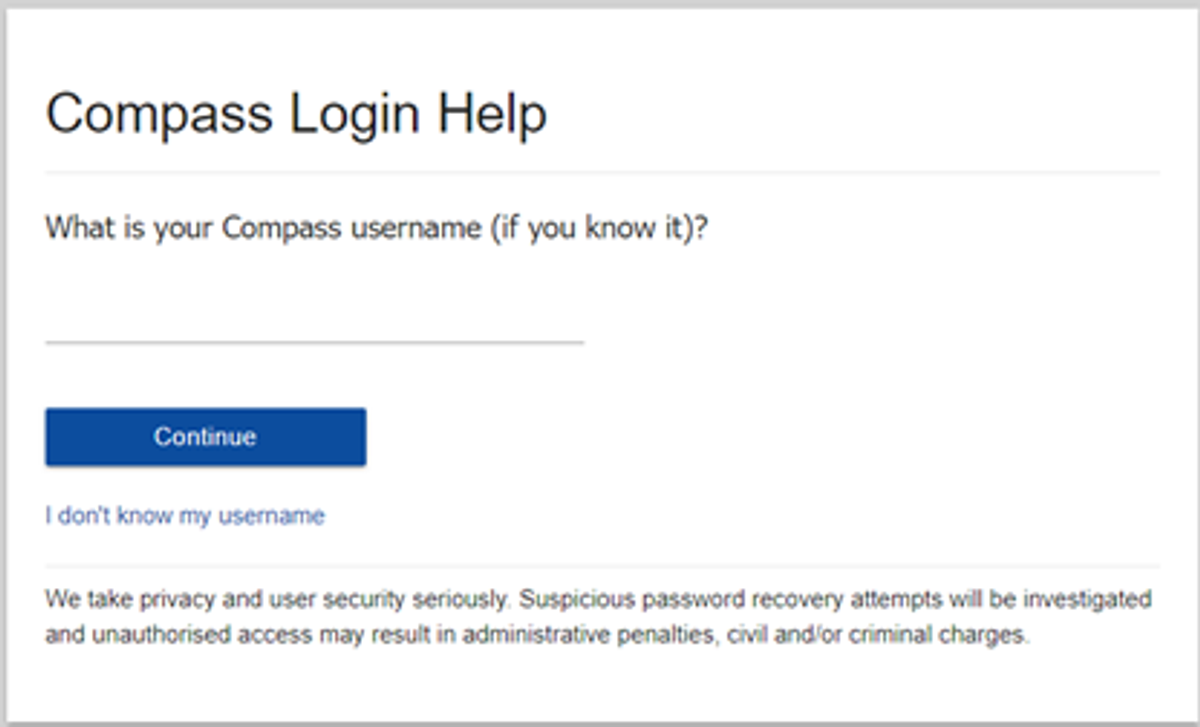
Enter your Compass username. (see example below)
 

Gallery Image


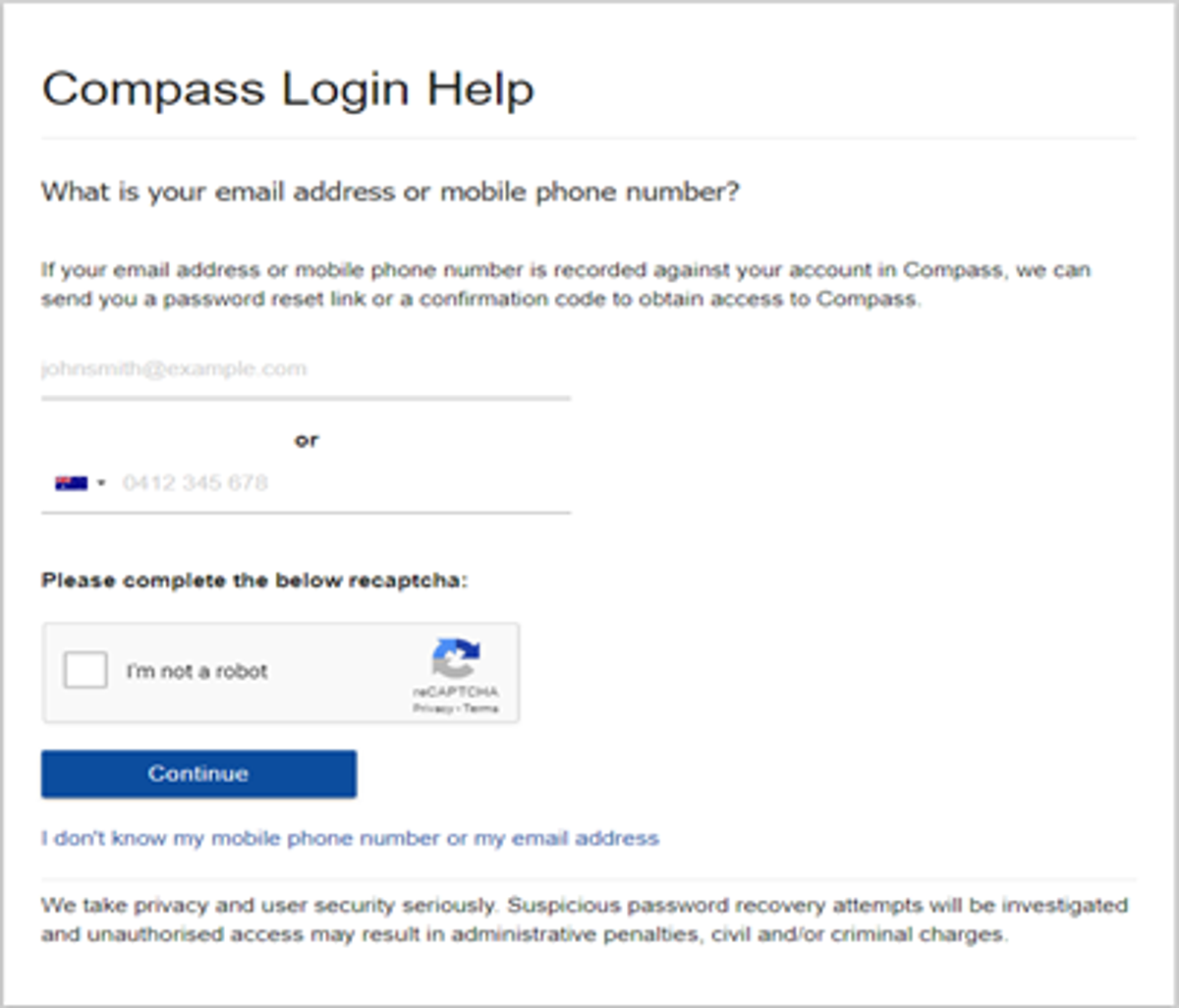
The next page will ask for either your email/or phone number etc, ensure all relevant areas are completed.


Important Note: For families that live at the same address the password reset can only be sent to parent #1 recorded details and will need to match the details that are currently recorded against your Compass account. 
 

Gallery Image


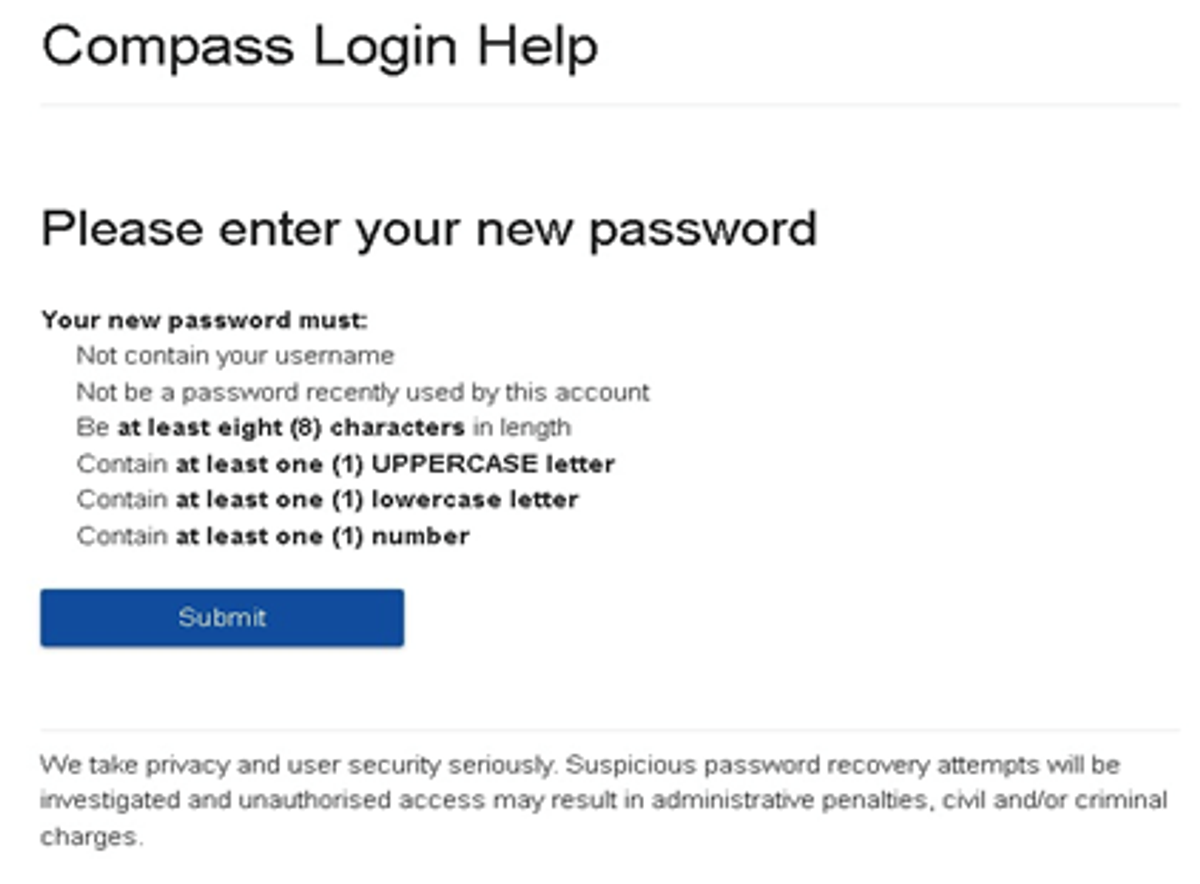
An email will be sent to you with a link to change your password. It is important that you DO NOT use a previously entered password. 
 

Gallery Image


What to do if you see the following message from Compass when trying to reset your password:

Please contact the school's general office.
Unfortunately, we are unable to recover the password for this account online. Please contact your school for further assistance.


If you see this message, it means you missed one of the steps and you are now are stuck in a loop. 


If this happens, please click on this Compass link, also accessible via our website homepage, to get to a fresh Compass page and restart the process.


Top tips

  • Compass username will be the first three letter of your surname (in capital letters) followed by 4 issued numbers
  • Email/phone number used must match parent captured details currently held in Compass.
    • Families that live together share parent # 1 user name and password (reset to parent #1 recorded details held in Compass)
    • Families who live separately will each have their own username and password
  • You must use a new password each time you reset; Compass will reject any previously used password. (if it rejects, it will ask you to contact the school, if you refresh the page it will let you try again).
  • It is best to reset your password on a Computer rather than a phone.


This information can also be accessed on our website under Communicating with Families: How to reset Compass Password