Page 0 Banner Photo
Cover Page
For your diary  Banner Photo
For your diary Key Dates
From the Principal  Banner Photo
From the Principal
Production : It's a wrap Banner Photo
Production : It's a wrap Congratulations to our fantastic 2023 Production team
Year 8 Summit Adventure Camp Banner Photo
Year 8 Summit Adventure Camp Action-packed challenges and plenty of mud
Sports Report Banner Photo
Sports Report Senior Soccer, Intermediate Boys Football, Year 8 Regional Football, Intermediate Table Tennis, Coming Up: 
Year 12 Update Banner Photo
Year 12 Update Formal , VTAC Opening, Graduation
Victorian Volleyball Schools Cup Banner Photo
Victorian Volleyball Schools Cup Volleyball Development Program going strong
Student Services : Wellbeing  Banner Photo
Student Services : Wellbeing Year 10 Love Bites Program, Student Wellbeing attends We Will Rock You!, Parent and Family Workshops
Youth Mental Health First Aid Banner Photo
Youth Mental Health First Aid Parents and carers – become an Accredited Mental Health First Aider
Behind the News Excursion Banner Photo
Behind the News Excursion Focusing on the big issues for young people
Scrolling Smartly Banner Photo
Scrolling Smartly The pros and cons of group chats
Take Note Workshop Banner Photo
Take Note Workshop Inspiring young Jazz musicians 
Student Services : Careers  Banner Photo
Student Services : Careers VTAC is now open for applications, Year 9 Morrisby on September 11, University Open Days 
Debating Banner Photo
Debating Debating team success
Student Achievement : Henry Gangoiti Banner Photo
Student Achievement : Henry Gangoiti Representing Australia in U16 Water Polo
Pyjama Day 11 August Banner Photo
Pyjama Day 11 August Supporting young people in foster care
Comedy Fundraiser Banner Photo
Comedy Fundraiser Save the date
From the Library  Banner Photo
From the Library New books in the library  
2023 School Survey Banner Photo
2023 School Survey Parents, Caregivers and Guardians, tell us what you think!
Financial Assistance  Banner Photo
Financial Assistance NHS Empower Fund:  Helping Students in need
Top tips : Resetting your Compass password Banner Photo
Top tips : Resetting your Compass password A guide for parents and carers, Resetting your Compass Password
Community Notices  Banner Photo
Community Notices Darebin Youth Services : free music event , RIJI – Help required, Come and try Water Polo at MLC, Primary Colours Art School in Westgarth, Inclusive Social Soccer in Brunswick, Come and Try Karate in Thornbury
View archive
Published by
Northcote High School
St. Georges Rd, Northcote, Victoria, 3070, AUhttp://www.nhs.vic.edu.au9488 2300
Banner Photo

Top tips : Resetting your Compass password


A guide for parents and carers


We have consolidated a range of compass help guides on a page on the Northcote High School website. Check out the Compass help page for information on:

  • Adding an attendance note
  • SMS attendance alerts
  • How to email staff
  • Confirming your Compass details


Resetting your Compass Password


A quick refresher for all families, this information is also on the Compass Help page of our website. 


Follow these easy steps if you need to reset your Compass password at any time.


You can reset your password on the front page of the Compass login:  under “can’t access your account details” (see sample below)
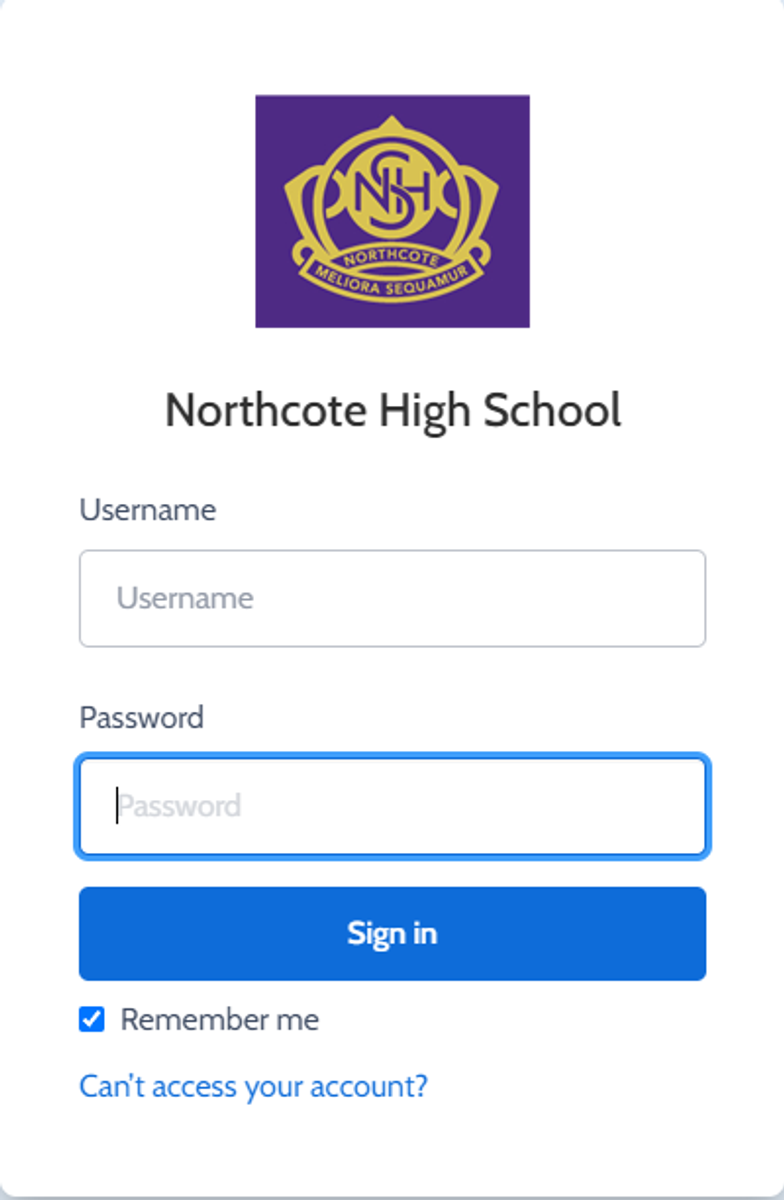


Gallery Image


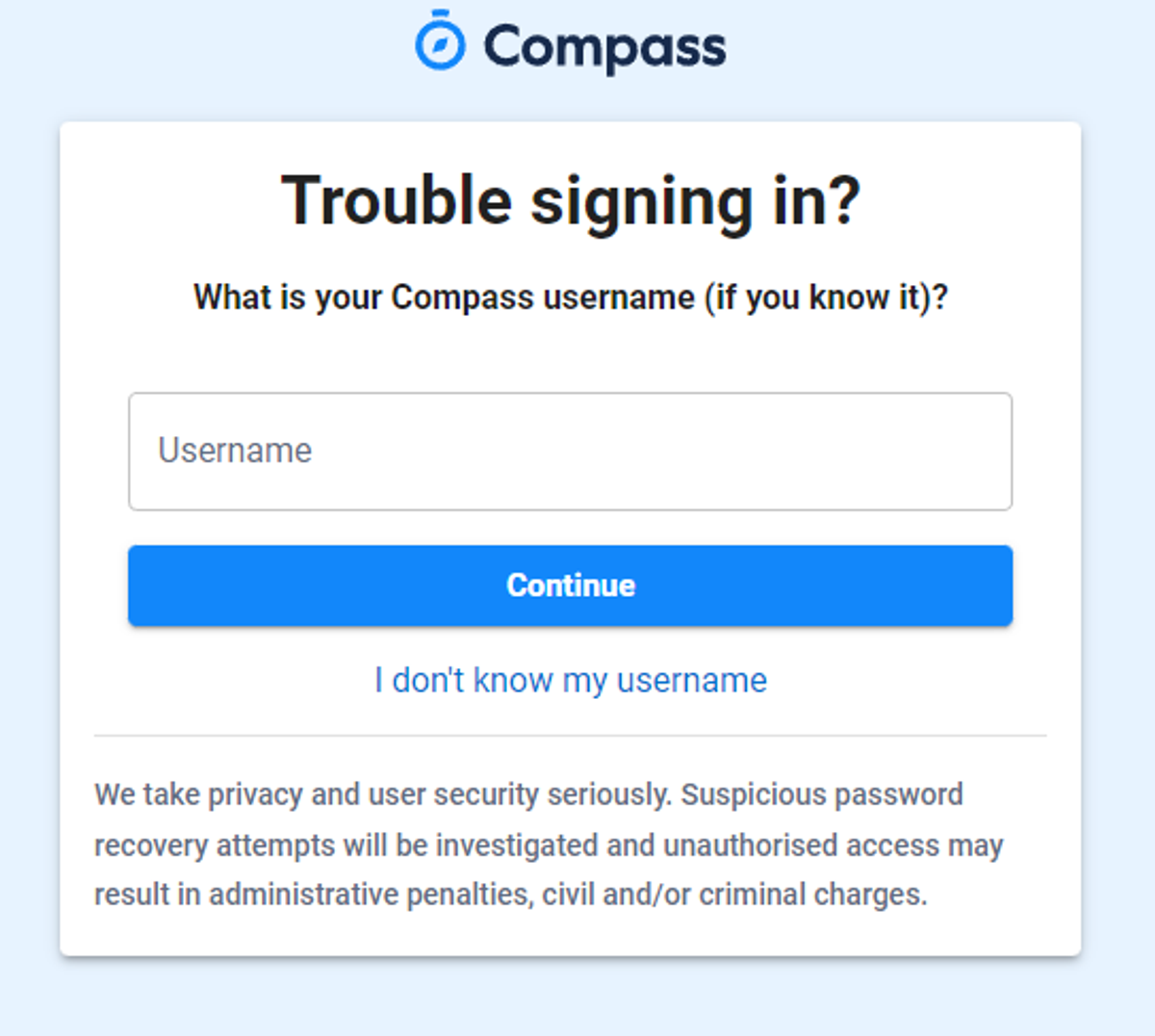
Enter your Compass username. (see example below)
 

Gallery Image


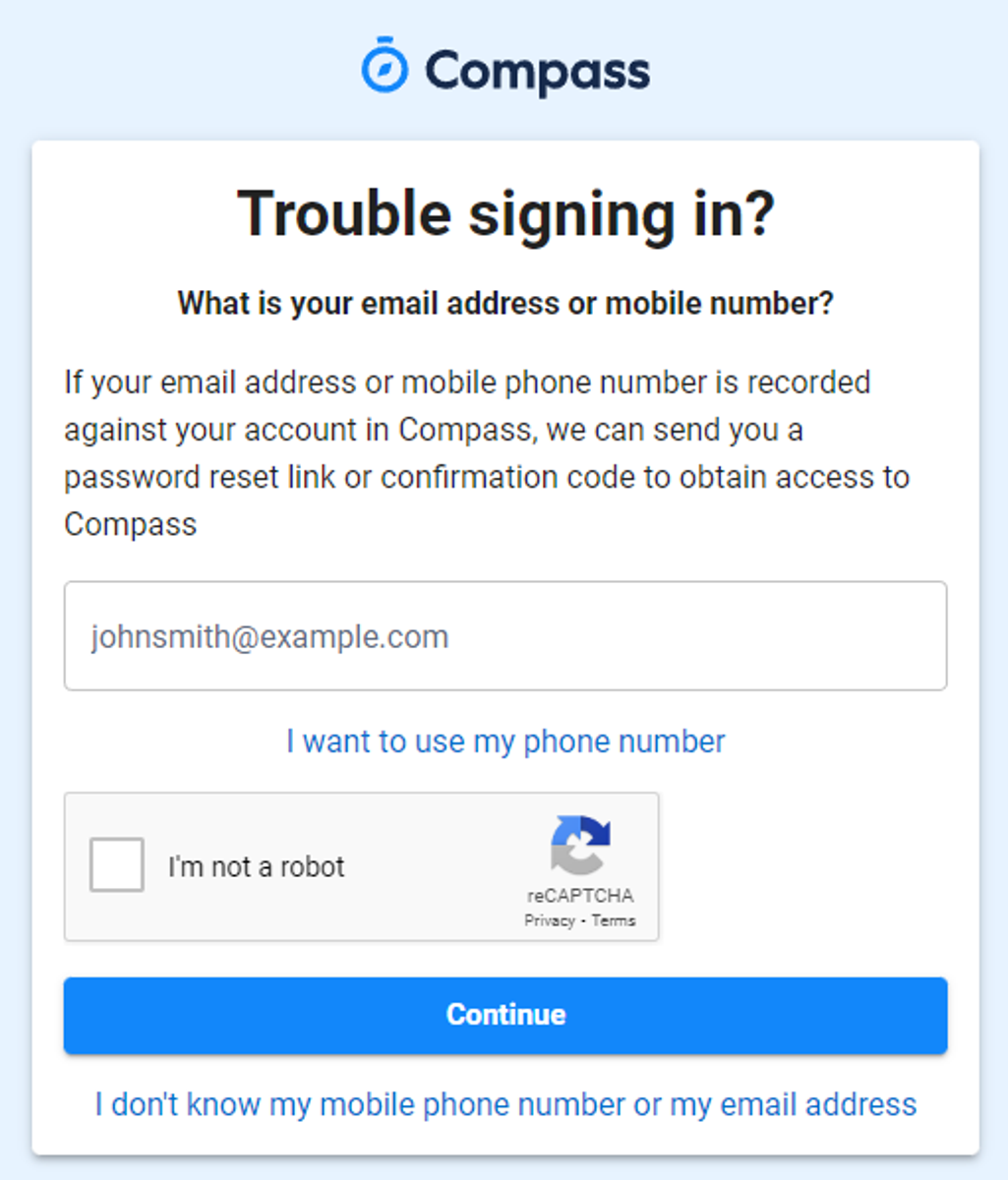
The next page will ask for your email ensure all relevant areas are completed. 


DO NOT USE MOBILE OPTION

(Families that live at the same address only: Password reset can only be sent to parent #1 recorded details and will need to match the details that are currently recorded against your Compass account) 


(see example below)


Gallery Image


An email will be sent to you with a link to change your password.


(DO NOT uses a previously entered password) See information below on how to choose a password.
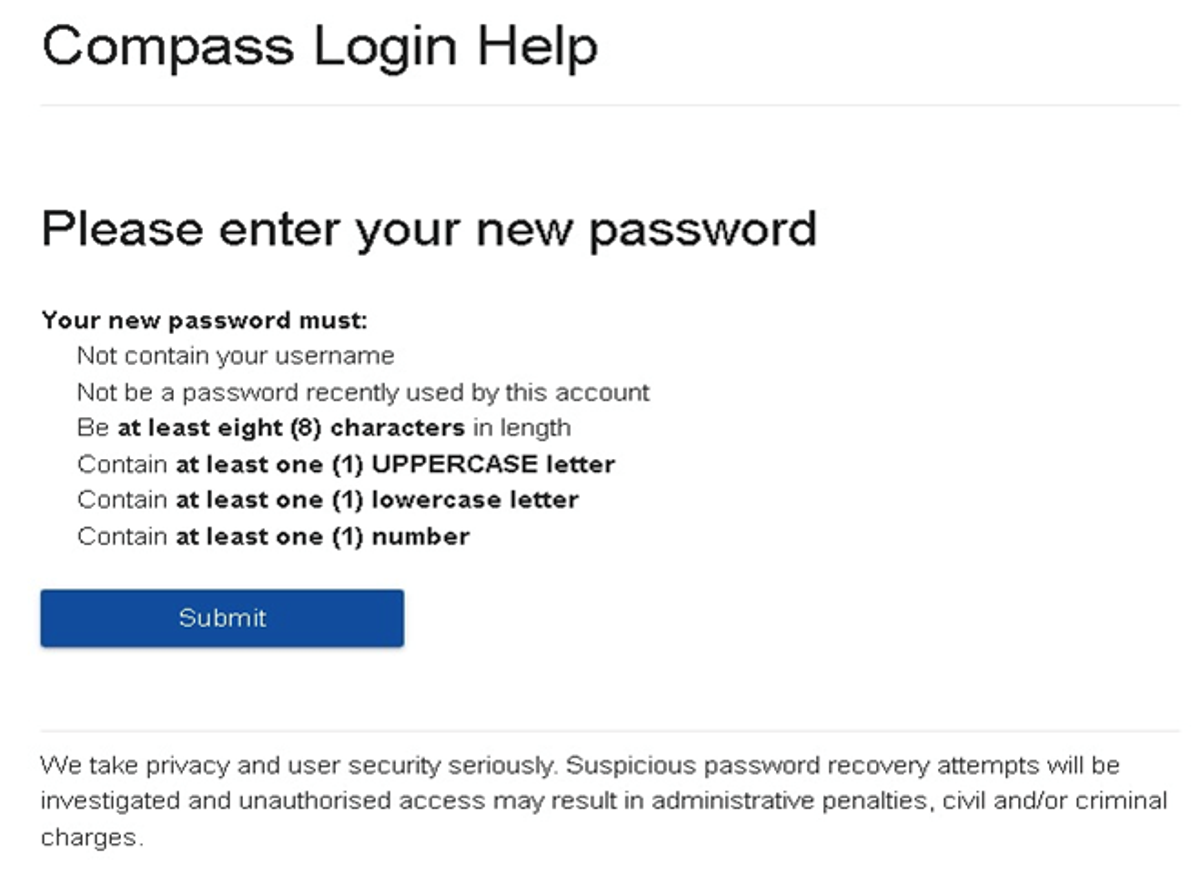
 

Gallery Image


. 


Top tips

  • Compass username will be the first three letter of your surname (in capital letters) followed by 4 issued numbers
  • Email/phone number used must match parent captured details currently held in Compass.
    • Families that live together share parent # 1 user name and password (reset to parent #1 recorded details held in Compass)
    • Families who live separately will each have their own username and password
  • You must use a new password each time you reset; Compass will reject any previously used password. (if it rejects, it will ask you to contact the school, if you refresh the page it will let you try again).
  • It is best to reset your password on a Computer rather than a phone.


This information can also be accessed on our website under Communicating with Families: How to reset Compass Password