Page 0 Banner Photo
Cover Page
For your diary  Banner Photo
For your diary Key Dates
From the Principal  Banner Photo
From the Principal
VCE Drama Banner Photo
VCE Drama Exploring truth and justice in a group performance
Reconciliation Week Banner Photo
Reconciliation Week 'Be a Voice for Generations'
Duke of Edinburgh Banner Photo
Duke of Edinburgh All the action from Semester 1 
Talkfest  Banner Photo
Talkfest  Tickets for Writing Change on sale now
Year 9 Sculpture Banner Photo
Year 9 Sculpture Abstract sculptures inspired by Alexander Calder
Student Services : Careers  Banner Photo
Student Services : Careers Planning ahead for 2024
Vocational Education & Training 2024 Banner Photo
Vocational Education & Training 2024 VET subject applications now open 
Art of Revolution Banner Photo
Art of Revolution Inspirational Revolutionaries
Learning in the Workplace Banner Photo
Learning in the Workplace Reflecting on Year 10 Work Experience Week
Sports Report Banner Photo
Sports Report Year 7/8 Girls Football , Year 8 Boys Football , Year 8 Soccer , Year 8 Badminton , Year 7/8 Netball , Year 9/10 Netball , Coming Up : 
Student Services : Wellbeing  Banner Photo
Student Services : Wellbeing Looking after your wellbeing during the holidays
International Students Banner Photo
International Students Joint birthday celebrations
Music Camp Banner Photo
Music Camp Intensive rehearsals for the mid-year concerts
VCE VM Market Day Banner Photo
VCE VM Market Day Pesto and preserves from the community garden
From the Library  Banner Photo
From the Library Celebrating our bookmark design challenge winners, Learn to knit in the library!, Ripples Photography Competition 2023 , Extended book loans for holiday reading  
Plain English Speaking Award Banner Photo
Plain English Speaking Award Clear and effective spoken English in action
Year 11 Outdoor and Environmental Studies Banner Photo
Year 11 Outdoor and Environmental Studies What we've been up to in Term 2
De-Stress Day Banner Photo
De-Stress Day Food trucks and fun activities for senior students
Centre for Higher Education Studies Banner Photo
Centre for Higher Education Studies Enrichment opportunities for high ability students
Alumni Achievement Banner Photo
Alumni Achievement International film festival premiere
Art and Food Studies Italy Tour 2024 Banner Photo
Art and Food Studies Italy Tour 2024 Find out more at the information session next week
Reporting Update Banner Photo
Reporting Update
National School Reform Banner Photo
National School Reform Take part in a survey to help shape the future of education in Australia 
Financial Assistance  Banner Photo
Financial Assistance NHS Empower Fund:  Helping Students in need
Top tips : Resetting your Compass password Banner Photo
Top tips : Resetting your Compass password A guide for parents and carers, Resetting your Compass Password
Community Notices  Banner Photo
Community Notices Do you have any backyard fruit trees with excess fruit to donate?, RIJI – Help required, Come and try Track Cycling in Darebin, Primary Colours Art School in Westgarth, Monash University Sensory Science Event, Inclusive Social Soccer in Brunswick, Come and Try Karate in Thornbury
View archive
Published by
Northcote High School
St. Georges Rd, Northcote, Victoria, 3070, AUhttp://www.nhs.vic.edu.au9488 2300
Banner Photo

Top tips : Resetting your Compass password

A guide for parents and carers


We have consolidated a range of compass help guides on a page on the Northcote High School website. Check out the Compass help page for information on:

  • Adding an attendance note
  • SMS attendance alerts
  • How to email staff
  • Confirming your Compass details


Resetting your Compass Password


A quick refresher for all families, this information is also on the Compass Help page of our website. 


Follow these easy steps if you need to reset your Compass password at any time.


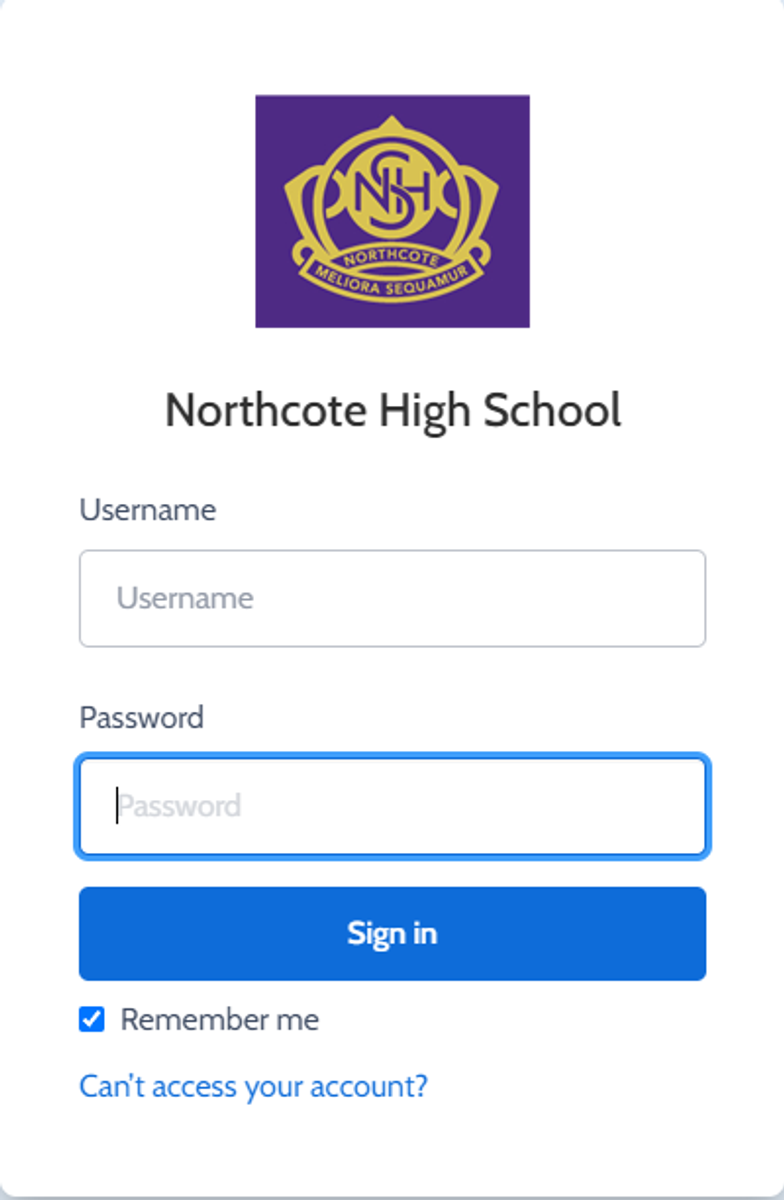
You can reset your password on the front page of the Compass login:  under “can’t access your account details” (see sample below)


Gallery Image


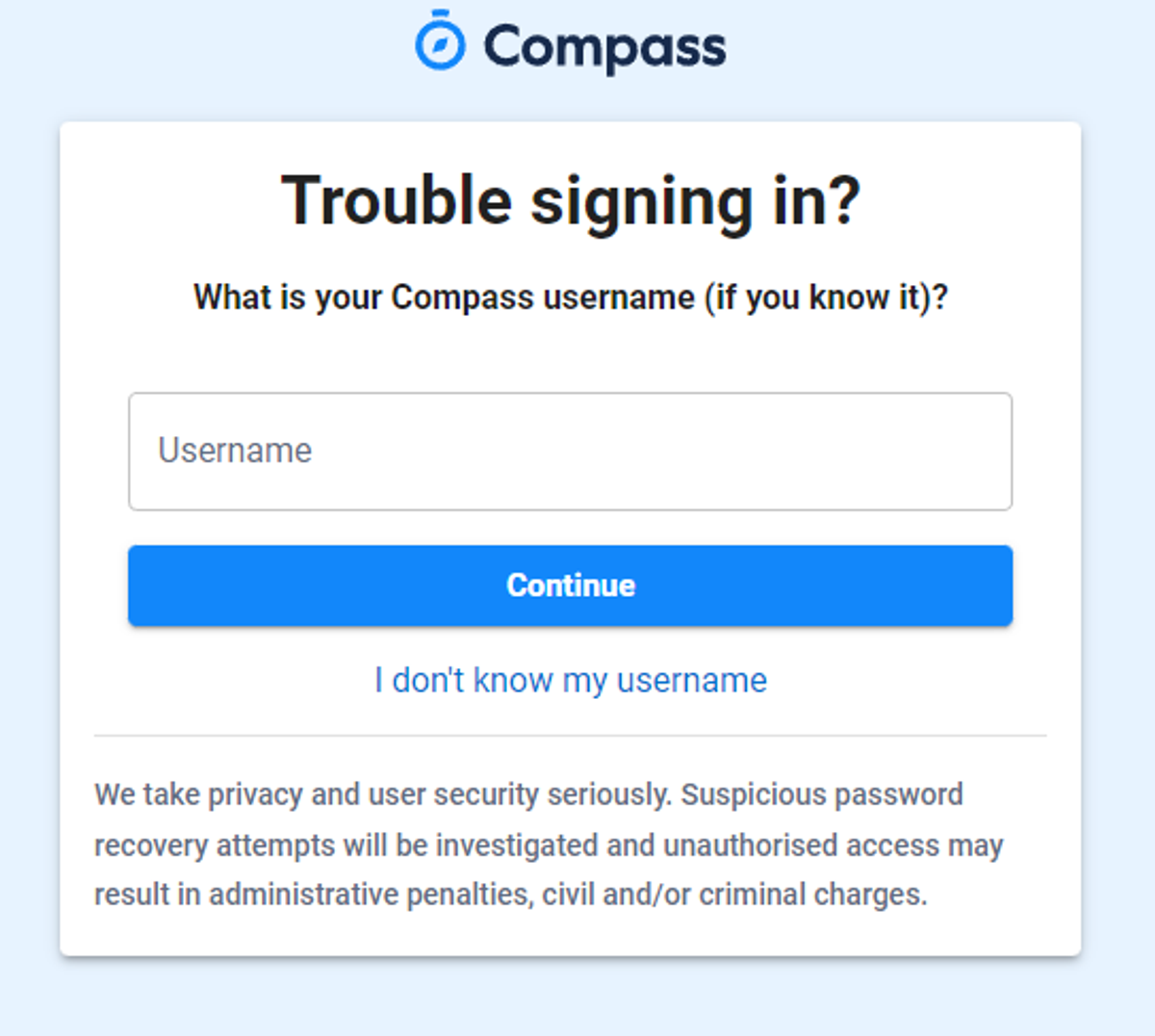
Enter your Compass username. (see example below)
 

Gallery Image


The next page will ask for your email ensure all relevant areas are completed. 


DO NOT USE MOBILE OPTION

(Families that live at the same address only: Password reset can only be sent to parent #1 recorded details and will need to match the details that are currently recorded against your Compass account) 


(see example below)
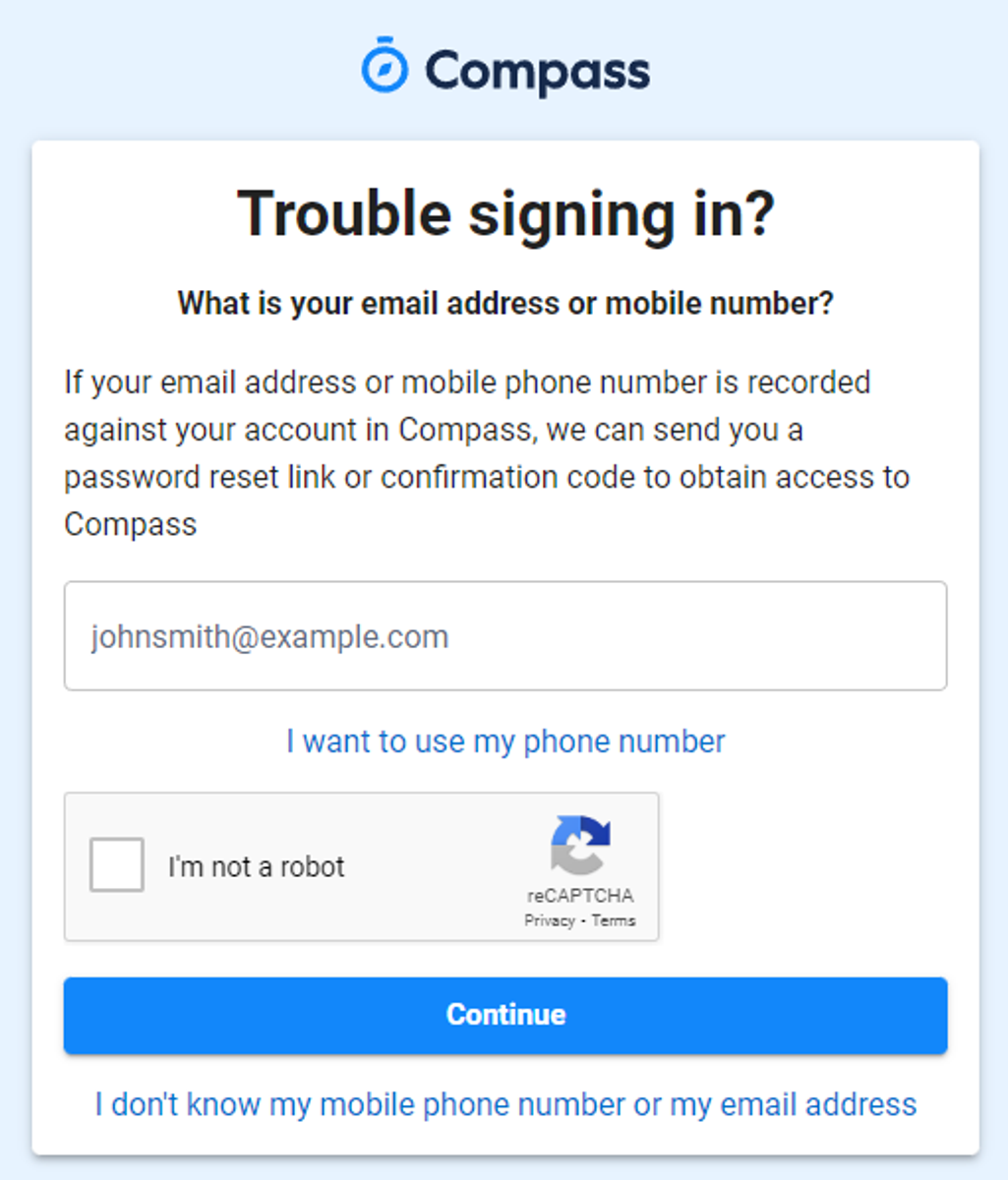


Gallery Image


An email will be sent to you with a link to change your password.


(DO NOT uses a previously entered password) See information below on how to choose a password.
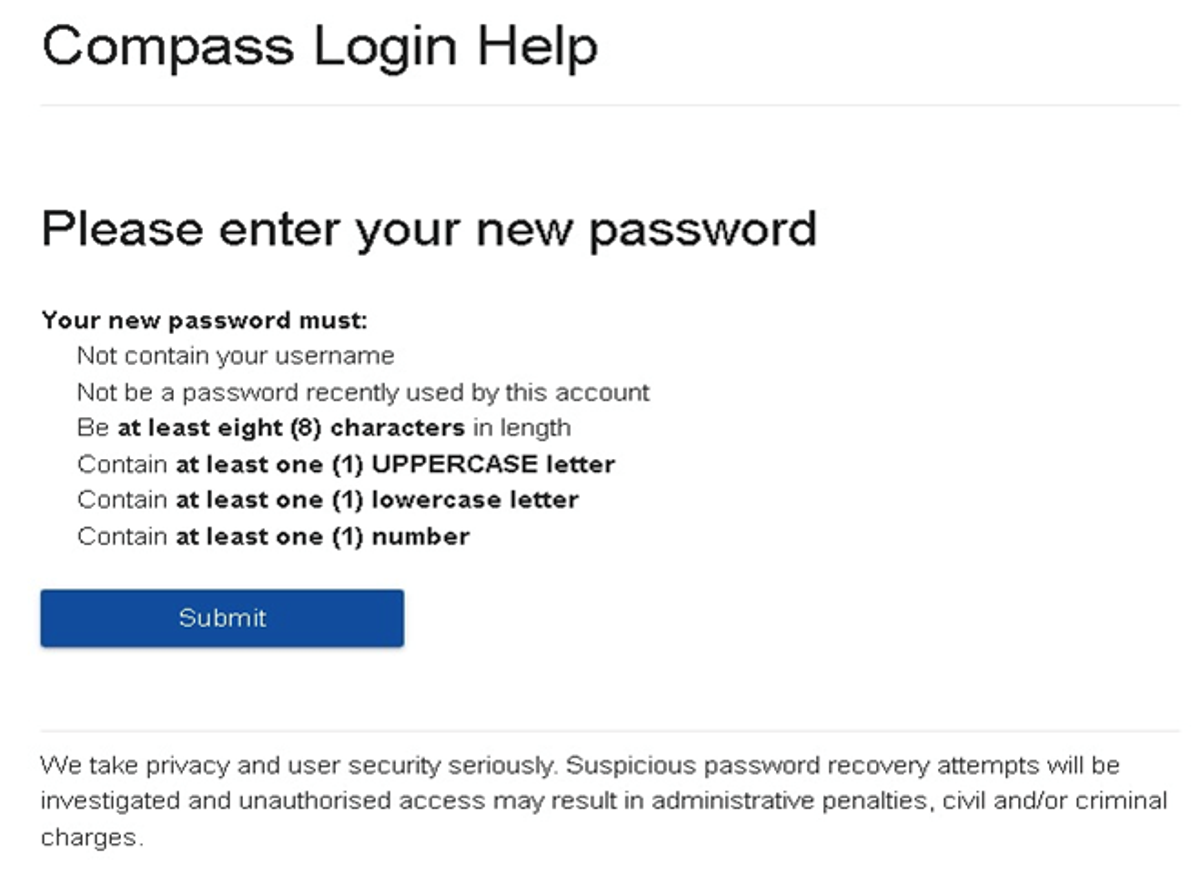
 

Gallery Image


. 


Top tips

  • Compass username will be the first three letter of your surname (in capital letters) followed by 4 issued numbers
  • Email/phone number used must match parent captured details currently held in Compass.
    • Families that live together share parent # 1 user name and password (reset to parent #1 recorded details held in Compass)
    • Families who live separately will each have their own username and password
  • You must use a new password each time you reset; Compass will reject any previously used password. (if it rejects, it will ask you to contact the school, if you refresh the page it will let you try again).
  • It is best to reset your password on a Computer rather than a phone.


This information can also be accessed on our website under Communicating with Families: How to reset Compass Password