Page 0 Banner Photo
Cover Page
For your diary  Banner Photo
For your diary Key Dates
From the Principal  Banner Photo
From the Principal
Victorian Schools Music Festival Banner Photo
Victorian Schools Music Festival Victorian School Music Festival
Student Services : Wellbeing  Banner Photo
Student Services : Wellbeing Milo and Musings , R U OK? Day 
Slam poetry Banner Photo
Slam poetry Out Loud Poetry Slam Competition at the Wheeler Centre
Sports Report Banner Photo
Sports Report Intermediate Soccer : State Finals, Year 8 State Soccer, Year 7 Table Tennis, Regional Athletics, Year 7 Basketball, Australian Cross Country Championships
Debating - Play off debate! Banner Photo
Debating - Play off debate! Debating Association Victoria (DAV) play off debate 
From the Library  Banner Photo
From the Library Pick up some holiday reading
Premier’s Reading Challenge Banner Photo
Premier’s Reading Challenge
Student Services : Careers  Banner Photo
Student Services : Careers
Super Summit - University High School Banner Photo
Super Summit - University High School Super Summit - University High School
Wheelchair basketball  Banner Photo
Wheelchair basketball  Learning about inclusion and accessibility in sport
Scrolling Smartly Banner Photo
Scrolling Smartly Managing your digital footprint and why it matters
Farewell, Maria Banner Photo
Farewell, Maria Farewell to Maria, our crossing supervisor
Year 8 Book Week Competition Banner Photo
Year 8 Book Week Competition Creativity in Connect
Year 7 French Banner Photo
Year 7 French
The Great Vic Bike Ride Banner Photo
The Great Vic Bike Ride The Great Vic Bike Ride 2023
Senior Music Celebration Banner Photo
Senior Music Celebration Tickets are now on sale
Hellenic Club Banner Photo
Hellenic Club Το Κολλέγιο   
Comedy Fundraiser Banner Photo
Comedy Fundraiser Tickets still available
Financial Assistance  Banner Photo
Financial Assistance NHS Empower Fund:  Helping Students in need
Purchasing Uniform Banner Photo
Purchasing Uniform Second Life Uniform Shop - Now open!, School Holiday and Term 4 Trading hours
Top tips : Resetting your Compass password Banner Photo
Top tips : Resetting your Compass password A guide for parents and carers, Resetting your Compass Password
Community Notices  Banner Photo
Community Notices Free holiday program for students in Years 7&8, Young Workers community legal centre, School holiday program at Edinburgh Cricket Club, School holiday program at Primary Colours Art School, Come and Try at Darebin Falcons Cricket Club, Audition for Yarra Voices youth choir, Come and Try Day at Coburg Little Athletics, Play basketball with Preston Piranhas 
View archive
Published by
Northcote High School
St. Georges Rd, Northcote, Victoria, 3070, AUhttp://www.nhs.vic.edu.au9488 2300
Banner Photo

Top tips : Resetting your Compass password


A guide for parents and carers


We have consolidated a range of compass help guides on a page on the Northcote High School website. Check out the Compass help page for information on:

  • Adding an attendance note
  • SMS attendance alerts
  • How to email staff
  • Confirming your Compass details


Resetting your Compass Password


A quick refresher for all families, this information is also on the Compass Help page of our website. 


Follow these easy steps if you need to reset your Compass password at any time.


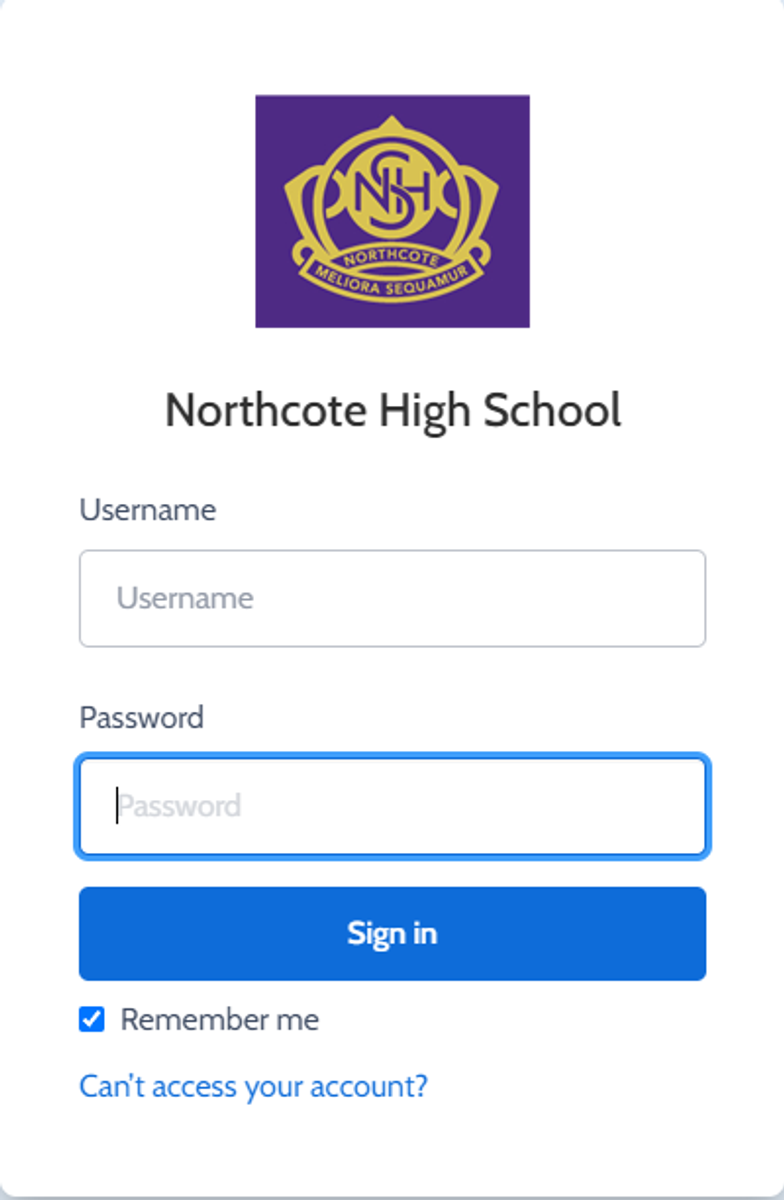
You can reset your password on the front page of the Compass login:  under “can’t access your account details” (see sample below)


Gallery Image


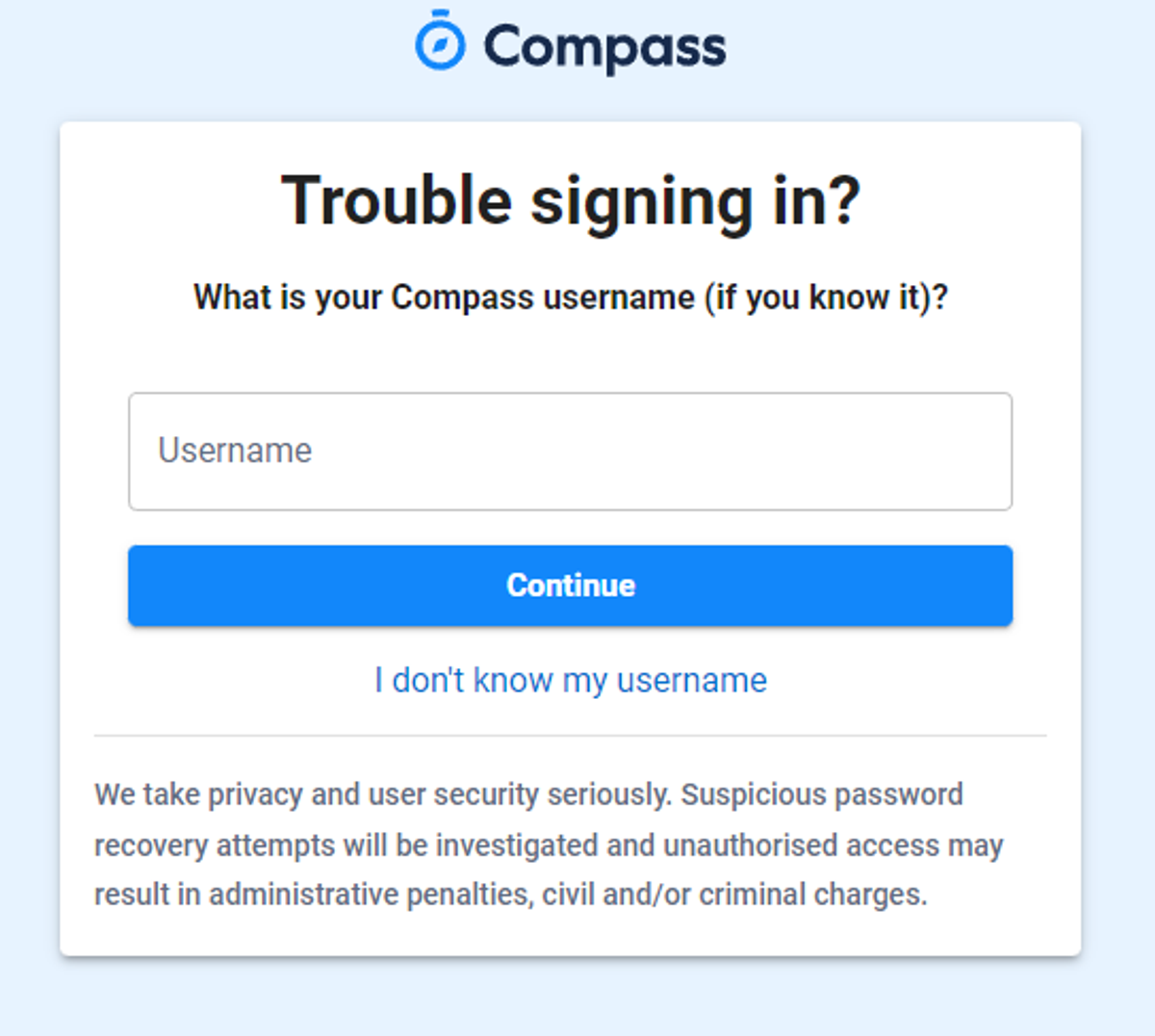
Enter your Compass username. (see example below)
 

Gallery Image


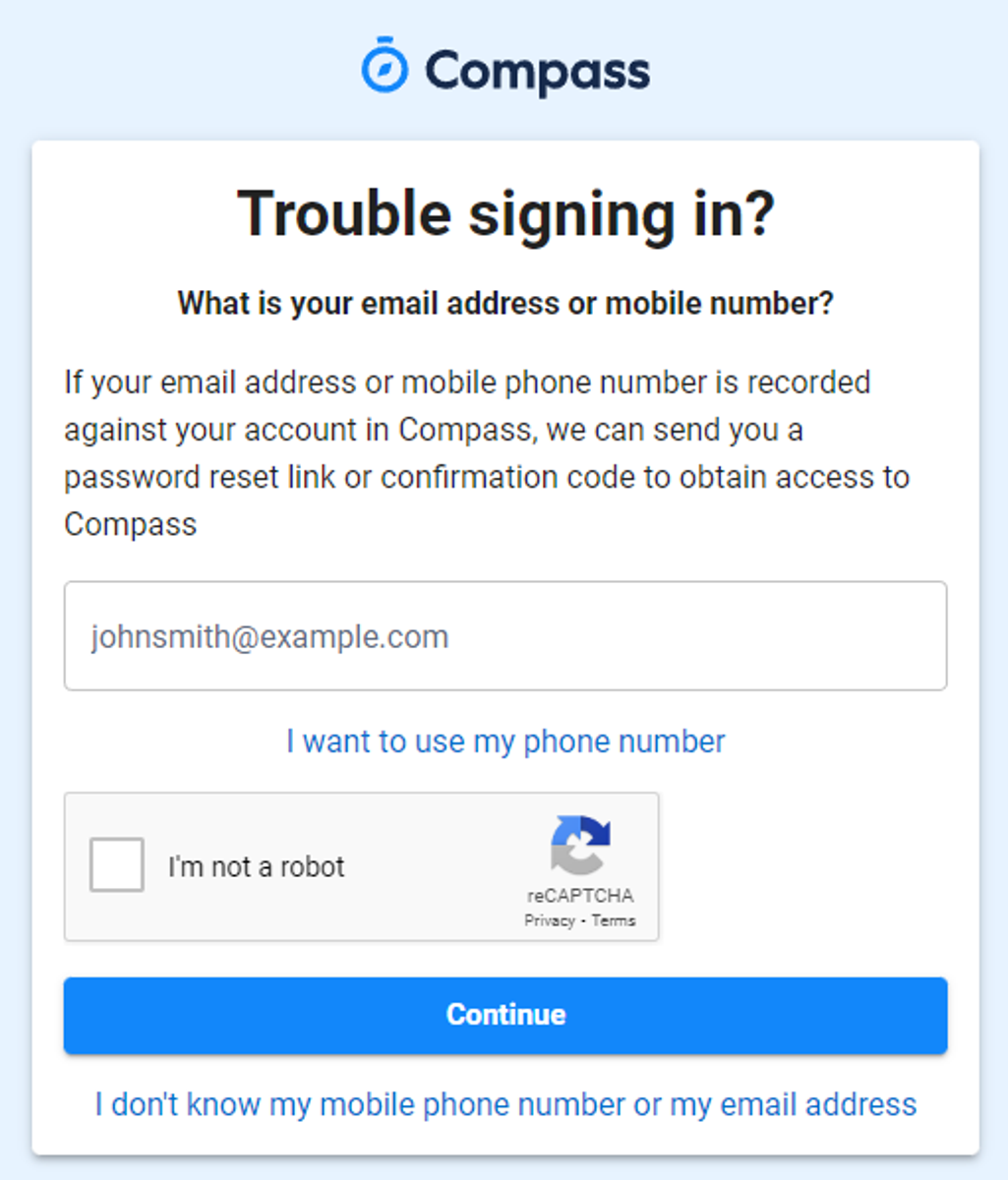
The next page will ask for your email ensure all relevant areas are completed. 


DO NOT USE MOBILE OPTION

(Families that live at the same address only: Password reset can only be sent to parent #1 recorded details and will need to match the details that are currently recorded against your Compass account) 


(see example below)


Gallery Image


An email will be sent to you with a link to change your password.


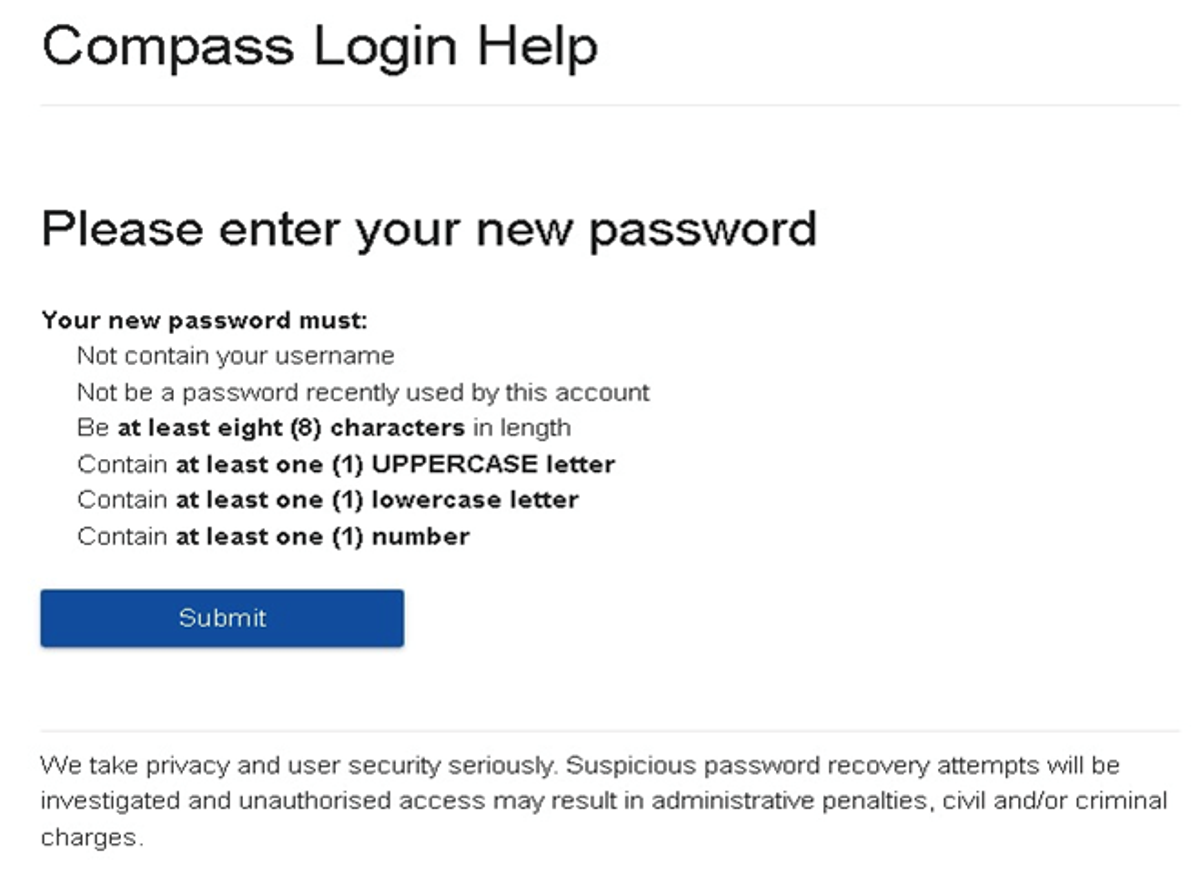
(DO NOT uses a previously entered password) See information below on how to choose a password.
 

Gallery Image


. 


Top tips

  • Compass username will be the first three letter of your surname (in capital letters) followed by 4 issued numbers
  • Email/phone number used must match parent captured details currently held in Compass.
    • Families that live together share parent # 1 user name and password (reset to parent #1 recorded details held in Compass)
    • Families who live separately will each have their own username and password
  • You must use a new password each time you reset; Compass will reject any previously used password. (if it rejects, it will ask you to contact the school, if you refresh the page it will let you try again).
  • It is best to reset your password on a Computer rather than a phone.


This information can also be accessed on our website under Communicating with Families: How to reset Compass Password