2027 Foundation (Prep) Enrolments
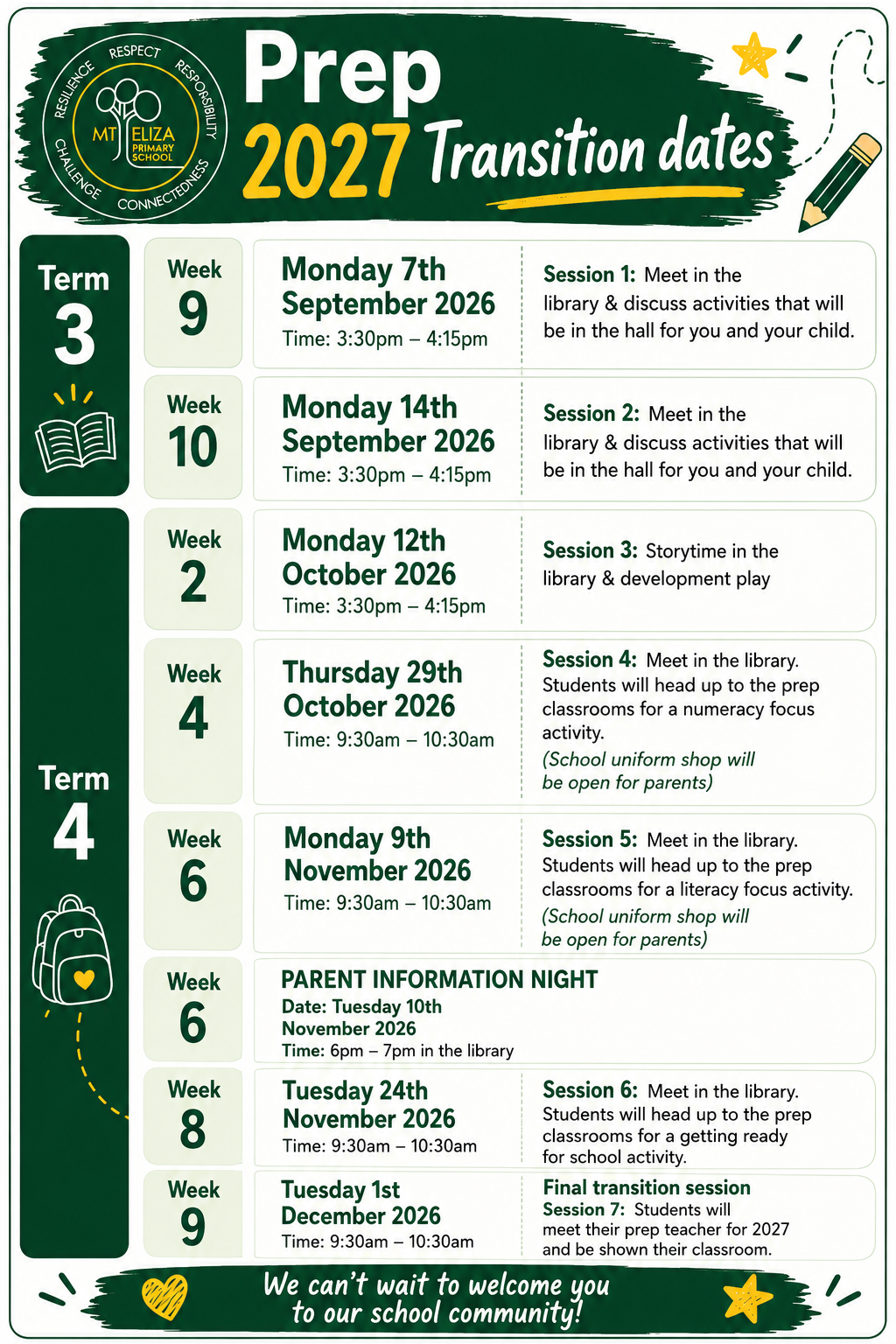
We are very excited to welcome our new 2027 Foundation (Prep) children to Mt Eliza Primary School for Prep Transition Sessions. All families were emailed information on Tuesday 1 September. If you did not receive an email regarding transtion please contact the school office.
How to Enrol a Prep student for 2027
- Submit your online application https://students.educationapps.vic.gov.au/s/
- Create a Vic Students account.
- Complete the online application form.
- Upload the required supporting documentation.
Wait for your offer and, if offered a place, accept it by Friday 28 August 2026.
Is VicStudents secure?
VicStudents has been assessed by the Department of Education to a high degree of security in line with the Victorian Protective Data Security Standards and is compliant with ISO 27001, the leading international standard for information security.
For parents/carers (new users Term 2 2026 and beyond) When you click the VicStudents link, you will be directed to sign in using a Service Victoria account. Once you have signed in, your VicStudents account will be created automatically. If you don’t have a Service Victoria account, you’ll be guided to create one.
More information
The Department of Education has created a Quick Reference Guide below to help you get started.
For more information about enrolling your child into a Victorian government primary school, visit Enrolling in Foundation (Prep).
Again, ff you have any questions about 2027 Foundation (Prep) enrolments, please contact the school office.
Thank you
MEPS Admin