Personal Mobile Device




















 Cobram Secondary College
Mobile Device Ban
Policy
The importance of a digital detox:
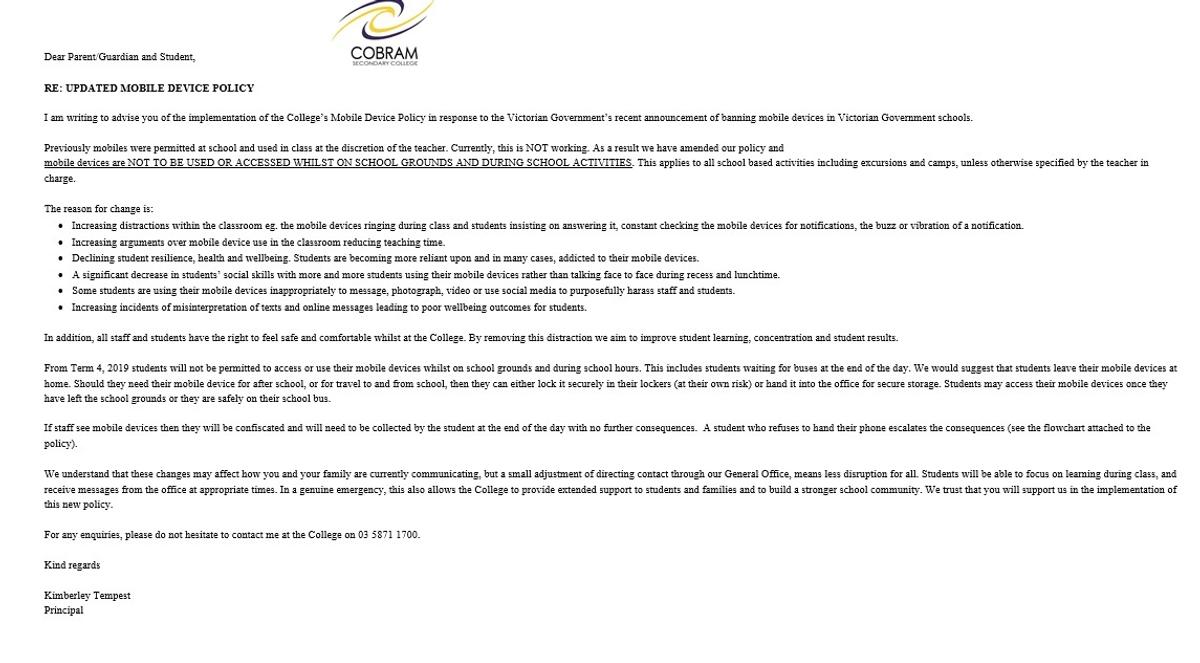
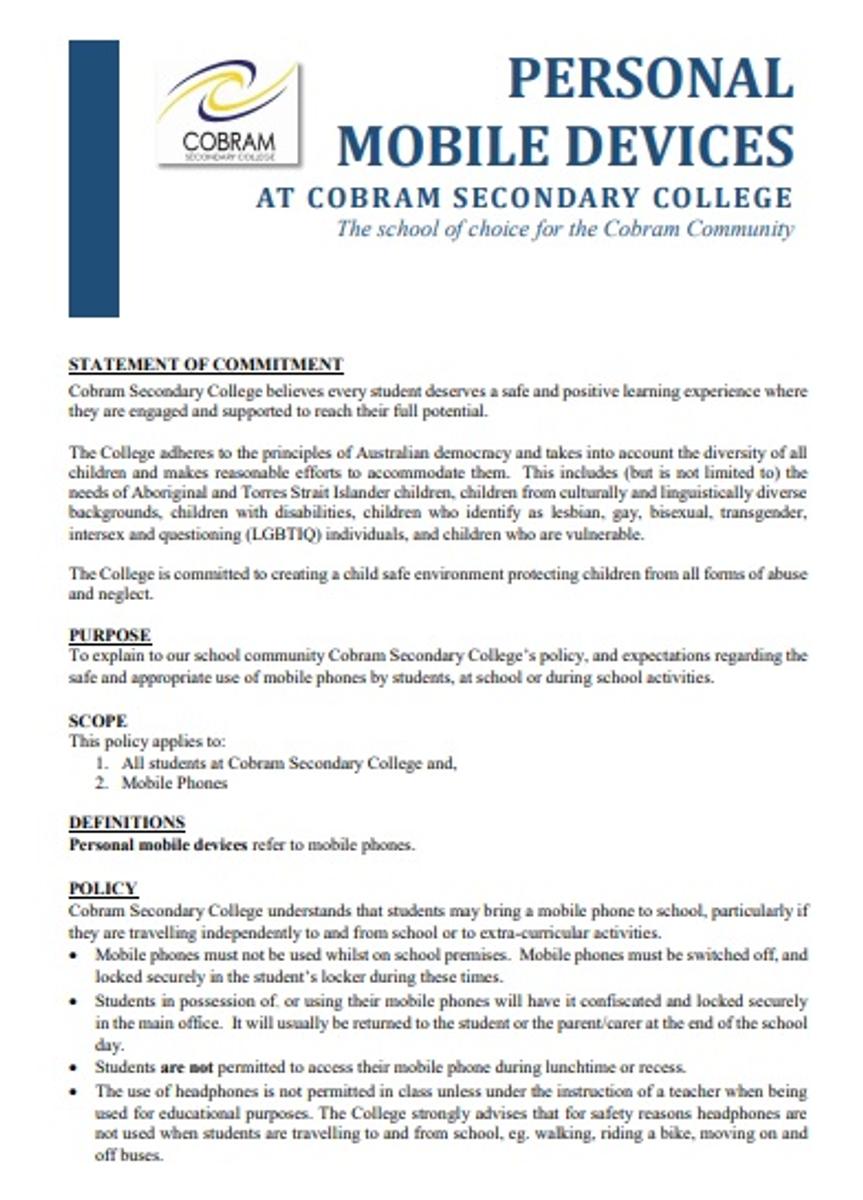
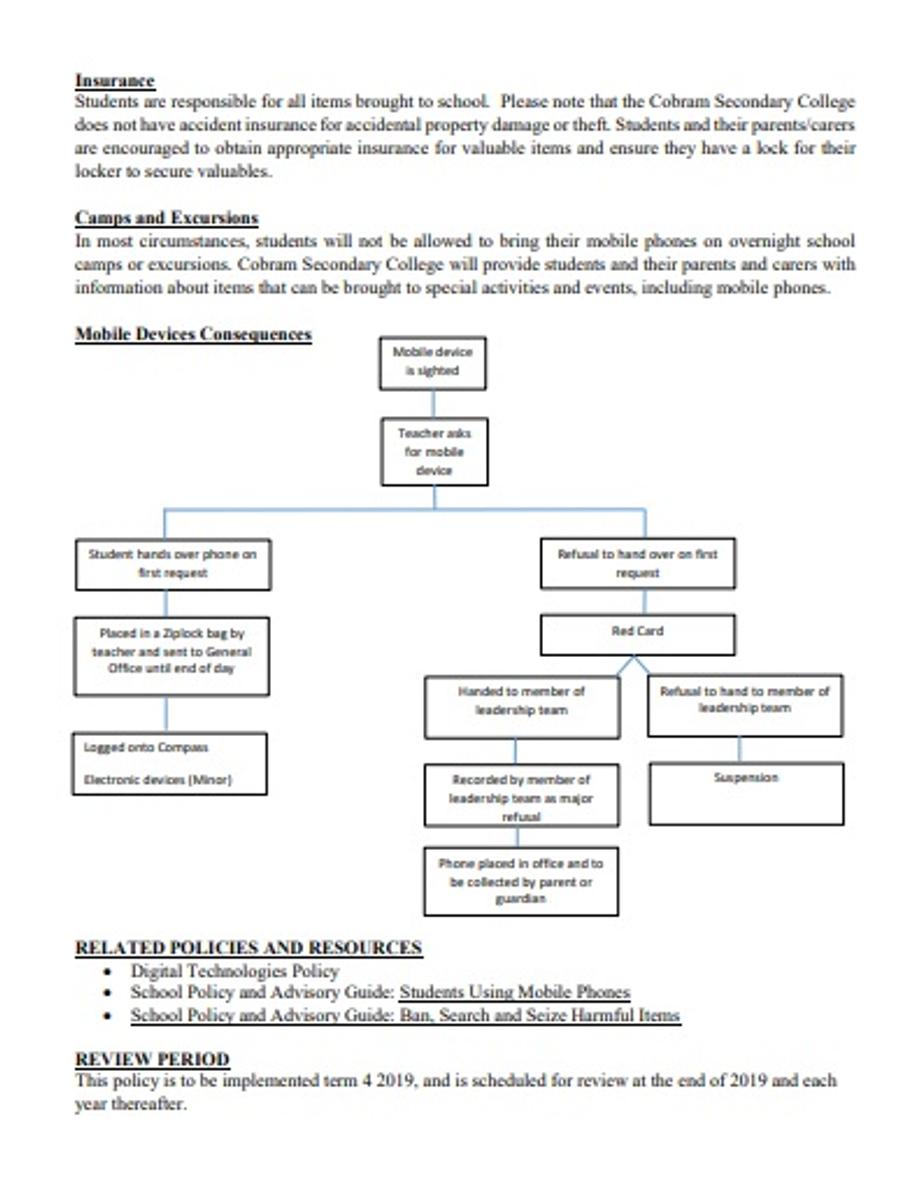
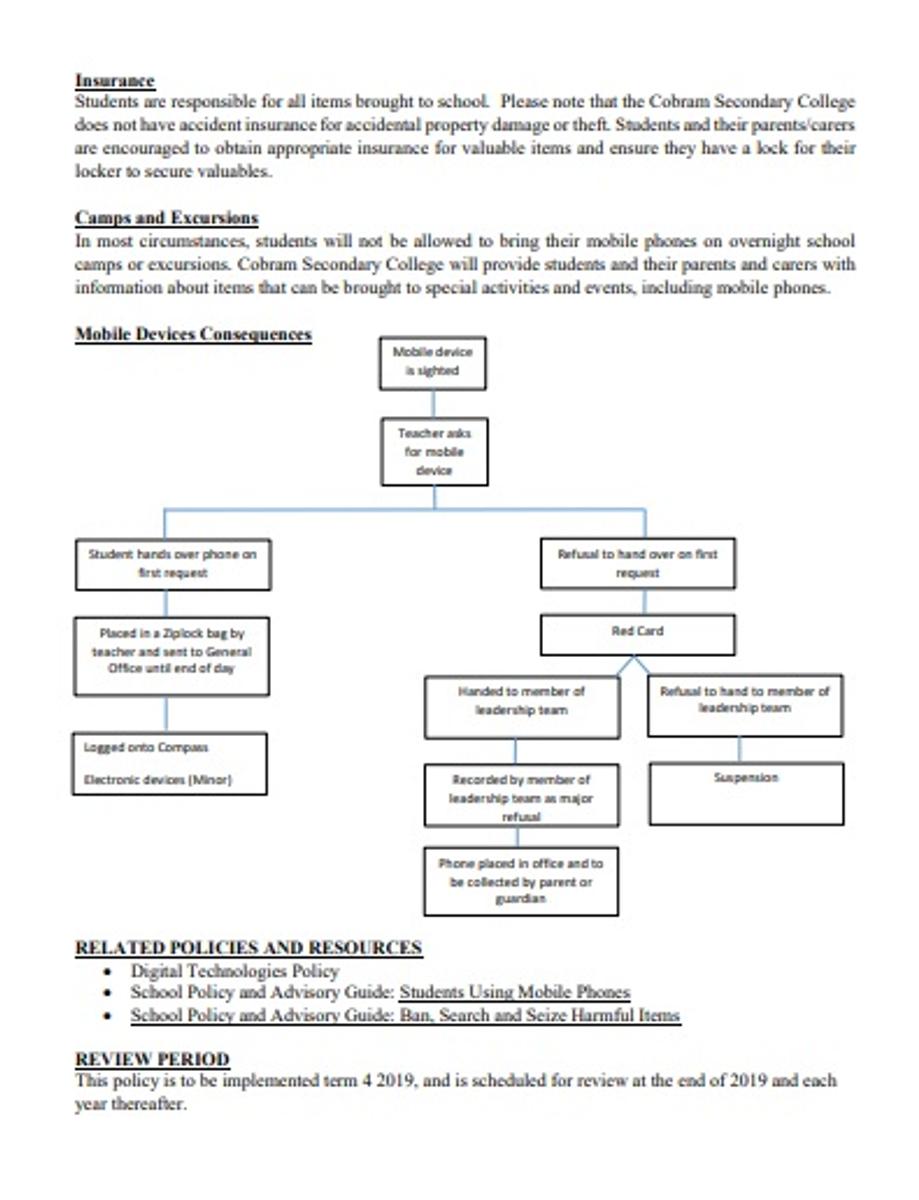
At the beginning of Term 4, Cobram Secondary College will become a mobile device free school. This means that students will not be permitted to use or access their mobile device whilst on school grounds or during school activities.
It is important that students spend their two week school holidays to begin a digital detox to prepare themselves for Term 4.
Some tips to completing a digital detox include:
Tip 1: Try ‘no tech mornings’ where you set a time and you are not allowed to touch or use your phone until this time.
Tip 2: Give yourself a screen allowance time, where you set a time limit for the day that you are allowed to spend on social media and apps.
Tip 3: Download an app that tracks your mobile phone usage and try to cut down how much you are using your phone. Some great apps for this are Forest, RealizD, Moment and SPACE.
Tip 4: Try setting your mobile phone to ‘Do Not Disturb’ for an hour and increase this over time. During this setting your phone will not ring or vibrate for any notifications or calls and messages, however, will be there for you to check later.
Tip 5: Try ‘no tech nights’ where you set a time in the evening that the phone is put away and not touched or used again until the next day.
Tip 6: At night place your mobile phone on the charger in the kitchen rather than in your bedroom.
Tip 7: Try turning off all notifications for a 24 hour period.
Tip 8: Delete ten apps for your phone that you know you don’t need or can go without.
Tip 9: Try the ’60 minute rule’ where you are only allowed to check your phone every 60 minutes and set a time limit that you are allowed on your phone every sixty minutes.
Tip 10: Don’t carry your mobile phone in your hand or in a pocket. Try leaving it on a bench or table instead when you are at home.
Tip 11: Every time you reach for your phone take a screenshot so that you can see how long it is since you last reached for your phone. Try to expand this time out!
Tip 12: Introduce a ‘mobile phone free time’ in the household, such as dinner time where nobody in the family is allowed to have their mobile phone.
Tip 13: Clear the home screen of your mobile phone by putting every app into a folder on the second page leaving only texts and phone calls on your home page.
Tip 14: Try to increase the increments of digital free time over a period of time. Start with 15 minutes, increase to 30 minutes and then try for 1 hour.