Handy Links
















 Kalinda Primary School
Please keep in mind that here at Kalinda Primary School, we continue to use the Compass newsfeed and the Kalinda newsletter to communicate with you. If you want to know what we know - keep reading the newsletter and your Compass feeds!
Out of respect for our environment, we will not send home paper notices unless it is deemed necessary.
You can always call us at 9876 3289 during school hours (or leave a message and we will get back to you), or email the office at kalinda.ps@education.vic.gov.au or email your child's teacher through Compass if you need clarification on any matter.
If you need assistance with using the Compass app or QKR app, please call the office so we can arrange a time to help you.
Some handy quick links:
School website: check here for Policies, Enrolment forms, School Council information, and medication permission forms.
On the Kalinda Facebook page, we often post behind the scene photos of our school in action.
Kalinda Online - Student Sites(learning sites accessed by username and password, see below for instructions). These sites are updated with weekly learning focus and some videos and texts that might be used in class.
CompassParents and carers can use a unique ID code and password to amend or enter any attendance changes, payment, and permission for events and school fees and even order school photos.
RH Uniform for School Uniform Orders which can be delivered to the school, or to your home.
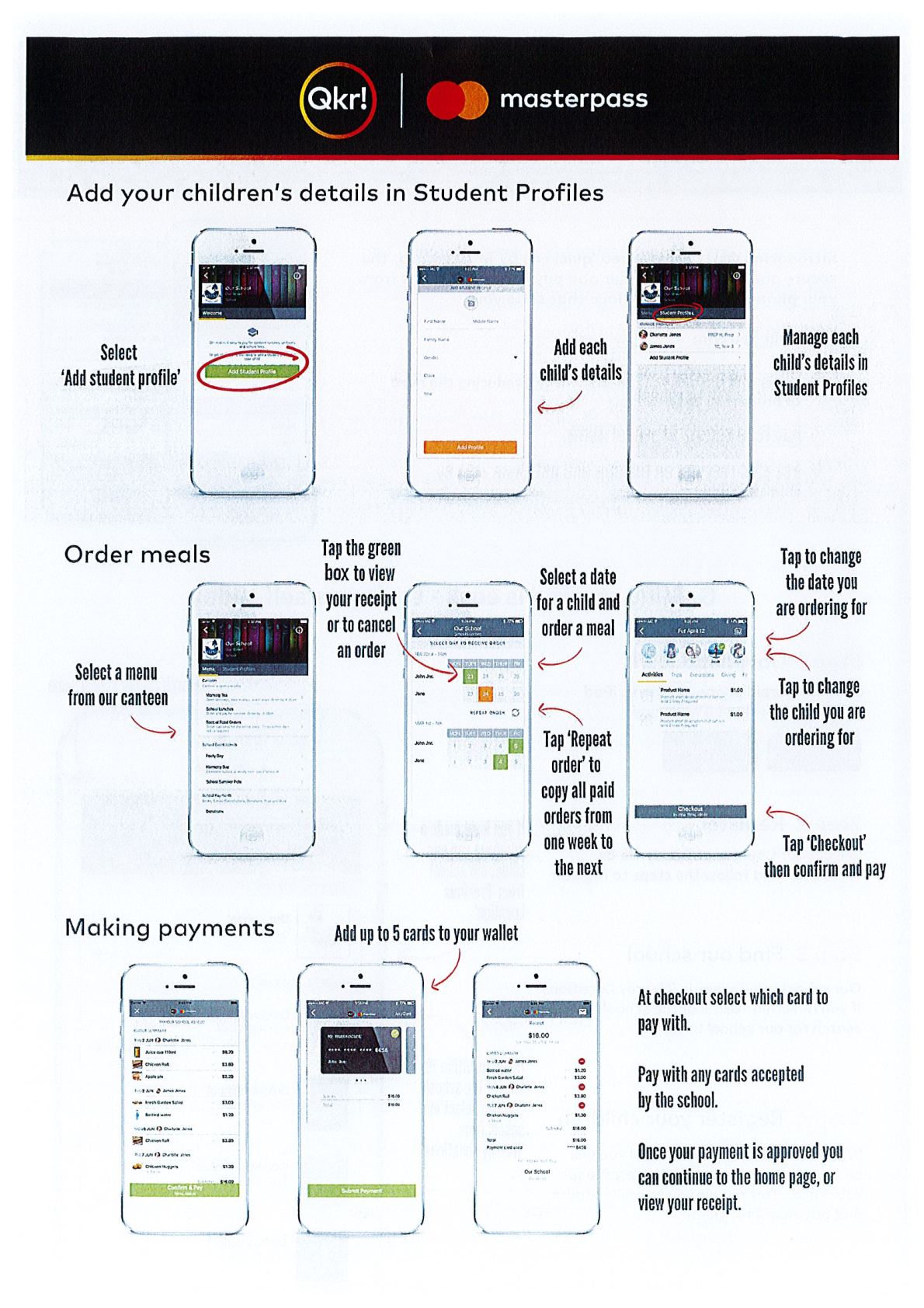
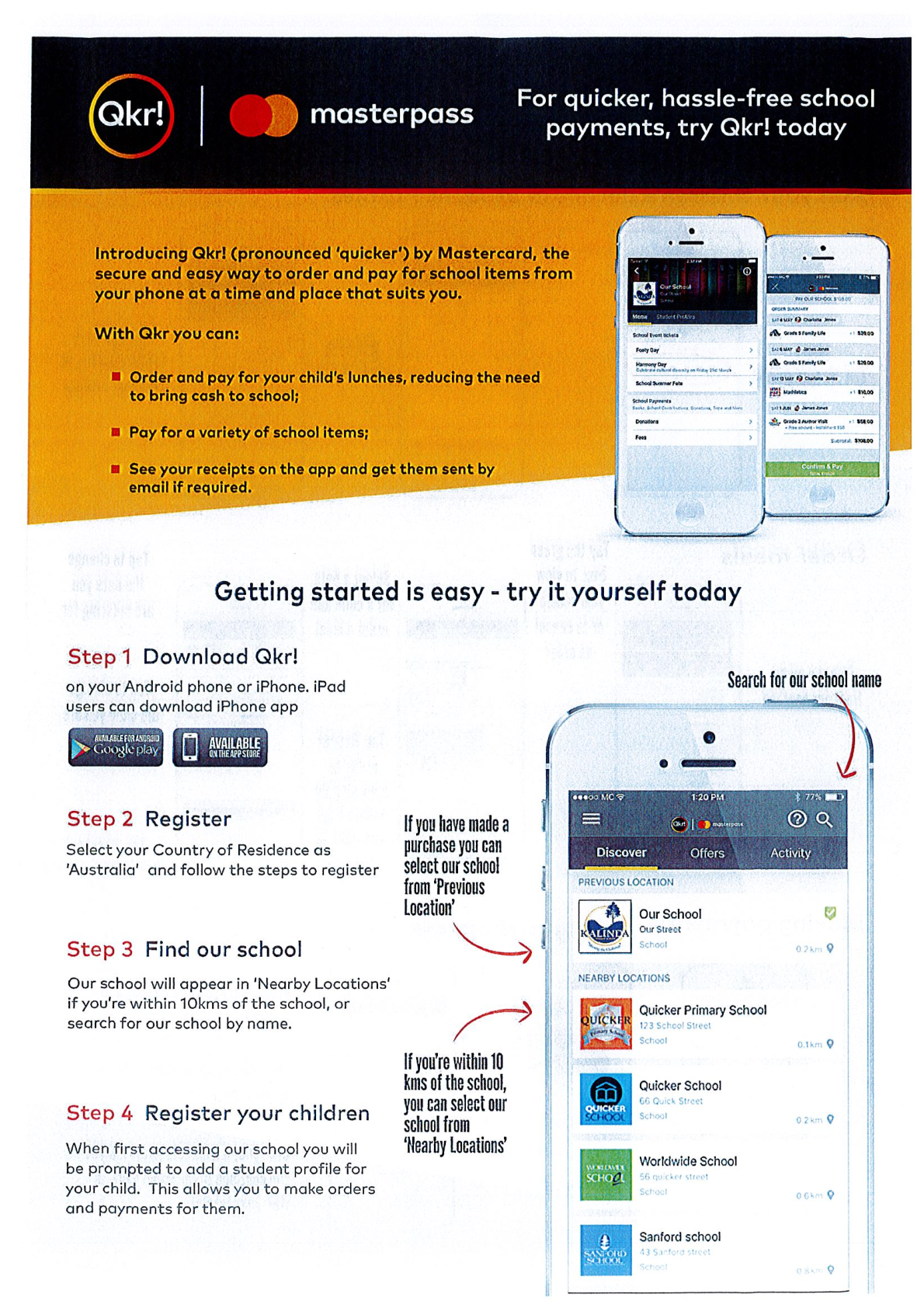
QKR instructions for Canteen orders, including lunch orders, special food days, and birthday cakes. These will have cut-off times to allow for processing and orders from suppliers. Please do not contact the Canteen directly in an attempt to override this.
Instructions for accessing student sites:
1. Click on the link above
2. Ensure (by checking in the top right-hand corner of your screen) that you are not logged into any other Google account other than your child's Google account. If you are currently logged into a personal or work Google account, you will not be able to access the student site.
3. Select the Year level of your child.
4. Enter the username and password that is issued via your child's diary. Do not change this password.
5. Please contact your class teacher or the school office if you are having issues.