Page 0 Banner Photo
Cover Page
For your diary  Banner Photo
For your diary Key Dates
From the Principal  Banner Photo
From the Principal
Year 12 Formal Banner Photo
Year 12 Formal Good times at the San Remo Ballroom
Student Achievement : Sage Ryan Banner Photo
Student Achievement : Sage Ryan Winner of Victorian Young Composer award : Australian Society of Music Education
Captains' Conference Banner Photo
Captains' Conference Collaborative action on community building 
Student Services : Wellbeing  Banner Photo
Student Services : Wellbeing I CAN Online Mentoring Program, Wellbeing goes to the Formal, Parent and Carer Webinars- Esafety Commissioner, Wear it Purple Day, Student Wellbeing Hub (Online), Body Kind- Butterfly Foundation
Student Services : Careers  Banner Photo
Student Services : Careers Four weeks left to complete VTAC applications, Year 9 Morrisby on Monday 11 September, University Open Days
Sports Report Banner Photo
Sports Report Intermediate Division Basketball , Year 7 and 8 Basketball Selection Tournament  , Intermediate  Regional Girls AFL , State Quarter Final Intermediate Girls AFL , Senior Boys Regional Hockey , Year 8 Division Table Tennis , Intermediate Girls Regional Soccer , Intermediate Boys Soccer , Yr 8 Boys Regional Soccer , Coming Up : 
Architectural Design Excursion Banner Photo
Architectural Design Excursion Exploring the influence of design on mood and social behaviour
Student Achievement : Lotte Barnett Banner Photo
Student Achievement : Lotte Barnett Triple j Unearthed High finalist
Human Rights Forum Banner Photo
Human Rights Forum Deepening our understanding of human rights
NHS Aero Club Banner Photo
NHS Aero Club First test flight on Merri Park
Parent Teacher Student Conferences Banner Photo
Parent Teacher Student Conferences Information for Families
Welcome New Staff Banner Photo
Welcome New Staff
Pyjama Day Banner Photo
Pyjama Day Free dress for a good cause
Scrolling Smartly Banner Photo
Scrolling Smartly The pros and cons of Virtual Private Networks
From the Library  Banner Photo
From the Library Get involved in our Library clubs, New books in the library  , Ripples 2022 : Don't forget to pick up your copy
Comedy Fundraiser Banner Photo
Comedy Fundraiser Book your tickets and save the date
Financial Assistance  Banner Photo
Financial Assistance NHS Empower Fund:  Helping Students in need
Top tips : Resetting your Compass password Banner Photo
Top tips : Resetting your Compass password A guide for parents and carers, Resetting your Compass Password
Community Notices  Banner Photo
Community Notices Jerome Rush. Holding up the Sky, Merri Creek PS Fete : 9 September, Preston Bullants : Kicking Goals 25 August, Job opportunities at KFC Bourke Street, RIJI – Help required, Fitzroy Baseball Club seeking new members, Inclusive Social Soccer in Brunswick
View archive
Published by
Northcote High School
St. Georges Rd, Northcote, Victoria, 3070, AUhttp://www.nhs.vic.edu.au9488 2300
Banner Photo

Top tips : Resetting your Compass password


A guide for parents and carers


We have consolidated a range of compass help guides on a page on the Northcote High School website. Check out the Compass help page for information on:

  • Adding an attendance note
  • SMS attendance alerts
  • How to email staff
  • Confirming your Compass details


Resetting your Compass Password


A quick refresher for all families, this information is also on the Compass Help page of our website. 


Follow these easy steps if you need to reset your Compass password at any time.


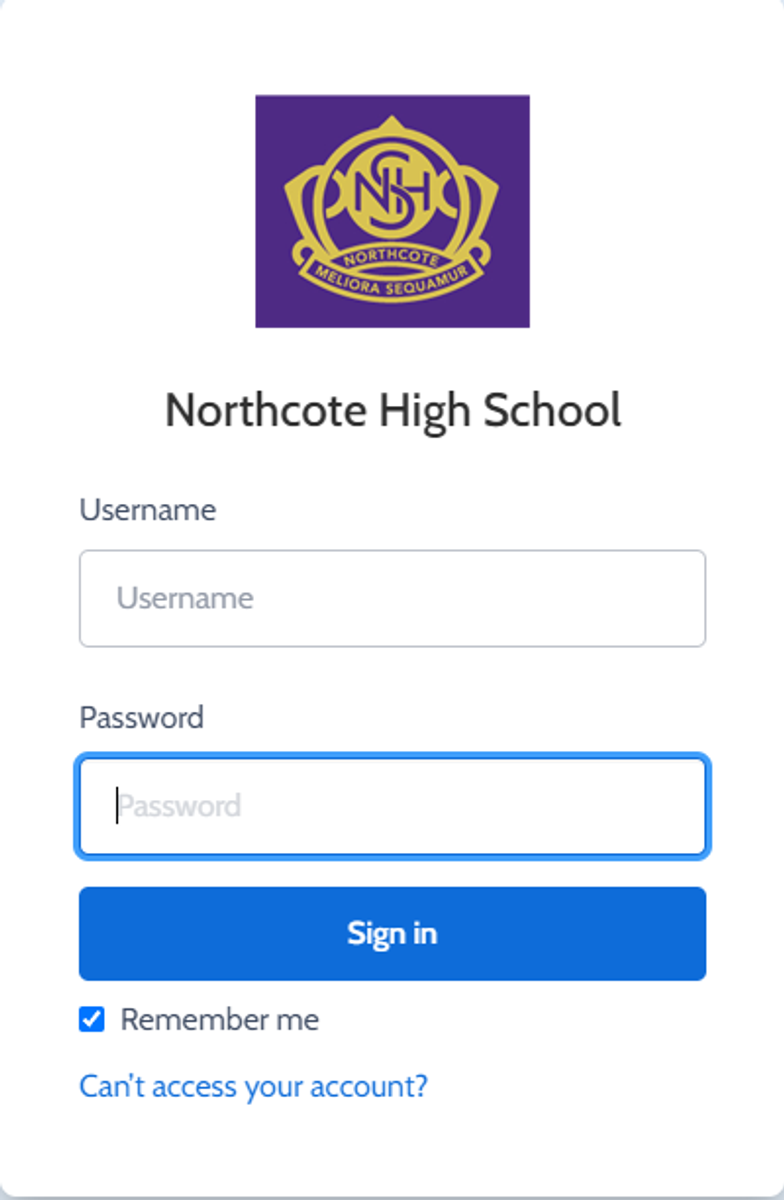
You can reset your password on the front page of the Compass login:  under “can’t access your account details” (see sample below)


Gallery Image


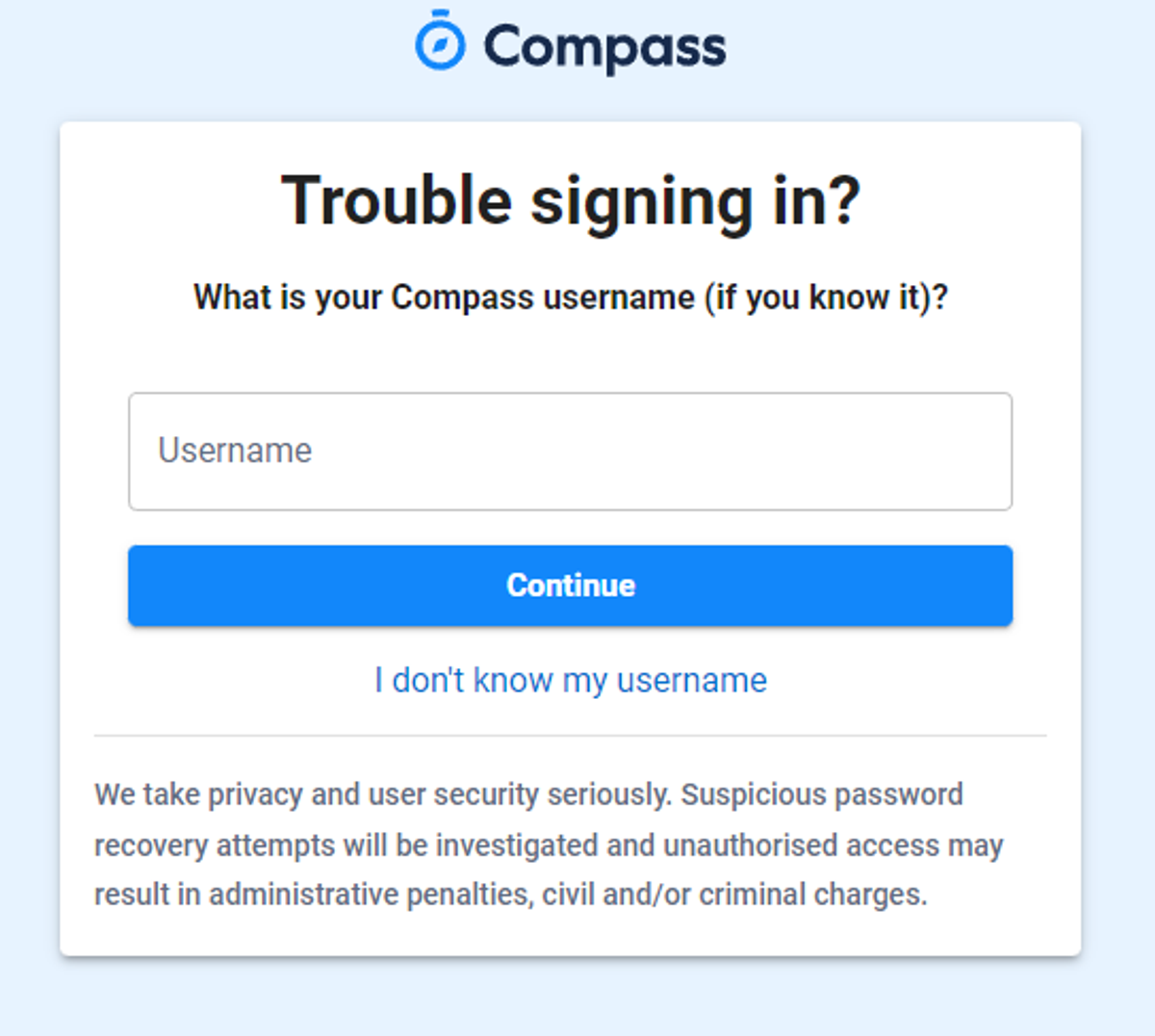
Enter your Compass username. (see example below)
 

Gallery Image


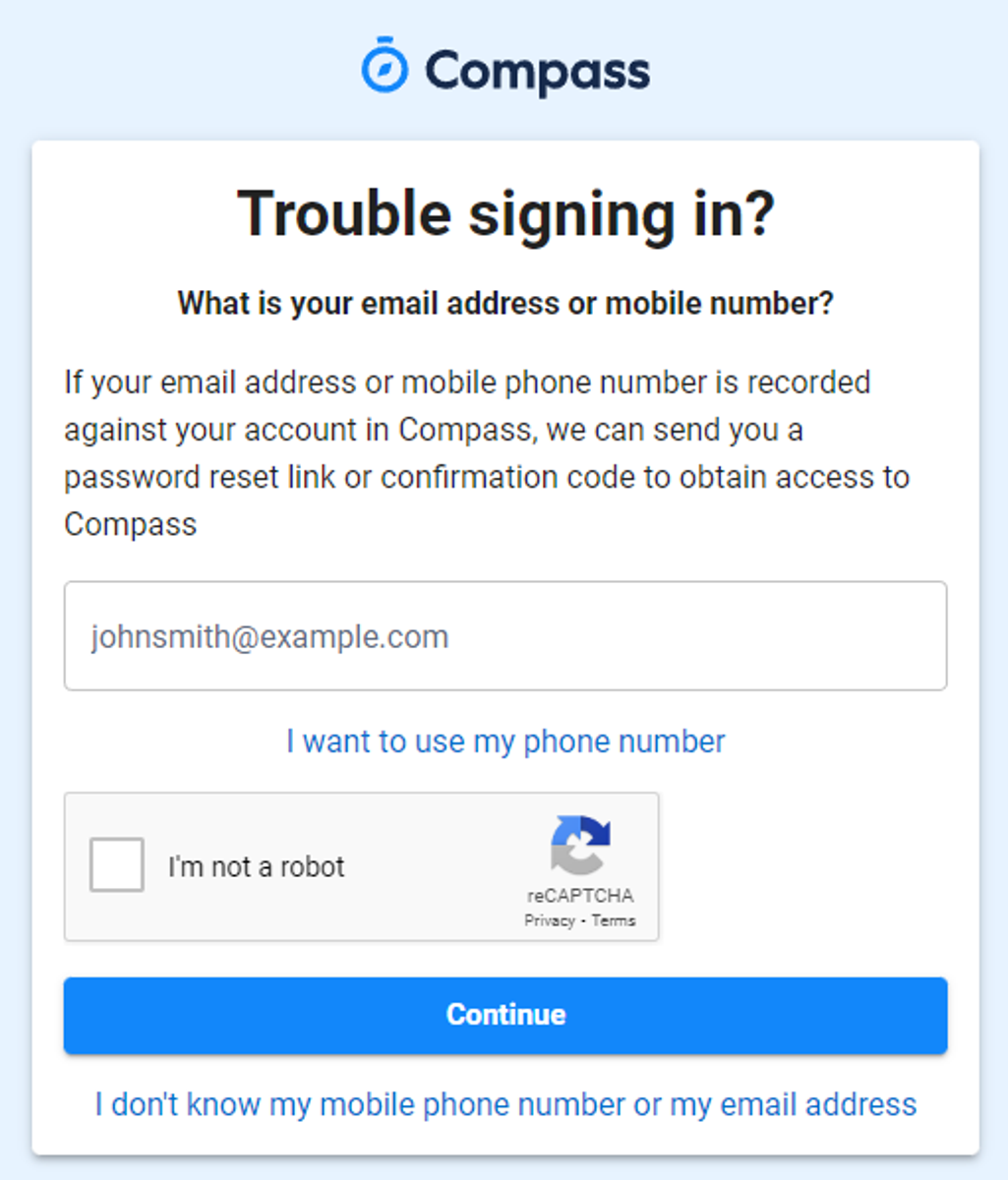
The next page will ask for your email ensure all relevant areas are completed. 


DO NOT USE MOBILE OPTION

(Families that live at the same address only: Password reset can only be sent to parent #1 recorded details and will need to match the details that are currently recorded against your Compass account) 


(see example below)


Gallery Image


An email will be sent to you with a link to change your password.


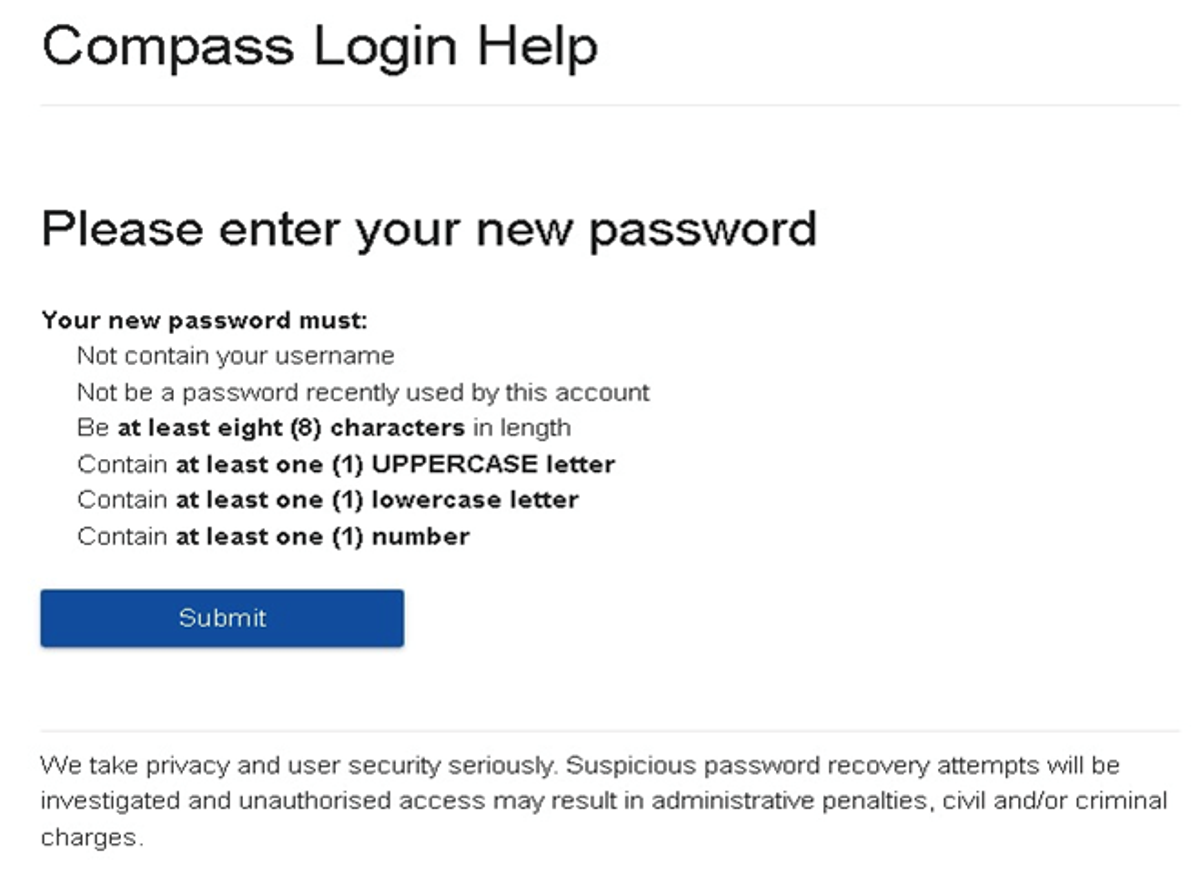
(DO NOT uses a previously entered password) See information below on how to choose a password.
 

Gallery Image


. 


Top tips

  • Compass username will be the first three letter of your surname (in capital letters) followed by 4 issued numbers
  • Email/phone number used must match parent captured details currently held in Compass.
    • Families that live together share parent # 1 user name and password (reset to parent #1 recorded details held in Compass)
    • Families who live separately will each have their own username and password
  • You must use a new password each time you reset; Compass will reject any previously used password. (if it rejects, it will ask you to contact the school, if you refresh the page it will let you try again).
  • It is best to reset your password on a Computer rather than a phone.


This information can also be accessed on our website under Communicating with Families: How to reset Compass Password