Page 0 Banner Photo
Cover Page
Principal's Message Banner Photo
Principal's Message
Chaplain's Message Banner Photo
Chaplain's Message
STARR Trip Banner Photo
STARR Trip
Year 11 Play "Together Alone" Banner Photo
Year 11 Play "Together Alone"
Outdoor Education Assembly Banner Photo
Outdoor Education Assembly
Under Streetlights world premiere at Byron Bay Film  Banner Photo
Under Streetlights world premiere at Byron Bay Film  CAST and CREW
Mountain Biking Club Championships Banner Photo
Mountain Biking Club Championships
SPC Cycling Central Banner Photo
SPC Cycling Central
Flynn Farewells their Year 12s Banner Photo
Flynn Farewells their Year 12s
Screenagers Under the Influence Banner Photo
Screenagers Under the Influence
Desert Nights Music Soiree Banner Photo
Desert Nights Music Soiree
Follow the Dream Banner Photo
Follow the Dream
Counsellor's Corner Banner Photo
Counsellor's Corner If we’re serious about ending violence against women, we need to talk about culture
Screenagers - Under the Influence Banner Photo
Screenagers - Under the Influence
Music Tuition Banner Photo
Music Tuition
Schoolbox and the SPC App Banner Photo
Schoolbox and the SPC App Schoolbox, The SPC App
Rotary Club of Alice Springs Melbourne Cup Sweep Banner Photo
Rotary Club of Alice Springs Melbourne Cup Sweep
$30,000 scholarship available Banner Photo
$30,000 scholarship available
Career Page  Banner Photo
Career Page  RSVP for the GALLIPOLI SCHOLARS 2023, Rural Health Workshop, Free Medical Entry Seminar, 2024 Community Bank Alice Springs Scholarship for Bachelor Degree Studies, Women of STEM
Call for Outdoor Ed Donations Banner Photo
Call for Outdoor Ed Donations Are you ready for that spring clean of clothing and equipment?
Medical Centre Health Update  Banner Photo
Medical Centre Health Update  Cold and Flu, Covid 19, Step 1. Register your positive test result, Step 2. Stay home whilst you have symptoms, Step 3. Manage your symptoms and health
Safety is Everyone's Business Banner Photo
Safety is Everyone's Business Drop off and pick up students from the College pedestrian crossing, After 3.30pm school pickups, Keeping your child's medical details up-to-date
Town Events & Positions Vacant Banner Photo
Town Events & Positions Vacant News, events and job vacancies from local organisations, SPC Boarding House Cook/Chef, Join the team at Pizza Hut, NT Police - Frontline Auxiliary
Students and Staff build Reconciliation Hut Banner Photo
Students and Staff build Reconciliation Hut
View archive
Published by
St Philip's College
Ulpaya Road, Alice Springs, Northern Territory, 0870, AUhttps://www.stphilips.nt.edu.au/info@stphilips.nt.edu.au(08) 8950 4511 Facebook Instagram YouTube
Banner Photo

Schoolbox and 

the SPC App

Where to find information about your child, what's happening and 

important information

Schoolbox

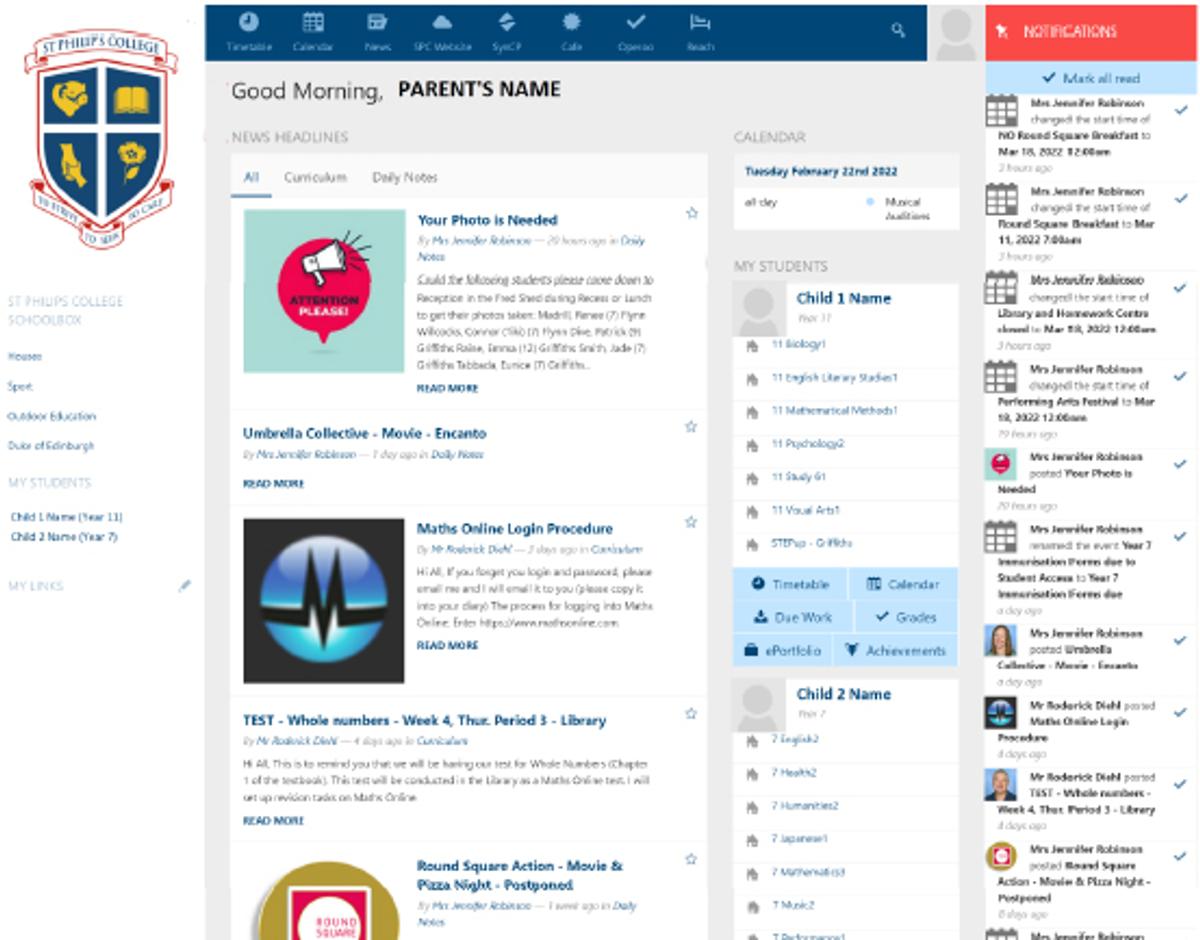
The easiest way to stay up-to-date with everything that is happening is through Schoolbox!


Schoolbox is an online portal where parents, teachers and students can connect, communicate and collaborate. It is regularly updated to ensure information is current and provides a place to see what your child is learning, their homework and how they are tracking. It’s an all-in-one learning management system, community portal and engagement platform.
 

Gallery Image

To login to Schoolbox:

  1. Visit https://schoolbox.stphilips.nt.edu.au/login/
  2. The first time you login, select “Parents, forgotten your password”
  3. When prompted enter your full email address then select send – the email address must be the one that you have given St Philip’s College that identifies you as the parent of a current student. If your email has changed, please inform the college. In this way only you may access your children’s details. If you feel that your email address has been compromised, please inform the college.
  4. Once Schoolbox recognises your email as that belonging to a parent, you will be sent an email to reset your password.

If you have a question about Schoolbox or have troubles using the program, please email cphelp@stphilips.nt.edu.au. 

The SPC App

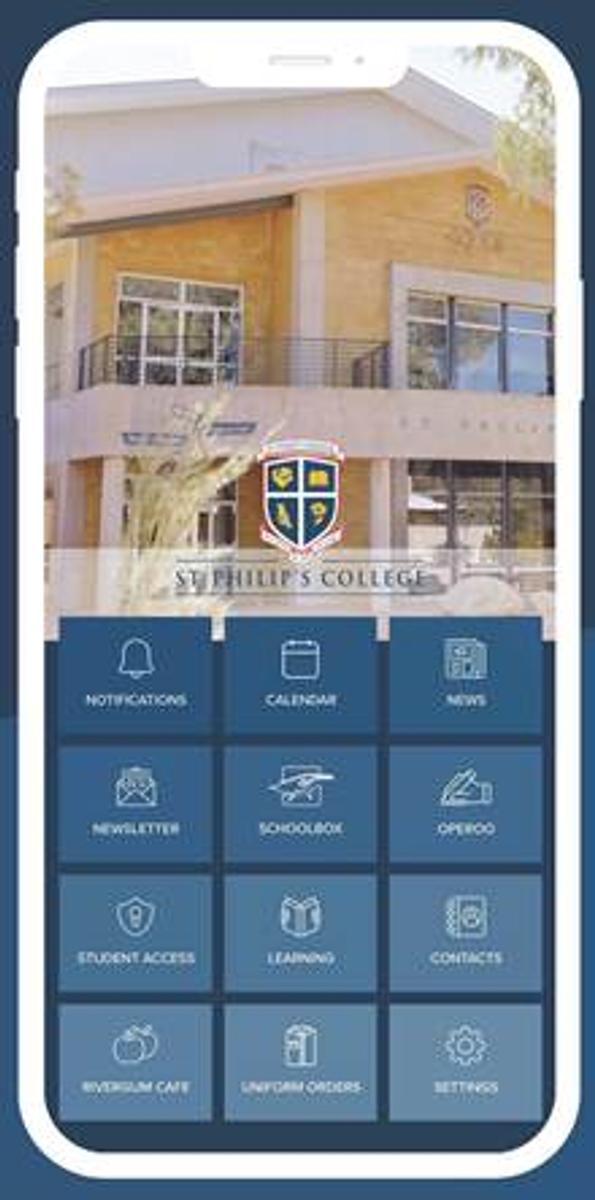
St Philip’s College has its own app that is available for download on both iOS and Android devices. It provides all the benefits of Schoolbox on your phone!
 

Gallery Image

The app allows you: 

  • Access to the latest news, events and alerts as they are published.
  • Access to your student/s information including timetables, homework, grades and reports.
  • Quick access to notify Student Access if your child is absent.
  • Contacts for staff and departments.
  • The latest newsletters.
  • Online ordering for the Rivergum Café, and more!

How do I use the app?


Before you can use the app, you must log into Schoolbox. 

The log in details for Schoolbox will then be used for the app.

  1. Click the below pictures to download from the App Store or Google Play store.
Gallery Image
Gallery Image
Gallery Image

Alternatively, you can search for St Philip’s College NT in your phone store. The icon will look like the icon to the right.

  1. Login with your Schoolbox credentials to access the app.
  2. Set up your own preferences so that you can receive the notifications you want in real time – go to Settings, then Notifications.
  3. Set up your own preferences so that you can receive the notifications you want in real time – go to Settings, then Notifications.