Parent Access Module (PAM)

HOW TO - Login to PAM
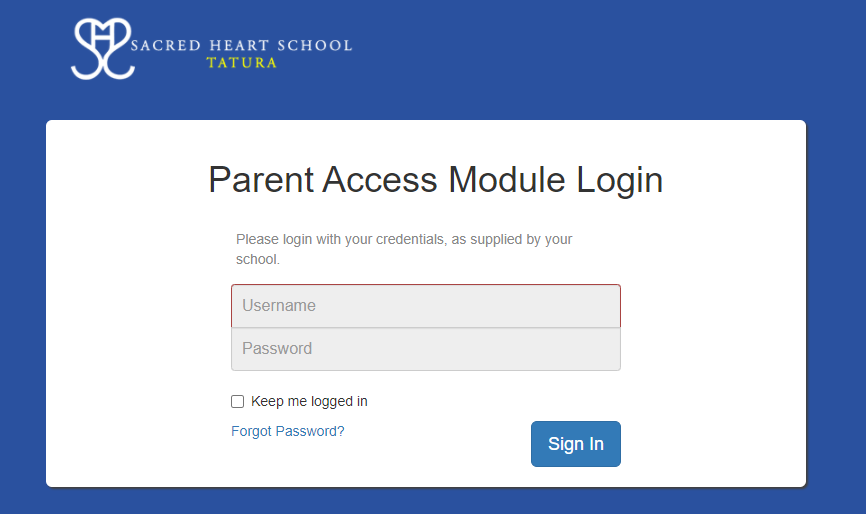
- Go to http://pam.shtatura.catholic.edu.au/
- Enter your email address (which was provided to the school) and password and then click sign in. If you do not have a password click on Forgot Password and a link will be sent to your email. Click on the link and follow prompts.
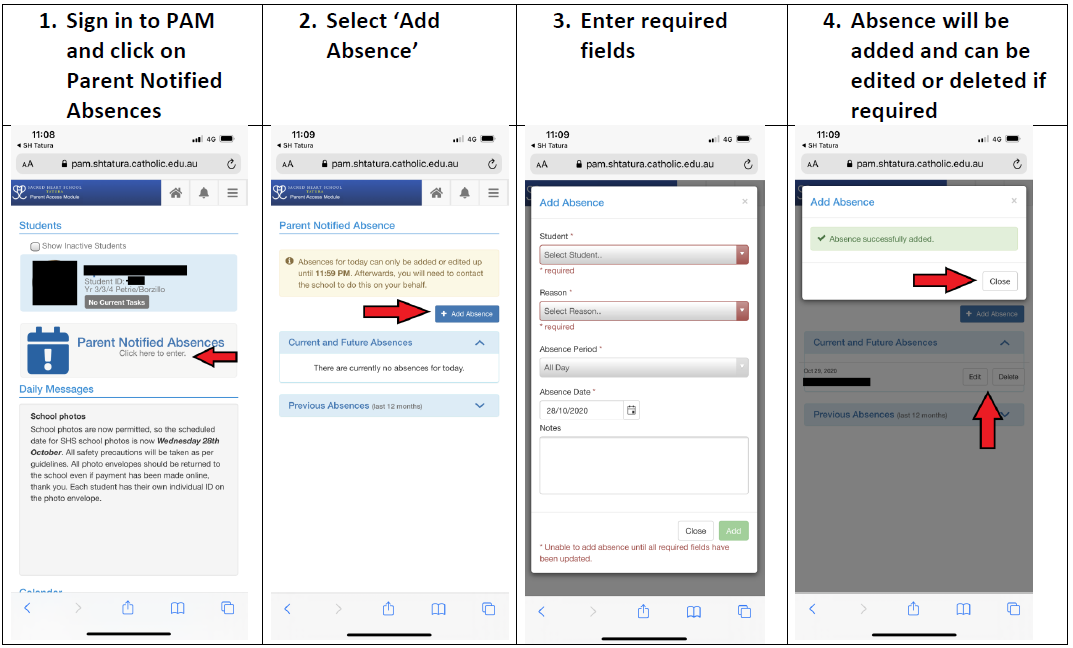
HOW TO - Send an Absentee Note in PAM
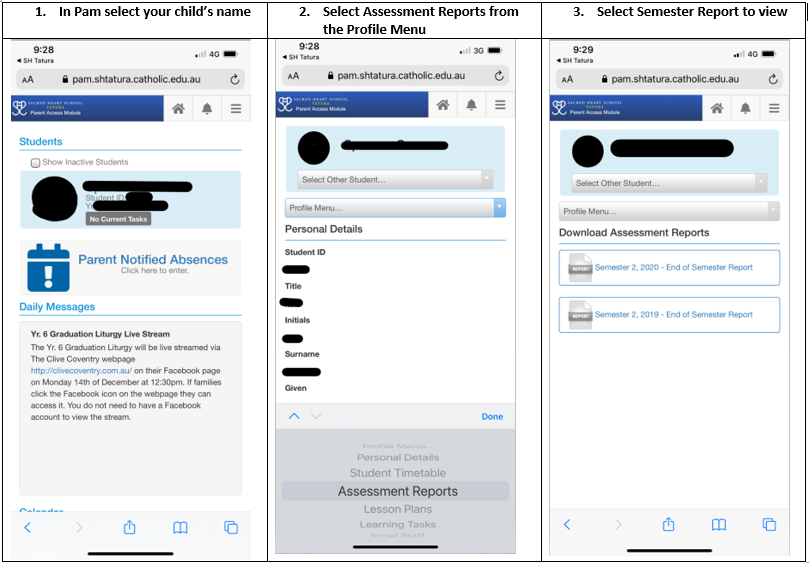
HOW TO - Access Semester Reports
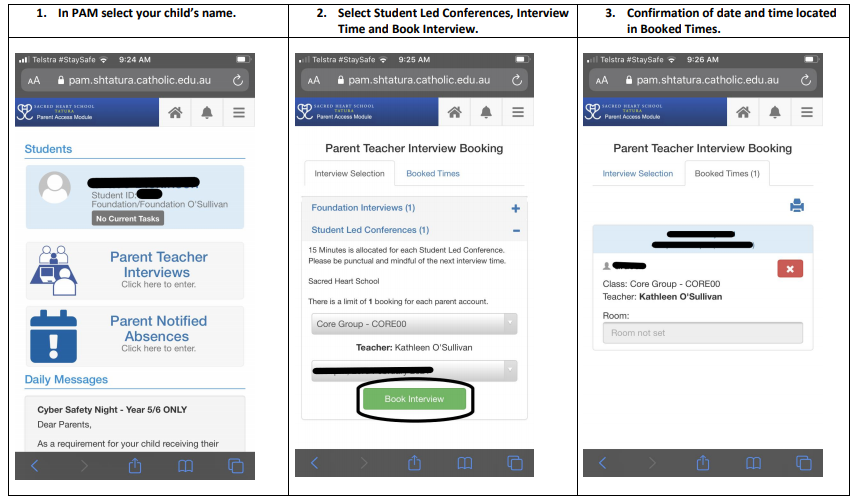
HOW TO - Book Student Led Conferences
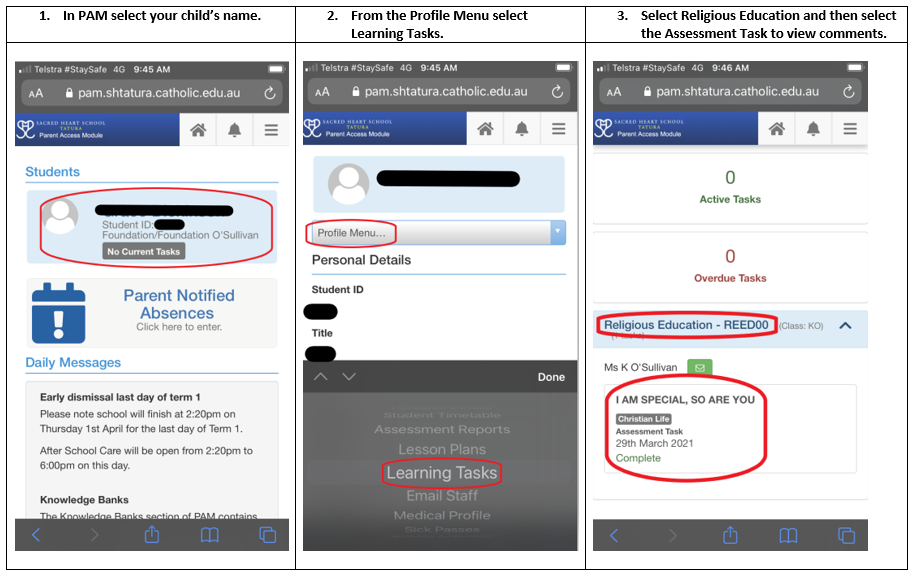
HOW TO - Access Religious Education Assessment Task