Online Safety Hub























 John XXIII College

Online Safety Hub
The Hub includes expert advice on the most pertinent cyber safety issues and frequently asked questions around platforms like TikTok, Fortnite, Instagram, and more. There are app reviews with age and safety recommendations, a range of guides and resources to help ensure healthy boundaries around screen time and gaming, and step-by-step instructions for using parental controls and filtering out inappropriate content.
Exploring the online experiences of boys and young men
For boys and young men, the internet can be a place where they seek connection, validation and guidance as they explore what it means to be a man today. However, it also exposes them to risks like harmful content, online exploitation and the growing influence of misogynistic ideologies.
This 45-minute webinar will help parents and carers understand:
- social and cultural influences shaping boys and young men
- how boys engage online, build relationships and how they may be vulnerable to manipulation or exploitation
the impact of social media, gaming, and influencers on their attitudes, behaviours and sense of identity.
This presentation will share practical strategies to build critical thinking, challenge harmful narratives, and create open conversations that empower boys and young men to navigate the online world safely and respectfully.
Suitable for parents and carers of young people in upper primary and secondary school.
Term 3 (AEST)
13 August 2026, 12.30pm
Register here.
Is CapCut safe for kids? An app safety guide for parents
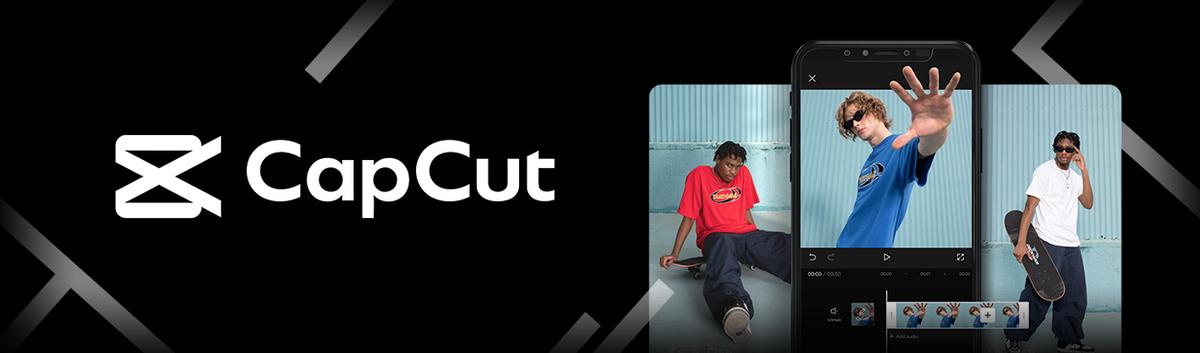
In 2023, CapCut was the 3rd most downloaded app in the US behind Temu and CapCut’s sister app, TikTok. Owned by ByteDance, the company behind TikTok, CapCut is an easy-to-use video editor hugely popular with creators who want to produce eye-catching content for their social media accounts.
If your child likes to post on TikTok or create content for other platforms, there’s a good chance that they use CapCut. Although the app can be a fun, useful editing tool for creative kids, there are a few concerns we feel parents need to be aware of.
What is CapCut?
Launched in China in 2019 and internationally a year later, CapCut is a video editing app designed for creating engaging short-form content for its sister app TikTok, and other social media platforms. Suitable for beginners and advanced creators, CapCut offers tools like frame-by-frame editing, filters and effects, stickers and captions, subtitles, and music and sound effects.
One of CapCut’s most popular features is Templates. These are user-shared TikTok videos that you can download and edit with your own clips, photos, captions, etc., to create professional-looking videos with little effort.
Although there are in-app purchases, CapCut is free and available on iOS, Android, desktop, and the web.
Is there an age requirement for CapCut?
According to its community guidelines, users must be 13 or older to have a CapCut account. However, there is no age verification and users can scroll templates and do basic editing without signing up for an account.

Is CapCut safe for kids? What to watch out for
As CapCut is easy to use, it can be a great app for children to dip their toes into video editing and hone their creative skills. That being said, there are aspects of the app that might concern parents of young users.
Inappropriate or manipulated content
Templates are user-shared video creations that can be downloaded and edited by other users. Although template creators have to be approved by CapCut, scrolling through templates becomes an almost identical experience to using TikTok, with every chance to encounter nudity, profanity, and other content inappropriate for young children.
In addition, CapCut’s ever-expanding suite of AI tools, including face-swap and voice cloning, make it easy to create misleading videos of real people – like classmates, or people your child knows – even if the intent isn’t to cause harm.
Possibility of connecting with strangers
While there’s no direct messaging on CapCut, it’s still possible for strangers to follow your child’s account and interact with them through comments on templates. What’s more, when a user leaves a comment on a template, strangers can click to see the user’s profile and even click through to their linked TikTok account. Without proper parental controls, this could open the doors for sexual predators, cyberbullies, sextorters, and other dangerous individuals lurking online.
In-app purchases
While users can download CapCut and do basic editing for free, your child could still fritter away money on in-app purchases, such as through a CapCut Pro subscription, exclusive templates, premium effects, filters, stickers, and more.
Data privacy concerns
CapCut’s privacy policy does not clarify how long data is stored or state clear data retention policies. Permissions such as access to the camera, microphone, storage, and location can be turned off but may impact the app’s video editing functionality.
Lack of age verification and parental controls
CapCut’s community guidelines state that users must be 13, but as there are no age verification procedures in place, children younger can easily access everything on the app – even without logging in.
Despite CapCut featuring TikTok content and allowing users to follow and comment on templates, the app is classed as a video editor and does not have the parental controls that have come to be expected on social media apps like TikTok.
CapCut: Qustodio’s safety recommendations
CapCut is a well-reviewed app that can help your child show off and hone their video editing skills. However, if you have concerns about your child using TikTok, you might think twice about letting them use CapCut as the platform offers unrestricted access to TikTok content. The safety risks of exposure to inappropriate content, data privacy, lack of parental controls, its connection to social media platforms, and the potential for child-adult interactions mean we cannot recommend CapCut for children under 16.
If your older children want to exercise their creativity with CapCut, keep in mind the following safety tips:
1. Don’t link TikTok accounts
If your child’s TikTok account is linked to their CapCut profile, users can follow and potentially interact with your child on TikTok where the risk of predation is high – especially without appropriate parental controls in place.
2. Report inappropriate content
CapCut’s templates are a mixed bag of TikTok content that sometimes contains nudity and profanity. To report content, click the 3 dots to the right of the video to open a menu, then select report.
3. Talk about the risks of interacting with strangers
Although CapCut isn’t a social app, it’s still possible to connect with others through comments and linked accounts. By encouraging open conversations about online dangers, your child will feel more comfortable opening up when they encounter something troubling.
4. Disable unnecessary permissions and purchases
To keep data as safe as possible, it’s a good idea to review what you allow CapCut to access and disable any permissions that aren’t necessary, such as location services. To avoid unwanted spending on CapCut and on other platforms, switch off in-app purchases, and if your child’s using their own device and payment details, speak to them regularly about their online shopping habits.
5. Speak to your child about online consent
AI deepfake tools, face swaps, and voice cloning, are common features across video editing apps like CapCut. Speak to your child regularly about what’s OK to share about other people (and themselves) online, along with the risks that can come with sharing photos over social media or in AI-generated videos: manipulation, misinformation, and misleading content.
6. Use parental controls
Even though the app exposes children to the same kind of content found on TikTok, CapCut doesn’t have in-built parental controls like its sister app. To ensure your child uses CapCut responsibly, consider using comprehensive parental control tools like those offered by Qustodio. With Qustodio, you can block CapCut from being opened, receive an alert when your child tries to use it, and set time limits for its usage.
CapCut is a super-popular video editing app that makes creating social media content easy and fun. A video editor might not scream danger, but scrolling CapCut’s templates can be very similar to using TikTok – it’s easy to find content containing nudity and profanity, and strangers can potentially connect with children via comments.
However, by following a few precautions, such as disabling in-app purchases, teaching them how to report users, and not linking accounts, you can help your child have a fun and safe time creating videos they love.
Reference: Is CapCut safe for kids? An app safety guide for parents | Qustodio