General Notices

Calling all MacKillop Alumni!
Join our Alumni Facebook group to stay up to date on all alumni achievements and any flashbacks from the archives.
https://www.facebook.com/share/g/Enj8LAi1Ttb2yqWD/
We are seeking to expand our alumni database as we head into our 31st year and connect generations within the MacKillop Catholic College community. With an updated phone number and email address, we can continue to share exciting alumni achievements that can inspire our current students and bring updates on the latest reunions and College-wide events.
Please email communications@mackillop.tas.edu.au with your updated contact information to stay in the loop on all things MacKillop.
Important Information Regarding Metro Bus Fare and Travel Pass Options
To ensure a smooth journey every time, please ensure your student is equipped with cash, a Metro GreenCard, or a Bus Pass when they travel on Metro services. Metro Tasmania’s pricing schedule:
- Cash Fare - $1 per trip·
- GreenCard - .80c per trip, with a daily maximum payment of $2 per day, irrespective of how many trips or the length of the trip taken
To apply for, replace or top up a Metro GreenCard: https://www.metrotas.com.au/fares/greencard/
To apply for or renew a free bus pass for students travelling for school purposes takes approximately 10 minutes via:
EPlatform Digital Library

At MacKillop, we’re always striving to provide our students with unique and engaging learning opportunities. That’s why we’re excited to remind you about our ePlatform digital library, which offers free access to eBooks and audiobooks all year long, including during the summer holidays.
ePlatform contains thousands of fiction and non-fiction titles, curated for secondary school students. New books are added to the collection every month, so there are plenty of recent releases and popular titles available. Students can also make requests for new books to be added if the title they’re looking for isn’t available.
Instructions on how to access ePlatform:
To use ePlatform on a school laptop:
- Log in to the Seqta Student Portal & go to the welcome page
- Follow the link to the Library Portal
- Click on the ePlatform logo on the Library homepage
- Sign-in with Single Sign On (SSO)
To use ePlatform on a mobile device:
- Download the ePlatform app
- Search for MacKillop Catholic College
- Enter your school email address and password to sign in

After School English Tutorials
We invite students to come along to after-school English Tutorials each Wednesday afternoon in the Penola Block.

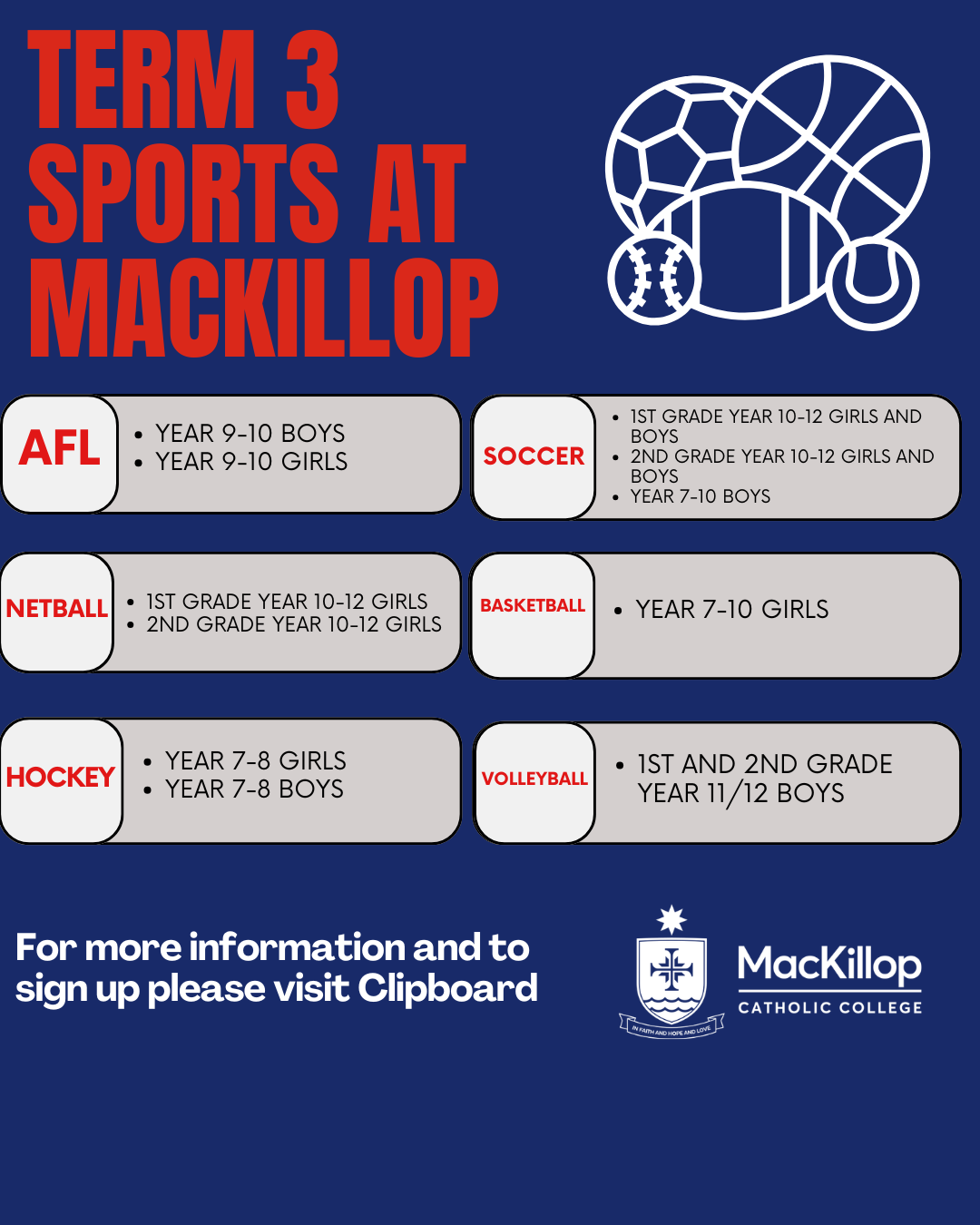
Term 3 Sports Sign Up
Sports Available during Term 3 include:
- Year 9/10 Boys AFL
- 1st & 2nd Grade Netball (10-12 Girls)
- 1st & 2nd Grade Soccer (10/12 Boys & Girls)
- Year 7-10 Girls Basketball
- Year 9/10 Girls AFL
- Year 7-10 Boys Soccer
- 1st & 2nd Grade Volleyball (11/12 Boys)
Year 7/8 Boys & Girls Hockey
Register your interest here: Clipboard Portal - Signups
AusAlert Communication
The Australian Government is introducing a new emergency warning system later this year called AusAlert.
We are making you aware early so you can be prepared. AusAlert uses the latest technology to send emergency messages to compatible mobile devices during local and national disasters. These messages aim to keep communities informed so they can take action, saving lives and property. In the lead up to AusAlert being used, there will be some testing of the system during June and July. This will involve compatible mobile devices receiving a loud, unique alarm and a test alert message.
Devices may include:
- Mobile phones
- Smart watches
- Children’s safety watches
Tablets
Don’t be alarmed when you receive these alerts. You don’t need to do anything.
There are two upcoming tests to be aware of:
- Monday 15 June 2026 at 11am - a regional test of the Priority Alert in the greater Launceston area only
Monday 27 July at 2pm - a national test of the Critical Alert
A Priority Alert
- Is used when there is a high level of threat
Means conditions are changing and you should ‘watch and act’
When receiving a Priority Alert, your mobile device will vibrate and make a loud siren-like warning sound that lasts around 10 seconds. You can switch your phone to ‘silent’ or ‘do not disturb’ or turn off the sound and vibration in your device settings, when receiving this Alert. If you’d prefer not to receive this Alert, you may also choose to turn off your device.
A Critical Alert
- Is the highest level of warning
Means you may be in danger and should act immediately
During a Critical Alert, your mobile device will vibrate and make a loud siren-like earning sound for about 10 seconds before stopping. This will happen, even if your device is on ‘silent’ or ‘do not disturb’. You can’t turn off Critical Alerts, but if you’d prefer not to receive it, you may like to consider turning off your device.
You can find out more about how to control the alerts you receive at: Turning AusAlert messages off | AusAlert
We understand that some people may find these alerts distressing or confronting.
For further information and useful resources, including advice about how to support children and young people, visit www.ausalert.gov.au
Building Works
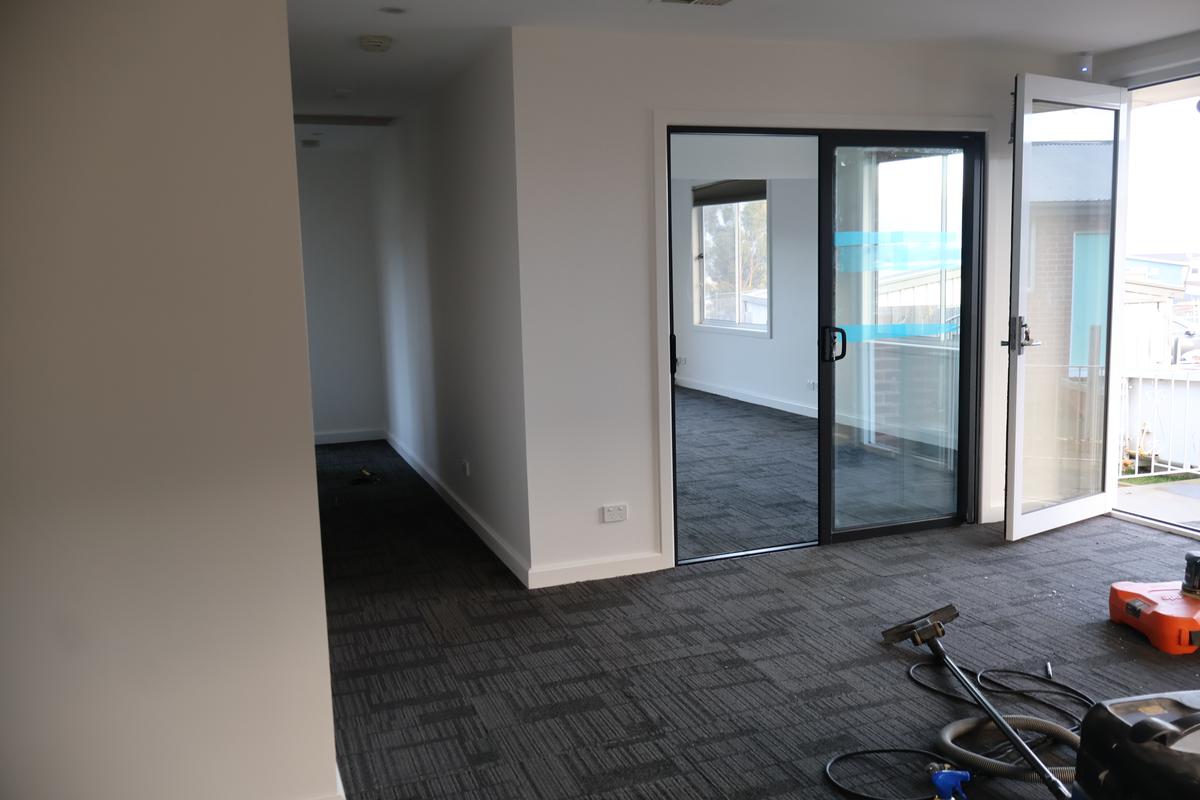
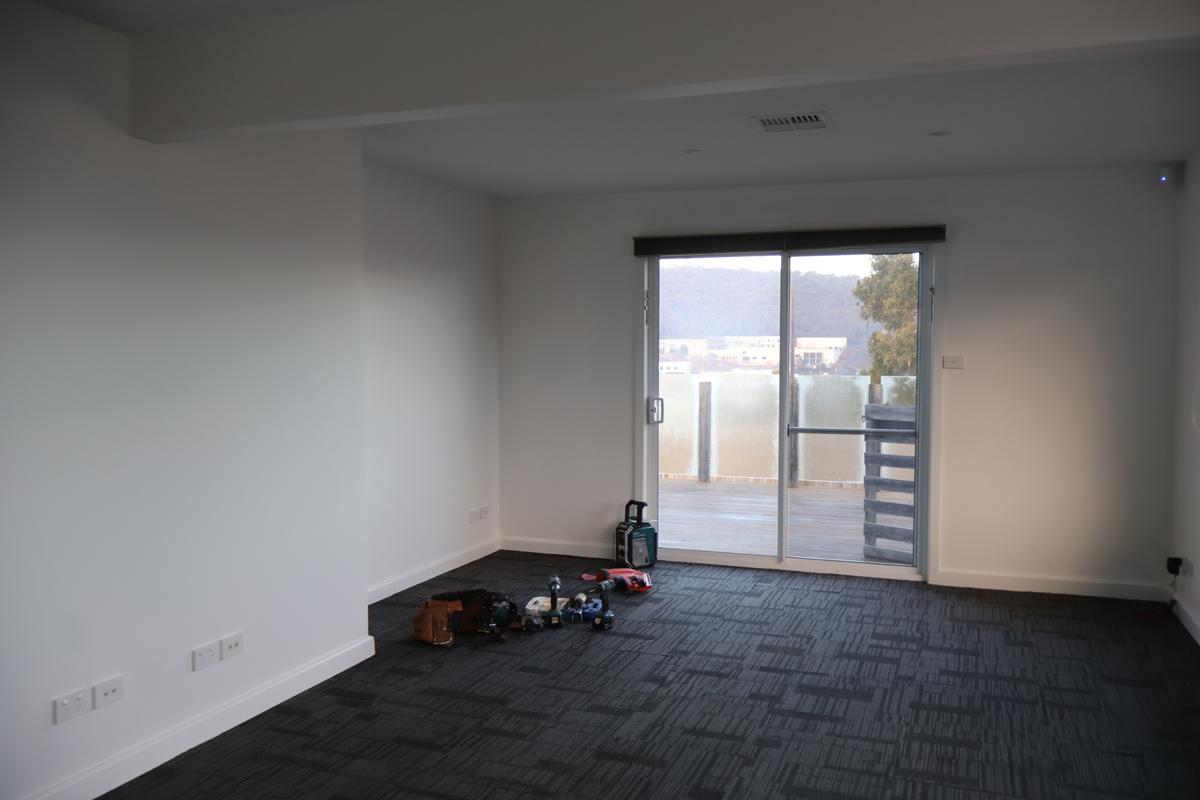
The College has recently purchased 47 Currajong St. This building will be known as Administration House and building works have commenced while members of our Administration team transition into their new offices in this building.
We are excited to see how these new spaces evolve in the coming months as the College continues to expand.

Ember Festival
Join us for a dazzling showcase of brilliant student artwork, mesmerising displays and a feast you don't want to miss. Come celebrate a semester of fiery learning and creativity at MacKillop.
We invite members of our College Community to join us at Ember on Tuesday 7 July 2026 from 5:30pm-7:30pm. We can't wait to see you there.

Opportunity to Host International Students - Japan and Timor-Leste
We are excited to offer our school community a wonderful opportunity to participate in our international program by hosting visiting students from Japan and Timor-Leste in Term 3 this year. We are seeking expressions of interest from families who would be willing to welcome a student into their home for a period of 3 to 8 weeks. Hosting an international student is a rewarding experience that allows all members of families to build cross-cultural understanding, form lasting friendships, contribute to our school’s global connections, and support our international exchange programs.
What hosting involves:
• Providing a safe, welcoming, and supportive home environment.
• Offering a room with a bed.
• Including the student in family meals and daily routines.
• Assisting with transport by car or bus to and from school where required. Students will attend school during their stay, participate in normal classes and join family life on weekends.
Why host?
• Build meaningful international friendships.
• Learn about different cultures and perspectives.
• Enrich your family’s experience and connection to our school community.
• Give your child a valuable global outlook.
Visiting students are carefully selected, and the College will provide ongoing support to host families throughout the visit. This can include some financial support if required. If your family is interested in hosting, please contact the following teachers to discuss further by Monday 22 June.
• Ms Cathie Sullivan – Japanese exchange students (csullivan@mackillop.tas.edu.au)
• Mr Phil Stanley – Timorese exchange students (pstanley@mackillop.tas.edu.au)
We hope many families will consider supporting this enriching opportunity.