This Week in IT















 Trinity College
Introducing the Trinity College Student Safety Portal
Trinity College is pleased to introduce the Student Safety Portal, a new service designed to give parents and guardians greater visibility and control over their child’s internet use on college-managed devices outside of school hours.
The Student Safety Portal is powered by Saasyan Assure and is available for supported Junior School College-managed devices and College Provided Laptop Program (CPLP) devices.
The portal is part of the College’s ongoing commitment to student wellbeing, online safety and digital citizenship, while strengthening the partnership between families and the College in supporting safe and responsible technology use.
What does the Student Safety Portal provide?
The portal is designed to complement the conversations and boundaries families already have around technology use at home. It provides parents with additional information and practical tools to help establish healthy and age-appropriate digital habits.
Through the portal, parents and guardians can:
View internet activity and online safety alerts (outside of school hours)
See reporting on web searches, video activity and blocked websites
View insights into different categories of web usage
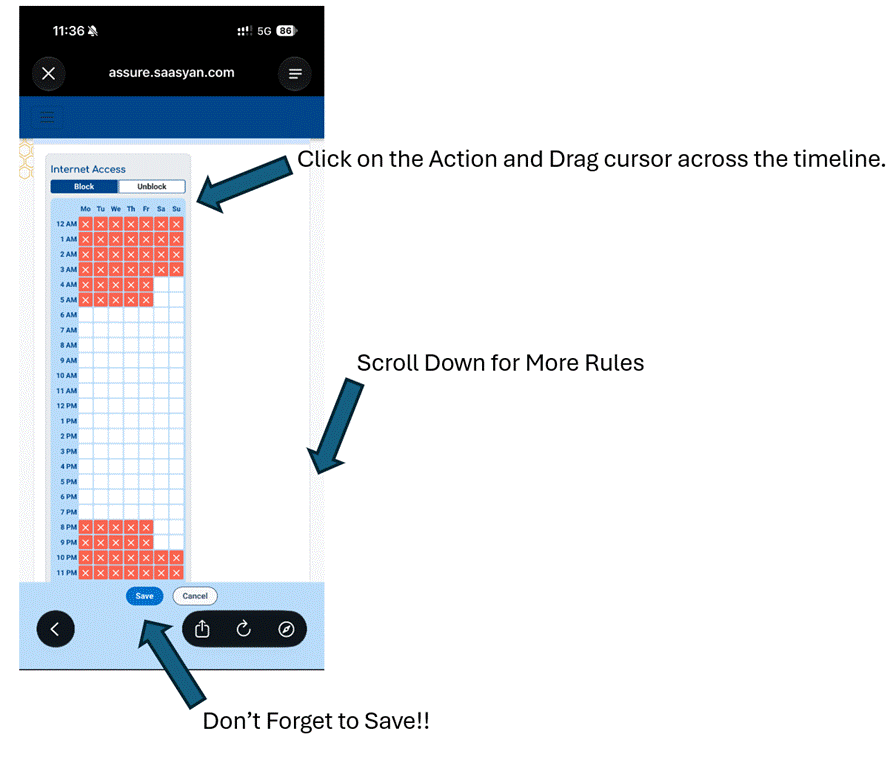
Manage selected internet access rules and schedules outside of school hours
Gain greater awareness of online behaviours when College-managed devices are being used away from the College
How do you access Student Safety Portal:
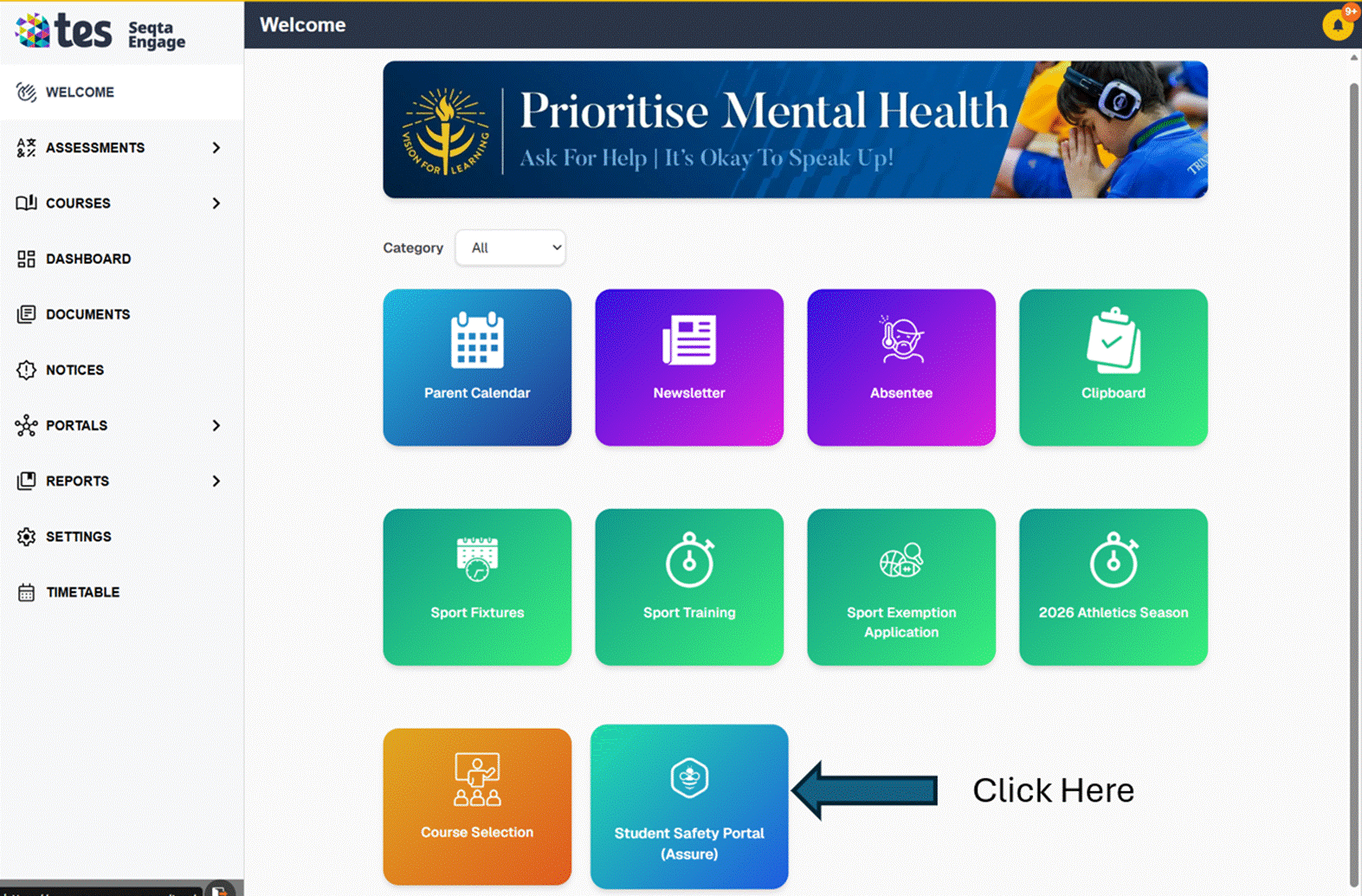
Student Safety portal can be access via the Seqta Engage Portal (Welcome — SEQTA Engage) or via the Trinity College Perth App in your Favorite mobile store whether that will be Apple App Store or Android Google Play store.
TC Mobile App | Trinity College
Seqta Safety portal Login :
Step 1: Seqta Engage portal has a new tile called Student Safety Portal.
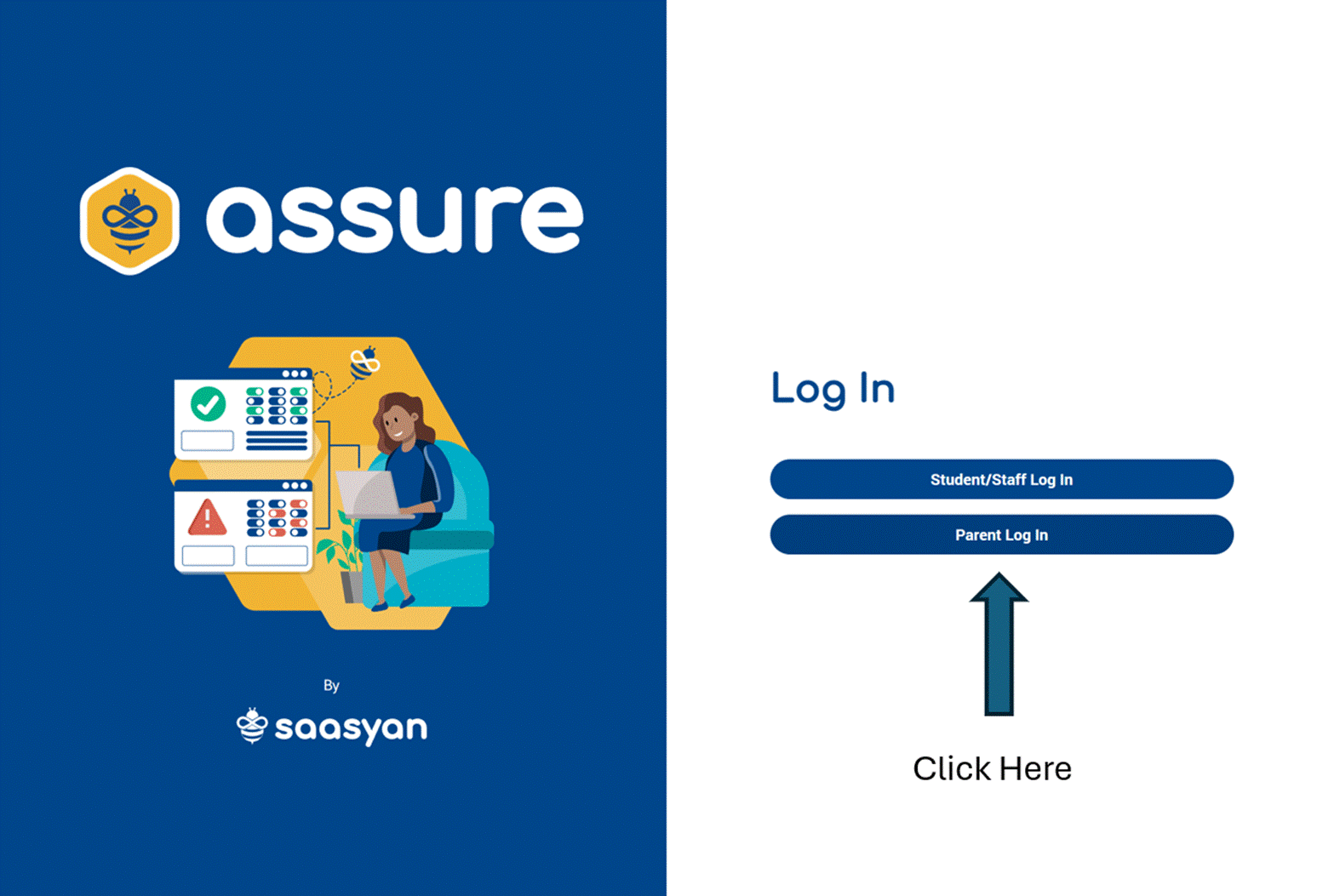
Step 2: Please ensure you pick the write login tile.
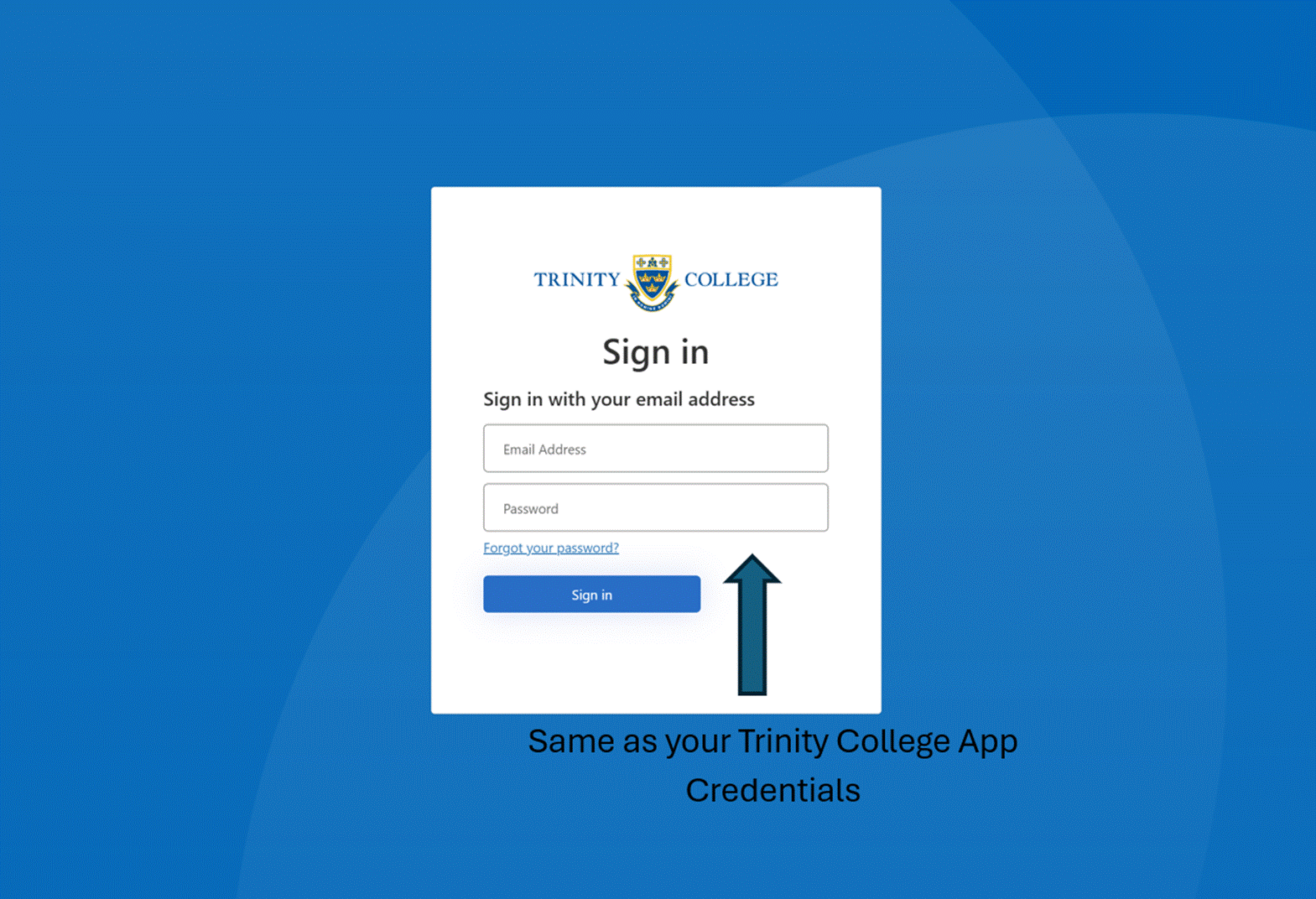
Step 3: If you get this prompt please use your sign in information to Trinity College App
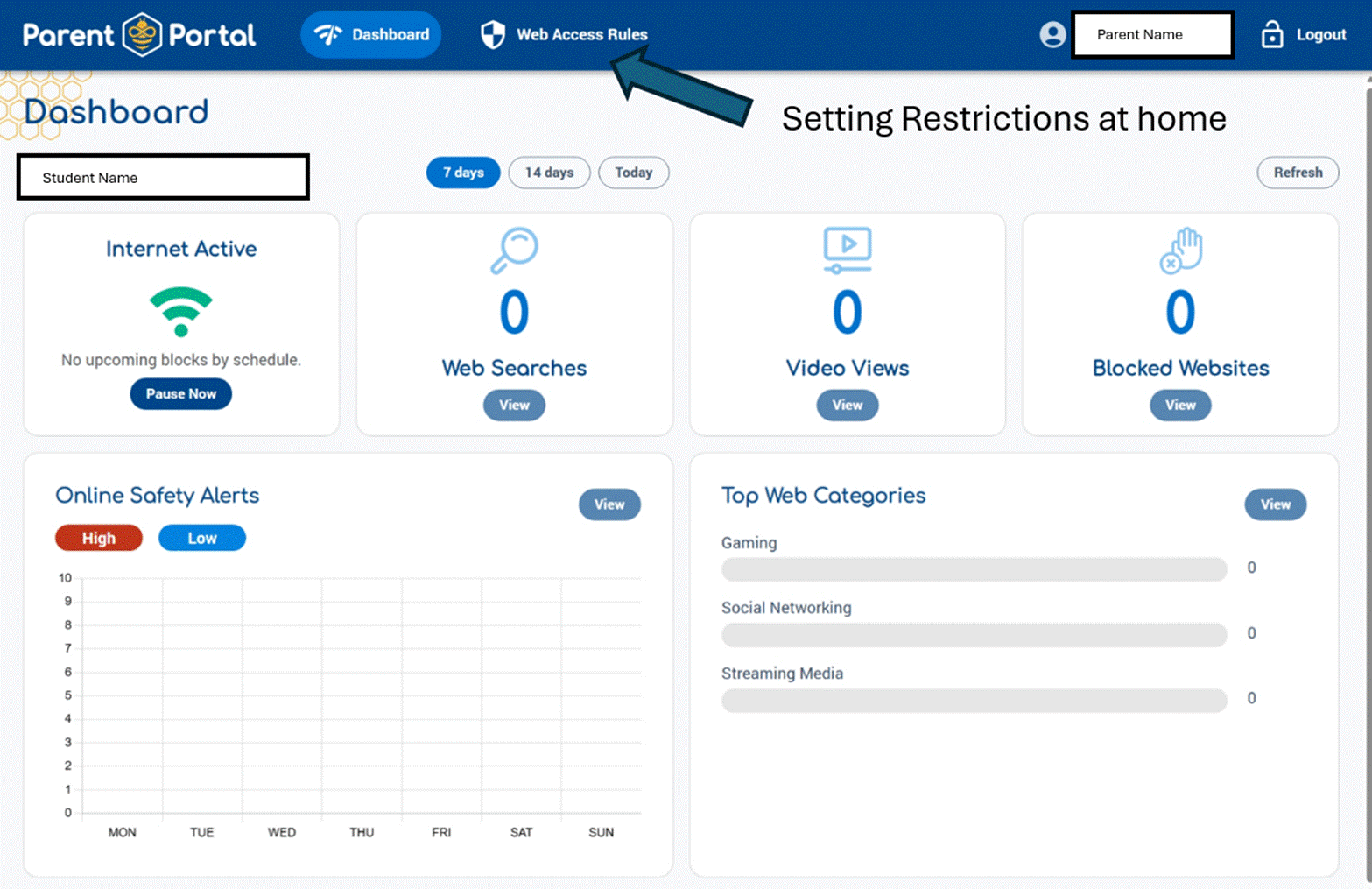
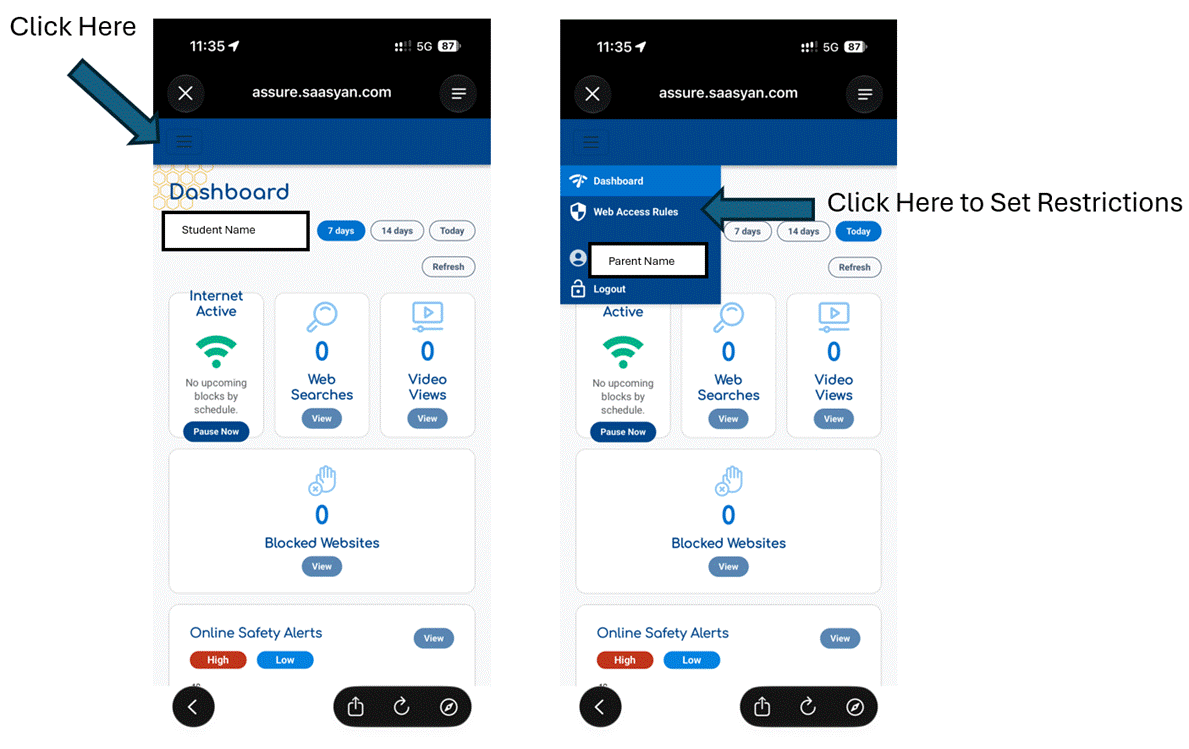
Step 4: Main Dashboard with drill down information on internet history on the device.
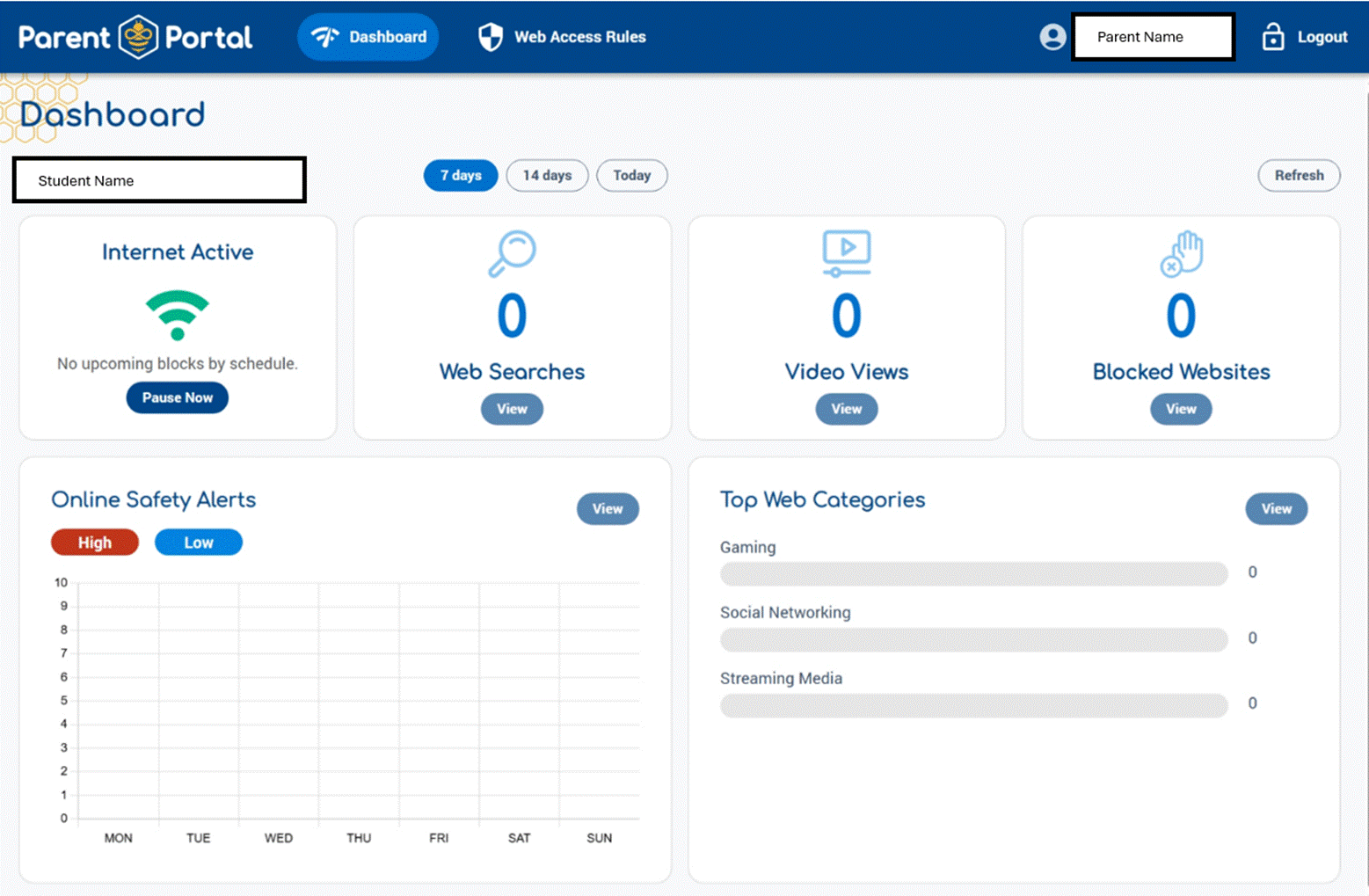
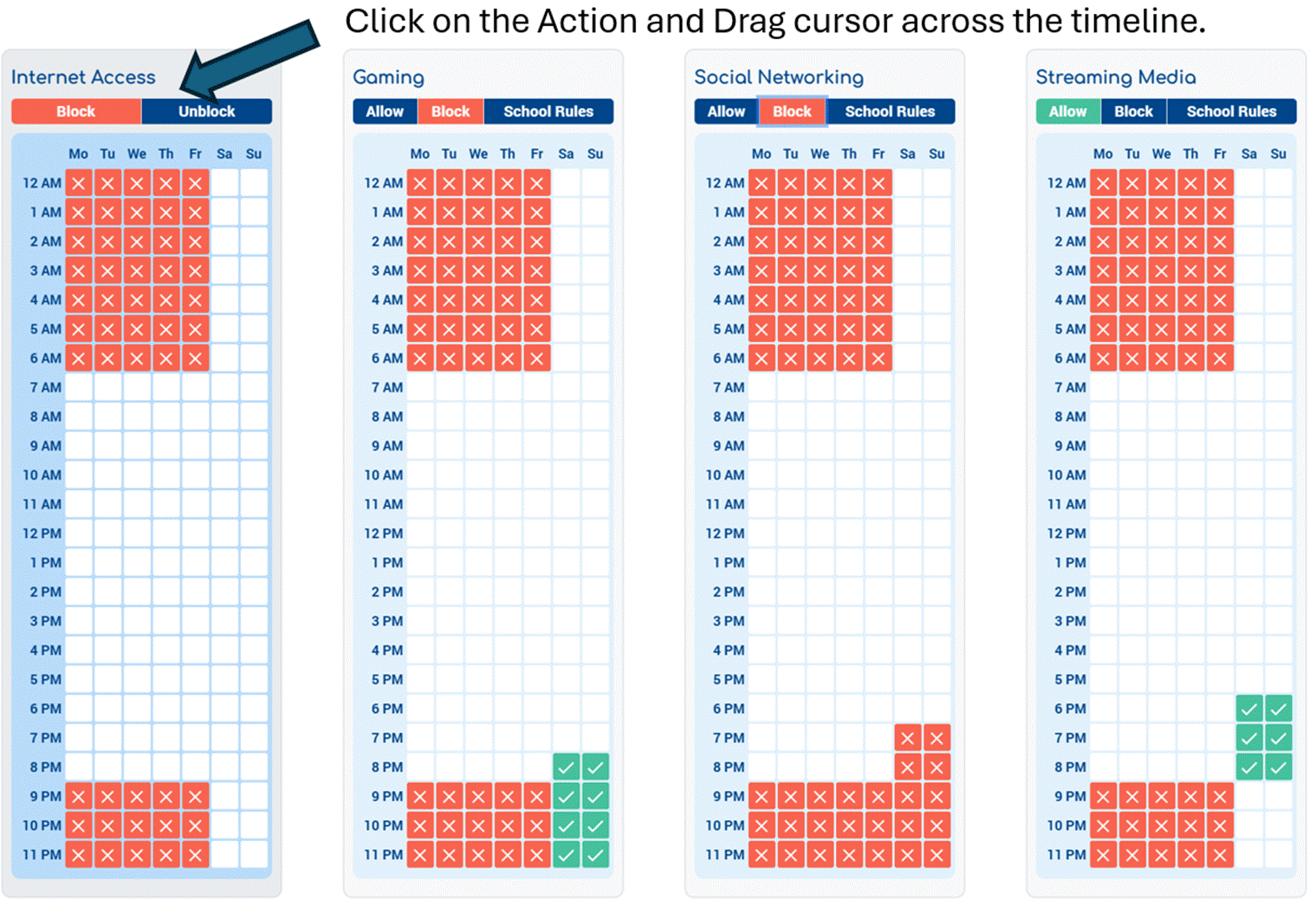
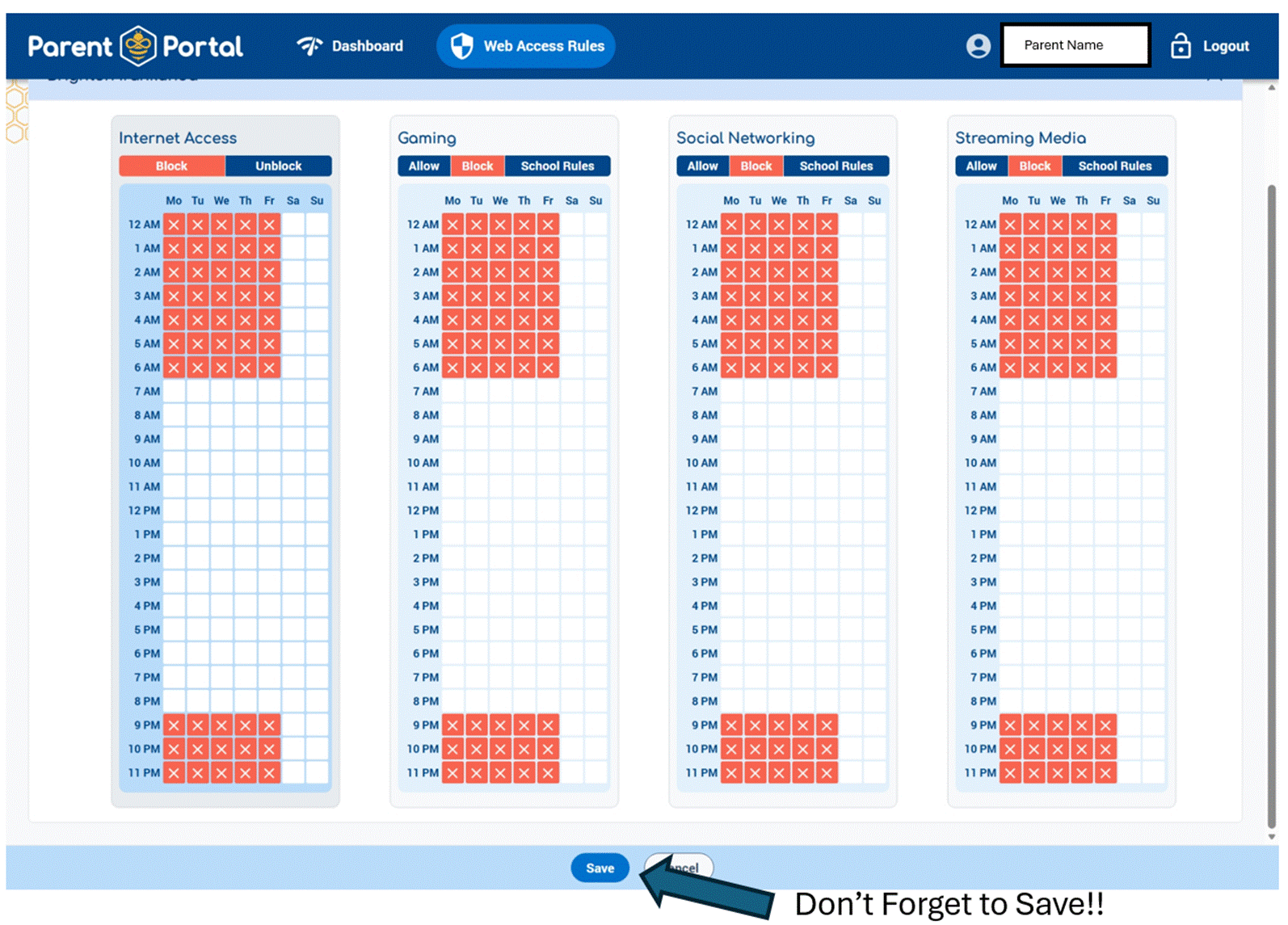
Step 5: Setting Restrictions in Web Access Rules:
Trintiy College Perth App access to Safety portal Login :
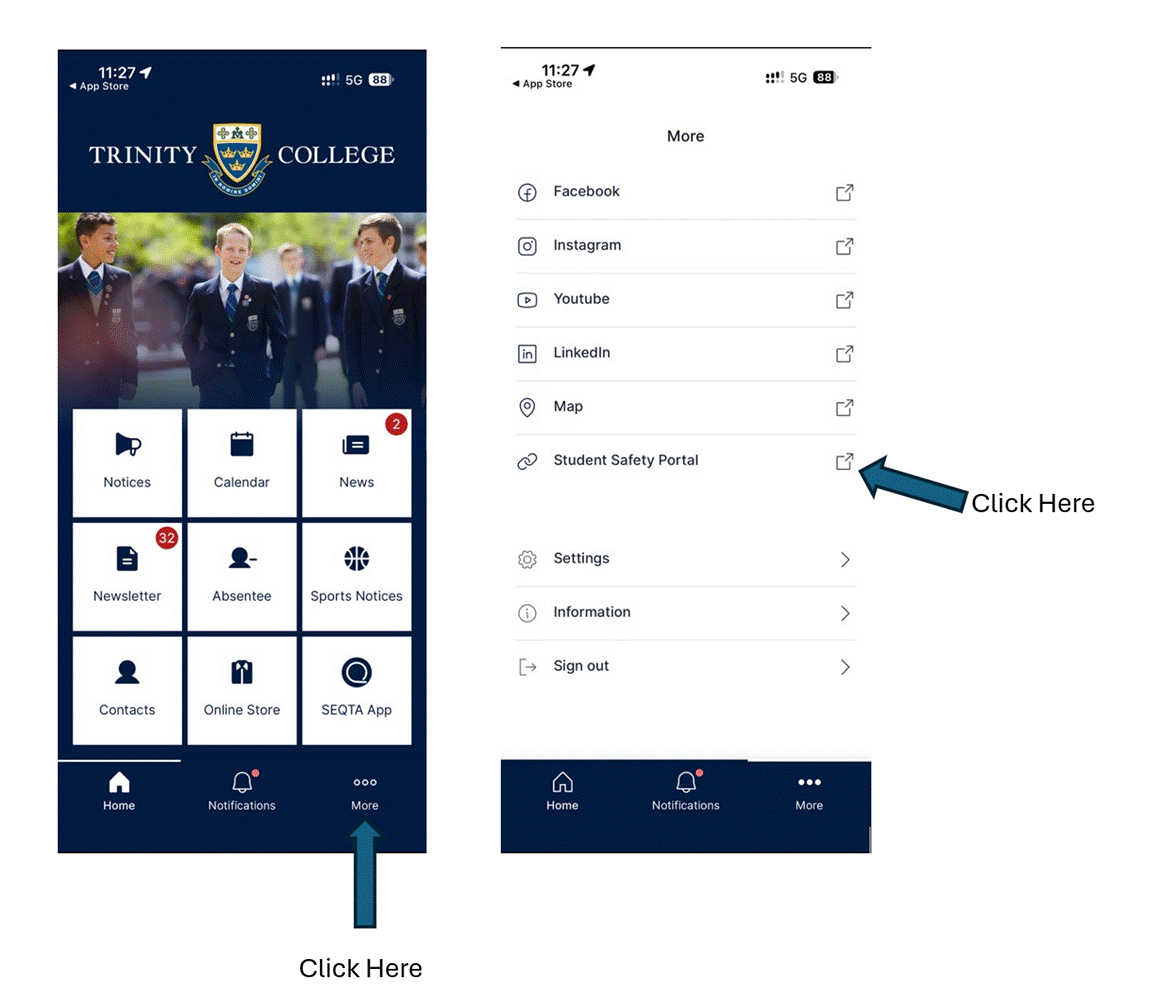
Step 1: Login via the steps below by Clicking More and Student Safety Portal (Use the same credential as the app)
Step 2: Ensure you click on Parent Login
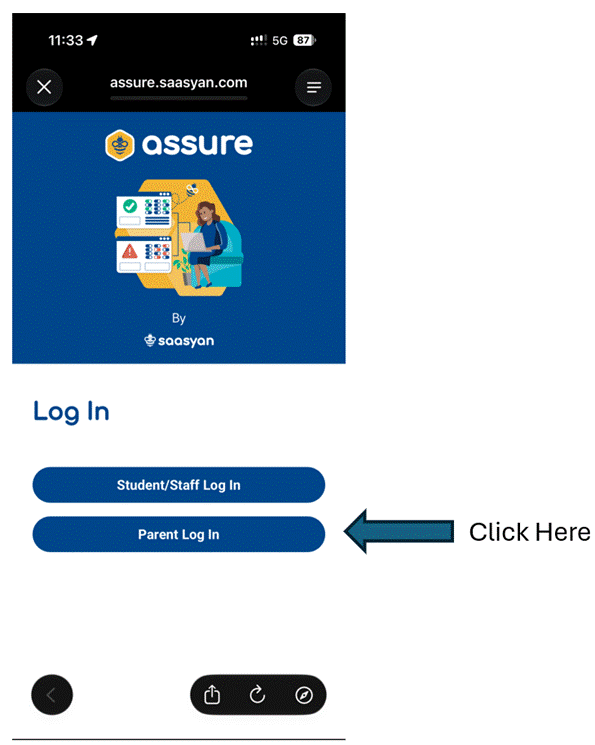
Step 3: Main Dashboard with drill down information on internet history on the device. If you click on the Left hand corner

you will get access to setting restrictions.
Mr Shaq Herath
Director of ICT