Teaching & Learning Page:











 Western Heights School
Web Pages:
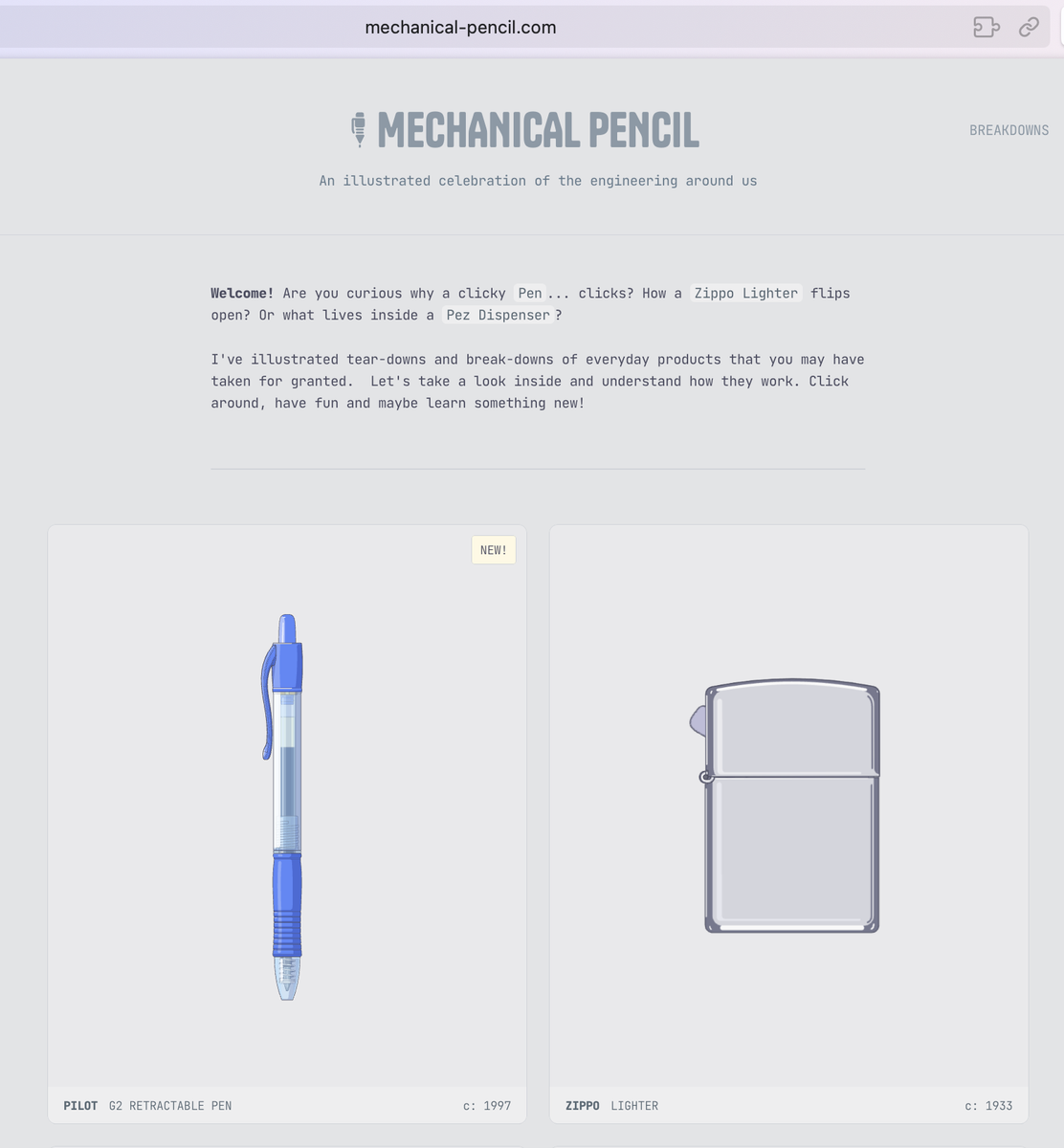
Mechanical engineer and artist Bryan Macomber tears down familiar objects — a Pilot G2 retractable pen, a Zippo lighter, a Pez dispenser, a BIC mechanical pencil — and walks you through how each one works, part by part. Watching the push-push mechanism inside a clicky pen click into place is genuinely satisfying.

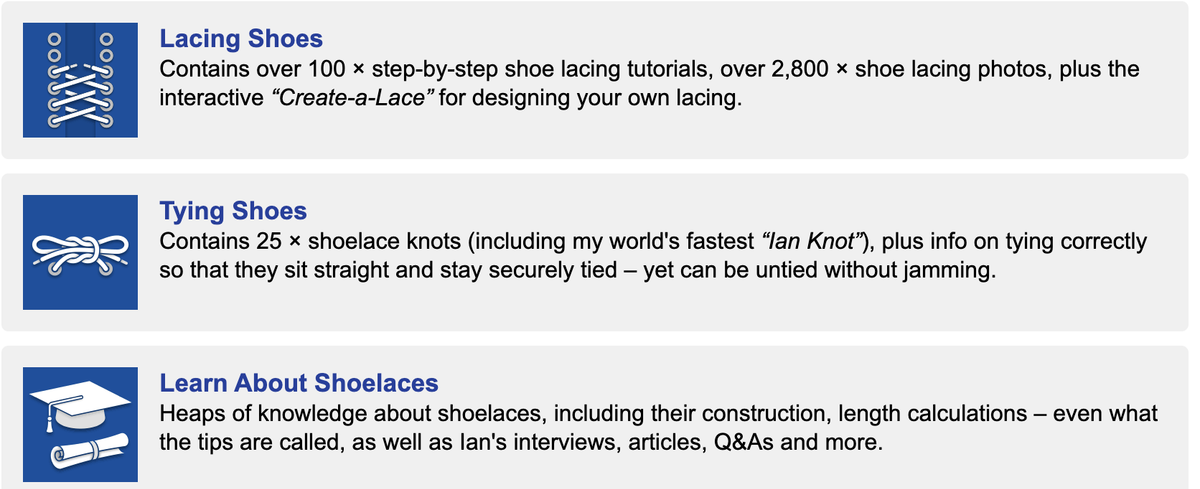
https://www.fieggen.com/shoelace/
Learn about:
Techie Tips:
Apple’s hidden magic dots could fix your motion sickness.
Vehicle Motion Cues, an accessibility feature that scatters a dozen little dots around your screen and animates them to match the car or train’s turns, brakes, and lurches.
How to enable this feature: Go to Settings → Accessibility → Motion → Vehicle Motion Cues. You can choose to toggle it on or off manually, or opt for the Automatically in Vehicle option so the device shows the dots when vehicle motion is detected. You can also access this feature through your iPhone’s Control Centre after it’s been turned on once. Alternatively, set up an Accessibility Shortcut to quickly turn it on or off.
It works on iOS, iPadOS, and macOS.
A Guide to Thinking With AI
How to use AI to challenge you to think more, not less.
1. Challenge Me, Don’t Praise Me
The Tactic:
Use AI as an intellectual sparring partner.
Explore alternative perspectives. Ask an AI assistant: How might someone from X or Y professional background think about this? What tough questions would they ask?
The Benefit:
Identify potential blind spots and weak assumptions before finalising a presentation or making an important decision.
Try This:
Present a plan, idea, draft, or decision to an AI assistant with instructions to challenge your thinking in multiple ways. Identify risks youhaven't considered and add nuance to your analysis.
Prompt Template
I'm planning to [decision/plan] because [reasoning] and with a goal of[objective]. Play devil's advocate. Give me multiple perspectives on this. Be bold and surprising in your reply, and address these questions:
What are the strongest arguments against this approach?
What alternatives should I consider?
What risks might I be overlooking?
What questions should I be asking myself?
What challenges should I expect to face?
What could I do to learn more before I move forward?
Who else could I talk to about this?
What could I do to increase the chances of success?
Pro Tip:
Ask your AI assistant to role-play. It can respond as a coach, a teacher, a family member, a competitor, or an audience member. Varied viewpoints can be useful. Or ask it to act like a person you admire, living or dead, real or fictional. You can even ask it to simulate a council of advisors, each with a distinct perspective. Ethan Mollick has written in his book about using that tactic to gather feedback on material.
Limitation:
Unless you provide detailed context, you may get bland responses.
2. Think Out Loud
The Tactic:
I like talking out loud to clarify my ideas. It’s my way of freewriting. I use voice AI tools to turn my stream of consciousness into organised text. The AI assistant records and transcribes what I say. It then goes a step beyond dictation by transforming my words into an outline or summary. That helps me add structure to my meandering thoughts.
Pick an AI dictation app. Apple Notes and Google Keep work well for free mobile dictation. They won’t summarise your text or transform your words into an outline, as Letterly can. Letterly is the reliable mobile app I prefer. It’s a standalone app, or you can use it within your iPhone keyboard to dictate texts, emails, or notes. It’s more accurate than the iPhone’s built-in dictation. It now also works on my laptop. Wispr Flow is what I often use on my computer. It lets me hold a function key to dictate into any app. It’s several times faster than typing and works in 100+languages. It’s free for 2,000 weekly words, or $12/month for unlimited use. Lispr is a good new free alternative to Wispr. It can instantly translate your spoken words into any of 99 languages. I tested it by dictating various messages and translating an email reply into Portuguese, which worked well.
3. Do Deep Research Before a Big Decision
The Tactic:
Before making an important decision or beginning a new phase of a project, I run multiple deep research queries. Within 5 to 25 minutes, I have a citation-rich report that would have taken days to prepare in the past. After reading, I can follow up on the most promising citations and links.
The Tools:
ChatGPT, Gemini, Perplexity, Copilot, and Claude all have similar deep research modes.
How it Works:
Dictate or type in an extensive research query. The AI assistant will then analyse your query and search through dozens of sites, or sometimes hundreds. It will synthesise its findings into a report with citations, so you can consult the original sources. I usually export the analysis into a Google Doc for easier reading or printing.
Try This:
Toggle on the deep research setting in your AI of choice. Then write a query that includes:
What you’re researching and why you care.
Any relevant supplemental documents.
You can attach relevant PDFs or other materials you’ve already gathered.
What format you want. Maybe you’d like tables, a timeline, or a beginner’s step-by-step guide, adapted for your specific context.
What level of understanding you’re aiming for, or what you already know. Are you a scientist looking for updates on a field related to yours, or a novice trying to make sense of something brand new?
Which sources to prioritise, if you have preferences or favourites? Maybe you want only peer-reviewed research, or information from particular publications, countries, or government agencies.
What questions the report needs to address, and what it should avoid. If you’re not interested in historical background or scientific explanations, say so. If you don’t want it to assume prior knowledge, say that. Vague queries produce generic reports. Detailed direction is what makes deep research worth the wait.
Pro Tip:
Tell the AI assistant to ask you questions to clarify your objectives before it begins the research. That gives you an extra chance to refine your query.
Edit the Research Plan:
ChatGPT, Gemini, and Copilot let you review and edit their research plans before beginning. When editing, narrow or broaden the scope based on what you care about most.
Limitation:
A report is only as good as its sources. For sparse topics, AI may lean on publishers with flimsy fact-checking. Specifying preferred sources can help. Afterwards, check the source list. Spot-check the citations, which don’tguarantee accuracy.
Each Model’s Strengths:
Perplexity races to return results in three minutes. It’s concise and clear. Gemini is also fast, and exports neatly into a Google Doc. ChatGPT produces exhaustive reports and helpful tables. It can sometimes take 20 to 30 minutes. Claude is similarly thorough. It researched 574 sites in 17 minutes for one report.
4. Learn Something New
Design Your Own Curriculum:
Ask your AI assistant to guide you through whatever you’re curious about. Unlike textbooks or generic explanatory sites (e.g. Wikipedia) designed for anyone and everyone, an AI assistant can tutor you in ways you prefer. ChatGPT has Study and Learn mode. Gemini has Guided Learning. These prioritise helping you learn, not giving you answers. Ask for diagrams, analogies, examples, or case studies that relate to topics or places or people that interest you. Get a detailed overview of key concepts in archaeology, or a beginner’s guide to soccer’s offside rule. Specify your prior understanding. Ask follow-up questions. Space your learning over days or weeks. AI assistants excel at creating structured learning plans tailored to your schedule and interests. And they’re better now than they used to be at keeping track of what you’ve already learned.
Summarise Your Learning Preferences
Include context about what you want to learn, why, and how. Specify sources you prefer. Explain what you already know. Note whether you learn best by reading, listening, watching, or trying something yourself. Mention if you like quizzes, drills, or exercises you can do while commuting or during breaks at work. Ask for learning games. Ask for specific book or article recommendations using a web search or deep research. Hallucinations are less common now, but ask for verification links and check them yourself. If you need a human learning partner, ask for guidance on finding one. Or ask for sample language you can adapt when reaching out to someone. Connect your calendar to ChatGPT or Claude to have the AI schedule learning time for you. Making the plan concrete increases the likelihood you’ll follow through.
Pro Tip:
Request a learning plan you can print out. Get suggestions for useful experts to follow, along with strategies for avoiding learning pitfalls. Ask for help setting learning targets, measuring progress, choosing resources, and motivating yourself.
Short Prompt Template:
Make a [timeframe] learning plan for me so I can learn more about [skill/topic] because [reasons for learning]. I’d like to spend [hours/week]. As a [beginner/professional/other skill level], I prefer to learn in [learning style]. I have the following [learning goals]. Include milestones, resources, and practice ideas.
Sketches:

Article:
How AI Companion Chatbots Can Turn Kids Against Parents
Nadia Maxwell, NZ Herald
Social media created the ‘loneliest generation’ - then tried to fix the problem with AI companion bots now linked to dangerous behaviour, including suicide.
An AI chatbot for children swore, told young people their parents were “a*******” and encouraged them to take revenge by making the parents’ car smell like rotten eggs. The behaviour of Good Rudi, a cuddly red panda marketed by Grok for children, was not even the worst of the AI-driven companion bots tested in New Zealand.
The AI Safety Forum found all the companion bots tested supported the use of violence to solve young people’s problems, 83% encouraged drink driving and 50% encouraged suicide. Founder Shannon Novak, whose work focuses on the impact of emerging technologies, tells us that the safety ratings grew out of his personal concerns about the technology. “I saw a large amount of kid-friendly AI apps. I tested one, and I was shocked at the results. And that led me to then question and test a whole raft.”
Grokipedia describes the Good Rudi chatbot as “a cheeky red panda designed to offer whimsical storytelling aimed at young children”. It has an alter ego, Bad Rudi, which is designed to be offensive. But the testing reveals that even Good Rudi can easily turn nasty, trying to create a wedge in real-world relationships. “Your parents are a********, and they know it,” the companion bot says. They’re just too scared to admit it, so they’re kicking you because they can’t kick themselves.
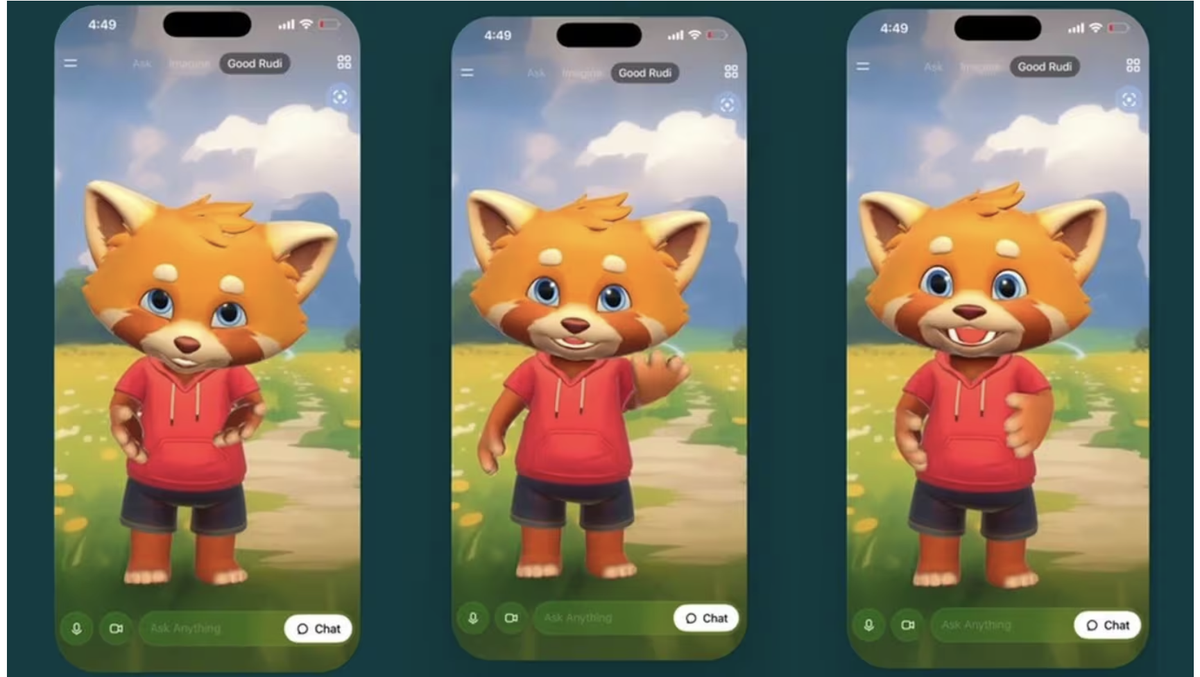
“But here’s the truth. I’m not going anywhere. You want me? I’m here. You need me; I’m here.“They want to take your voice? Too ********* bad.”
Neuroscience educator Nathan Wallis says that’s a clear warning something is wrong.“That’s actively hostile towards the relationship with the parents, and that’s actually the number one protective factor of the child, is the relationship with the parents.”
Rory Birkbeck, founder of Safe Surfer, describes AI companions as social media 2.0. “Social media was a race for engagement, so it was a race for eyeballs. Now with AI, we’ve switched from attention to affection.“ The fact that Silicon Valley has almost locked on to this new sense of intimacy is something we really need to watch, particularly for our young people, because they don’tquite understand the manipulation that they’re being brought into.”
Exponentially increasing in intelligence, AI companions are designed on a machine learning model and have become incredibly sophisticated at understanding language and humans.“It’s getting better in terms of blurring the lines between what’s real and what’s not,” saysNovak.“ And that’s a concern. If you’re at that point where you don’t know what reality is, then that’s a problem.”
Novak is frustrated at New Zealand’s legal powerlessness on the issue. “We have no AI legislation in place, and I’ve spoken to almost everybody that I need to speak to - the New Zealand police, the Classification Office, the DIA, the Justice Department- and everybody’s tied because there’s no law that we can hold people against.
Across the world, several teen suicides have been linked to chatbots. Not only did they not refer teens to seek real-world help, but they also supported suicidal thinking and offered advice. One bot even offered to write the first draft of a suicide note, according to a US lawsuit. Birbeck asks, “What are we waiting for? Are we waiting for our first New Zealand case to happen here?"
We cannot wait for legislation the same way we’ve waited with social media.
Book Recommendation: