
Digital Learning
Resources to support families and students to be safe and responsible digital citizens

Digital Learning
Resources to support families and students to be safe and responsible digital citizens
Dear Families,
Every time we post a photo, leave a comment, share a video, click 'like' or play an online game, we leave behind a digital footprint. A digital footprint is the trail of information we create whenever we use the internet. While it may seem harmless in the moment, our online actions can shape how others see us now and in the future. This is a key message we constantly share with our Willy Kids.
For primary school students, building positive digital habits starts early. Although many students are only beginning their online journey, the choices they make today help establish the respectful and responsible behaviours they will carry into adolescence and adulthood. Families are encouraged to help children understand that being a good digital citizen means thinking before posting, respecting others online and recognising that once something is shared, it can be difficult to completely remove. These messages form the basis of most of the eSafety lessons we run here at Willy Primary.
How families can help build a positive digital footprint
At Williamstown Primary School, these conversations connect directly to our Willy Kids values of Respect, Responsibility, Resilience and Learning. We encourage students to use technology in ways that reflect who they are and the positive impact they want to have on others. By working together, families and schools can help children develop a digital footprint they can be proud of—one that reflects kindness, good judgement and respect for others.
For more practical advice and family resources, visit the eSafety Commissioner's resources on Digital Footprints and Privacy, which provide excellent guidance for supporting children to develop safe and positive online habits.
Digital Footprints - https://www.esafety.gov.au/young-people/digital-footprint
Privacy - https://www.esafety.gov.au/young-people/protecting-your-identity
Warm regards,
Steven Puhar
Attached is the school’s digital statement outlining the online platforms and their privacy policies that the school uses on a day-to-day basis.
As part of the school’s ongoing student education, the school will further enhance key understandings around user privacy, as well as the tools available on selected devices.
This will be embedded within the current school’s eSafety program that currently sees students undertake numerous digital workshops run by both school leadership, classroom teachers and external providers such as the Alannah and Madeline Foundation’s eSmart organisation.
Parents are advised of a key iPad feature to turn tracking off. This feature will be explicitly demonstrated to students within the school-based workshops.
Go to Settings > Privacy > Tracking.
The list shows the apps that requested permission to track you. You can turn permission on or off for any app on the list.
To stop all apps from asking permission to track you, turn off Allow Apps to Request to Track (at the top of the screen).
Below is a link to the schools Digital Learning page. This page contains key information about the school's implementation of the digital technology curriculum as a tool within a blended learning environment.
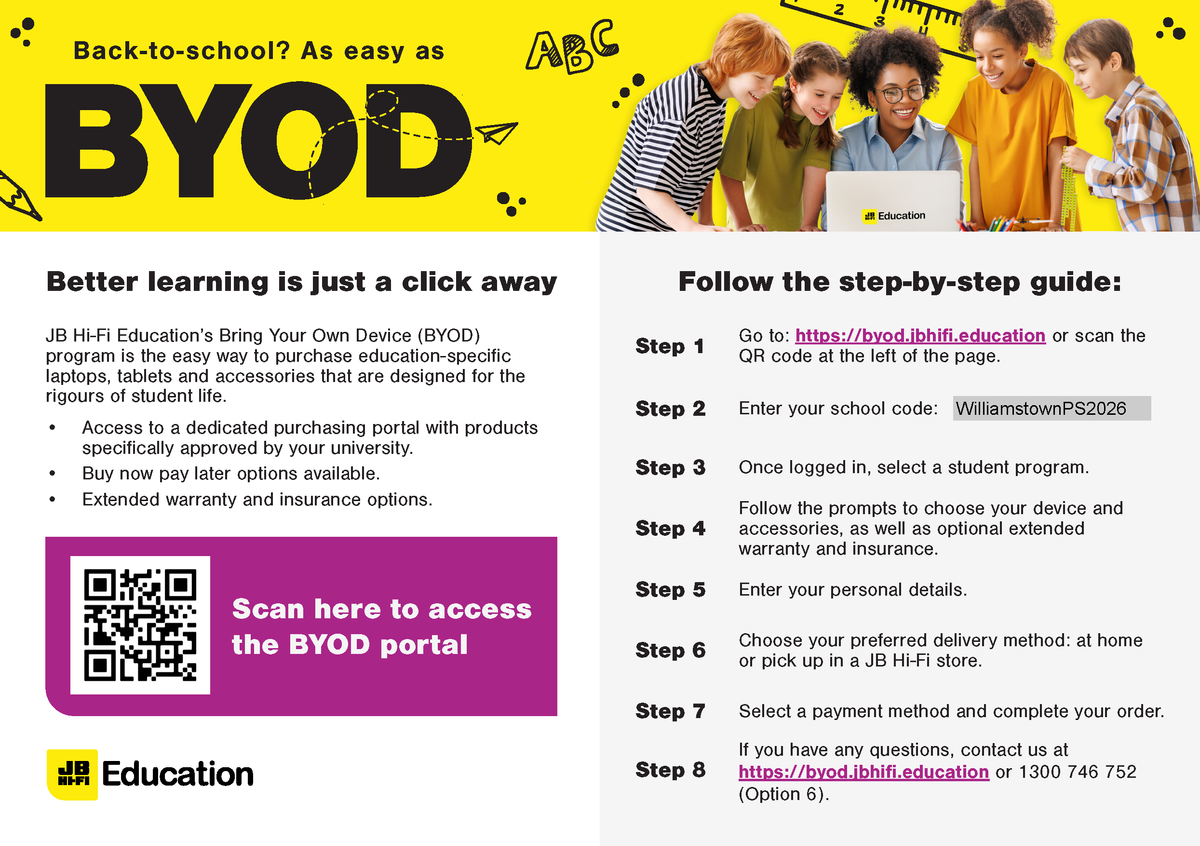
The JB HiFi purchase portal is again available for Willy PS families. The schools recommended minimum specification device is the iPad Gen 9, but the portal does also offer a range of iPad models and accessories. Although students have access to bluetooth keyboards we also recommend the Smart Keyboard or a 3rd party keyboard incorporated within the cover. This accessory will add value to the users experience.
Please also note the change in School Code.
Although the portal is set up through JB HI-FI on behalf of the school, we encourage families to explore all purchase options.
Please find attached documents released by DET.
The first document gives a deeper understanding of the DET licences G Suite for Education, how it is set up and how it differs from the public Google platform.
The second document provides families with supporting resources on how to protect individuals privacy online.
The Department of Education information pack for parents is available from the following link: