Page 0 Banner Photo
Cover Page
For your diary  Banner Photo
For your diary Key Dates
From the Principal  Banner Photo
From the Principal
School Review and 2024 Banner Photo
School Review and 2024
Course Confirmation 2024 Banner Photo
Course Confirmation 2024
Senior Music Concert Banner Photo
Senior Music Concert Celebrating the hard work of our senior ensembles
Sports Report Banner Photo
Sports Report Year 8 Boys Hockey  , Intermediate Girls Hockey, Intermediate Regional Cricket , Intermediate Boys Regional Table Tennis , Year 8 Boys Regional Table Tennis , Intermediate Regional Basketball , Year 7 Cricket, Year 8 Cricket, State Athletics , Year 8 Boys Regional Basketball , Coming up:  
Year 8 Hybrid Human Masks Banner Photo
Year 8 Hybrid Human Masks Imaginative sculptural creations
Student Services : Wellbeing  Banner Photo
Student Services : Wellbeing Mental Health Week- Wrap Up, Headspace: Autistic Art Group, Family Information Events/Workshops, Tuning Into teens
Year 8 NGV Excursion Banner Photo
Year 8 NGV Excursion Wurrdha Marra at the Ian Potter Gallery
International Students Banner Photo
International Students Year 12 International Students Farewell Dinner
Homestay families needed Banner Photo
Homestay families needed Seeking families to host our international students in 2024
Student Services : Careers  Banner Photo
Student Services : Careers Year 9 Morrisby interviews, Year 10 RIJI Program, Transition support for Class of 2023
Maths Help Multiplication Bee Banner Photo
Maths Help Multiplication Bee Farewelling Year 12s with a mega multiplication competition
Sustainability News Banner Photo
Sustainability News Green Team install Paper Cup Recycling 
Frocktober 2023 Banner Photo
Frocktober 2023 Frocking up for Ovarian Cancer Research
From the Library  Banner Photo
From the Library The Library is celebrating Halloween!  
Scrolling Smartly Banner Photo
Scrolling Smartly Online Gaming Safety
Reporting Update Banner Photo
Reporting Update Learning Behaviour Reports published next week
Music Tour to China 2024 Banner Photo
Music Tour to China 2024 Information Session Wednesday 25 October
Financial Assistance  Banner Photo
Financial Assistance NHS Empower Fund:  Helping Students in need
Purchasing Uniform Banner Photo
Purchasing Uniform Second Life Uniform Shop 
Thunderstorm asthma Banner Photo
Thunderstorm asthma
Top tips : Resetting your Compass password Banner Photo
Top tips : Resetting your Compass password A guide for parents and carers, Resetting your Compass Password
Community Notices  Banner Photo
Community Notices Halloween themed No Lights No Lycra in Thornbury, AFL Summer hubs program in Ivanhoe, Job opportunities at Maccas, Rossmoyne Rummage and Scarecrow Festival, Music from the Wetlands event in Alphington , Young Workers community legal centre, Audition for Yarra Voices youth choir
View archive
Published by
Northcote High School
St. Georges Rd, Northcote, Victoria, 3070, AUhttp://www.nhs.vic.edu.au9488 2300
Banner Photo

Top tips : Resetting your Compass password

A guide for parents and carers


We have consolidated a range of compass help guides on a page on the Northcote High School website. Check out the Compass help page for information on:

  • Adding an attendance note
  • SMS attendance alerts
  • How to email staff
  • Confirming your Compass details


Resetting your Compass Password


A quick refresher for all families, this information is also on the Compass Help page of our website. 


Follow these easy steps if you need to reset your Compass password at any time.


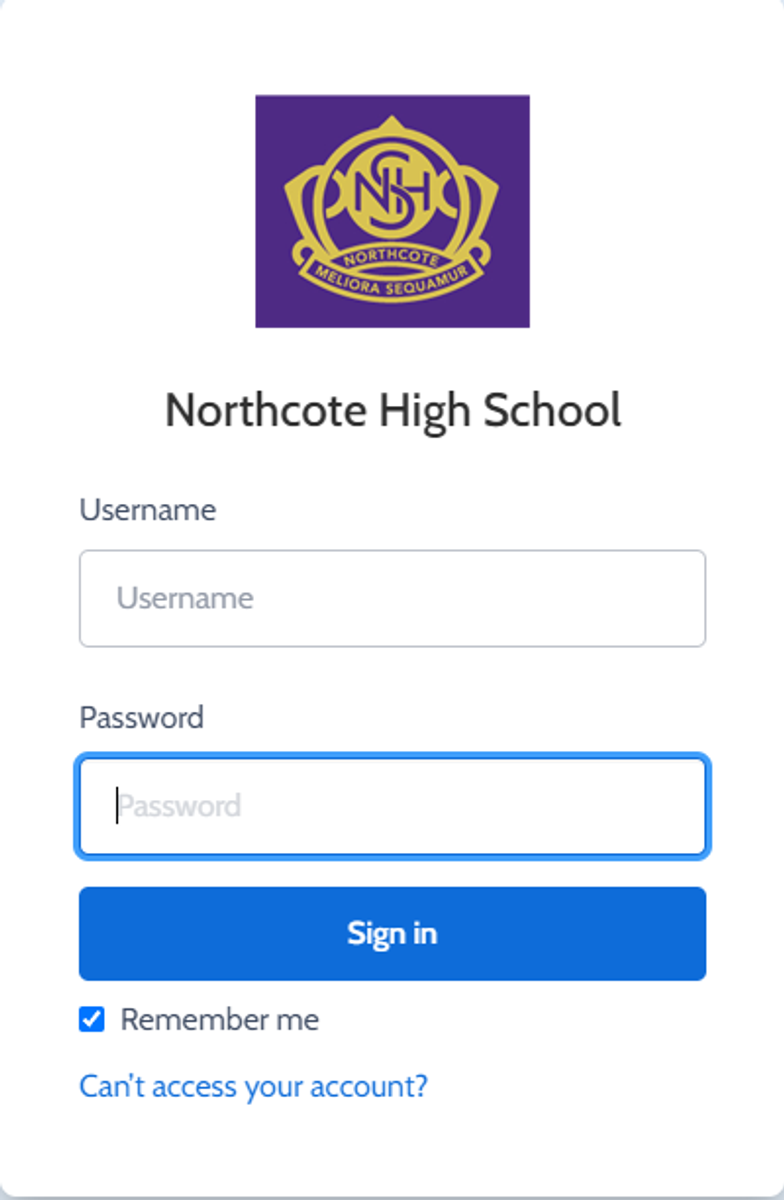
You can reset your password on the front page of the Compass login:  under “can’t access your account details” (see sample below)


Gallery Image


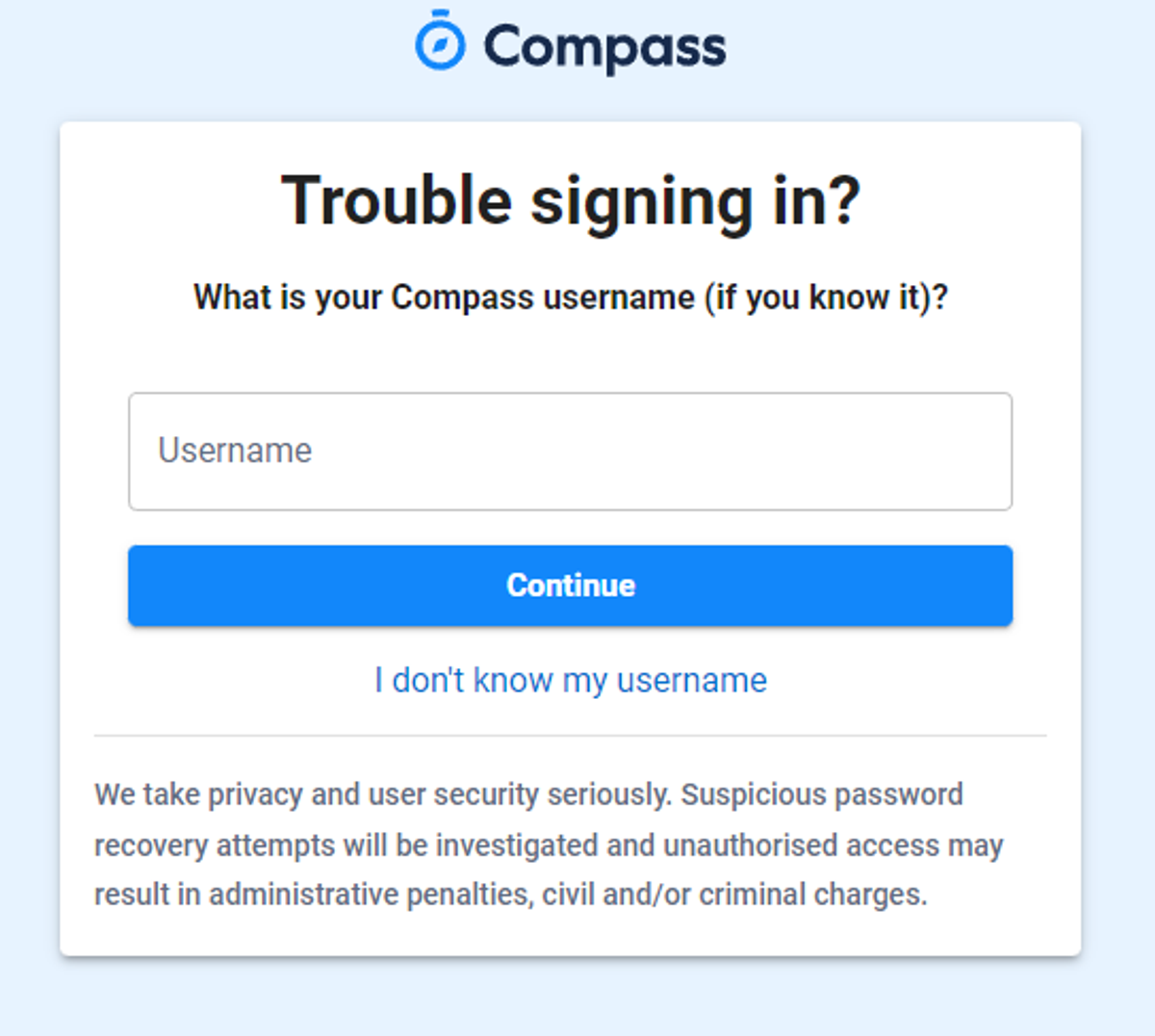
Enter your Compass username. (see example below)
 

Gallery Image


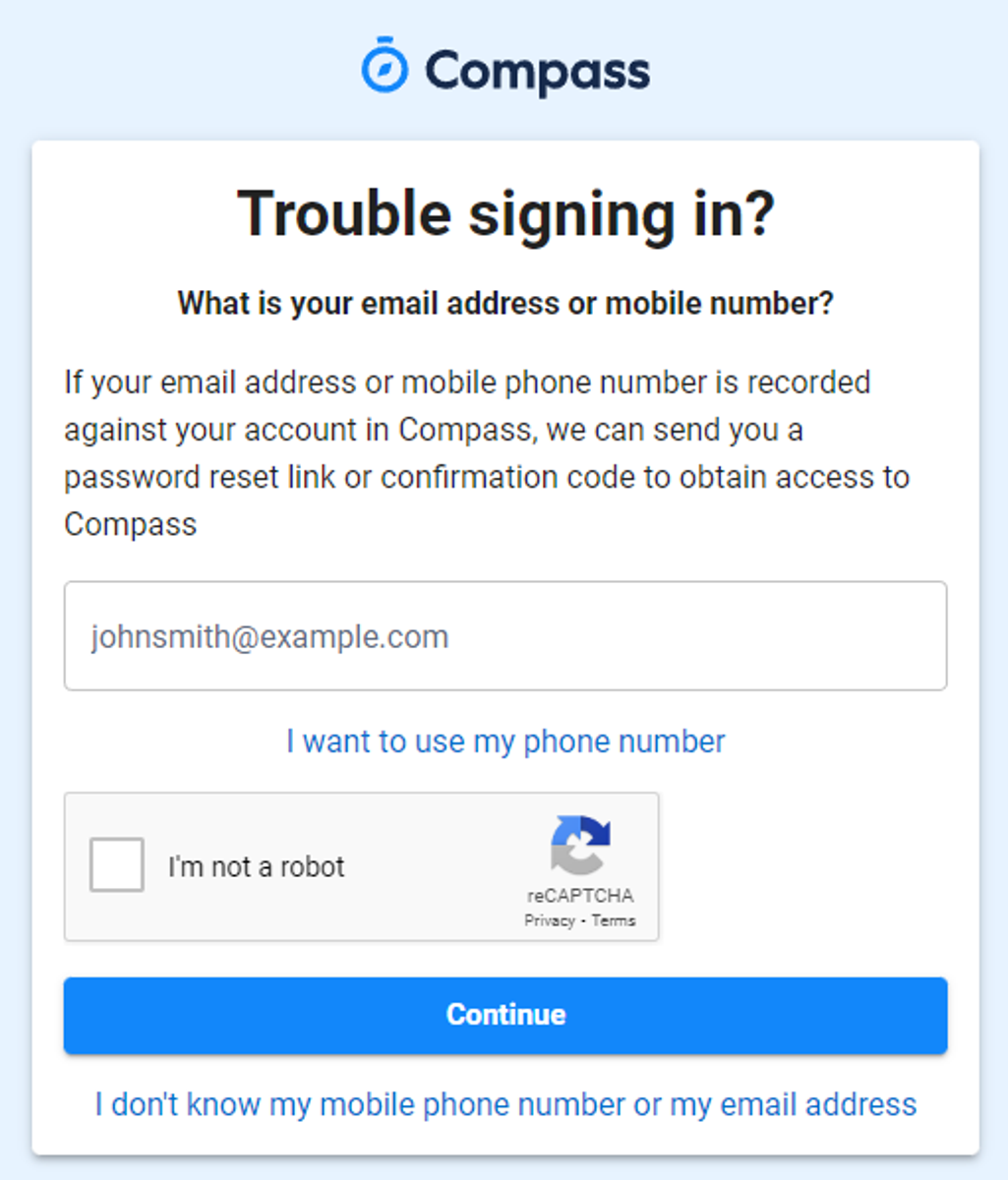
The next page will ask for your email ensure all relevant areas are completed. 


DO NOT USE MOBILE OPTION

(Families that live at the same address only: Password reset can only be sent to parent #1 recorded details and will need to match the details that are currently recorded against your Compass account) 


(see example below)


Gallery Image


An email will be sent to you with a link to change your password.


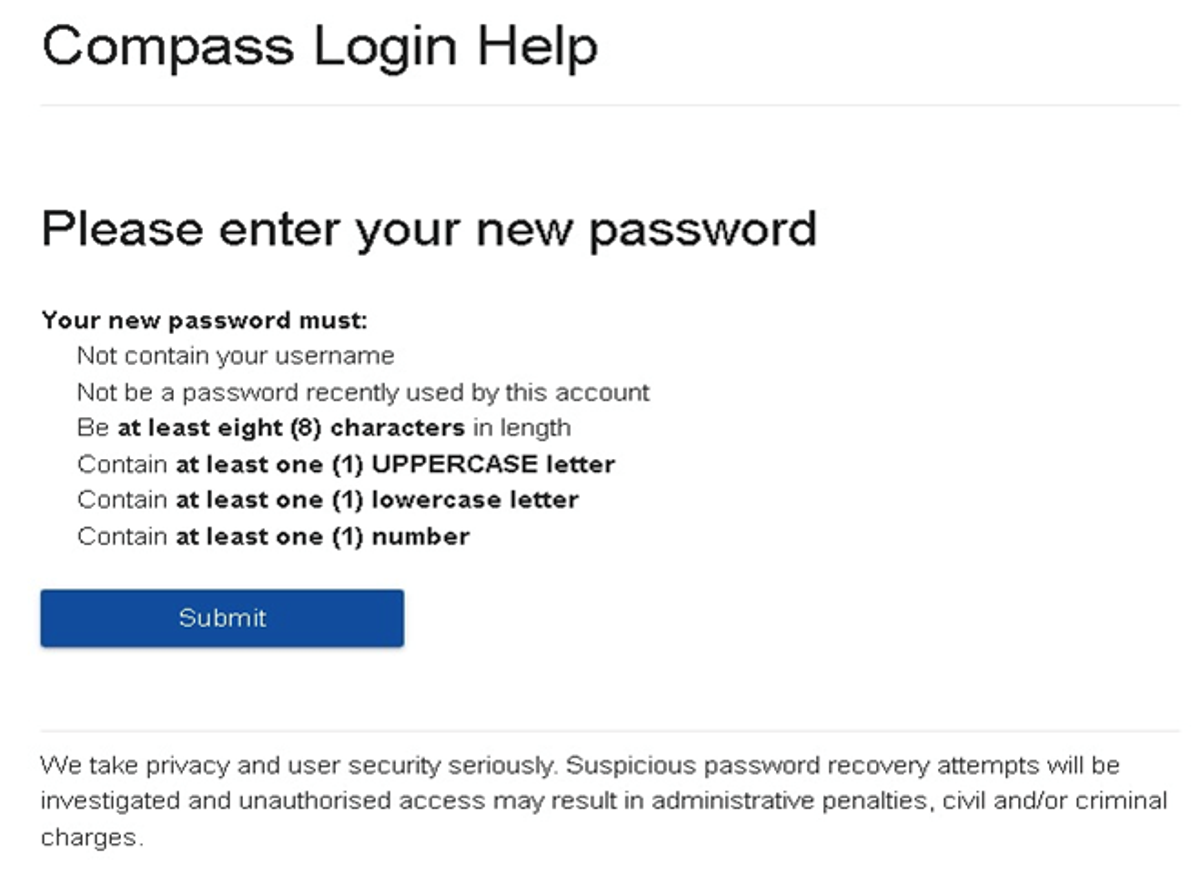
(DO NOT uses a previously entered password) See information below on how to choose a password.
 

Gallery Image


. 


Top tips

  • Compass username will be the first three letter of your surname (in capital letters) followed by 4 issued numbers
  • Email/phone number used must match parent captured details currently held in Compass.
    • Families that live together share parent # 1 user name and password (reset to parent #1 recorded details held in Compass)
    • Families who live separately will each have their own username and password
  • You must use a new password each time you reset; Compass will reject any previously used password. (if it rejects, it will ask you to contact the school, if you refresh the page it will let you try again).
  • It is best to reset your password on a Computer rather than a phone.


This information can also be accessed on our website under Communicating with Families: How to reset Compass Password