

















Page 0 Banner Photo
Cover Page
From the Principal Banner Photo
From the Principal
Faith and Mission Banner Photo
Faith and Mission Community Mass, Sacraments
Around The Primary Banner Photo
Around The Primary Dear Families , Notification of Absences – Important Reminder, Dates to Remember, Stepping back in time, Year 6 Cycle Sense, Inspiring Young Writers with Tristan Bancks, Sport, Primary Music , Sacrament Certificates, Extend After School Care 
Secondary Banner Photo
Secondary Dear Families, Inspire presents Justin Coulson – Tuesday, 9 June , Term 2 Key Dates, Year 11 Politics and Law ATAR students tour the courts, Year 10 Reconciliation, 2026 National Schools Constitutional Convention , Enrich family life by hosting a student from Japan, SPORT, School Sport WA Cross-Country , ACC Cross-Country , Year 8 NAS Trials , Year 7 NAS, Interhouse Surfing Carnival , Senior Eagles Cup (First XVIII) , Years 8/9 Boys Eagles Cup Football, Share your child’s achievements
Magis Report  Banner Photo
Magis Report  Mock Trials, da Vinci Decathlon, WA Debating League , World Scholars Cup Update, College Chess Tournament Update, What’s happening next week?, Magis: Opportunities to do more!, Future Female Leaders, College Public Speaking Competition , Political Perspectives Competition, Tournament of Minds 
Music News Banner Photo
Music News Chapel Choir, Autumn Soiree, Music and Drama calendar
Drama Banner Photo
Drama Coming soon, Charlie and the Chocolate Factory highlights, Music and Drama calendar
Pathways and Transition Banner Photo
Pathways and Transition Pathways Picks, 27 May UCAT, GAMSAT and Pathways into Medicine – Webinar for Students, Teachers & Parents, 2 June ECU Year 10 Parent & Carer Information Evening & Pizza Night, 12-14 June Job Ready Expo @ Ascot Racecourse, WAAPA Short Courses for Term 2 for High School Students, 27 May Curtin Year 12 Application Support Webinar, Year 12 Students – TISC 2027 Brochure , Notre Dame Early Offer Program Open - Year 12 Students, ECU Engineering Scholarship Opportunities for Year 12 Students, ECU Engineering Excellence Scholarships, Curtin 2027 Excellence Scholarship, Murdoch Scholarship Opportunity for Year 12 Students, UWA Scholarship Opportunities for Year 12 Students, Go to Open Days 2026 , University Open Day Calendar 2026, 2026 Medicine - University Clinical Aptitude Test (UCAT) Dates , Applying for Veterinary Medicine at Murdoch? Book your Casper Test!, Veterinary Medicine Admissions and Application Process 2027, New Parents’ Guide to University Study released, Year 12 Opportunities, New 2027 Undergraduate Course Guides (WA Universities) , University Contacts for Future Students, Offsite Study Options for Year 11 and 12 Students , SM TAFE Prepares for AUKUS, Electrical Trades Information, Start an Electrical Apprenticeship Early, Electrical Apprenticeship Maths Skills, Occupations in Agriculture – Career Information Hub, Jobs and Skills Centre for Apprenticeships and Traineeships , Save money – Choose an apprenticeship on the priority list, State government FREE VET pathways , Year 12 Information Handbook – Part I OUT NOW!, ADF Careers Information Sessions, WA Police Recruitment Sessions , Gap Year Opportunities with AgCAREERSTART, Gap Year Opportunities with ADF Careers, The Morrisby Profile, MyFuture – your one-stop shop for career information, Your Career
John XXIII Rowing Club  Banner Photo
John XXIII Rowing Club Dear Rowing Families, IGSSA Regatta, Year 8 Learn to Row , Uniforms, Stack Team App, Buses, 2026 Rowing Club Registrations are open for Years 9 to 12 ,  2026 (Term 2) Rowing Training Schedule  , Key Rowing Events 2026, Absent from training procedure , Asthma and Allergies
John XXIII Netball Club  Banner Photo
John XXIII Netball Club  Dear Netball Families, Game Day Reminders, Netball hoodies, Netball Club WhatsApp Community Hub
Parents' Association and PAL organised events Banner Photo
Parents' Association and PAL organised events Parental Guidance – Dr Justin Coulson - Positive solutions for every family, Save the date - 19 September, Parent Events organised by the PALS
Canteen Banner Photo
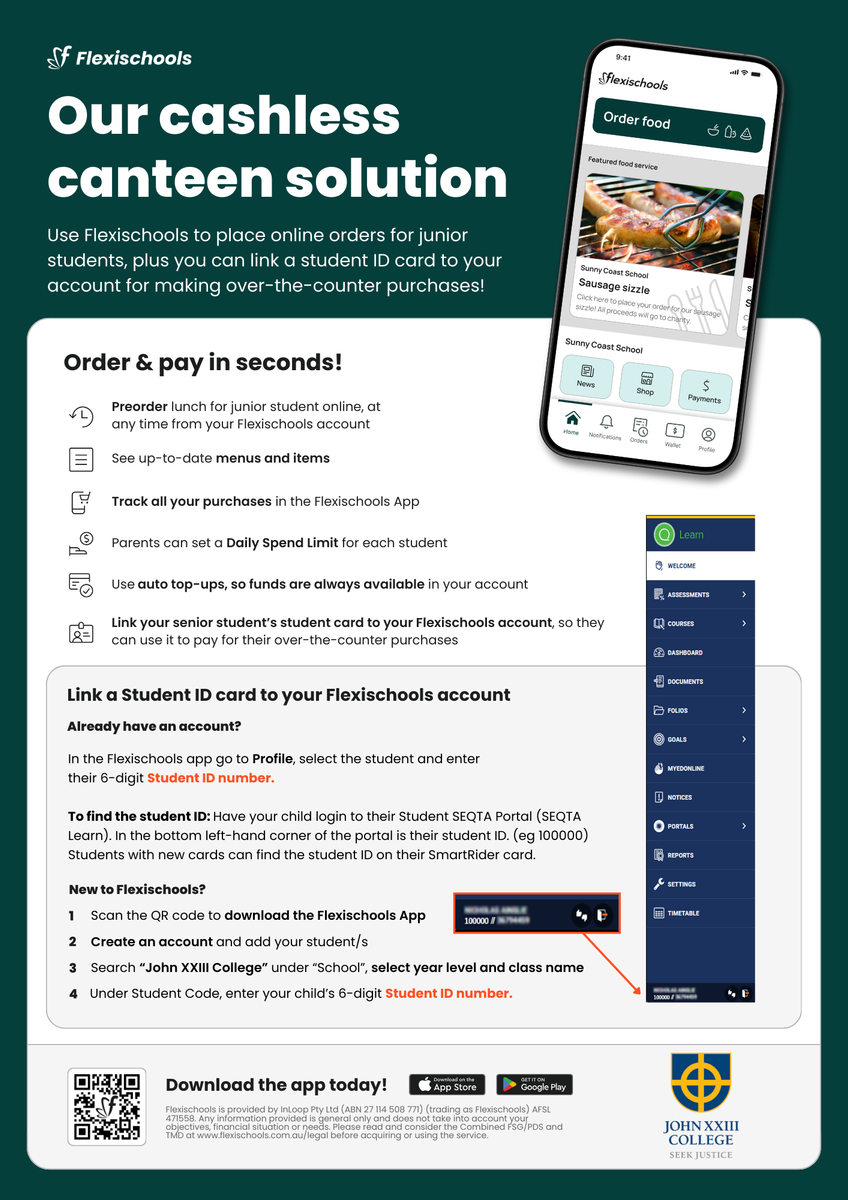
Canteen Registering a new Flexischools account
Uniform Shop Banner Photo
Uniform Shop Opening Hours, NEW Tote Bag, Netball Hoodies, Secondhand Uniforms, Online orders , Sustainable footwear choices at our Uniform Shop 
Buy and Sell Second Hand Items Banner Photo
Buy and Sell Second Hand Items
College Charter Bus  Banner Photo
College Charter Bus Cashless Bus Ticketing , SmartRider Information
Health Banner Photo
Health Sleep and screen time
Online Safety Hub Banner Photo
Online Safety Hub Online Safety Hub, Disappearing messages: What parents need to know, What are disappearing messages and which apps offer them?, Why are disappearing messages so popular among young users?, What are the risks of disappearing messages?, How to talk to your child about disappearing messages, 3 ways to reduce the risks of disappearing messages
School TV Banner Photo
School TV A Resource Supporting Parenting
Traffic Management & Parking Guidelines  Banner Photo
Traffic Management & Parking Guidelines  Car parking and pick-up options at John XXIII College 
Alumni Banner Photo
Alumni Important dates for 2026 – mark your calendars
View archive
Published by
John XXIII College
Mooro Drive, Mount Claremont, Western Australia, 6010, AUhttp://www.johnxxiii.edu.au/jtc@johnxxiii.edu.au(08) 9383 0400 Facebook Instagram X / Twitter YouTube
Banner Photo

Canteen

About Chartwells

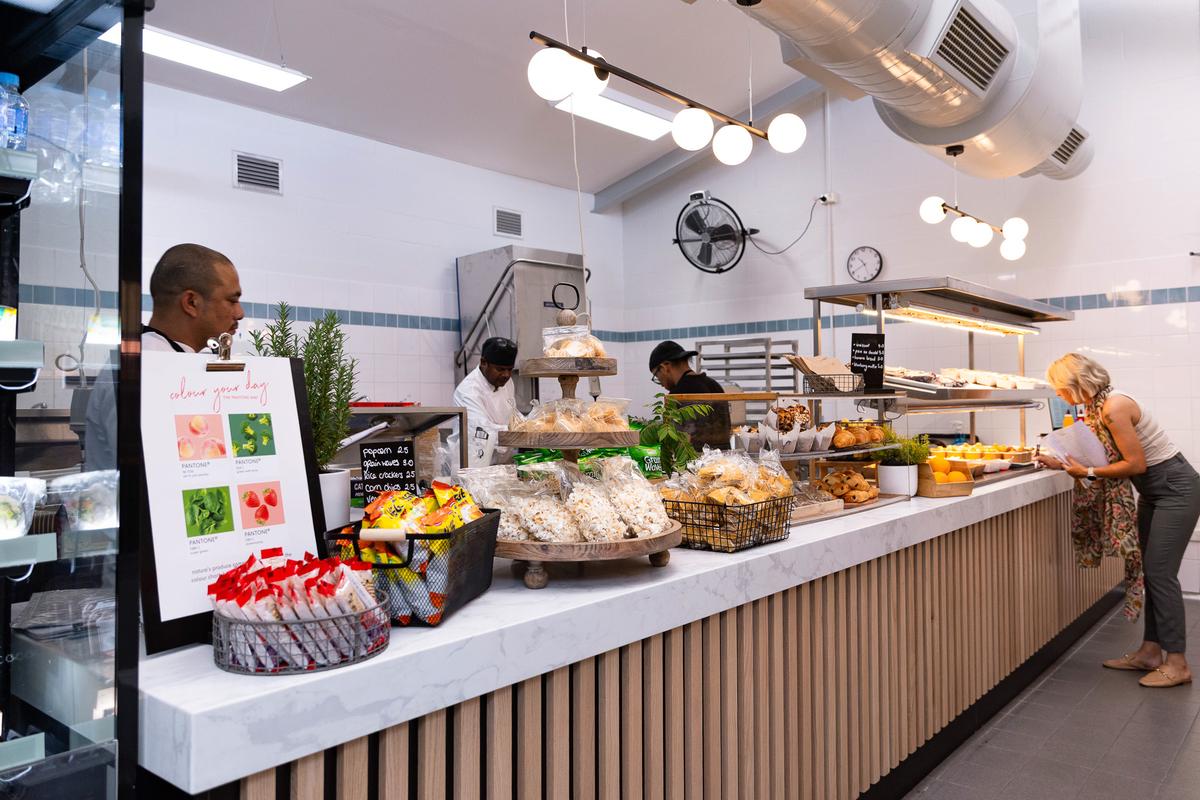
Chartwells is a leader in school food services, guided by Smart Food principles developed by Food and Nutrition Australia. Their approach emphasises balanced menus, whole ingredients, and seasonal produce, all prepared fresh onsite to ensure students enjoy meals that are both nutritious and full of flavour.


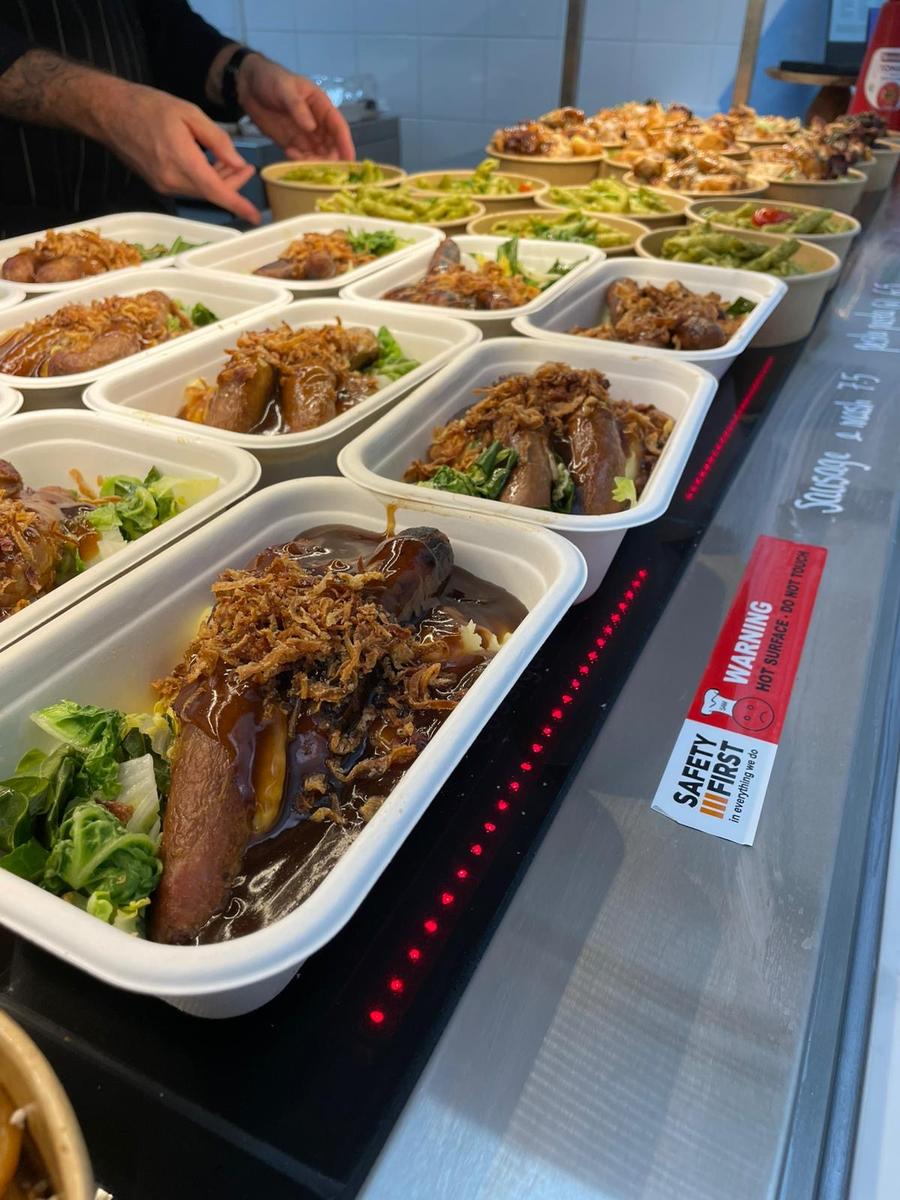
Students can enjoy a diverse menu including freshly made sandwiches, wraps, salads, hot meals, house-baked items, grab-and-go snacks, and seasonal specials. Chartwells also provides clear allergen information and support for dietary needs. To keep meal options varied, menus will change each month to reflect seasonal produce. 


What's on the menu

Gallery Image
Gallery Image
Gallery Image
Gallery Image
Gallery Image
Gallery Image
Gallery Image
Gallery Image
Gallery Image


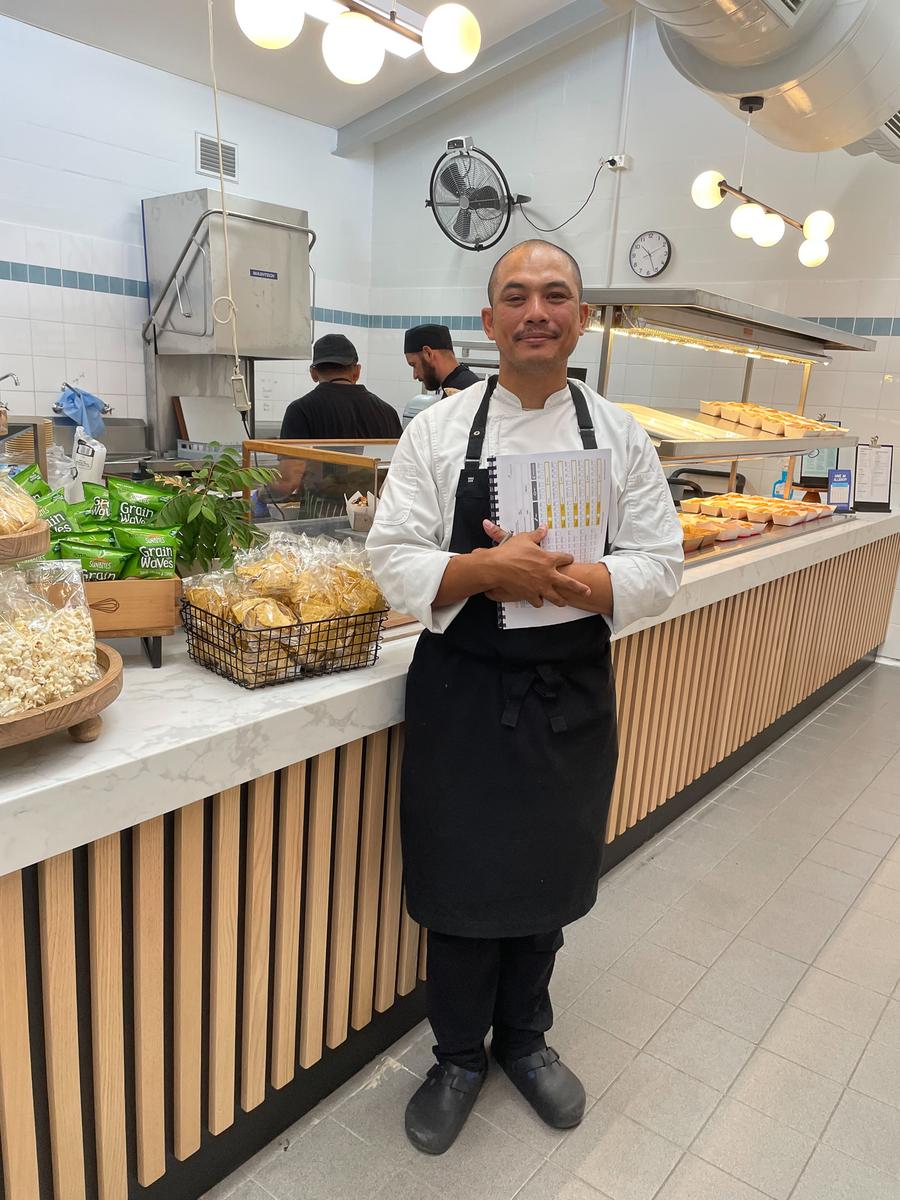
Meet Chef Hesh Daud

Gallery Image

Our Chartwells chef, Hesh Daud, brings 15 years of culinary experience from fine dining establishments across the UK and Europe. Trained at Michelin-starred Hakkasan and having worked with renowned chefs including Yotam Ottolenghi and Tom Kerridge, Hesh is passionate about creating nutritious, delicious meals for students.


Hesh co-founded the award-winning Bottlebrush Ferments and has dedicated recent years to improving school meals with Chartwells. As a father of three, he is deeply committed to wellbeing, inclusion and positively impacting children's lives through food.


The Chartwells Model – Primary, Secondary and Cashless Service


Online ordering for Primary students

Primary students are not able to purchase food directly from the canteen. All lunch orders must be placed online via Flexischools, which can be accessed conveniently through the Flexischools app or website.


Pre-ordering or purchasing for Secondary students

Due to the high demand for the new canteen offerings, Secondary students can now pre‑order meals online or purchase directly from the canteen during recess and lunch. While ordering ahead through Flexischools is convenient, a wide range of fresh food and snacks will also be available over the counter each day, giving students the flexibility to choose what they feel like on the day.


A completely cashless service

The canteen now operates on a cashless system. Secondary students can make purchases using their SmartRider (linked to their Flexischools account — see instructions below) or a debit card. Please note that mobile phones cannot be used for payment.


Registering a new Flexischools account

Registering a new Flexischools account

New parents simply download the Flexischools app from the Apple or Google store and follow the prompts to create an account. You can also find registration and online ordering instructions here.


Download and open your Flexischools app and click ‘Register'.

  1. Submit your email to create an account.
  2. In your inbox, open the registration email.
  3. Click the link within and follow registration prompts in app.


Once your account is set up, log into your Flexischools app and enter your child’s details.

  1. Select ‘Profile’ icon on the navigation bar. 
  2. Under ‘Students’, click ‘Add new’ and enter student’s name.
  3. Search for John XXIII College in the school name field
  4. Select Year Level and Class
  5. To link a student card, enter your child’s 6-digit Student ID Number. 
  6. Click ‘Submit’.


Adding a new student to an existing Flexischools account

  1. Select ‘Profile’ icon on the navigation bar. 
  2. Under ‘Students’, click ‘Add new’ and enter student’s name.
  3. Search for John XXIII College in the school name field
  4. Select Year Level and Class
  5. To link a student card, enter your child’s 6-digit Student ID Number.
  6. Click ‘Submit’.


Adding a student card to an existing student

  1. Select ‘Profile’ icon on the navigation bar. 
  2. Under ‘Students’, select the student you wish to add a student card to. 
  3. Enter your child’s 6-digit Student ID Number.
  4. Click ‘Submit’.


To find the student ID for Secondary: Have your child login to their Student SEQTA Portal (SEQTA Learn).  In the bottom left-hand corner of the portal is their student ID. (eg 100000)  Students with new cards can find the student ID on their SmartRider card.


Give your student their own login

If you would like your student to place their own orders through Flexischools, you can give them their own login.

  1. Select ‘Profile’ icon on the navigation bar. 
  2. Under ‘Students’, select the student you wish to give a login to.
  3. Click the toggle next to 'Give student their own Flexischools Online Ordering Login.’
  4. Enter your student's email address and, if you like, add a daily spend limit and click 'Save.'


Your student cannot access your saved payment method, add funds to your Parent Wallet, or access your saved payment method


Don’t forget to top up your Flexischools wallet with funds

To do this, click “Wallet” in the App and add some funds. You can also set auto top-ups, so you always have funds available. How to Set Up Automatic Top Ups

Your student is now ready to order online or scan their card at the canteen to pay!


Order and pay at the Canteen with Flexischools

SmartRiders can be very easily added to your child’s Flexischools profile allowing you to:

  • Pay from your Flexischools balance
  • See all purchases in the Flexischools App
  • Ensure lunch money is used at the school canteen
  • Set a daily canteen spend limit
  • Easier and more secure than giving cash or debit card


Want to know more about managing your account? 

Head to our Flexischools FAQs

Parent resources and help are available here.
 

Gallery Image


Need assistance?

Flexischools can be contacted on 1300 361 769 or you can log a ticket on the Flexischools website: https://flexischools.com.au/contact-us