Page 0 Banner Photo
Cover Page
For your diary  Banner Photo
For your diary Key Dates
From the Principal  Banner Photo
From the Principal
Year 7 Talent Search Banner Photo
Year 7 Talent Search Terrific talents on show 
Model United Nations Banner Photo
Model United Nations Negotiating 'Pathways to Peace'
Student Services : Wellbeing  Banner Photo
Student Services : Wellbeing Welcome to Term 4, Chill Skills for Year 7 Students, NCASA - Focus Group with Senior Students, Dental Van- Smile Squad, Mental Health Week - Week 4, Upcoming Family Information Evenings, Tuning in to Teens- External Group
Student Services : Parent Information Evening Banner Photo
Student Services : Parent Information Evening Explore practical ways to initiate conversations about sexual consent and pornography
Australian STEM Video Game Challenge Banner Photo
Australian STEM Video Game Challenge Creating an arena clearing first person 3D puzzle game 
Year 8 Science Banner Photo
Year 8 Science Developing dissection skills
Student Services : Careers  Banner Photo
Student Services : Careers Valuable job interview practice, Morrisbly assessement meetings, Year 12 classes wrapping up, Important information about support during the upcoming exam period
Human Rights Workshop Banner Photo
Human Rights Workshop Exploring social justice issues at Melbourne University Law School
Art Club Banner Photo
Art Club 'Houses' project is taking shape
From the Library  Banner Photo
From the Library Welcome back to Term 4, Overdue library books - well done!
Upcoming Senior Music Concert Banner Photo
Upcoming Senior Music Concert Book now for Thursday's concert
Financial Assistance  Banner Photo
Financial Assistance NHS Empower Fund:  Helping Students in need
Top tips : Using the Compass help page  Banner Photo

Top tips : Using the Compass help page A guide for parents and carers, Resetting your Compass Password

Community Notices  Banner Photo
Community Notices Greek School of Dance and Culture, Preston, Young at Heart - Youth Makers Market, Apprenticeship opportunities with MEGT, Art4All at Fairfield Primary School , Yarra Voices Youth Choir auditions, Social Soccer at Brunswick City for girls and gender diverse teens, Northcote Water Polo , Karate classes in Coburg, St Therese's Netball Club seeking junior mens players, Coburg Little Athletics - Still time to join
View archive
Published by
Northcote High School
St. Georges Rd, Northcote, Victoria, 3070, AUhttp://www.nhs.vic.edu.au9488 2300
Banner Photo

Top tips : Using the Compass help page 

A guide for parents and carers


We have consolidated a range of compass help guides on a page on the Northcote High School website. Check out the Compass help page for information on:

  • How to reset your password
  • Adding an attendance note
  • SMS attendance alerts
  • How to email staff
  • Confirming your Compass details
  • A guide booklet for families

Resetting your Compass Password


A quick refresher for all families, this information is also on the Compass Help page of our website. 


Follow these easy steps if you need to reset your Compass password at any time.


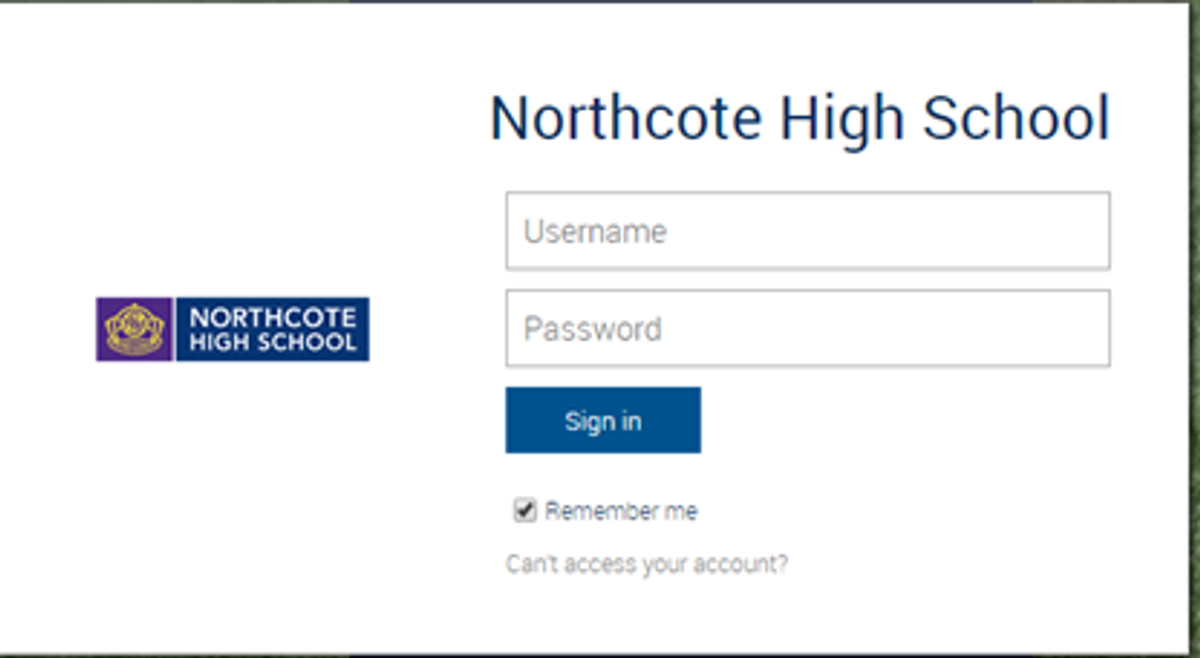
You can reset your password on the front page of the Compass login:  using “can’t access your account?” (see example below)
Gallery Image


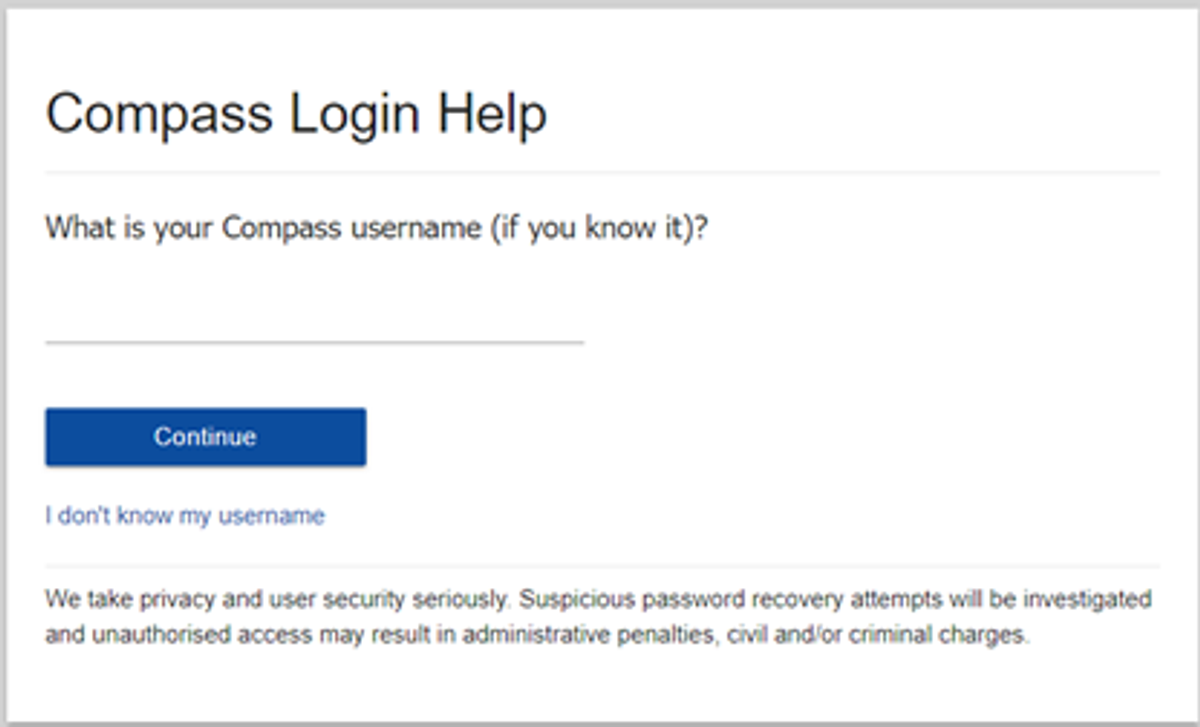
Enter your Compass username. (see example below)
 

Gallery Image


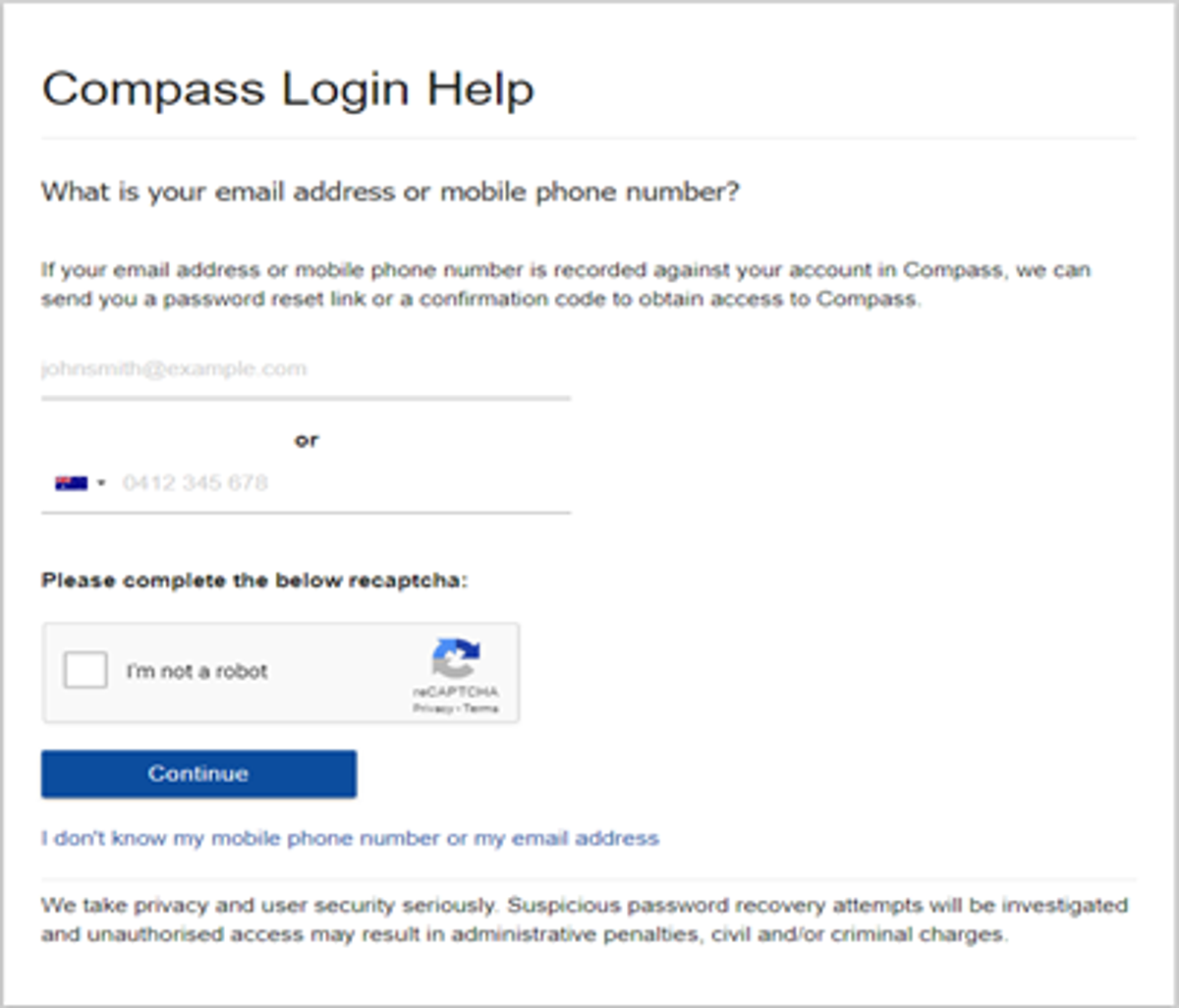
The next page will ask for either your email/or phone number etc, ensure all relevant areas are completed.


Important Note: For families that live at the same address the password reset can only be sent to parent #1 recorded details and will need to match the details that are currently recorded against your Compass account. 
 

Gallery Image


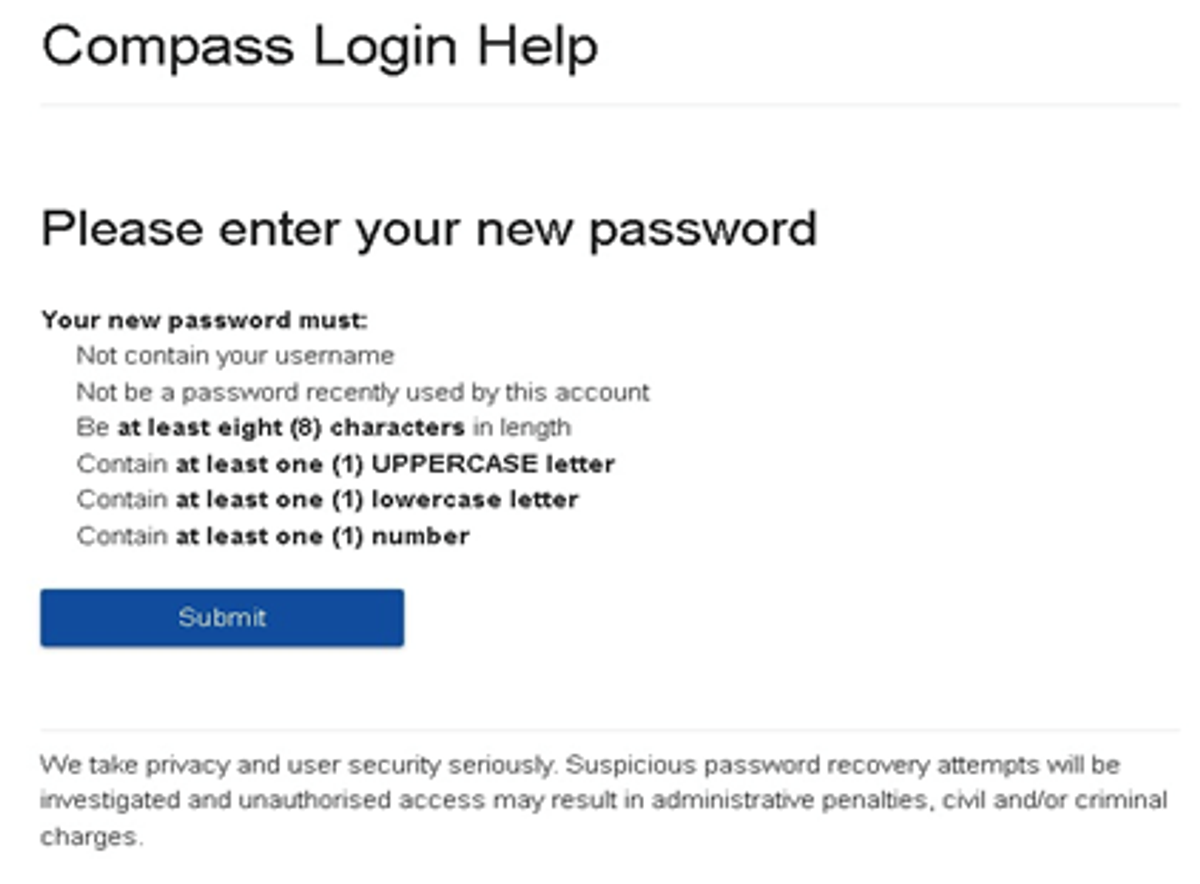
An email will be sent to you with a link to change your password. It is important that you DO NOT use a previously entered password. 
 

Gallery Image


What to do if you see the following message from Compass when trying to reset your password:

Please contact the school's general office.
Unfortunately, we are unable to recover the password for this account online. Please contact your school for further assistance.


If you see this message, it means you missed one of the steps and you are now are stuck in a loop. 


If this happens, please click on this Compass link, also accessible via our website homepage, to get to a fresh Compass page and restart the process.


Top tips

  • Compass username will be the first three letter of your surname (in capital letters) followed by 4 issued numbers
  • Email/phone number used must match parent captured details currently held in Compass.
    • Families that live together share parent # 1 user name and password (reset to parent #1 recorded details held in Compass)
    • Families who live separately will each have their own username and password
  • You must use a new password each time you reset; Compass will reject any previously used password. (if it rejects, it will ask you to contact the school, if you refresh the page it will let you try again).
  • It is best to reset your password on a Computer rather than a phone.


This information can also be accessed on our website under Communicating with Families: How to reset Compass Password