Lighthouse is Live Now
















 Clayfield College

Dear Parents and Carers
I am pleased to announce that Lighthouse, Clayfield College’s new online learning and communication platform, is now live for all parents and carers.
Designed to bring learning resources, information and communication together in one accessible place, Lighthouse will help keep our community connected and strengthen the partnership between home and school throughout your child’s learning journey.
From College notices and year-level information to learning resources and co-curricular groups, Lighthouse provides a central place to access information relevant to your family, with links to key areas of Parent Lounge and other College platforms to support day-to-day activities.

Getting started with Lighthouse
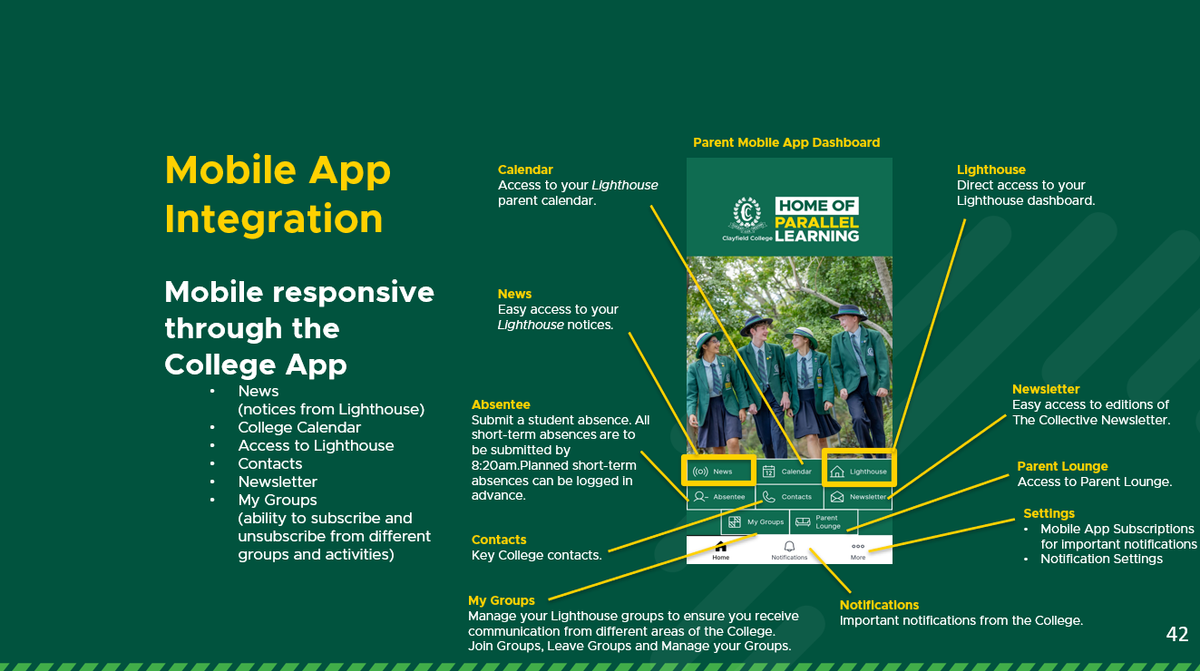
Parents and carers can now log in to Lighthouse using their College parent account.
Getting started:
- To access Lighthouse, visit https://lighthouse.clayfield.qld.edu.au
- Log in using your College parent credentials.
- Explore your Parent Dashboard, where you can access notices, resources and information relevant to your child.
I encourage all parents and carers to log in, explore the platform and become familiar with its features.
A fresh new look for the College Mobile App
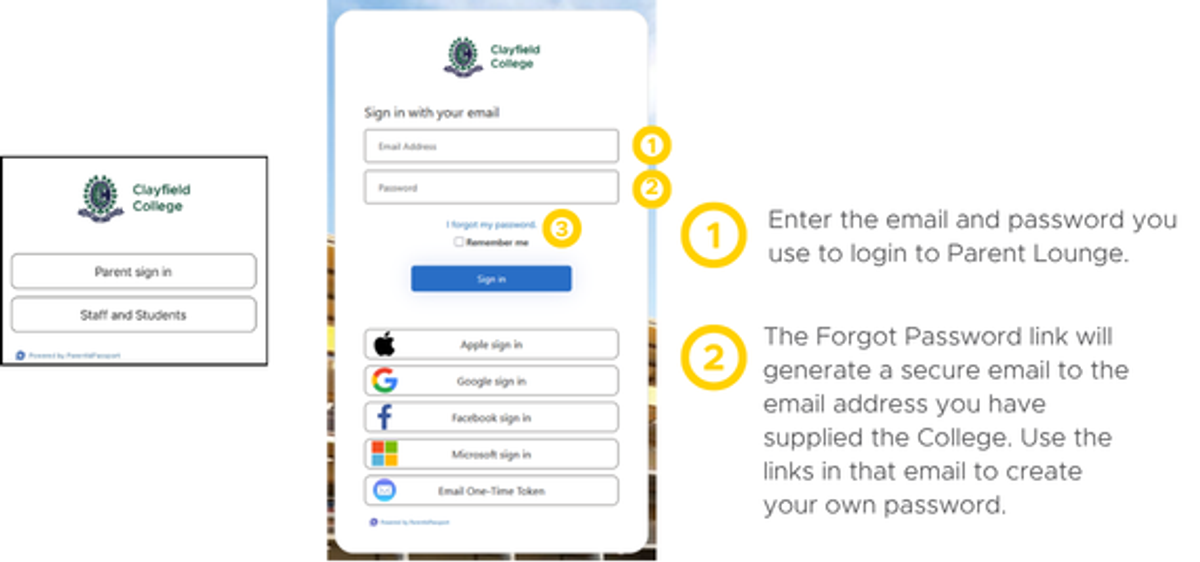
Our College Mobile App has also been relaunched with a refreshed look and feel. Please open the updated app and explore its new design, which makes accessing Lighthouse easier.
The app provides a convenient way to connect with College information while on the go, helping you stay informed and navigate to Lighthouse when you need it.
Getting started:
- Search and Download the College App
- Log into the College App using your Clayfield College Profile and the email and password you use to log into Parent Lounge
- Explore the new Mobile Dashboard and access Lighthouse.
Resources to help you navigate Lighthouse
Throughout Term 4, you may have seen the dedicated Lighthouse section in The Collective, sharing information about the platform, its features and key rollout milestones. These updates will continue as we help our community become familiar with Lighthouse and its features.
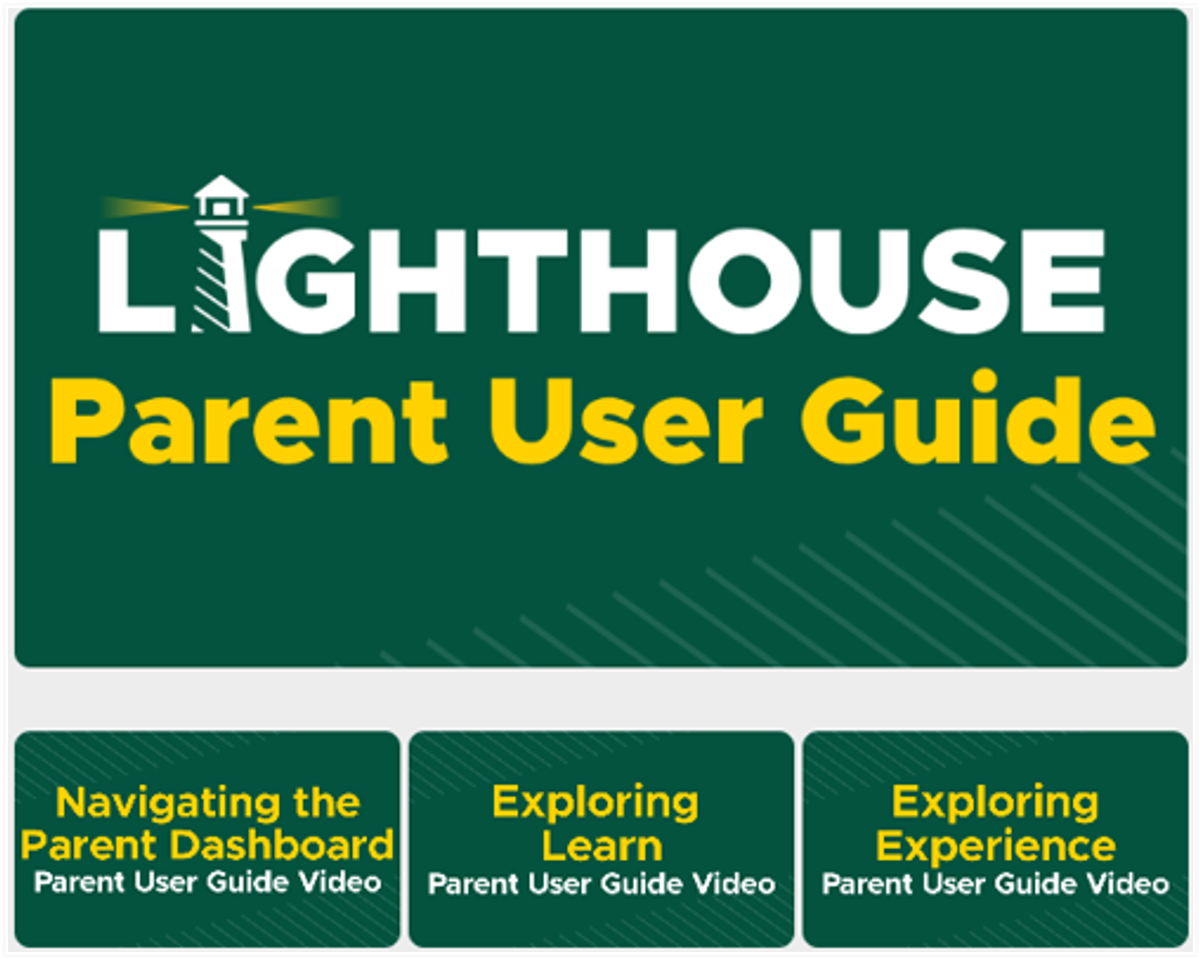
To support you as you get started, we have prepared:
- a Parent User Guide
a series of short How-to Videos covering key aspects of navigating and using the platform.
These resources are accessible from your Parent Dashboard under Lighthouse Resources.
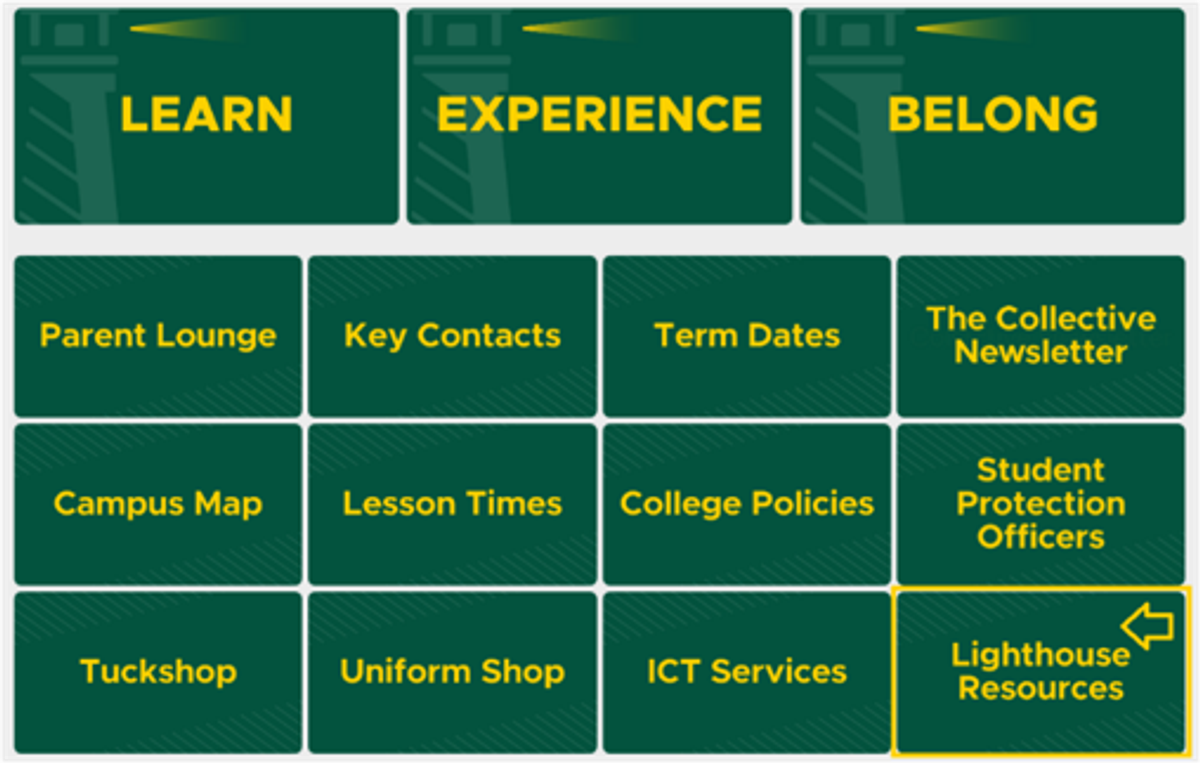
Please take a few minutes to review the guide and videos as you explore the platform.
Joining Groups In Lighthouse
All parents and students are automatically connected to a Sub-School (Junior School or Senior School) and a Year Level group based on your child's cohort.
To receive important communications about co-curricular sport, ensembles, clubs and other activities, parents and students must opt in by joining the relevant groups in Lighthouse.
Joining the relevant groups is an important part of ensuring communications are targeted to the right audiences. This helps the College share relevant information with those who need it and ensures parents and students receive timely updates about the activities that interest them.
Please note that joining a group in Lighthouse is for communication purposes only and does not register a student to participate in the activity. Any required activity registrations must be completed separately through the usual process.
Please view the Parent User Guide - Experience section and Exploring Experience Video available on the Lighthouse Resources page to assist you in joining groups.
Join us for a Lighthouse Parent Support Session
We will also be offering in-person support sessions for parents and caregivers who would like help navigating Lighthouse, accessing information or understanding its features.
Sessions will be held in the Clayfield College Museum at the following times:
- Tuesday 3 November: 1.45pm - 2.15pm
- Friday 6 November: 7.45am - 8.15am
- Tuesday 10 November: 1.30pm - 2.00pm
- Friday 13 November: 7.45am - 8.15am
You are welcome to attend a session that suits your schedule and bring any questions you may have.
Making the most of Lighthouse: Support and Feedback
As with any new platform, there may be some teething issues as our community becomes familiar with Lighthouse. We appreciate your support as we continue to refine the experience and encourage you to keep exploring and using the platform.
For connection or log in issues, or for assistance while exploring Lighthouse, contact lighthouse@clayfield.qld.edu.au and a member of our Academic, ICT or Advancement team will be happy to assist.
Lighthouse is an important step in bringing our College community closer together through more connected platforms and accessible information. I invite every family to log in, explore what is available and make Lighthouse part of your regular connection with the College.
Warm regards

Dr Andrew Cousins