
HT Helpful Information

Parent Handbook
The 2026 Parent Handbook has important information regarding uniform, school programs, parent code of conduct, and many other important pieces of information. The handbook can be accessed digitally through the school website or by clicking here!
Early pick up from school - recommended times
We understand that, on occasions, parents are required to pick up their child early from school for one reason or another. While we are always happy to facilitate this pick up process, the timing can interrupt the child's learning or clash with an extracurricular or Specialist activity. It can be challenging locating the child during an outside play time or when participating in an activity outside of their classroom.
To ensure a more efficient pick up process, could we please recommended (where possible) that children are picked up at 11am, 12pm or 2pm.
Medication at school - requirements
If your child requires medication in at school it is necessary for the relevant medical forms to be completed and signed by your Doctor.
- Medical forms as well as medication that is in its original packaging and labelled with your child’s name are to be uploaded on SIMON and submitted to the school office.
Below are various Medical Forms that you may require. All medical forms need to be signed by a doctor or pharmacist where appropriate.
Action Plan Drug (Medication) Allergy
Please note that all Action Plans also need a Medication Authority form to accompany them.
If you have any questions regarding the above please contact Robyn Barberis or Tania Fraser in the Office.
Emergency Contact Details - SIMON / PAM
Below are the steps to follow which updating Emergency Contact details via the SIMON Everywhere APP.
- Access the SIMON Everywhere App on your device
- Select the `HOME’ icon
- Select a child (if you have more than one child)
- Under the profile menu, select the `Medical Profile’ drop down option
- Select `Edit Details’
- Under `Medical Contacts’ select `add contact’
- Under `Contact Type’ select `Emergency’
- Add the contact details of all Emergency Contacts (other than parents)
- Please update any other relevant medical details at any time
These emergency contact details (other than parents) are extremely important as they will be used in the event that we cannot get in contact with a parent.
If you need to update additional details such as home address, email address or phone number, please provide this information via the following link. This information will be updated by our school admin staff. This form is available in PAM. SIMON / PAM update details.
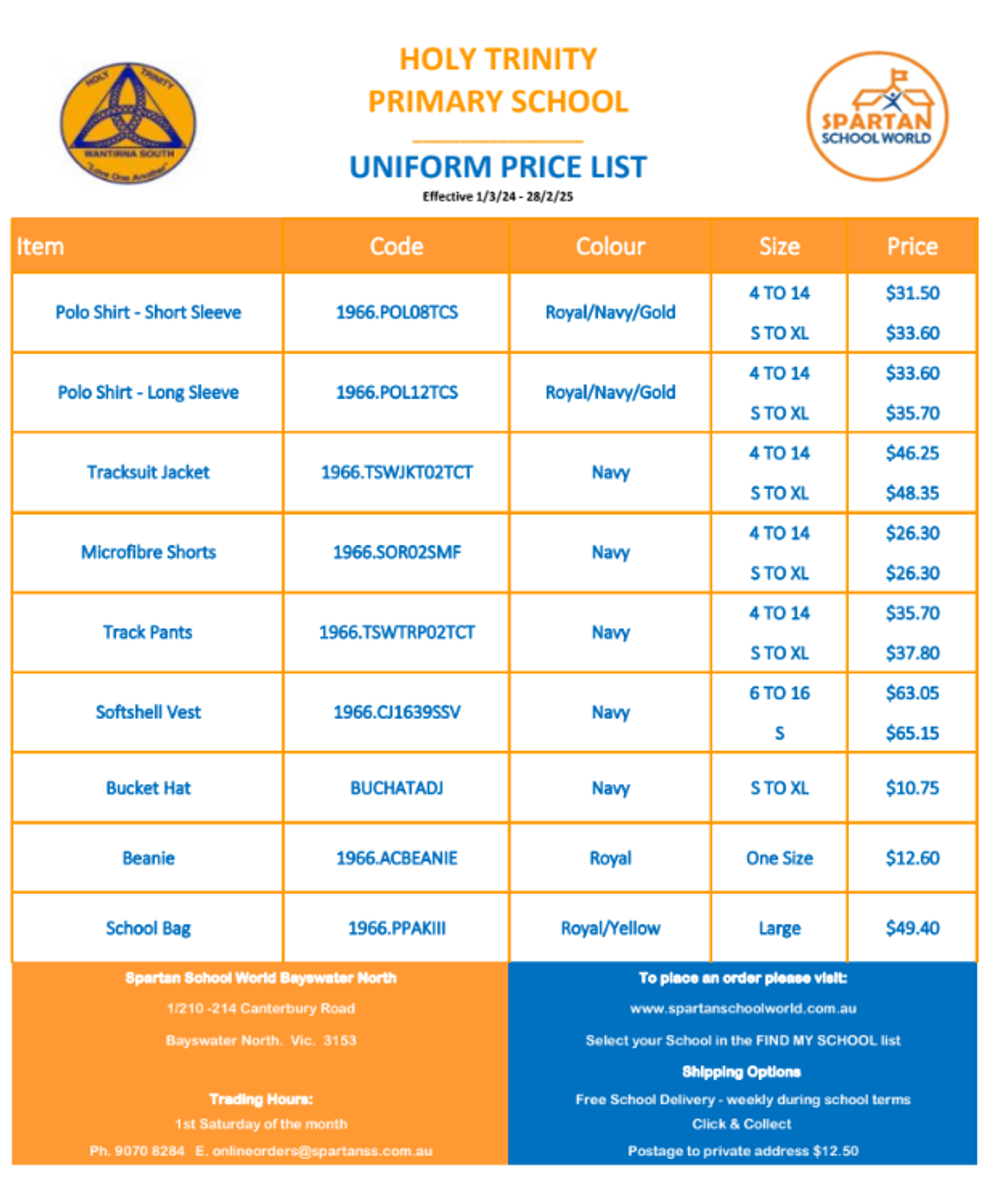
Spartan School World - School Uniforms

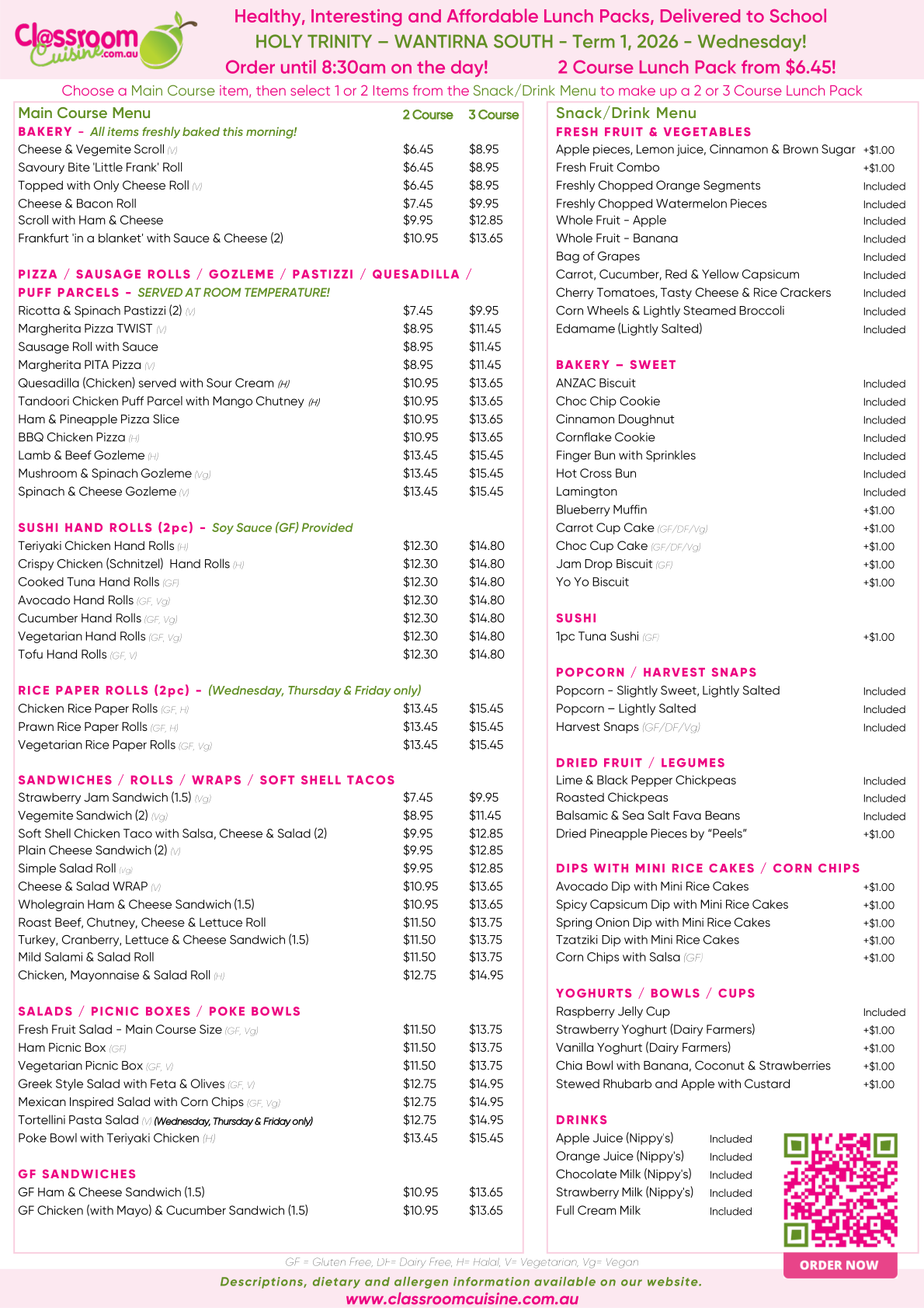
Classroom Cuisine
Classroom Cuisine lunch orders are available for students on Wednesdays.
Please place orders no later than 8.30 am on a Wednesday.
https://www.classroomcuisine.com.au/
New additions to the menu include a Cheese & Salad Wrap, Gluten Free Chicken (with Mayo) & Cucumber Sandwich, and Prawn Rice Paper Rolls. Classroom Cuisine are committed to supporting local Victorian producers and businesses. Subsequent courses now include an ANZAC biscuit and Yo Yo biscuit from the Red Hill Cookie Co., and Dried Pineapple Pieces from Peels, which are absolutely delicious!
The kids will also be pleased that Hot Cross Buns are back.
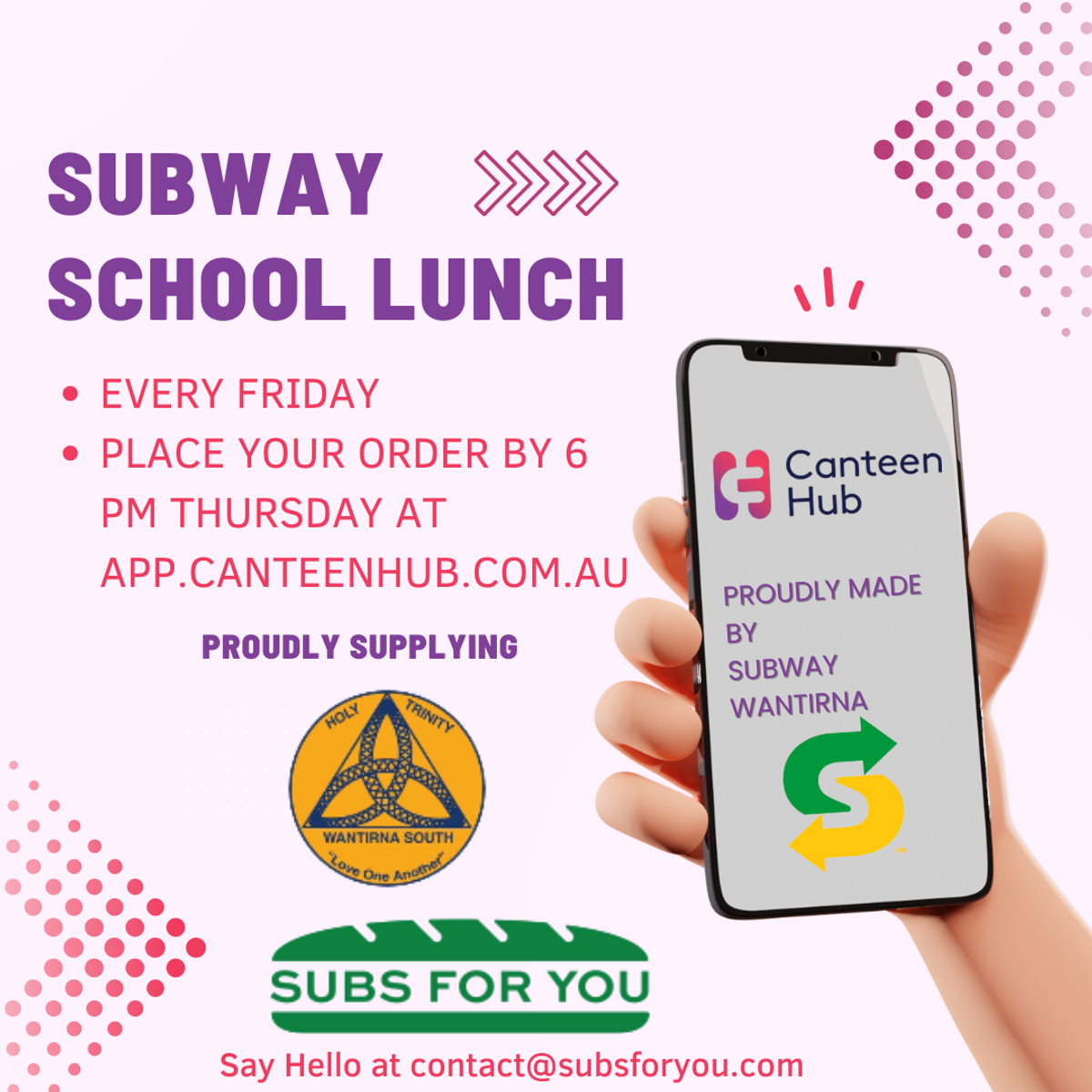
SUBWAY
Subway lunches are available from Friday 13th February.
Orders close strictly at 3pm on Thursdays
This Term Subway orders will close at 3pm the Thursday before delivery day.
Subway have communicated this information to all parents using the App.
CDFpay app instructions
Download today!!!!!!
Holy Trinity uses CDFpay for online ordering for Parents’ Association events and fundraising.
ALL parents will need to create a NEW account with CDFpay to be able to place online orders.
How to register for a CDFpay account
- Download the CDFpay mobile app on the Apple or Google store, then click ‘Sign up now’. No app? Register here
- Enter and confirm your email address, then click ‘Sign up’.
- Check your email inbox and follow the prompts to complete your account registration (check junk/spam if lost).
After you have registered and entered your child’s details, you can:
- Top up your parent wallet or set payment option first.
- To avoid card surcharges, top up to $50 or more using a debit card or bank transfer to any value.
- Order and pay in seconds! Please note that if your parent wallet does not have a balance of $50 or more you will incur a surcharge.
Have questions?
View CDFpay powered by Flexischools Help & Support for detailed FAQs or chat to the Flexischools Digital Assistant.
If you cannot find what you are looking for, please complete the online Contact Form and Flexischools will get back to you directly.
Alternatively you can ring the Parent Support Line on 1300 361 769, 7.00am to 4.00pm