Page 0 Banner Photo
Cover Page
For your diary  Banner Photo
For your diary Key Dates
From the Principal  Banner Photo
From the Principal
Northern Territory Trip Banner Photo
Northern Territory Trip Making incredible memories in the NT
Graduation Ceremony Banner Photo
Graduation Ceremony Congratulations to the Class of 2022
Art Show Banner Photo
Art Show Celebrating a year of creativity
Music Celebration Banner Photo
Music Celebration Farewell to three dedicated music teachers
Student Services : Wellbeing  Banner Photo
Student Services : Wellbeing Periods, Pain, and Endometriosis Program (PPEP Talk), 2022 Wrap Up, Support Outside of School Hours
Congratulations to our VCAL classes of 2022 Banner Photo
Congratulations to our VCAL classes of 2022 Developing employability skills and great team spirit
FemCo zine making Banner Photo
FemCo zine making Innovate grant in action
Rockumentary with Year 8 Science Banner Photo
Rockumentary with Year 8 Science Rock on at the Melbourne Museum!
Great Victorian Bike Ride Banner Photo
Great Victorian Bike Ride Appollo Bay to Buninyong : 3 days on the Great Vic
The Art of Revolution Banner Photo
The Art of Revolution Revolutionary portraits
Student Services : Careers  Banner Photo
Student Services : Careers Results and change of preference support  
It's a Gig Final Performance Banner Photo
It's a Gig Final Performance Celebrating our semester and raising money for MND
Year 8 English Banner Photo
Year 8 English Engaging with social and political issues through persuasive writing
Victorian Schools Volleyball  Banner Photo
Victorian Schools Volleyball Fantastic teamwork in action
From the Library  Banner Photo
From the Library Library on the move!, Holiday reading suggestions
Digital Photography Banner Photo
Digital Photography Joiner artworks inspired by David Hockney
Page to Stage Banner Photo
Page to Stage '13 Players' performance success
Basketball Academy Launch Banner Photo
Basketball Academy Launch Calling for expressions of interest
Booklists for 2023 Banner Photo
Booklists for 2023 Information for families
STEM building update Banner Photo
STEM building update Construction to commence in the holiday period
Financial Assistance  Banner Photo
Financial Assistance NHS Empower Fund:  Helping Students in need
Top tips : Using the Compass help page  Banner Photo

Top tips : Using the Compass help page A guide for parents and carers, Resetting your Compass Password

Community Notices  Banner Photo
Community Notices Free all ages event celebrating contemporary live music : 10 December, Mind Shine Bright Writing Competition, Northcote Netball Club seeking new players, Northcote Water Polo Summer Training Camp, West Ivanhoe Roosters seeking new players
View archive
Published by
Northcote High School
St. Georges Rd, Northcote, Victoria, 3070, AUhttp://www.nhs.vic.edu.au9488 2300
Banner Photo

Top tips : Using the Compass help page 

A guide for parents and carers


We have consolidated a range of compass help guides on a page on the Northcote High School website. Check out the Compass help page for information on:

  • Adding an attendance note
  • SMS attendance alerts
  • How to email staff
  • Confirming your Compass details

Resetting your Compass Password


A quick refresher for all families, this information is also on the Compass Help page of our website. 


Follow these easy steps if you need to reset your Compass password at any time.


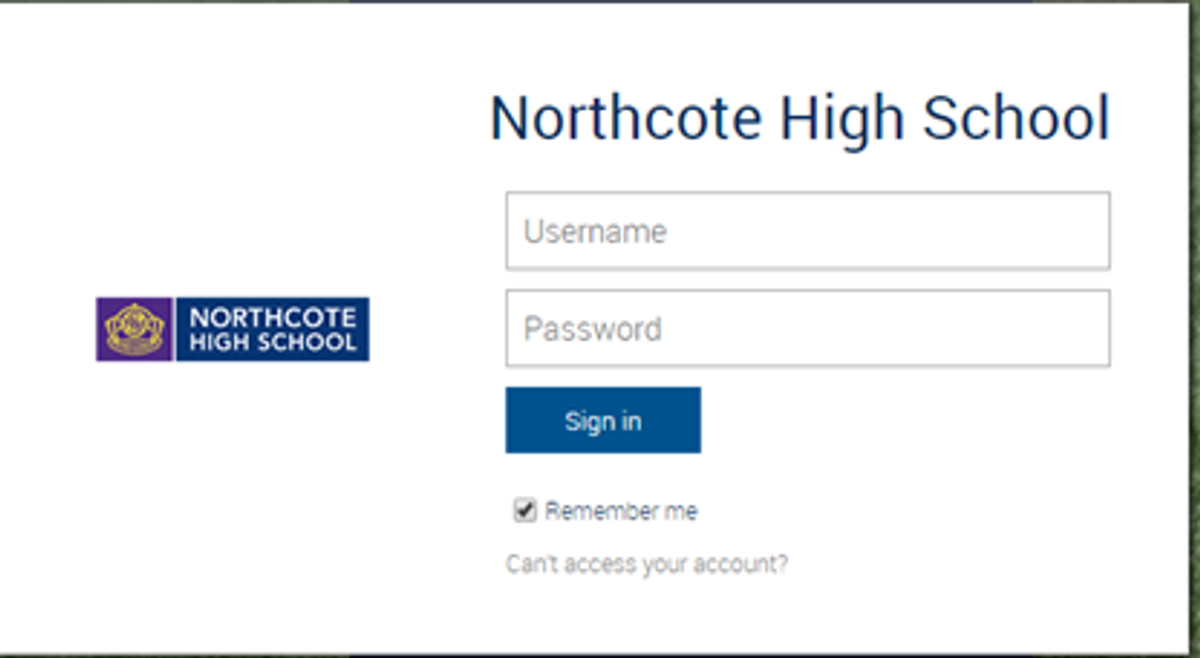
You can reset your password on the front page of the Compass login:  using “can’t access your account?” (see example below)
Gallery Image


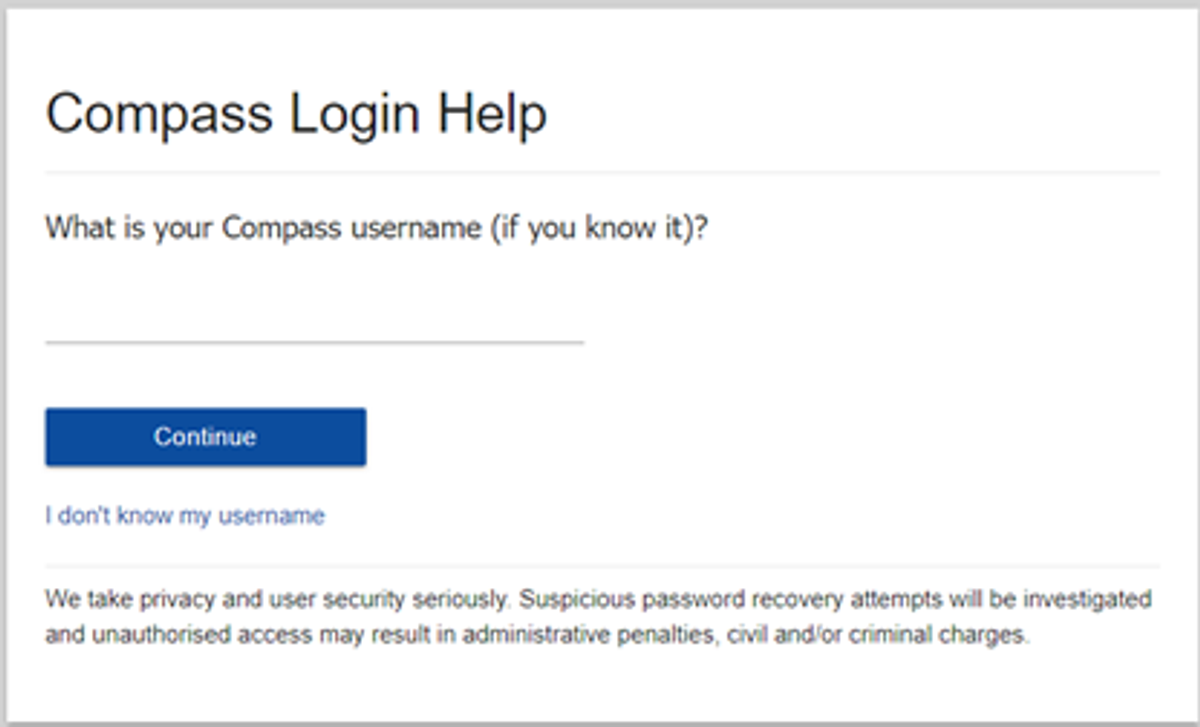
Enter your Compass username. (see example below)
 

Gallery Image


The next page will ask for either your email/or phone number etc, ensure all relevant areas are completed.


Important Note: For families that live at the same address the password reset can only be sent to parent #1 recorded details and will need to match the details that are currently recorded against your Compass account. 
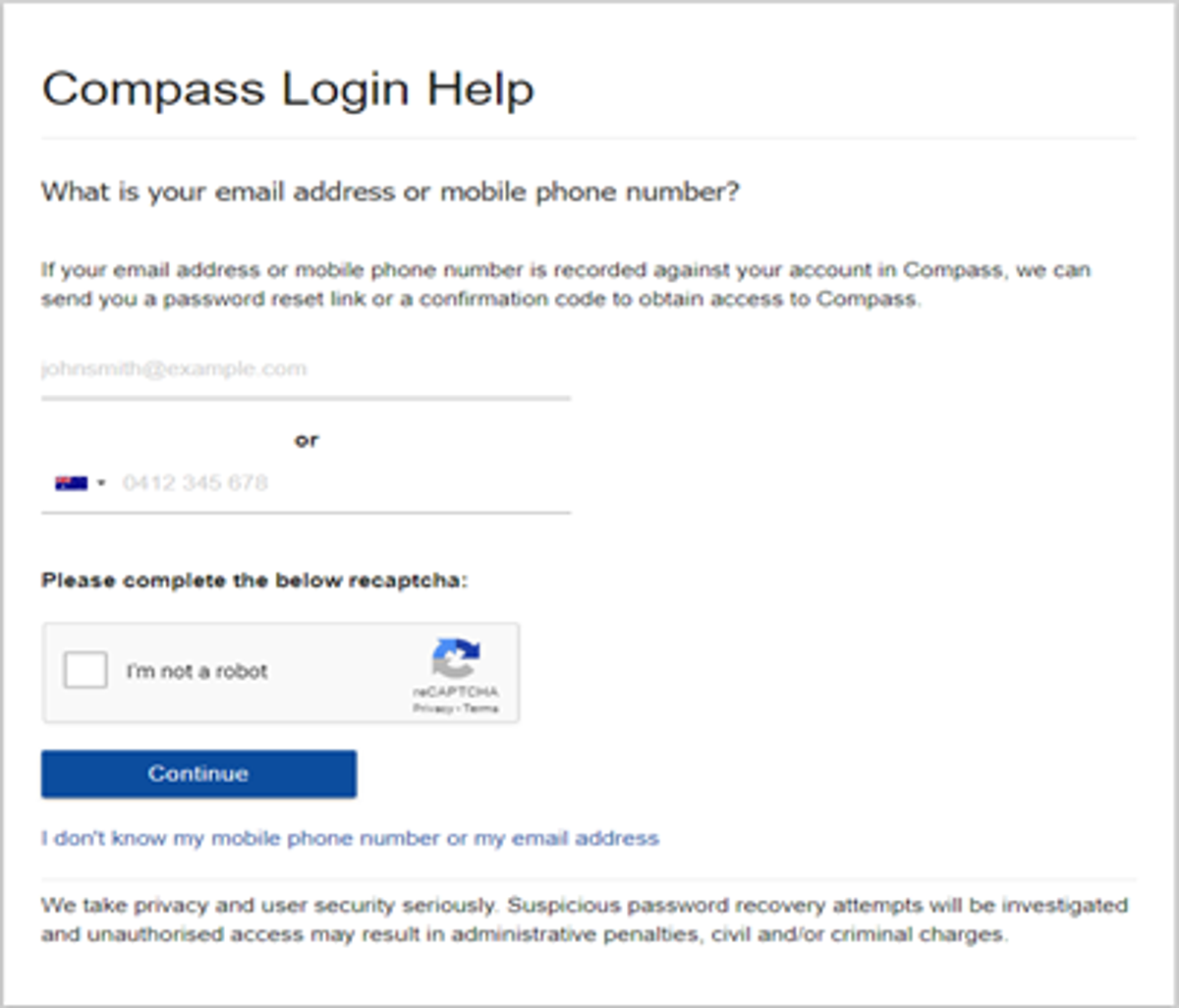
 

Gallery Image


An email will be sent to you with a link to change your password. It is important that you DO NOT use a previously entered password. 
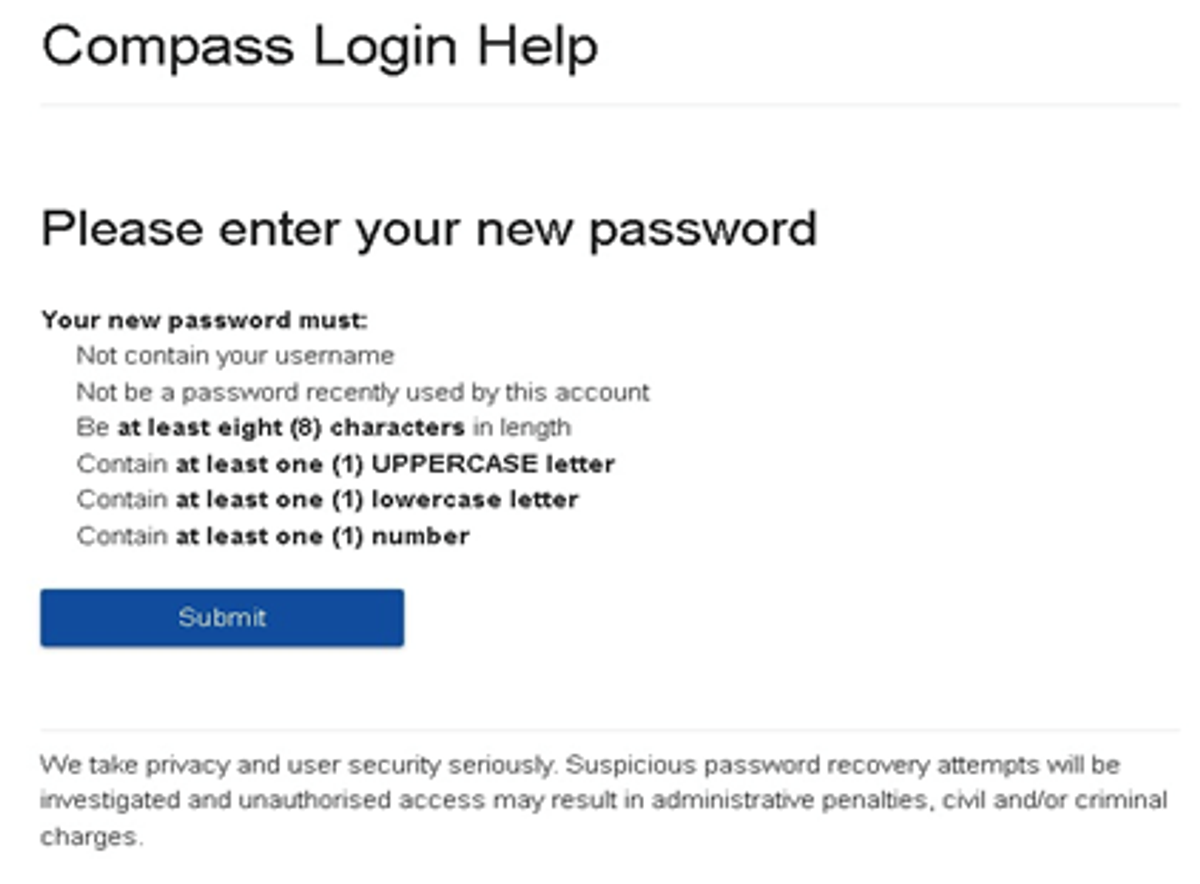
 

Gallery Image


What to do if you see the following message from Compass when trying to reset your password:

Please contact the school's general office.
Unfortunately, we are unable to recover the password for this account online. Please contact your school for further assistance.


If you see this message, it means you missed one of the steps and you are now are stuck in a loop. 


If this happens, please click on this Compass link, also accessible via our website homepage, to get to a fresh Compass page and restart the process.


Top tips

  • Compass username will be the first three letter of your surname (in capital letters) followed by 4 issued numbers
  • Email/phone number used must match parent captured details currently held in Compass.
    • Families that live together share parent # 1 user name and password (reset to parent #1 recorded details held in Compass)
    • Families who live separately will each have their own username and password
  • You must use a new password each time you reset; Compass will reject any previously used password. (if it rejects, it will ask you to contact the school, if you refresh the page it will let you try again).
  • It is best to reset your password on a Computer rather than a phone.


This information can also be accessed on our website under Communicating with Families: How to reset Compass Password