Library Matters





 Pakenham Secondary College
The Big Summer Read

The BIG Summer Read is an annual reading challenge run by Public Libraries Victoria. The BSR encourages young readers 0-18 years to read and engage with their local public libraries over the Australian Summer holidays in December and January.
Now in it’s fourth year, the BIG Summer Read has grown to include all public library services in Victoria as well as public libraries in New South Wales, Tasmania and Queensland. Last year in 2023, more than 16,000 young readers participated in the challenge and over 220,000 books were read!
The program starts on the 1st December and finishes on the 31st January each year and registration is free. Participating library services will offer incentive prizes for those who complete the challenge as well as a state wide prize draw to encourage and reward the efforts of young readers.
Join the challenge here https://readbooks.com.au/bsr
Useful Library Links
Connected Libraries:
BUNJIL/CRANBOURNE/ENDEAVOUR HILLS/HAMPTON PARK/CRANBOURNE WEST
Myli - My Library Community
PAKENHAM PUBLIC LIBRARY
Cnr John Street & Henry Street, Pakenham
Opening hours:
Monday – Thursday 9:00-8:00
Friday 9:00-9:00
Saturday 10:00-4:00
Sunday 1:00-4:00
LIBRARY CATALOGUE
FREE FOOD FRIDAY AT PAKENHAM LIBRARY
ENGLISH CONVERSATION GROUP
COMMUNITY EVENTS AT PAKENHAM LIBRARY
Useful Library Links
SORA Reading App Instructions
Here are some instructions on how to install the SORA Reading App.
“You can find magic wherever you look. Sit back and relax, all you need is a book.” Dr Seuss
Enjoy some sensational spring reading by logging into SORA, our library’s fantastic eBook and audio book Reading App. We are sure you will find a book that grabs you amongst the hundreds of books included in the extensive range.
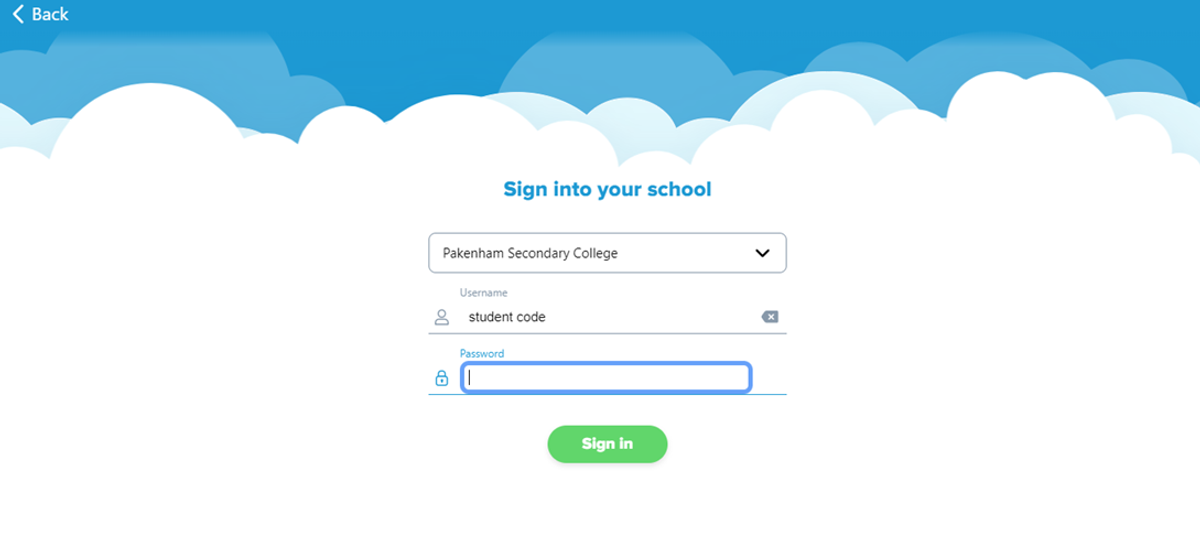
Install the SORA app on your phone or computer using your Compass Username (For example: GARA001). The password is simply: password. Please read below for the instructions.
The default setting will only allow books to download when you are connected to Wi-Fi so it will not gobble up your data. See how you go.
Sora Install Instructions
- Install the Sora app from the Apple App Store of Google Play store, go to soraapp.com
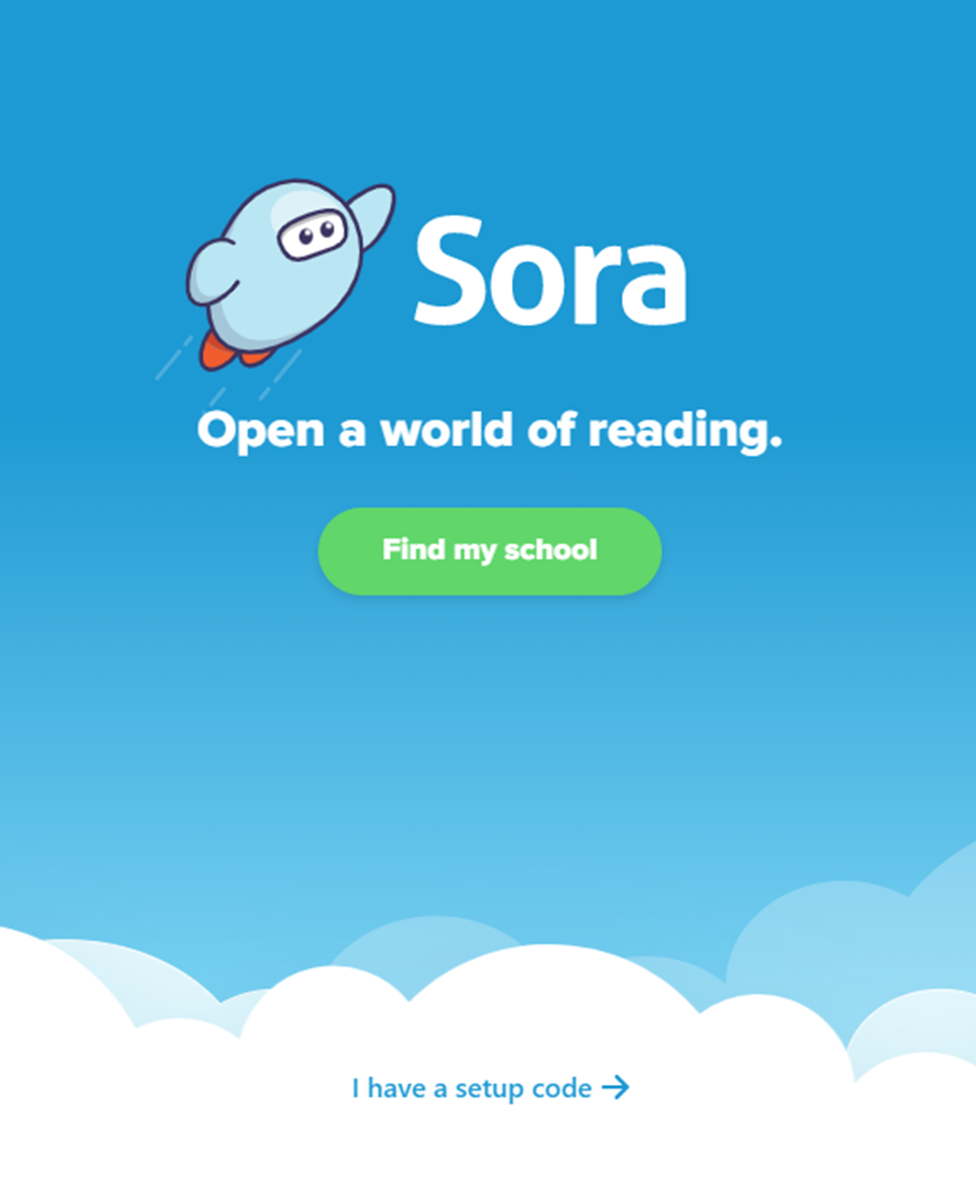
2. Click 'Find my school'
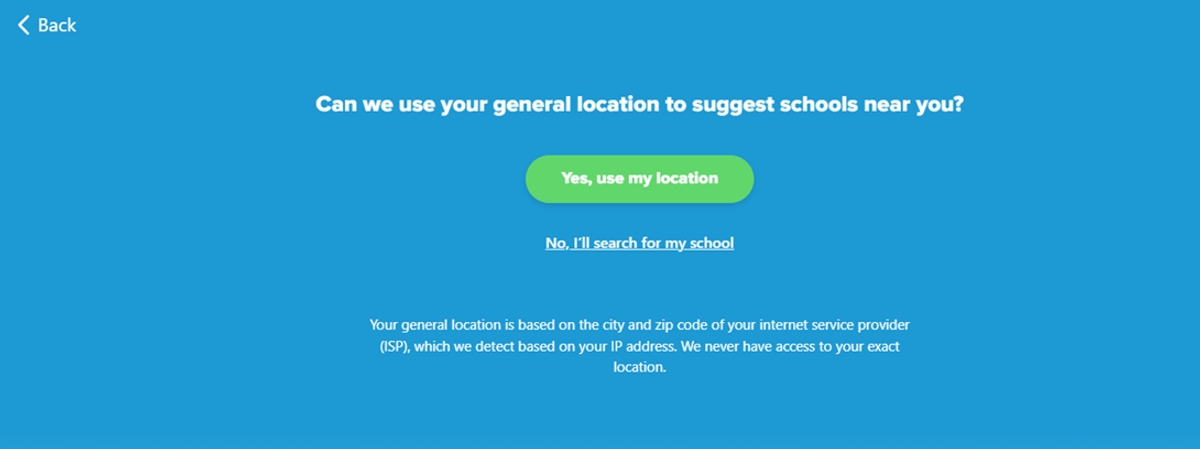
3. Click 'No, I’ll search for my school’
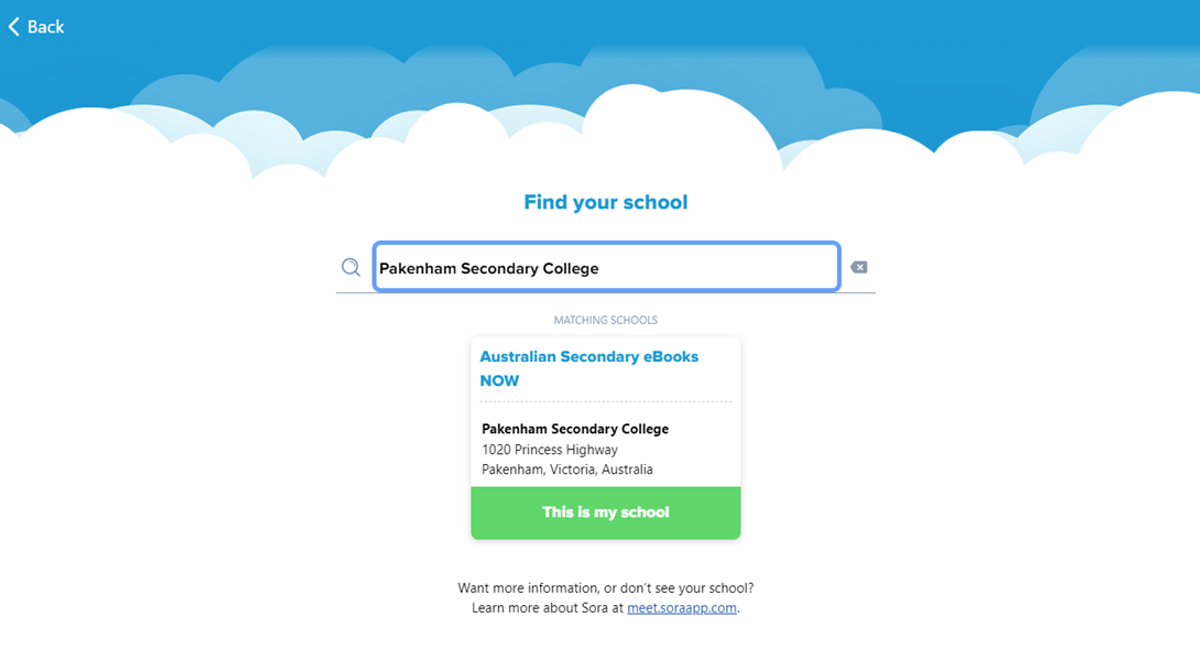
4. Type in ‘Pakenham Secondary College’ and click ‘This is my school’
5. From the drop-down menu, scroll until you find ‘Pakenham Secondary College’
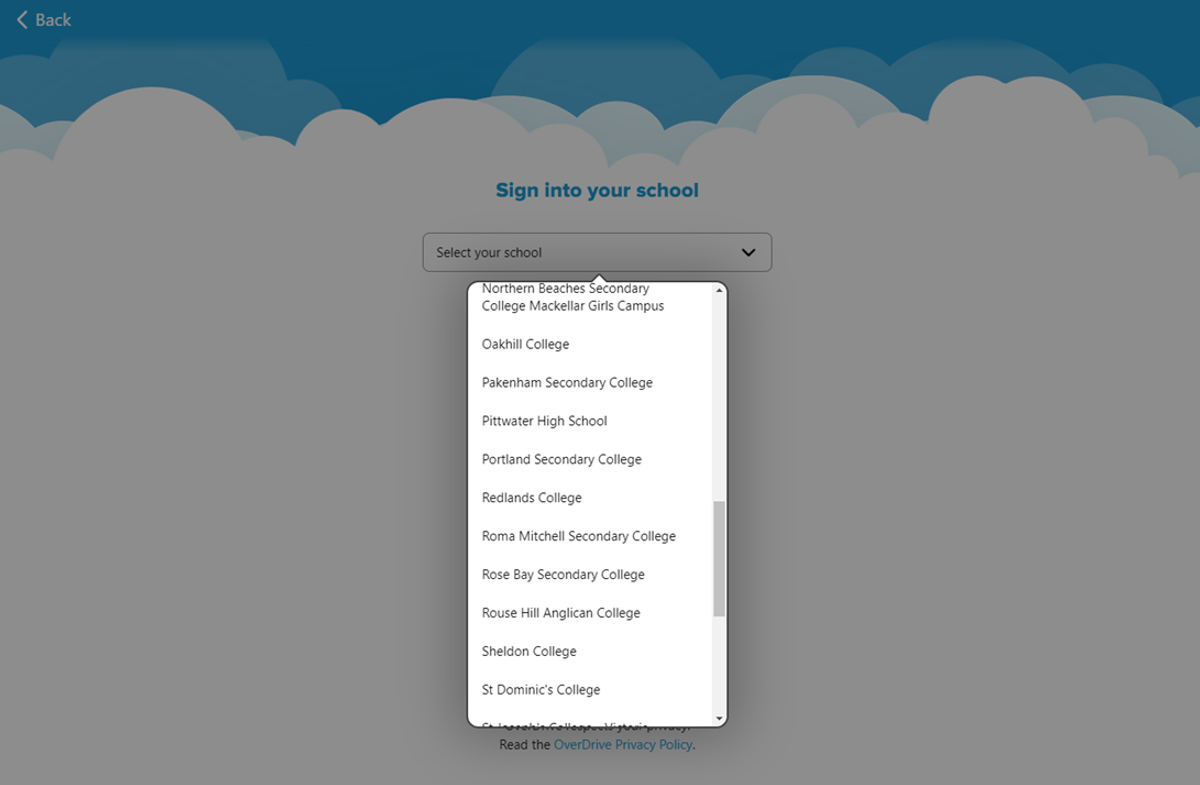
6. Sign in with you Student Code (ie. ABC0123), and your password is ‘password’