Compass Information
Attendance Notes


























Compass Information
Attendance Notes
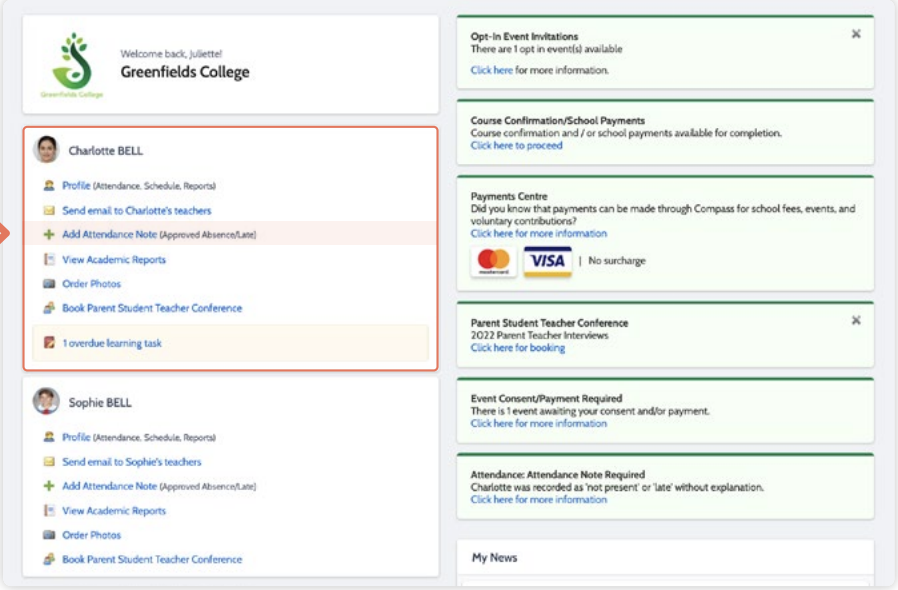
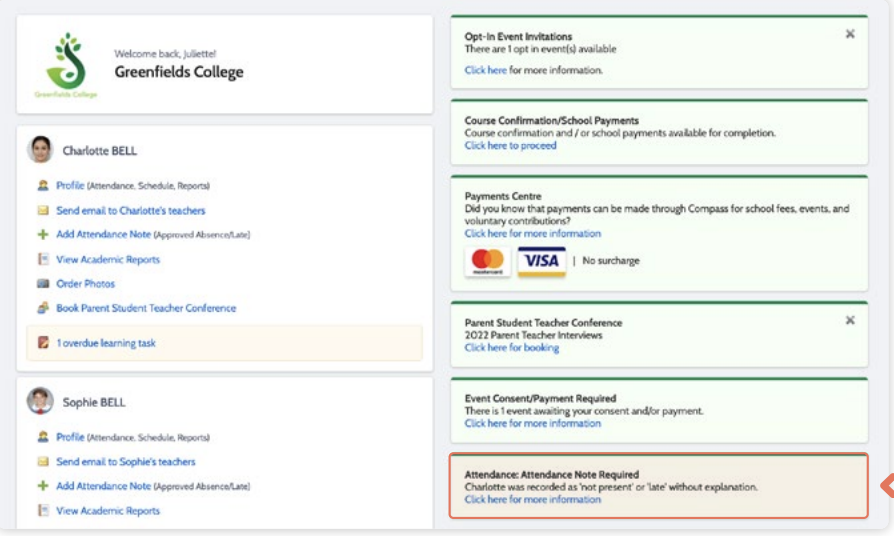
If your child is going to be away, you can add in an Attendance note to advise the school. To do so, click ‘Add Attendance Note (Approved Absence/Late)’.
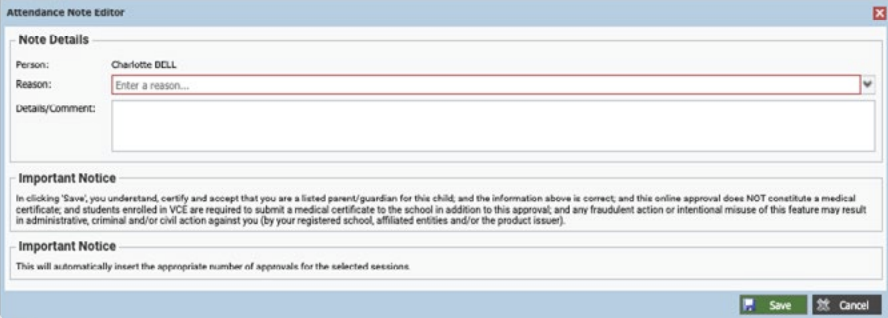
A Note screen will open. Select the applicable reason from the drop down list; add in any additional information if applicable in the Details/Comment box. Select the start and finish date/time of the absence and click ‘Save’
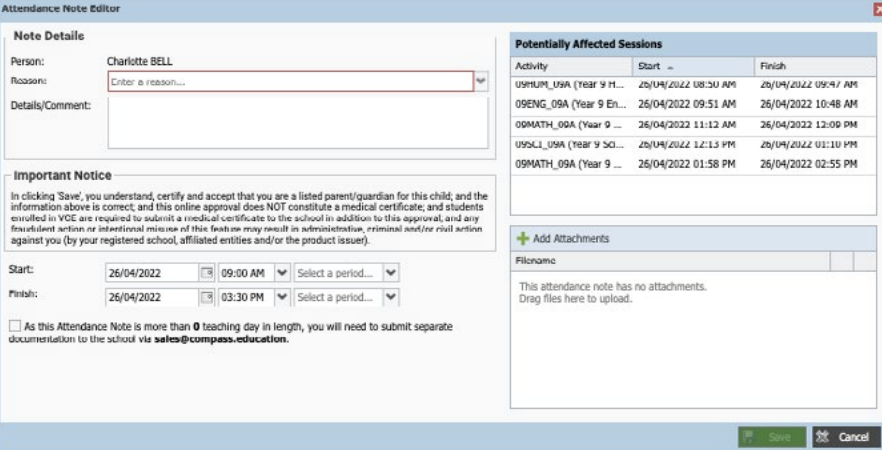
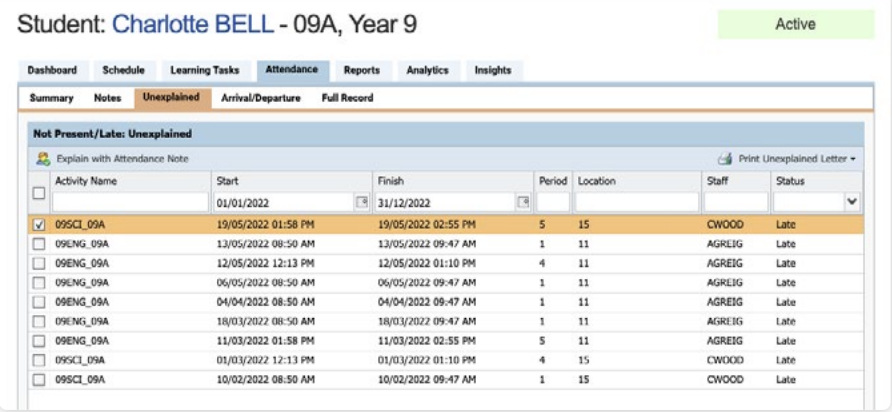
If your child has been marked Not Present without an explanation, you will be required to add an Attendance Note. You will see an alert on your homescreen. Click the alert and it will take you to your child’s ‘Unexplained’ attendance tab where you will see any sessions listed for which they were marked as Not Present or Late.
Select the session (or sessions) that you are adding a note for and then click ‘Explain with Attendance Note’. This will cause the Attendance Note screen to pop open.
Select the applicable reason for the absence and add in the relevant details/comment. Click ‘Save’. This will assign the attendance note to the sessions you selected and they will update to no longer show as unexplained absences.