
Whole School News
Foundation 2027 Enrolments Due 31st July
Do you have younger children due to commence school next year?
Enrolment forms are available from the front office, school website, or attached below.
Once complete, please email the form to newport.lakes.ps@education.vic.gov.au or hand in at the front office. Please include the following supporting documents:
- Official birth certificate and/or passport
- Immunisation records
- 100-point residential address check documents (checklist below)
- Visa/PR documents (if applicable)
Scholastic Book Club
Issue 5 book club - closes Friday 24/7/26
View catalogue - HERE
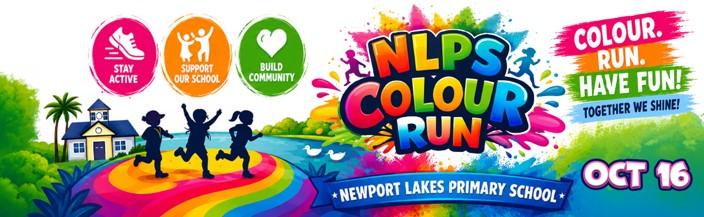
2026 COLOUR RUN IS COMING!!
Stay tuned for more exciting news in Term 3 on how to register and raise money!
ePlatform
ePlatform is a library lending system designed to make the borrowing and reading of eBooks as well as the listening of Audiobooks simple and enjoyable. The setup is simple to complete and the eBook reading process an enjoyable and seamless one.
Through ePlatform your library users are able to browse for, borrow and read eBooks and Audiobooks anywhere, anytime, on multiple devices. As the library administrator, you have full control over the process.
See below for information on what you’ll need to borrow eBooks or Audiobooks and what devices you can borrow on, and for answers to common queries read our frequently asked questions.
What do you need to borrow eBooks?
- A valid library card/login or student username & password (see login details below)
- Internet access
- A compatible device to read an eBook on or listen to an Audiobook (a computer, tablet or smartphone) within a modern web browser (eg. Google Chrome, Firefox, Internet Explorer 10, Safari etc.)
Login Details
- Access ePlatform = https://newportlakesps.eplatform.co/
- Username = Your child's student code from Compass (e.g. TZA0001)
- Password = Newport1
How do you read eBooks or listen to Audiobooks?
The simplest way to read eBooks or listen to Audiobooks is to access the free ePlatform app. Through this app your library users can easily find your library, then access all your titles and read or listen to them via their browser – even if offline, all via their tablet or smartphone.
The app can be accessed on an iPad, iPhone, Galaxy and most other devices. Using it is as easy as 1-2-3:
- Download the ePlatform app from the Apple and Google Play app stores.
- Look for your library and log in - you’ll only need to do this once.
- Search for, borrow and read or listen to any book you want!
For more information on the app and where to download it from read our app information.
Both the ePlatform app and website allow eBooks to be read via your browser. This means users can read either online or offline, and have access to a full range of display settings so they can customize their reading experience to match their preferences. For more on this see our browser reader information.
Audiobooks can be accessed just like the eBooks, but for offline listening, you will have to download the title first. To download an Audiobook you only need the ePlatform app - no extra software is acquired. After that you can listen to your Audiobook anywhere and anytime.