Online Safety Hub






















 John XXIII College

Online Safety Hub
The Hub includes expert advice on the most pertinent cyber safety issues and frequently asked questions around platforms like TikTok, Fortnite, Instagram, and more. There are app reviews with age and safety recommendations, a range of guides and resources to help ensure healthy boundaries around screen time and gaming, and step-by-step instructions for using parental controls and filtering out inappropriate content.
A parent’s guide to in-game chat: risks and safety tips
Particularly for kids, gaming is as much about connecting with friends as it is about gameplay – the vast open worlds of Roblox, Minecraft, or Fortnite have replaced the park or playground as places to hang out and chat. These community-based games have built-in chat features to allow kids to communicate in real time while they play.
While these chats can make gaming more fun and collaborative, there are inherent risks that parents should be aware of.
How in-game chat works on different platforms
In-game chat is a feature within multiplayer, online games that allows players to talk to each other in real time while they’re playing. Players might chat to coordinate gameplay, strategize, react to what’s happening in the game, or just shoot the breeze and banter. In-game chat is usually available as text or voice, depending on the game.
Text chat: In-game group chats, or direct messages to specific users. In Roblox, each experience (game) has a small chat window where players in the same server can talk to each other. In multiplayer worlds or servers on Minecraft, players can send messages to everyone or just to specific users.
Voice chat: Talking aloud with other players in a game, usually with a headset. In Fortnite, voice chat is the main way players communicate. On Roblox, voice chat is only available for verified users over 13. Minecraft doesn’t have built-in voice chat.
Some players might find a game’s built-in chat limited, and so they prefer to use external apps or tools to communicate, such as Discord. For example, since Minecraft doesn’t offer voice chat, players might talk through Discord instead.
Safety risks for kids using in-game chat
Contact with adults
The biggest concern for most parents is that their child could be contacted by adults pretending to be younger players – potentially leading to grooming and other dangerous situations.
Bad language
Even with moderation, kids can still be exposed to swearing, hate speech, or sexual references in chats that the game’s filters don’t catch. Voice chat can be especially problematic and hard to moderate.
Bullying and hate
Teasing, exclusion, and “trash-talk-gone-too-far” can all occur in gaming chats. Again, this behaviour is harder to manage in voice chats as there’s no written record of what’s been said.
Revealing personal information
During a heated match or casual chat, a child might let slip some private details, such as their real name, school, or location.

In-game chat: 5 ways to keep kids safe
1. Disable or restrict chat
Settings vary depending on the platform, but on Roblox, for example, parents can turn off chat entirely or limit who a child can communicate with. This includes disabling in-game chat, restricting messages to friends only, or blocking private messaging, depending on the child’s age and the settings chosen.
2. Co-play or supervise
Playing together, or even just watching your child play, will help you better understand the game’s chat and spot potential red flags.
3. Set clear chat boundaries
You could allow your child to play and chat only if they agree to certain rules. Non-negotiables should be: no sharing of personal information, no meeting up with people they meet online, and telling an adult immediately if any chat feels wrong.
Gaming chat rules can form part of your family’s digital agreement.
4. Discuss blocking and reporting
You won’t always be around to protect your child against problematic users, so they must know what to do when someone harasses them or talks inappropriately. Together, go through the process of blocking and reporting users before you let them play alone.
5. Get notified about concerning voice chats
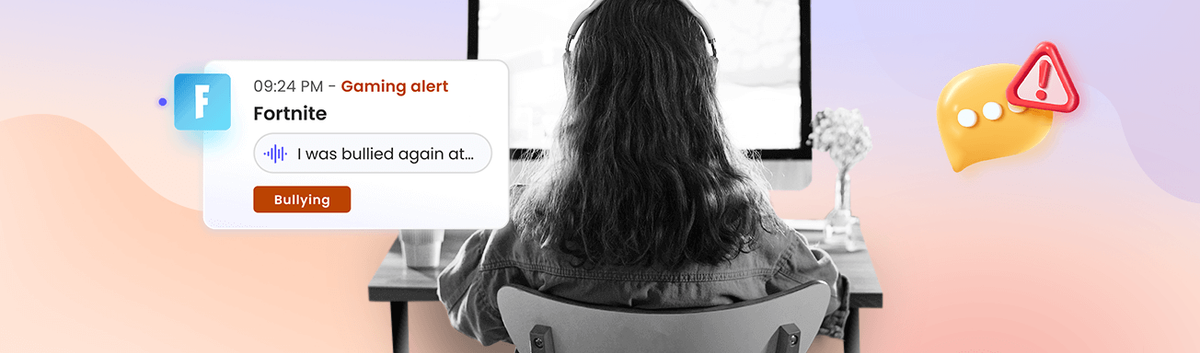
Because it’s harder for platforms to moderate, voice chat is often more problematic than text. However, some parental control tools, like those offered by Qustodio, can alert parents when something problematic appears in their child’s in-game voice chat. This helps parents stay aware of what’s happening -without needing to constantly supervise – and step in if needed.
Qustodio offers Gaming voice alerts for some of the most popular games that kids play today, including Roblox, Valorant, and Fortnite, as well as platforms like Discord and Steam.
For many kids, gaming is a social activity, and in-game chat is just a part of the experience as the gameplay itself. Unfortunately, communicating with other users, whether through text or voice chat, can expose kids to risks like adult interactions and cyberbullying. With a combination of safety features, awareness of risks, and boundary setting, we can help keep our kids safe while they’re enjoying their favourite games.
Reference: A parent’s guide to in-game chat: risks and safety tips | Qustodio