
SIMON Everywhere & PAM

Instructions for families to use PAM and Simon Everywhere:
https://www.youtube.com/watch?v=HZWwJOwG0pg
The SIMON Everywhere app is back!
To access the SIMON Everywhere app please follow the below steps:
- Download the SIMON Everywhere app
- Enter the school code - 163723
Login with your unique details
https://pam.sptongala.catholic.edu.au
PAM can be accessed by using your web browser and following the steps below.
To access PAM:
- Go to pam.sptongala.catholic.edu.au
- Use the email address that this message has been sent to
- Click “Forgot Password”
- Follow the prompts to reset your password to something that works for you
Once set up, Simon Everywhere/PAM allows you to enter absences, view reports, book learning conversations and provide permissions for camps and excursions.
NOTIFICATIONS
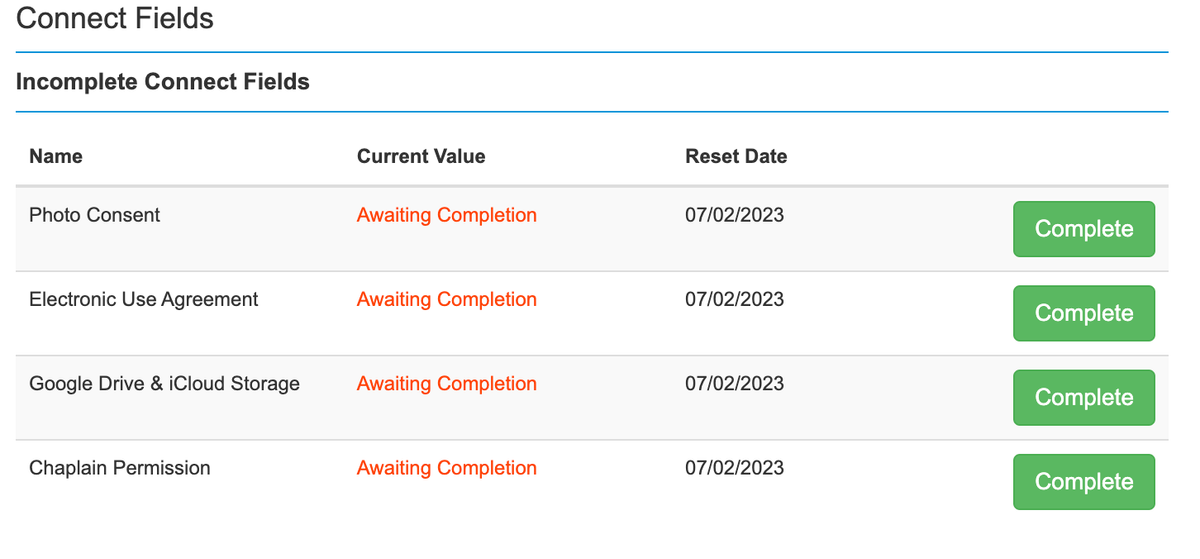
You will receive a notification on PAM/Simon Everywhere to complete 'Connect Fields' including:
-Photo consent
-Electronic Use Agreement
-Google Drive and iCloud storage
-Occupational Therapist Permission
You will also be required to enter and update your child's medical information on this platform.