Lighthouse Update















 Clayfield College
Thank you to the parents, caregivers and staff who have attended our Lighthouse Support Sessions. We appreciate your engagement with the platform and the questions and feedback you have shared.
In response to some of the commonly asked questions, we have prepared the following information to help all members of our community get the most out of Lighthouse.
If you have any further questions or wish to know more about a particular feature, please contact lighthouse@clayfield.qld.edu.au.
Frequently Asked Questions
What do I need to do to enable push notifications on my mobile device?
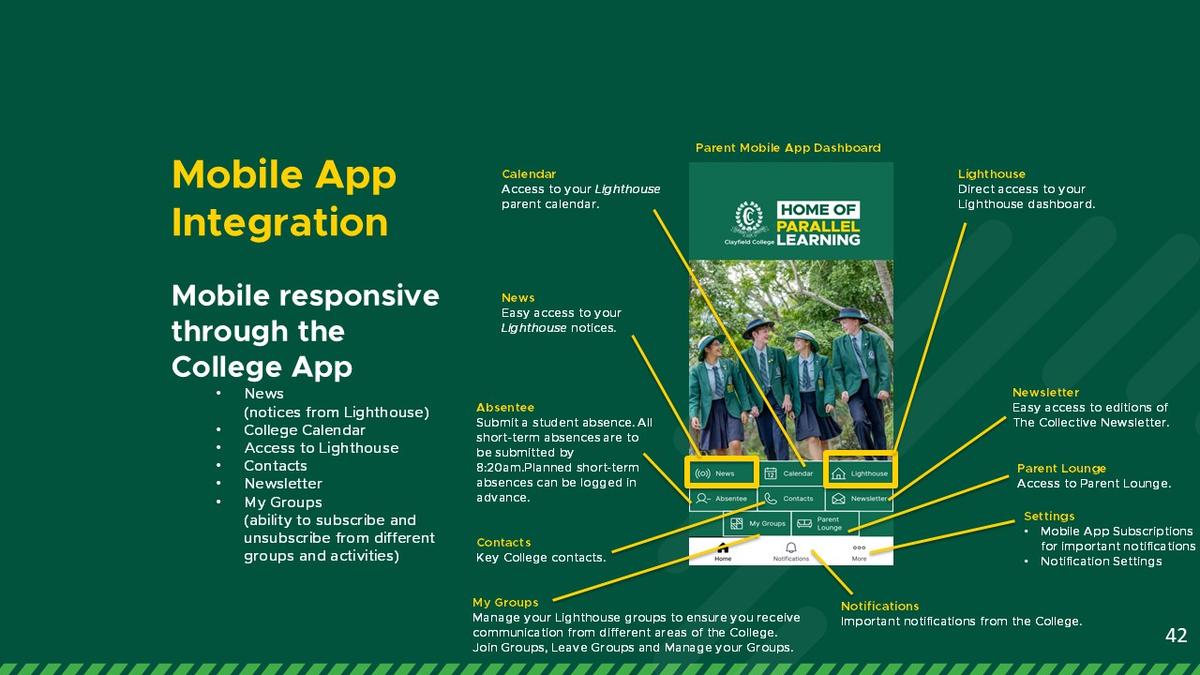
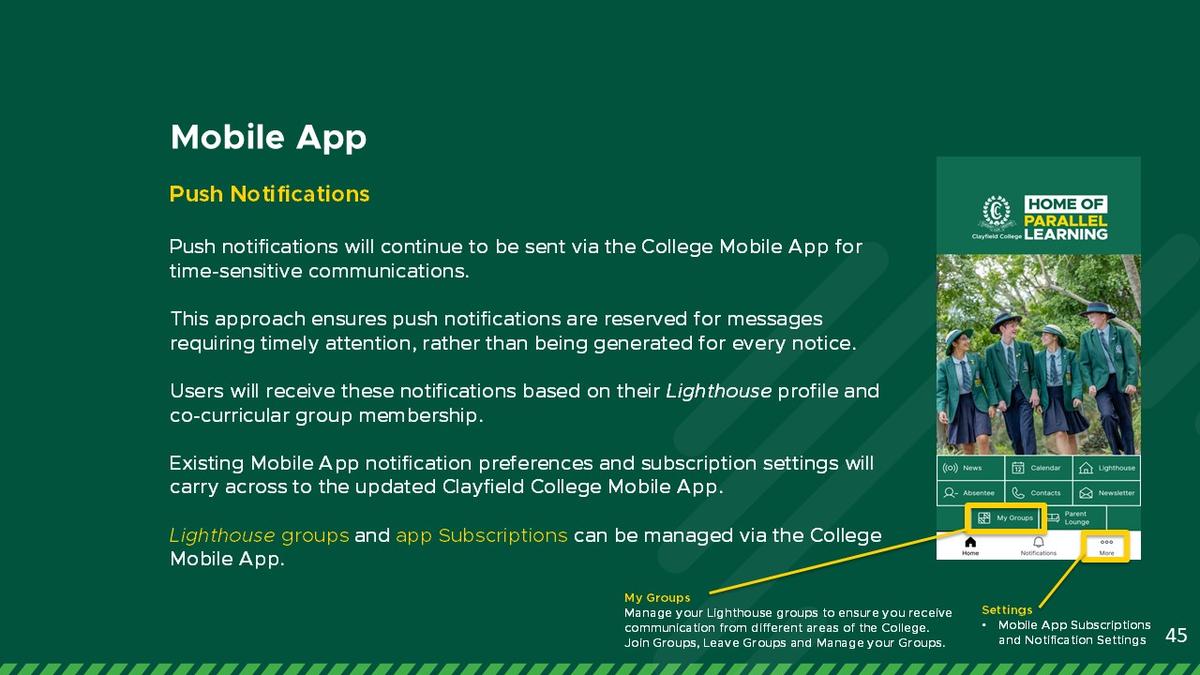
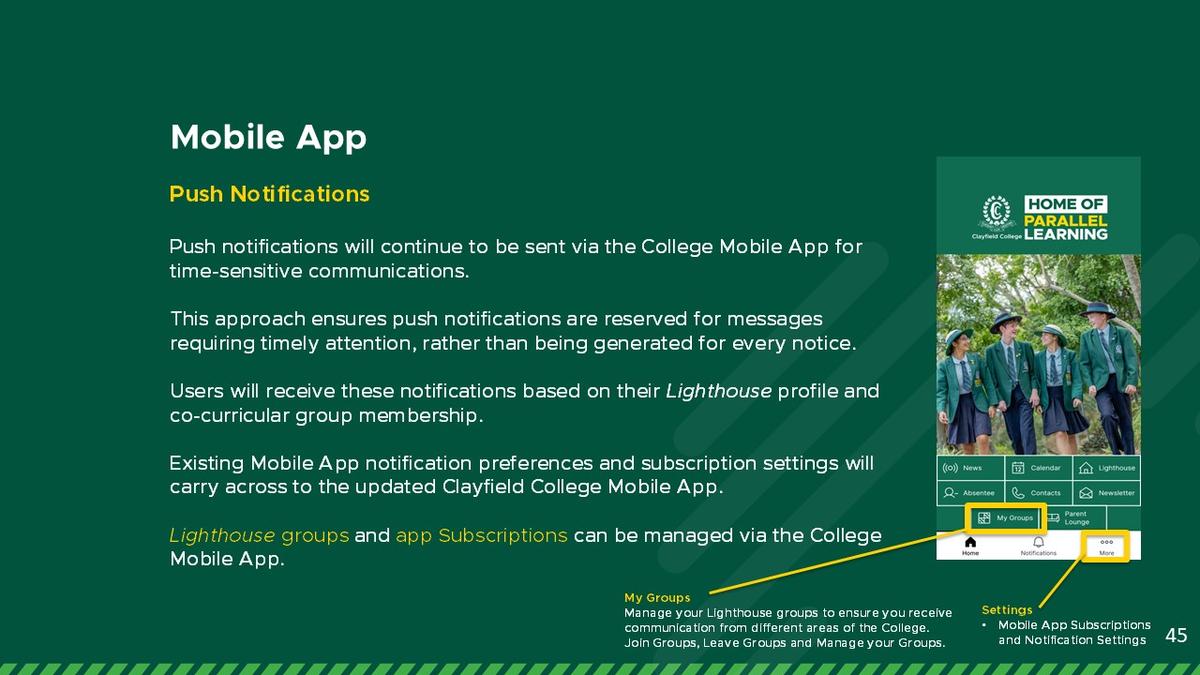
Push notifications will continue to be sent via the College Mobile App for important, time-sensitive communications. This ensures push notifications are reserved for messages requiring timely attention, rather than being generated for every notice published in Lighthouse.
The notifications you receive are determined by your Lighthouse profile and co-curricular group memberships.
Action required: Check your group memberships and App notification settings via the College Mobile App. Ensure you have enabled push notifications in your App settings.
Visit the Lighthouse Resources Page for information on Mobile App integration.
Why should I join Lighthouse groups?
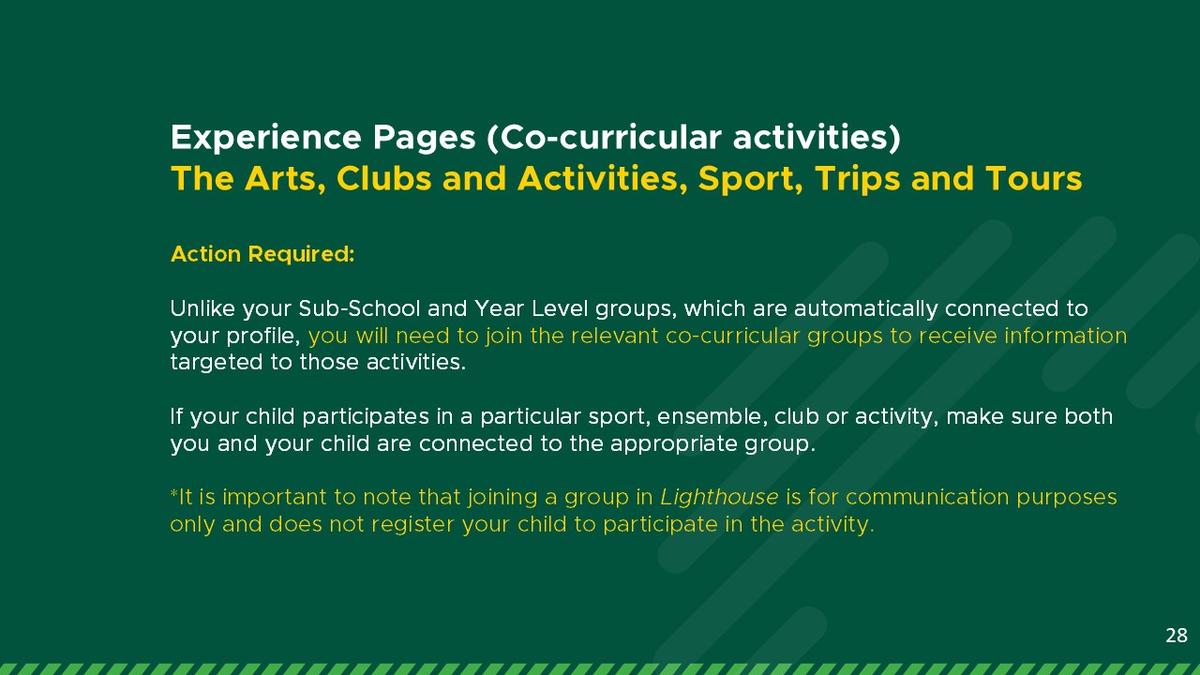
Joining relevant Lighthouse groups ensures you receive information and updates about the co-curricular activities that interest your family.
Group membership helps ensure you receive communications relevant to your child's activities, including important updates and time-sensitive push notifications. If you have not joined a relevant group, you may miss important information about that activity.
How can I join Lighthouse groups?
There are three main ways to join groups in Lighthouse:
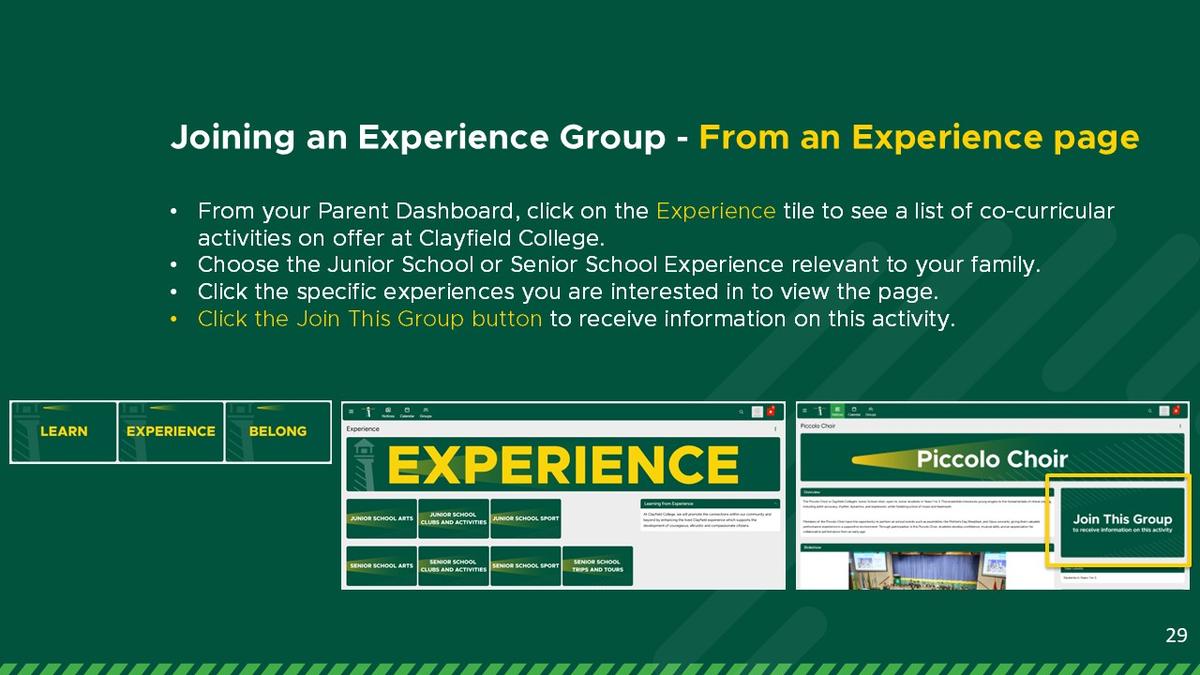
- Through a co-curricular Experience page: Use the Experience button on your dashboard to navigate to the relevant group page (e.g. Vivo Strings, Senior Boys Touch Football or the Saint Kentigern College Exchange Program) and select Join This Group.
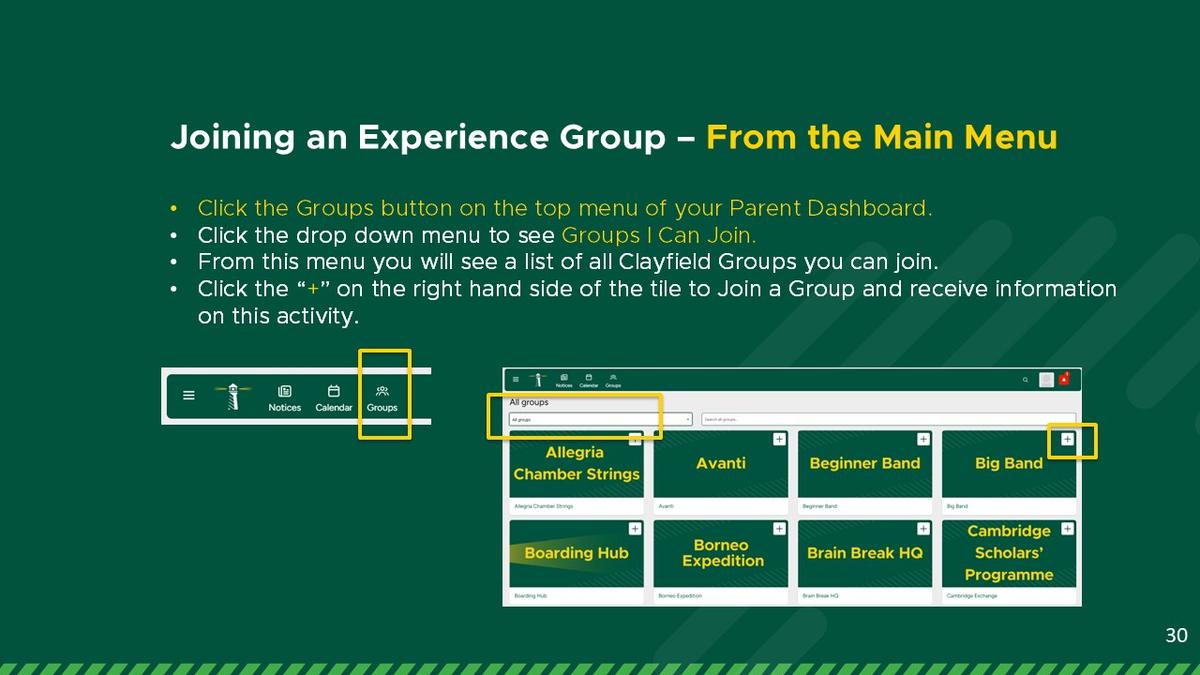
- Through your Parent or Student Dashboard: Select Groups from the top navigation menu and explore the available groups using the drop-down menu.
- Through the College Mobile App: Open My Groups, select the three dots in the top-right corner and choose Join a New Group.
Visit the Lighthouse Resources Page for information on joining groups: Creative Arts, Music, Clubs and Activities, Sports, Trips and Tours.
How will I receive general College notices?
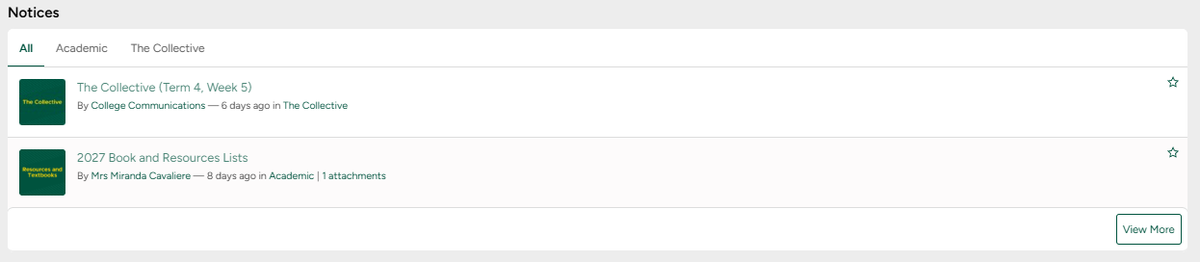
General notices, reminders and updates will be published in Lighthouse and accessible through via the Notices section on your Parent, Student or Staff Dashboard.
Each afternoon, you will also receive an email digest containing links to the notices relevant to you that have been published throughout the day.
These multiple access points mean you can stay informed by checking your Lighthouse dashboard or reviewing your daily email digest, with push notifications reserved for important, time-sensitive communications.
How does OneNote (Class Notebook) and Lighthouse work together to support learning?
Some of our teachers have curated and organised rich learning materials within Microsoft OneNote Class Notebook. Teachers who will continue using OneNote will link their class notebooks directly to their Class Pages on Lighthouse.
The below points help clarify how OneNote and Lighthouse work together:
- OneNote Class Notebook: Serves as a digital resource hub accessible directly by students via Class Pages for learning materials.
- Lighthouse: Serves as our central Learning Management System (LMS). In addition to the Class Pages which provide students access to key updates, course outlines and selected public resources will be accessible via Year Level Course and Unit Pages for parents and students to view.
Can I access my child's Assessment and Feedback on Lighthouse?
As part of our phased LMS rollout, assessment and feedback features on Lighthouse will be introduced gradually over the next couple of years. All summative assessment results and feedback will continue to be accessible via Parent Lounge.
What are Learning Moments and how will they be used in the Junior School?
Starting in 2027, the Year Levels in the Junior School that currently use ClassDojo will transition to Learning Moments on Lighthouse.
This feature allows teachers to document and share rich insights into student progress, including photos, videos, audio recordings, uploaded files and observations. Parents will receive all relevant Learning Moments directly via Lighthouse notices on their Parent Dashboard.
In-person Support Sessions and Parent Resources
The next in-person Parent Support Session will be held tomorrow, on Friday 13 November at 7:45am to 8:15am in the Clayfield College Museum.
Families can also visit the Lighthouse Resources page to view the Parent User Guide and How-To-Videos.
For assistance, please contact our Lighthouse Project Team via lighthouse@clayfield.qld.edu.au.