






Page 0 Banner Photo
Cover Page
For your diary  Banner Photo
For your diary Key Dates, Follow Along on Social Media
From the Principal  Banner Photo
From the Principal
2027 Parent Contributions Banner Photo
2027 Parent Contributions 2027 Parent Contributions: Supporting Our Students and Our School 
Student Leadership Banner Photo
Student Leadership Big Teamwork, Generous Hearts 
From the Library  Banner Photo
From the Library Creativity, Colour and a Little Exam Prep! 
Year 7 Ancient Greece Day Banner Photo
Year 7 Ancient Greece Day What Makes a Hero?
Student Services: Careers Banner Photo
Student Services: Careers  YEAR 9 MORRISBY PROGRAM , YEAR 10 REAL INDUSTRY JOB INTERVIEWS (RIJI) , YEAR 12 TRANSITION INFORMATION: , SUPPORT FOR STUDENTS – RESULTS RELEASE AND OFFER DAYS 
Debating  Banner Photo
Debating  Grade 6 Public Speaking Competition , Interschool debating: Junior School Program 
Debating & Public Speaking Club Banner Photo
Debating & Public Speaking Club Expression of Interest: 2027 Debating and Public Speaking Club 
Sports News Banner Photo
Sports News Year 9/10 Boys/Mixed Hockey , Year 9/10 Boys Regional Table Tennis  , Year 8 Boys/Mixed Basketball Regionals , Year 8 Girls Regional Hockey , Year 8 Girls Regional Cricket , Year 7 Boys/Mixed Regional Hockey  , Year 7 Boys/Mixed Regional Basketball , Yr 7 Boys / Mixed Regional Table Tennis , Coming up : 
International Student Program Banner Photo
International Student Program Celebrates Student Achievement , Special Acknowledgement, ELC Camp Adventure in Anglesea , Chinese First Language NGV Excursion 
Centenary Art & Design Show Banner Photo
Centenary Art & Design Show Centenary Art & Design Show, Centenary Art + Design Show – Celebrating 100 Years of Creativity
Art & Design News Banner Photo
Art & Design News ART CLUB PROJECT 2026 , Donate Your Spare Newspapers
End of Year Music Celebration Banner Photo
End of Year Music Celebration Celebrate the end of 2026 with our talented students!
RIJI Banner Photo
RIJI Real Industry Job Interviews (RIJI) 
Compass App Update Banner Photo
Compass App Update Attendance Notes, SMS Link, Attendance Summary
Community Notices  Banner Photo
Community Notices HSBN Basketball 2027, Princes Hill Tennis Club - This Girl Can, Coburg Hill School Of Music
Centenary Ripples Magazine Banner Photo
Centenary Ripples Magazine Celebrating 100 Years of Northcote High School! 
From the Archives Banner Photo
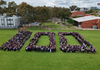
From the Archives From the Archives – A Whole School in One Photograph! 
View archive
Published by
Northcote High School

St. Georges Rd, Northcote, Victoria, 3070, AUhttp://www.nhs.vic.edu.au9488 2300
Banner Photo

Compass App Update

You may have noticed that your Compass app has recently been updated. Here is a quick guide for some of the updated features for parents/guardians

Attendance Notes

An attendance note is used to explain when a student will be absent or late to school.

From the homepage, click the plus button in the bottom corner and click 'Add Absentee'. 

If you have multiple children attending school, select the relevant student/s

  • 'What's happening' 
    • Absent all day
    • Arriving late
    • Leaving early
    • Leaving early, returning
  • 'When'
    • What is the date of the absence
    • Multi-day option available
  • Reason of absence
    • Medical - illness
    • Medical - appointment
    • Bereavement
    • Etc.
  • 'Comments'
    • Enter a brief description about their absence
  • Attach any relevant documents (if available)
    • E.g: medical certificate
  • Click ‘Submit’ 

When possible, please enter an attendance note prior to the absence/lateness.

SMS Link

If your young person is marked as absent without prior approval you will receive a message containing a link. Clicking the link will give you the opportunity to explain the absence.

The link will expire after you have clicked it, meaning that it cannot be used to explain unapproved absences in the future. Instead, you will receive another message containing a new link, allowing you to repeat the process.

Attendance Summary

  • Homepage, click on your young person's profile picture
  • In their profile, you can view full attendance summary to see a dashboard of their attendance
  • Scroll to see a class-by-class breakdown of their attendance

When students are marked ‘Not Present’ in class this can sit in one of three different categories. These include:

NP Schl

  • Not present in class and is explained by a school related activity.

NP Parnt

  • Not present in class and is explained by a parent approval.

NP Unap 

  • Not present in class with no explanation entered.


If you have any questions regarding attendance or need assistance adding or editing an attendance note, please contact our attendance officer Megan Barton 

megan.barton@nhs.vic.edu.au


To view the all new Compass app features, please click the link below:

https://www.compass.education/guide/#What-is-Compass