News from the Office & School Events
Special Events Information & Administration Updates
Contact Details: office@shnewport.catholic.edu.au














 Sacred Heart Primary School
News from the Office & School Events
Special Events Information & Administration Updates
Contact Details: office@shnewport.catholic.edu.au


All online orders are to be submitted by Sunday 6th September
Issue 5 orders will also remain open.
Melbourne Archdiocese Catholic Schools – School Improvement Surveys (MACSSIS): 31 August –18 September 2026
Every year, we pause to listen to our students, families and staff to gauge how our learning community is travelling. This feedback is invaluable to our progress as an effective school community and is backed by evidence-based research and best practices.
A significant and formal way in which we engage and gather data is through MACSSIS, the Melbourne Archdiocese Catholic Schools – School Improvement Surveys.
MACSSIS is a set of surveys that have been built specifically for Catholic schools in Melbourne by the School Effectiveness team at MACS, in partnership with researchers at Learning First and in wide consultation with principals in Catholic schools in Melbourne.
In 2026, students, families and staff are invited to participate in MACSSIS via our secure and purpose-built online platform. The online platform is where our school leaders will access the summary reports that visualise the results of the student, family and staff surveys.
The MACSSIS survey platform is operated by an independent supplier, ORIMA Research Pty Ltd. The platform meets the high security and privacy standards for handling student and school data.
Students at our school will be provided with supervised sessions, where teachers are on hand to help and answer any questions. Families and staff can complete the survey anytime during the three-week window via an emailed link and password. Feedback has indicated that previous surveys were completed across a range of mobile devices and different web browsers. Schools will be providing more information about MACSSIS throughout Term 2 and 3, via newsletters and social media.
Our community’s opinions are critical to understanding how our school is performing – MACSSIS is a key data source for guiding the ongoing work to improve our school.
All participation is invited, welcomed and 100 per cent voluntary. The surveys are not a test; they are an inclusive way to support the work we are already doing to improve our school. Everyone has the right to refuse to participate, or withdraw from the survey at any point before, during or after completion of the survey. Please notify the school if your child does not wish to participate.
If you would like more information, please contact the school.
Yours sincerely,
Principal

A friendly reminder to families that dogs are not permitted on school grounds before, during or after school hours. While we know that many families walk their dog for school drop off or pick up, this requirement helps ensure the health, safety and wellbeing of all students, staff and visitors.
We appreciate your support in helping us maintain a safe and welcoming environment for everyone.
We ask for your support in ensuring that students are attending school in the correct Sacred Heart school uniform each day. PE uniform and runners should only be worn on days that students have PE.
All shoulder length hair needs to be tied up/back with hair ties or scruchies. There have been quite a few cases of headlice in recent weeks.
The correct uniform can be viewed on the PSW website.
Please note the attached letter from the Uniform Group PSW regarding price adjustments for school uniforms as of the 1st October.
The preferred option for payment of school fees is via the CDFpay App by setting up payments either via credit card (fees apply) or direct debit (no fees). Please see below for information and instructions on how to set up the CDFpay App.
Alternatively, payments can be made using the following options:
Electronic Bank Transfer/Direct Debit (families will need to keep track of their own payments): School Bank details are shown on the bottom of your school fee statement. Please quote your FAMILY NAME as reference
Thank you to the families who have already set up their school fee payments. If you have any questions regarding school fees or require further assistance, please contact Mary at the school office.
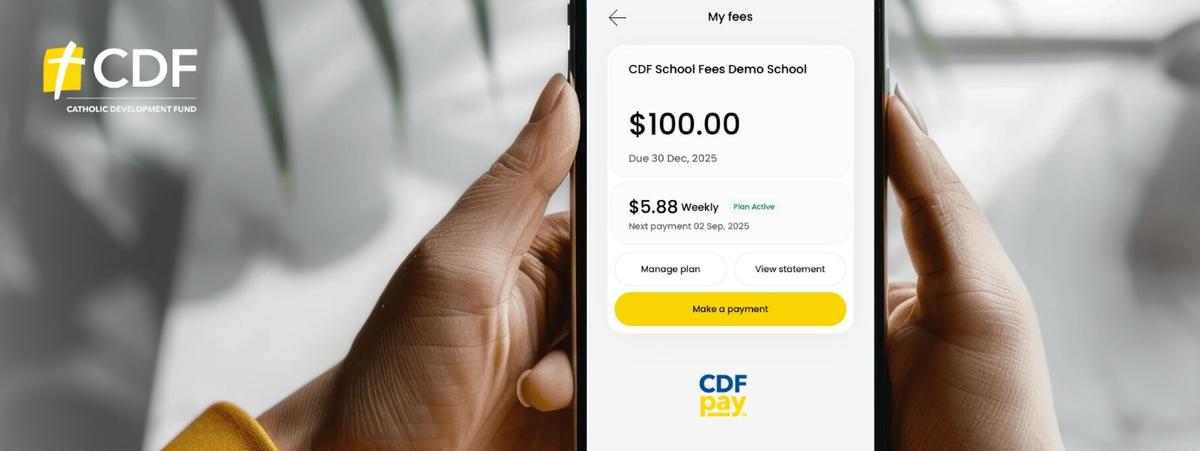
What you need to do
Please follow these instructions to register for a CDFpay account for payment of school fees:
Note: Only one parent or guardian per account code will be able to link and manage school fees in CDFpay.
CDFpay support
Further information and FAQs are available at https://support.flexischools.com.au/cdfpay-school-fees#main-content
nForma is the school’s platform for managing the following functions:
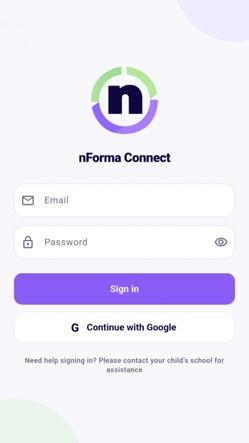
Please ensure that you download the nForma Connect App, so that you can use the above functions.
We will continue to use Seesaw in 2026 for the purposes it is now used for.
If you require assistance, please contact the school office on 93916262.