Page 0 Banner Photo
Cover Page
Prayer Banner Photo
Prayer
From the Principal's Desk... Banner Photo
From the Principal's Desk... 25th Anniversary & Feast Day Celebrations, Choir and Liturgical Dancers, Welcome to St Helena's Catholic Primary School, Book Week Parade, Father's Day Breakfast and Liturgy, Learning Journey
St Helena's Catholic Primary School's 25th Anniversary Banner Photo
St Helena's Catholic Primary School's 25th Anniversary See how much St Helena's Catholic Primary School has grown in 25 years here., Monday 12 August - 90's Dress Up Day, Tuesday 13th August - Feast Day Stalls, Wednesday 14 August - Quilt Activity, Thursday 15 August - Buddy Activity, Friday 16 August - 25th Anniversary & Feast Day Mass
25th Anniversary Artwork Banner Photo
25th Anniversary Artwork
Religious Education & Faith Life Banner Photo
Religious Education & Faith Life
Important Dates Banner Photo
Important Dates Other Important Dates Coming Up..., Term Dates in 2024, Pupil Free Days in 2024
School Notices Banner Photo
School Notices Change of Address or Personal Information, Book Fair & Book Week Dress Up, P&F Father's Day Stall, Father's Day Breakfast, Learning Journey, Twilight Tour, Kindy 2025 Enrolments, Athletics Club, Premier's Reading Challenge, Upcoming Events, Social Media
Early Childhood News(Pre-Kindy to Year 2) Banner Photo
Early Childhood News(Pre-Kindy to Year 2) Nursey Rhymes
Primary News (Year 3 to Year 6) Banner Photo

Primary News (Year 3 to Year 6) Enhancing Computer Literacy at Home for Years 3-6 Students

Classroom News  Banner Photo
Classroom News  Pre-Kindergarten - Little Adventurers, Pre-Primary Lorikeets and Possums, Year 5 Bandicoots and Dingoes
Student Wellbeing Banner Photo
Student Wellbeing Family Routines
Science Week Banner Photo
Science Week
Mary MacKillop Feast Day Liturgy Banner Photo
Mary MacKillop Feast Day Liturgy
Kindy "When I grow up" Dress Up Day Banner Photo
Kindy "When I grow up" Dress Up Day
School Choir - Performing Arts Festival Banner Photo
School Choir - Performing Arts Festival
Premier's Reading Challenge Banner Photo
Premier's Reading Challenge
P&F News Banner Photo
P&F News Catholic School Parents WA News
Meet our Staff Banner Photo
Meet our Staff
Student Code of Conduct Banner Photo
Student Code of Conduct
Discovery Kids Banner Photo
Discovery Kids Out of School Hours Care
Medical Information Banner Photo
Medical Information
Canteen Banner Photo
Canteen
Uniforms Banner Photo
Uniforms
Enrolments Banner Photo
Enrolments Enrolments for Pre-Kindy 2024 & , Kindy 2025 Are Open! 
Parish News Banner Photo
Parish News Sacrament of First Eucharist
Community Updates Banner Photo
Community Updates School Sport
Neighbourhood Notices Banner Photo
Neighbourhood Notices
Share Some News Banner Photo
Share Some News Annie McDermott - Year 3 Numbats, SHARE SOME NEWS
Follow Us Banner Photo
Follow Us
Banner Photo

Primary News


(Year 3 to Year 6)
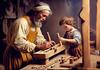
Enhancing Computer Literacy at Home for Years 3-6 Students


In today’s digital age, computer literacy is an essential skill for our children. As students in Years 3-6, your children are at a prime age to develop these skills, which will benefit them throughout their education and future careers. Here are some practical tips to help enhance your child’s computer literacy at home:


1. Encourage Safe Internet Use

Teach your children about online safety. Discuss the importance of not sharing personal information and recognising trustworthy websites. Utilise parental controls and safe search settings to create a secure online environment.


2. Educational Software and Apps

There are numerous educational programs and apps designed to make learning fun. Programs like Scratch can introduce your child to basic coding, while apps like Khan Academy offer a wide range of subjects, including computer science.


3. Set Up a Dedicated Learning Space

Create a comfortable and distraction-free area for your child to use the computer. This helps them focus and establishes a routine for their computer-based learning activities.


4. Incorporate Technology into Daily Activities

Encourage your child to use technology for everyday tasks. This could include typing up a story, creating a digital presentation, or using educational websites for research. These activities help them become more comfortable and proficient with various computer applications.


5. Monitor and Limit Screen Time

While it’s important for children to develop computer skills, it’s equally important to balance screen time with other activities. Set clear guidelines for how much time they can spend on the computer and ensure they take regular breaks.


6. Stay Involved and Supportive

Show interest in what your child is learning and doing on the computer. Ask them to teach you something new they’ve learned, which reinforces their knowledge and boosts their confidence.


By integrating these practices into your daily routine, you can help your child develop strong computer literacy skills that will serve them well in school and beyond. Thank you for your continued support in your child’s education.