Library Matters





 Pakenham Secondary College
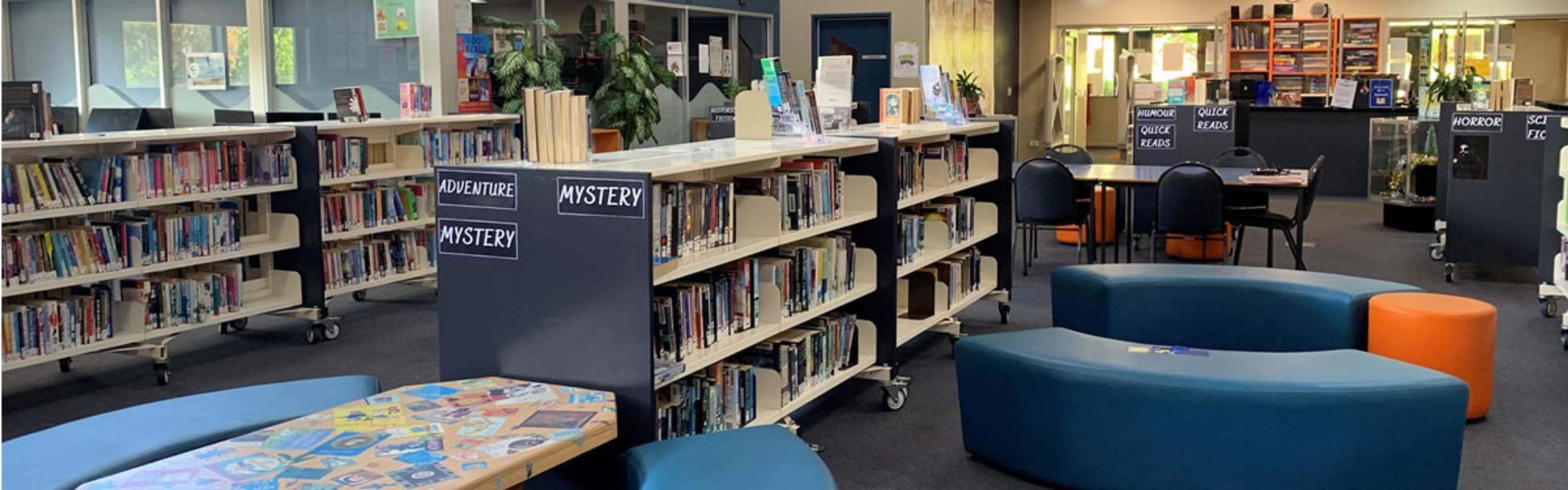

Gracie Brooks from Year 9 giving a fantastic "Book Rap" to her fellow students and Ms Erjavec during a library session
Our Reading Challenges
Our Library is excited to offer two fantastic reading challenges this year: The Victorian Premiers' Reading Challenge and our very own Rip Roaring Reading Challenge. Both are designed to engage students in Years 7–10, with options tailored to suit a wide range of interests, abilities and desires.
There’s something for everyone and plenty of rewards too! Students who complete either challenge can look forward to prizes, celebration parties and even book gifts. Of course, the greatest reward is the joy and personal growth that comes from reading itself.
At the heart of both challenges is a simple message:
Read because it’s good for you - in all sorts of ways.
As in the quotes below, reading connects us:
to powerful stories
to new ideas and knowledge
to the experiences and lives of others
As our school motto says, “We Grow Through Connection.” In reading, we truly live that message - growing through the connections we make with books, authors and each other.
We encourage all students to get involved and discover just how rewarding reading can be!
“Reading is a discount ticket to everywhere.”― Mary Schmich
Reading connects us to a narrative, a story and who knows where it will end.
“....You discover that your longings are universal longings, that you’re not lonely and isolated from anyone. You belong.” ― F. Scott Fitzgerald
C.S. Lewis said “we read to know we are not alone”. What a great comfort a good book is when we find our friends or even ourselves in the story.
Useful Library Links
Connected Libraries:
BUNJIL/CRANBOURNE/ENDEAVOUR HILLS/HAMPTON PARK/CRANBOURNE WEST
Myli - My Library Community
PAKENHAM PUBLIC LIBRARY
Cnr John Street & Henry Street, Pakenham
Opening hours:
Monday – Thursday 9:00-8:00
Friday 9:00-9:00
Saturday 10:00-4:00
Sunday 1:00-4:00
LIBRARY CATALOGUE
FREE FOOD FRIDAY AT PAKENHAM LIBRARY
ENGLISH CONVERSATION GROUP
COMMUNITY EVENTS AT PAKENHAM LIBRARY
SORA Reading App Instructions
Here are some instructions on how to install the SORA Reading App.
“You can find magic wherever you look. Sit back and relax, all you need is a book.” Dr Seuss
Enjoy some sensational spring reading by logging into SORA, our library’s fantastic eBook and audio book Reading App. We are sure you will find a book that grabs you amongst the hundreds of books included in the extensive range.
Install the SORA app on your phone or computer using your Compass Username (For example: GARA001). The password is simply: password. Please read below for the instructions.
The default setting will only allow books to download when you are connected to Wi-Fi so it will not gobble up your data. See how you go.
Sora Install Instructions
- Install the Sora app from the Apple App Store of Google Play store, go to soraapp.com
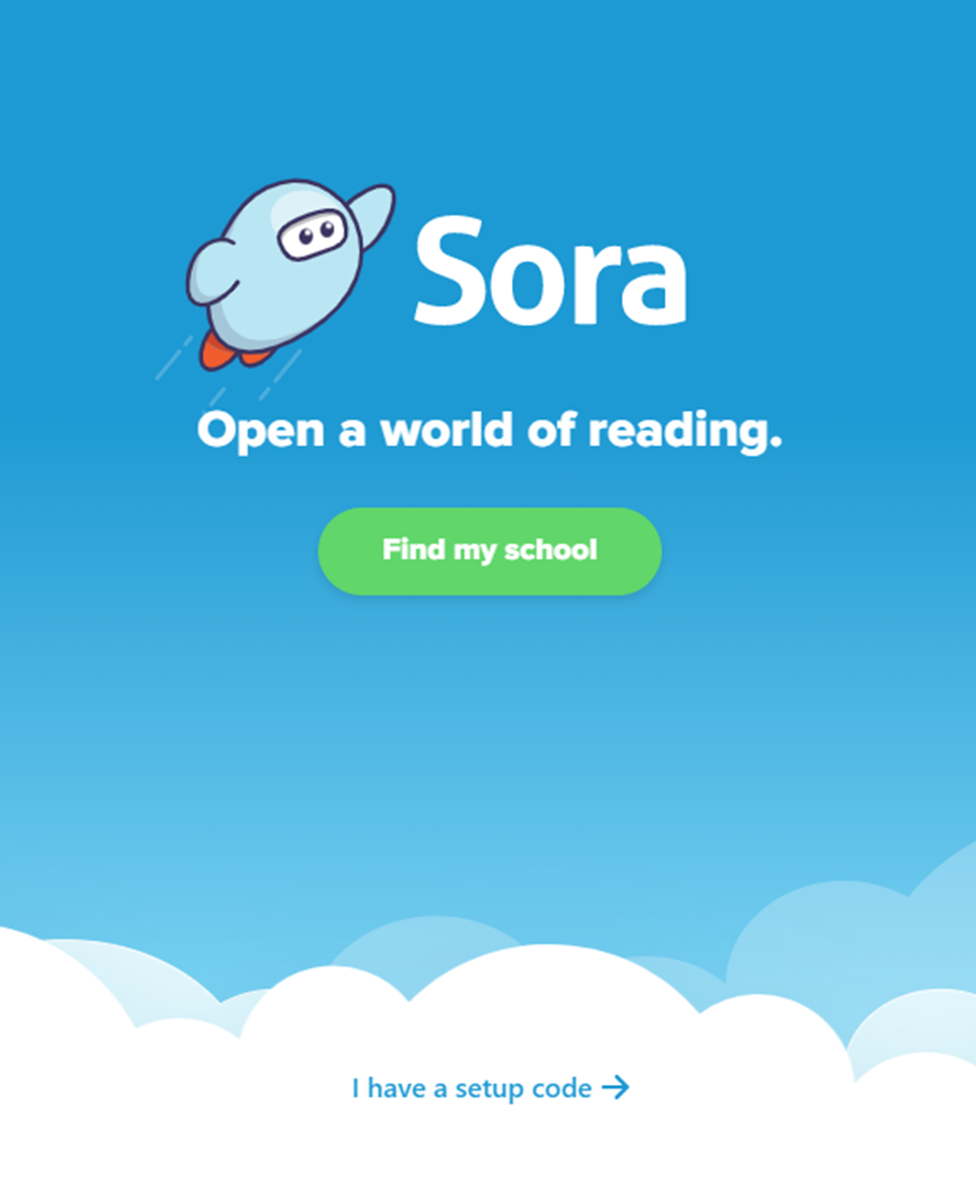
2. Click 'Find my school'
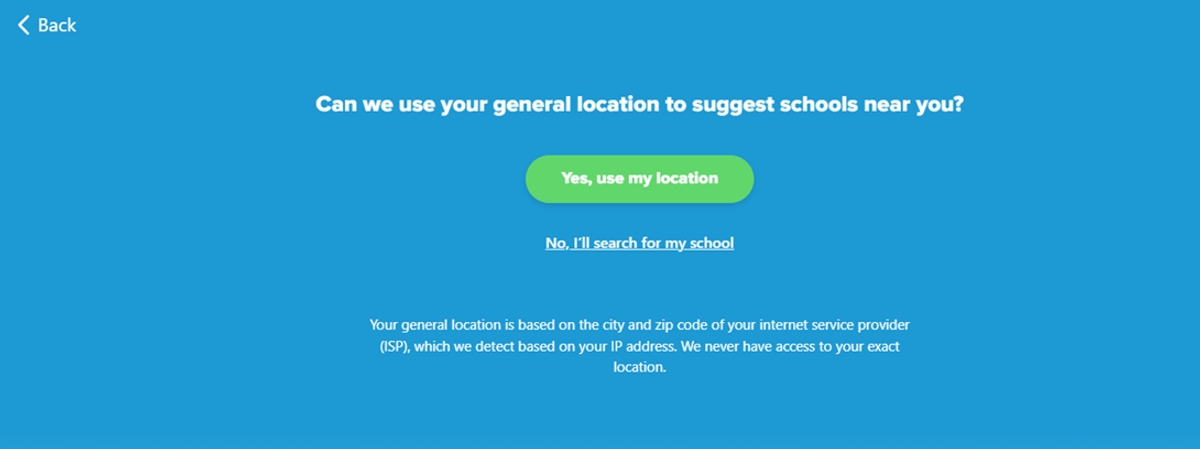
3. Click 'No, I’ll search for my school’
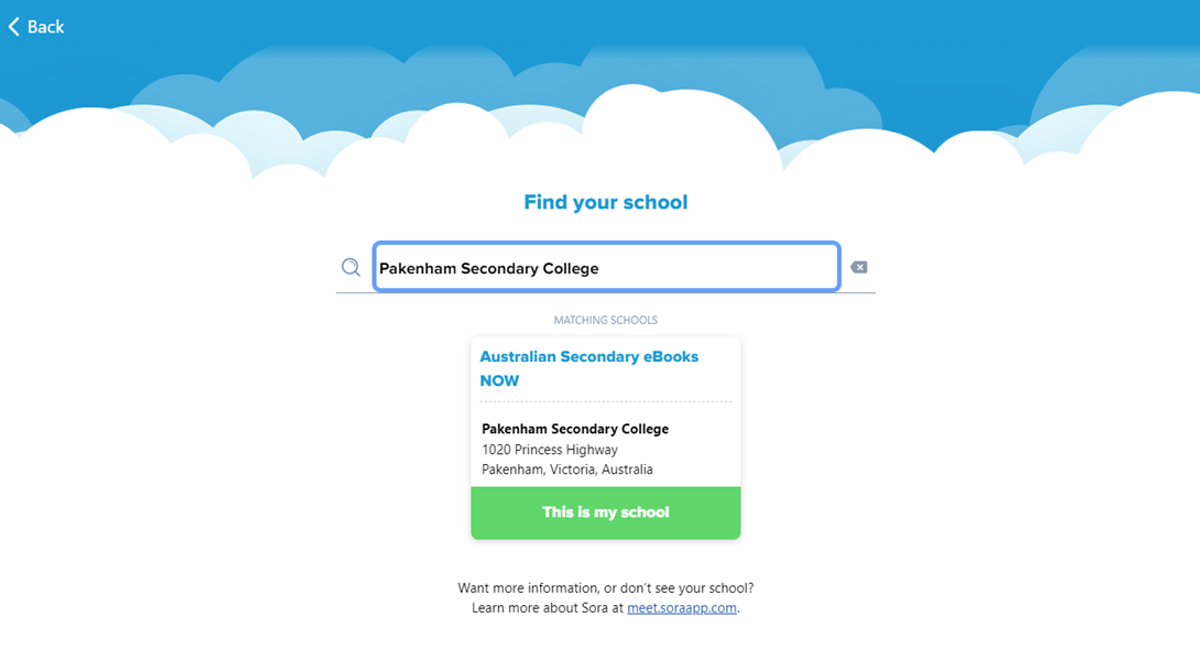
4. Type in ‘Pakenham Secondary College’ and click ‘This is my school’
5. From the drop-down menu, scroll until you find ‘Pakenham Secondary College’
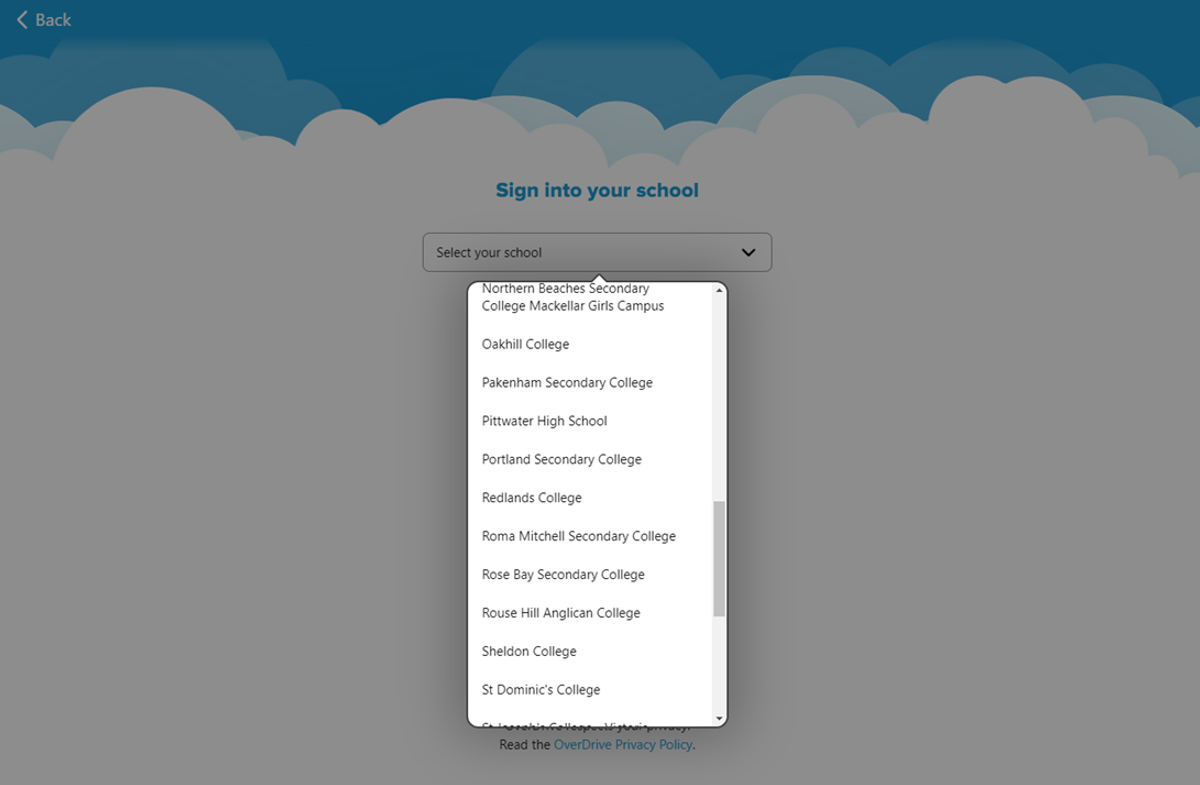
6. Sign in with you Student Code (ie. ABC0123), and your password is ‘password’