Deputy Principal, Mrs Kadi Carr & Mrs Bec Baird
EPS COMMUNICATION PROTOCOLS
Effective communication is essential in establishing strong home-school partnerships. At Edgeworth Public School, we strive to enhance the educational experiences of all students by maintaining clear communication channels with parents and carers to best support our school community. Below is a reminder of how we communicate.
How we communicate with you:
School Bytes:
School Bytes is our main portal for communication. Information about events and excursions will be conveyed via this platform. Permission notes and payments are made through the parent portal. Push notifications will also be sent to your School Bytes app to notify you when you have received an email. Student reports can also be accessed via School Bytes; these are completed at the end of Terms 2 and 4 each year.
Newsletter:
The newsletter is published fortnightly and contains important information about school events and other updates.
Facebook:
School celebrations and successes are shared publicly via our Facebook page.
Phone Call:
Teachers and office staff will call you directly for any urgent communication that needs to be shared promptly.
How you can communicate with us:
School Email:
Please email the school with any questions or concerns, including “Att: (Teacher’s name)” in the subject line, so your message can be forwarded to the appropriate staff member. Please refrain from emailing teachers directly.
Phone Call:
For urgent or pressing matters, please call the office directly for assistance.
Interviews/Meetings:
Formal parent/teacher interviews are held annually. A parent or carer can request to speak with a teacher at any time throughout the year by phoning or emailing to organise a suitable time.
Note: If you contact the school to speak with your classroom teacher or an executive member, they will endeavour to respond within 48 hours.
| Question/Concern | Appropriate Action |
| The academic progress or welfare of your child | Contact your child’s teacher or the school office to make an appointment with them. The teacher will get in touch with you to arrange a suitable time to speak on the phone or meet in person. Teachers are not able to discuss issues with parents on the way to class, during teaching time, or when they have a duty of care for students. For matters which are unresolved or require further support, contact the school office to request an appointment with the Assistant Principal supervising your child’s year group. If the matter is still unresolved contact the school office and request an appointment with the Deputy Principal. |
| Actions of other students | Contact the school office detailing your concerns, marked attention to your child’s teacher. The class teacher will check and clarify details of the matter and share this information with you as soon as possible. The class teacher will liaise with the stage supervisor, deputy principal or principal for playground problems requiring clarification from students or additional support. For matters which are unresolved or require further support, contact the office to request an appointment with the Assistant Principal. If the matter is still unresolved contact the school office and request an appointment with the Deputy Principal. |
| School policy or practice | Contact the school office. State the nature of your query. This information will be passed on to the appropriate staff member. The staff member will contact you to explain the relevant details or to make an appointment to discuss the matter further. |
| Change of details or information | To convey information about change of address, telephone number, emergency contacts, custody details, or student health conditions, email the school office. |
SRC Playground Initiatives
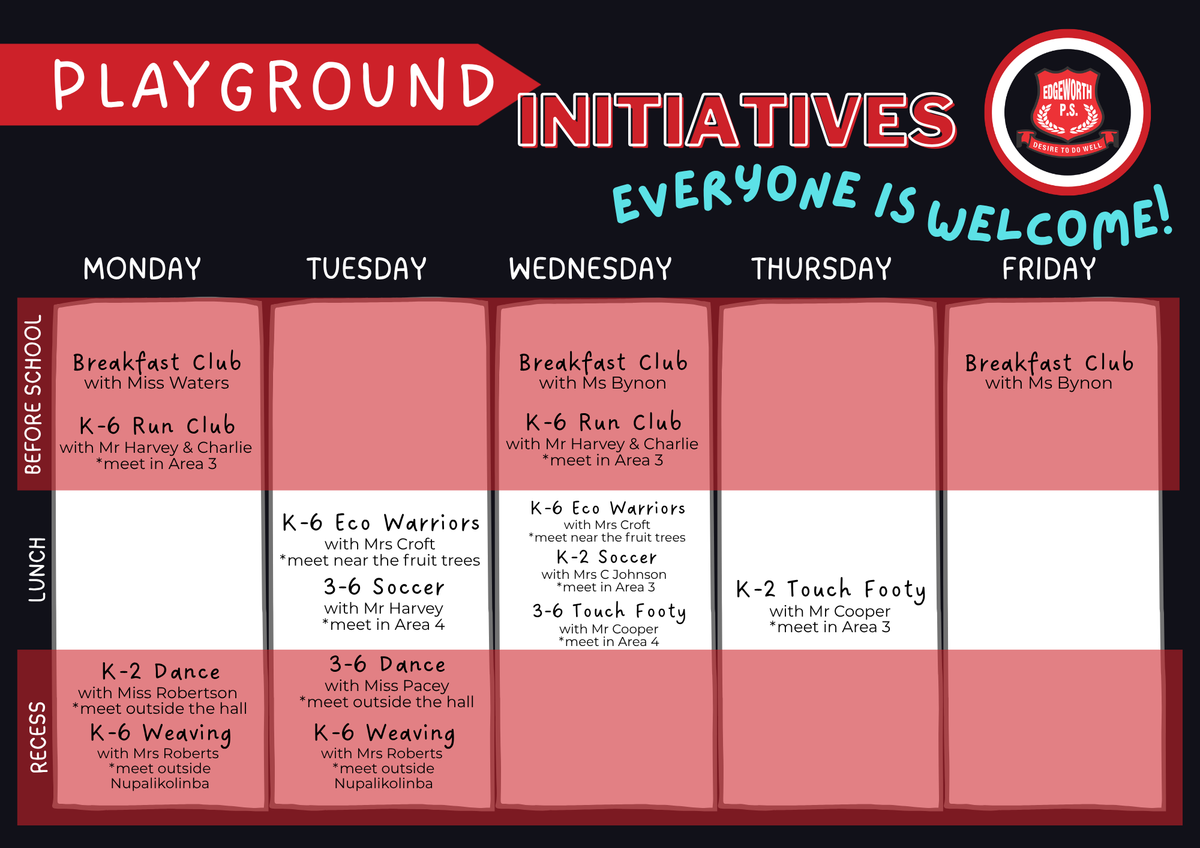
Our SRC have been busy gathering feedback from their peers about what they’d love to see on the playground.
In Term 2, we’re introducing a range of new games and initiatives - there’s something for everyone. Students can join in weekly or just when they feel like it.
All of our existing spaces, including the Library, Nupalikolinba and sensory space, will still be open daily. We’re also introducing a Zen Den, a silent space for drawing, reading and listening to calm music, open in 2G at lunch daily.
Lots of great options, more choice, and plenty of fun ahead.
Year 1 Department of Education Number Screening Check
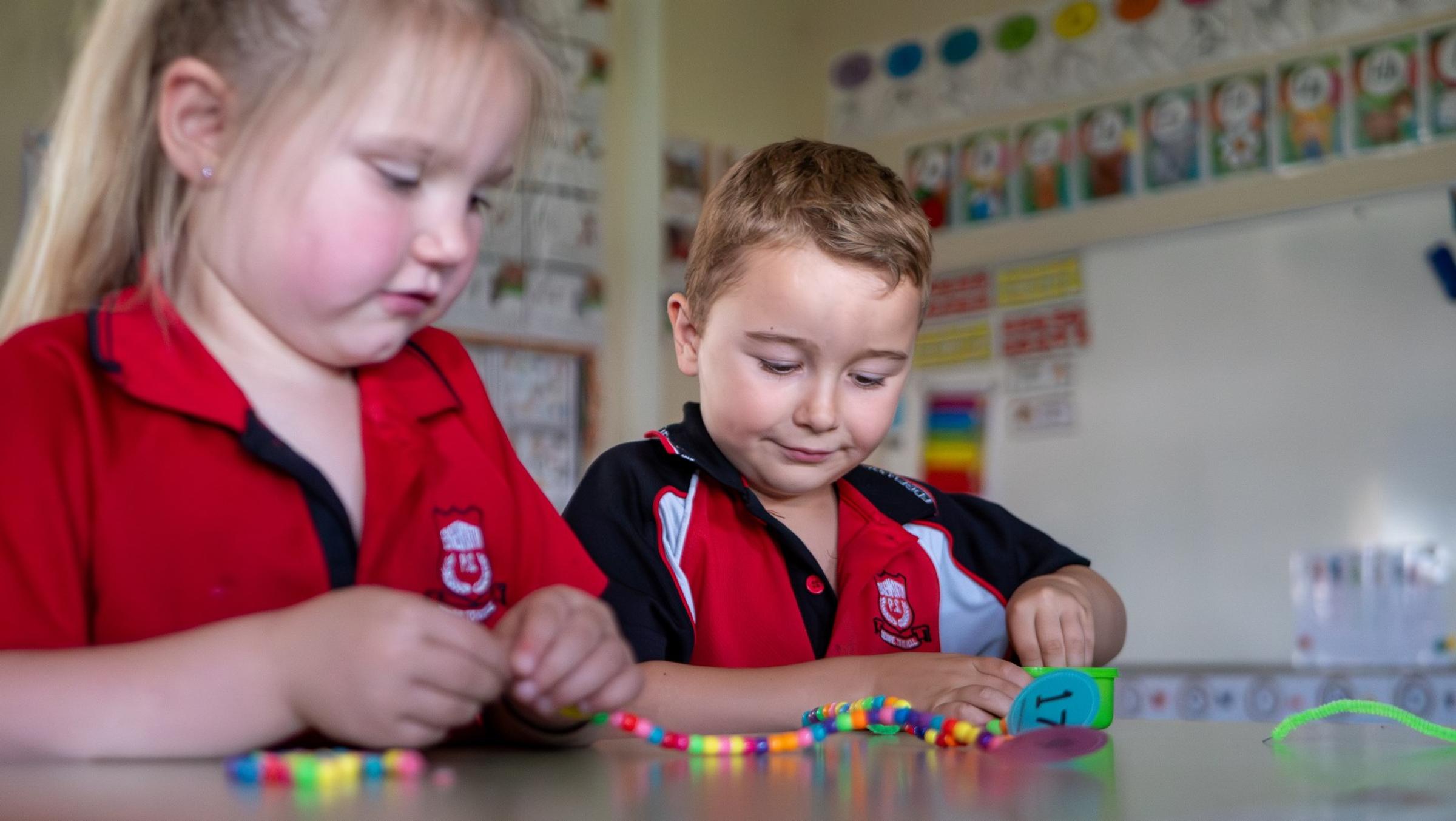
This term, our Year 1 students will participate in the Department of Education’s Number Screening Check, a brief assessment designed to provide valuable insight into students’ early number knowledge and mathematical understanding.
The screening helps teachers identify students’ strengths and areas needing further support in key numeracy skills, ensuring targeted and effective teaching to support each child’s ongoing learning and development. It is one of the many ways we track progress and help students build strong foundations in mathematics.
We thank our families for their continued support as we work together to ensure every child develops confidence and success in their numeracy learning.
Good For Kids
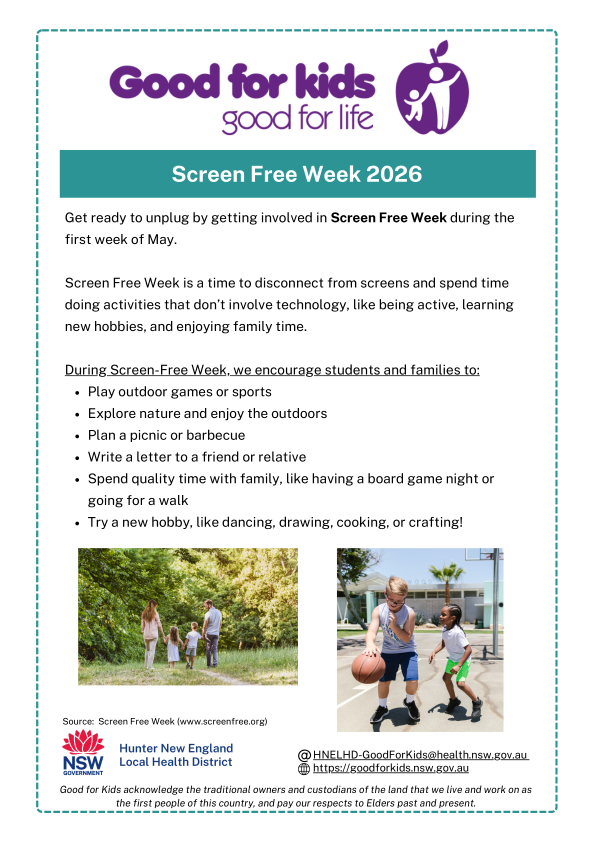
Screen Free Week, an annual initiative from Good for Kids encouraging children and families to take a healthy break from screens. For the first week in May, try swapping screen time for fun activities like outdoor play, reading, or creative arts. It’s a great opportunity to connect, recharge, and discover new ways to keep active and engaged. For ideas and resources, visit goodforkids.nsw.gov.au and make the most of Screen Free Week!