
From the Office
CANCELLING A LUNCH ORDER VIA QKR
If you have placed a lunch order via QKR but your child will be absent that day or you have changed your mind, you can cancel the order through QKR, which then gives you a credit to use in the future, however your MUST CANCEL BEFORE that day’s 9.15am cutoff.
To cancel your order:
go to the QKR app
at the top right of the opening screen, choose ‘Activity’ and sign in
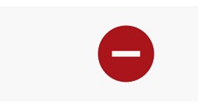
click on the receipt for the order you wish to cancel, then click on this symbol
If this doesn’t work, as a last resort please call the office before 9.30am and we will advise the Canteen not to process the order that day, if possible.
LATE ARRIVALS – PLEASE DON’T ENTER THIS YOURSELF ON COMPASS
If your child will be late, please don’t enter this on Compass yourself. It causes an error on our system which needs to be manually corrected for each entry.
We ask you to please either:
- call and leave a voicemail on the school phone (54272455 – option 1) or
- send an email on the morning of the late arrival to woodend.ps@education.vic.gov.au
Don’t forget to come and sign your child in at the office when they do arrive at school.
SCHOOL PHOTOS
School photo orders have arrived at school and have been sent home with your child.
Where requested, some orders are being held at the office for collection.
If you forgot to order, you can still place an order however you will incur a late fee.
Go to schoolpix.com.au and use the ‘student search’ function. You will need the student first and last name and their date of birth.
If you believe you placed an order but haven’t received photos, please check your credit card to ensure the order was finalised. Call the school office and we will follow up for you.
SCHOOL ACCOUNT STATEMENTS
In recent weeks, school account statements were issued to all families via email.
Every family should have received a statement, even if there was a NIL balance owing.
All charges and payments made to date are visible, including parent payments for Curriculum and Non-Curriculum Contributions, plus Building & Library Fund. If you believe you have paid for something and it isn’t showing, please contact the office.
Any amounts shown with a negative, are credits on your account, which could be a refund, SSB, CSEF or a prepayment and can be used for future events/charges.
Please contact the office if you have a query with anything listed.
Sue Turner
Business Manager