


Page 0 Banner Photo
Cover Page
Principal's Message Banner Photo
Principal's Message We Grow Through Connection
Child Safety Banner Photo
Child Safety
Community News Banner Photo
Community News Sub School Structure @ PSC, School Wide Positive Behaviour Support Theme for Term 3 2025, International Student Program - Our Principal's Visit as part of DET delegation to Cambodia and Vietnam, FREE ACMI + RMIT Young Creators' Club, Year 12 Formal, Course Counselling, Parents Victoria Senior Secondary Options Webinar in Term 3 (For Year 9 and 10 Families), Disruptions on the roads in and around Pakenham, Disruptions on the Pakenham Train Line, Connecting with Us
Student Voice Banner Photo
Student Voice Student leadership adventure at Rubicon Outdoor School - Nayook campus, Celebrating women through art: IWD Mural project
Student Achievements Banner Photo
Student Achievements Semester One Awards
Sport @ PSC  Banner Photo
Sport @ PSC  Staff versus Students - Students do it again with volleyball win, Pakenham Warriors Basketball Development Program returns in Term 4 for Year 7 students, Year 7 Netball program, All Stars Defence Academy
Performing Arts Banner Photo
Performing Arts Our College Production of Beauty and the Beast Jr., Holiday Production Rehearsals, Our Stars at the Victorian State Schools Spectacular, Coming Soon: A night of unmissable music!
Art and Technology @ PSC Banner Photo
Art and Technology @ PSC Exciting cultural Design Technology project with our Indigenous Artist in Residence, Year 10 Photography challenge on focus and perspective
Beyond the Classroom Banner Photo
Beyond the Classroom 4Cs: Cultivating Creative Cultures with Communities, Represent your House: Every point counts!, Term 3 Clubs and Activities
From the Office Banner Photo
From the Office Parent/Carer Contributions, General Office, Important message about Student Absences, Student Absence Procedure, Students departing early from school, Bell Times, Parent Details, Uniform Shop, Compass, Compass Guide, Excursion Approvals - Online Only , Student Absences, Compass Pay, More Compass Information
Key Dates Banner Photo
Key Dates 2025 Term Dates, Student Free Days 2025, Important Dates for Term 3 2025
Careers Corner Banner Photo
Careers Corner Year 10 Work Experience , Year 9 Morrisby Program, Behind the Job: Battery Design Specialist, Defence Careers Australia , Defence Careers Information Session, Navy Careers Information Session, Career Spotlight: Sports Statistician, Explore your future: Attend a University or TAFE Open Day, Behind the job: Reliability Engineer, Careers in Engineering, PSC Careers Website
Library Matters Banner Photo
Library Matters How we're keeping the love of reading alive at PSC, Useful Library Links, Connected Libraries:, Myli - My Library Community, SORA Reading App Instructions, Sora Install Instructions
Student Health & Wellbeing Banner Photo
Student Health & Wellbeing Health Pop Ups in the Library with our Adolescent Health Nurse & Wellbeing team, Wellbeing Study Skills Sessions Drop in - Fridays at lunchtime for all students, Study Smart: Year 11 & 12 Study Skills Sessions, Mindful Knitting Group, Doctors in Secondary Schools Program, Parenting Programs, Support Services
View archive
Published by
Pakenham Secondary College
1020 Princes Highway, Pakenham, Victoria, 3810, AUhttp://pakenhamsc.vic.edu.aupakenham.sc@education.vic.gov.au03 5945 1433 Facebook Instagram
Banner Photo

Library Matters

How we're keeping the love of reading alive at PSC

Gallery Image

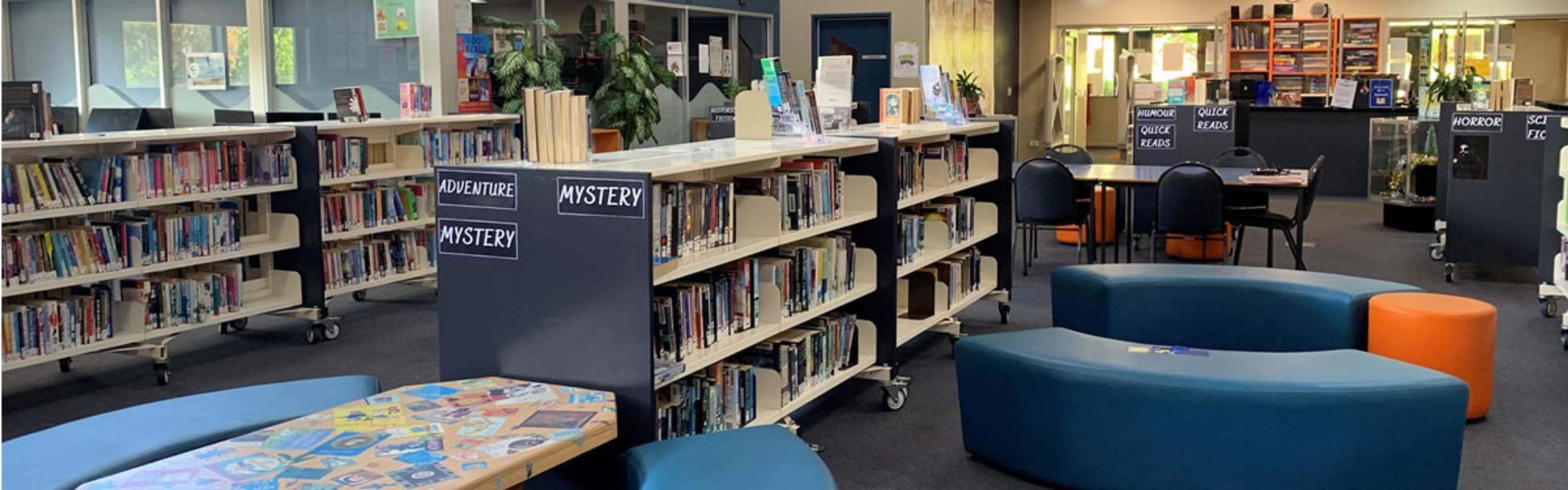
We all know that reading is one of the most important skills a young person can develop, but it’s so much more than just a way to boost academic performance. Reading builds vocabulary, strengthens critical thinking, enhances emotional intelligence and is even proven to reduce stress and improve sleep. It’s also a great way to relax and enjoy some quiet time.


This year, we’ve been spreading the word that reading is fun and not just something you do inside the classroom. With everything students have going on - homework, sport, part-time jobs and screen time, reading for enjoyment can sometimes be pushed aside. So, we introduced two fantastic reading challenges to help keep students excited about reading:

  • The Victorian Premiers’ Reading Challenge

  • The Rip Roaring Reading Challenge

Both challenges have been running for a few months and are now heading into the final stretch, there are just 30 days left before they wrap up on 1st September! Students in Years 7–10 have been reading all kinds of things - paper books, ebooks, even stories on their phones and earning rewards along the way.


Some of the rewards include:

  • A pizza party

  • Book prizes

  • House points

  • Stickers

  • And most importantly - a stronger reading habit!

But these challenges aren’t just about reaching a number. They’re about helping students enjoy reading, discover books that interest them and have fun doing it. Whether you're into fantasy, mystery, real-life stories or graphic novels, there’s something for everyone.


To all the students who’ve been taking part - great job! There’s still time to read more or try something new. Every book you read is helping you grow and giving you something valuable for the future.

Useful Library Links

Connected Libraries:

BUNJIL/CRANBOURNE/ENDEAVOUR HILLS/HAMPTON PARK/CRANBOURNE WEST


Myli - My Library Community

PAKENHAM PUBLIC LIBRARY

Cnr John Street & Henry Street, Pakenham


Opening hours:

Monday – Thursday 9:00-8:00

Friday 9:00-9:00

Saturday 10:00-4:00

Sunday 1:00-4:00

Phone: (03) 5940 6200


LIBRARY CATALOGUE


FREE FOOD FRIDAY AT PAKENHAM LIBRARY


ENGLISH CONVERSATION GROUP


COMMUNITY EVENTS AT PAKENHAM LIBRARY


SORA Reading App Instructions

Here are some instructions on how to install the SORA Reading App.


“You can find magic wherever you look. Sit back and relax, all you need is a book.”  Dr Seuss


Enjoy some sensational spring reading by logging into SORA, our library’s fantastic eBook and audio book Reading App. We are sure you will find a book that grabs you amongst the hundreds of books included in the extensive range. 


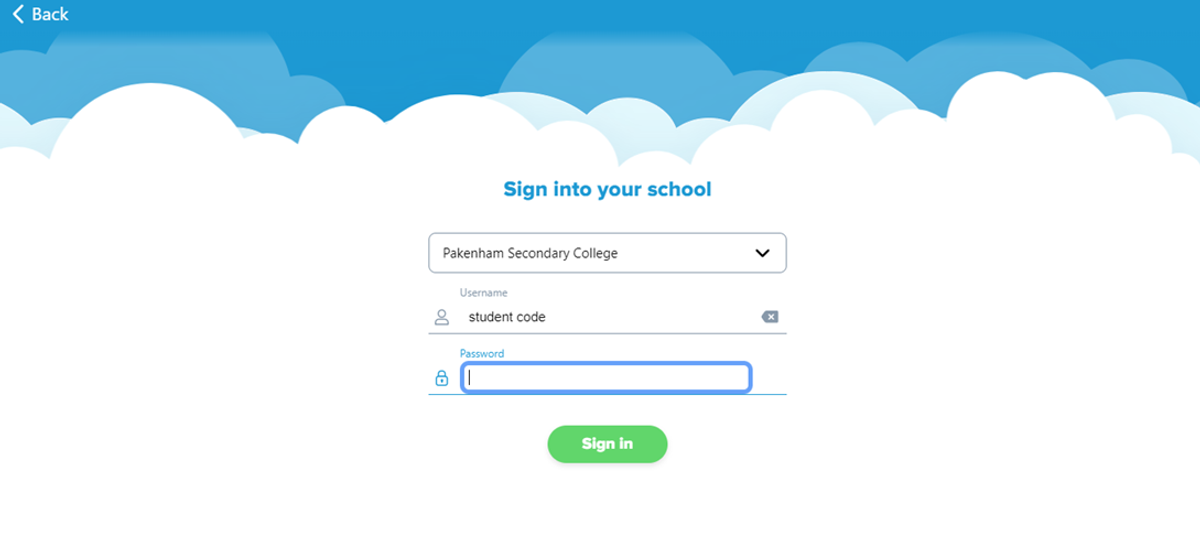
Install the SORA app on your phone or computer using your Compass Username (For example: GARA001). The password is simply: password.  Please read below for the instructions.


The default setting will only allow books to download when you are connected to Wi-Fi so it will not gobble up your data. See how you go.

Sora Install Instructions

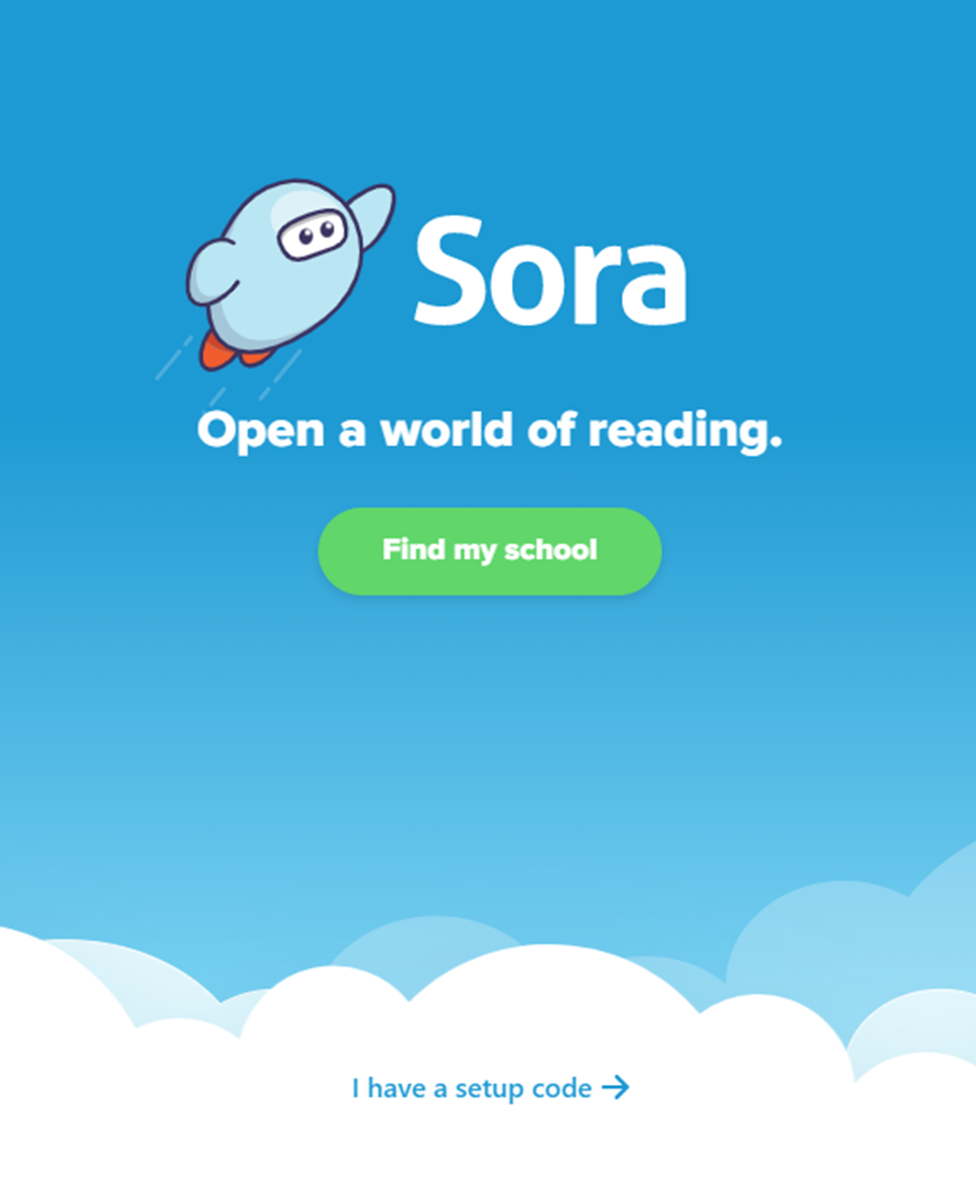
  1. Install the Sora app from the Apple App Store of Google Play store, go to soraapp.com
Gallery Image

2. Click 'Find my school'

Gallery Image

3. Click 'No, I’ll search for my school’
Gallery Image

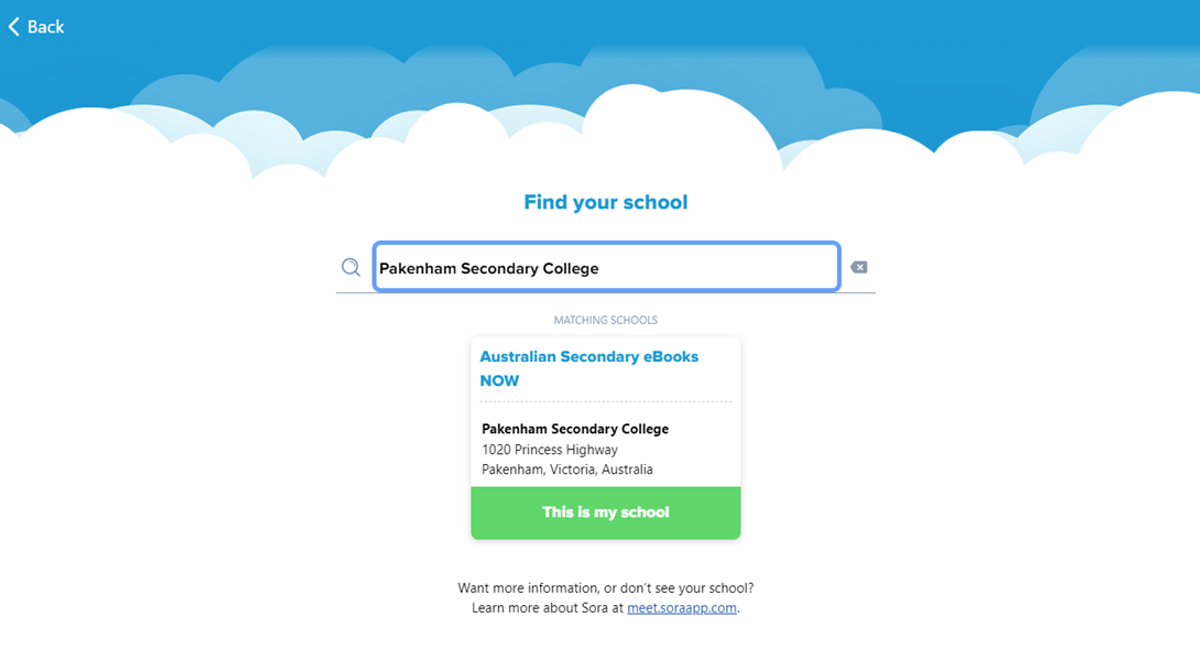
4. Type in ‘Pakenham Secondary College’ and click ‘This is my school’


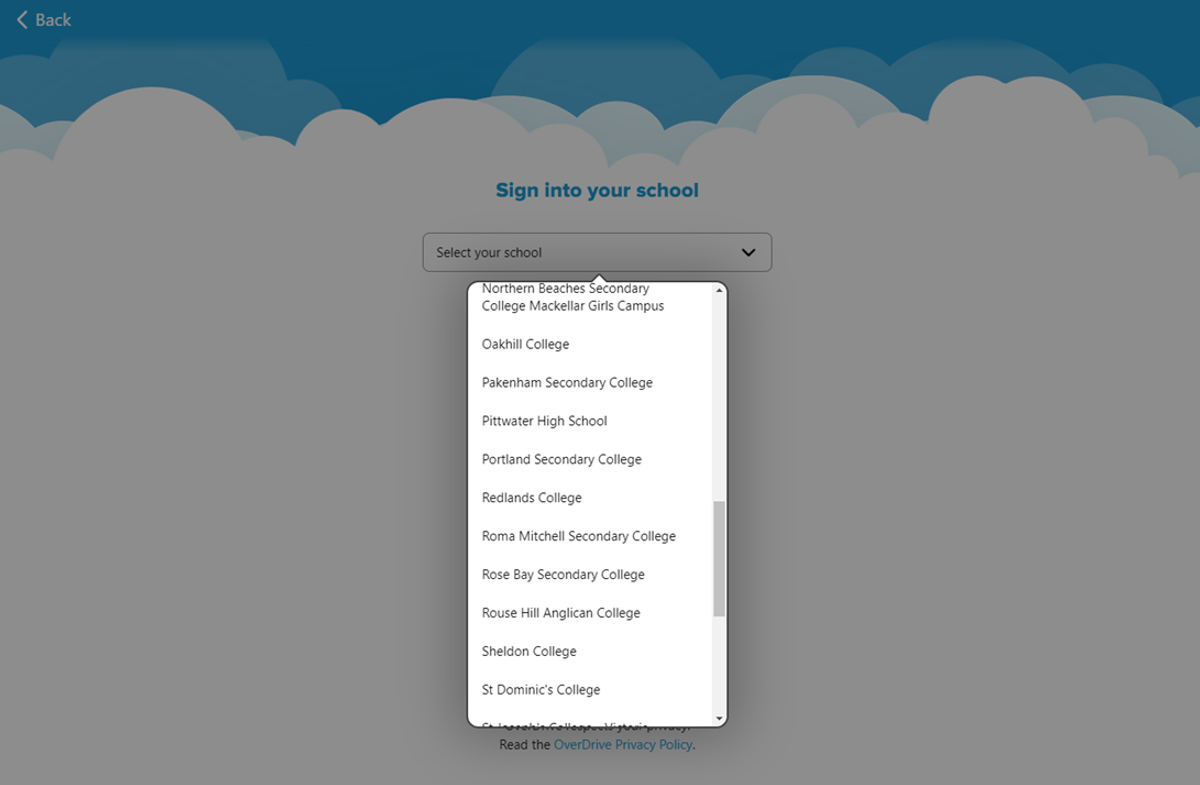
5. From the drop-down menu, scroll until you find ‘Pakenham Secondary College’
Gallery Image

6. Sign in with you Student Code (ie. ABC0123), and your password is ‘password’
Gallery Image