Principal Report
Our Vision: To develop people of purpose, character and capacity whose contributions strengthen communities.

Principal Report
Our Vision: To develop people of purpose, character and capacity whose contributions strengthen communities.
Teaching and learning at Berwick College has continued to lift over the course of this term. Our teaching team have continued their focus on the role of assessment and learning and have worked specifically in their professional learning communities around checking student understanding and adjusting instruction to meet it. Since the beginning of this year, over 100 classroom observations have contributed to strong evidence-based understanding of the practice in our school. We are really proud of this work and of the diligence and commitment of the teachers to school improvement.
Thank you very much to parents and carers who attended the year level information nights and have joined in with us in our shared commitment to optimise the student learning outcomes. We have received parent feedback around positive strategies to support students through the productive struggle of learning. It is our aim that over the course of their education at Berwick College students learn to work hard when through challenging times.
One of the pieces of feedback we received from parents was around the need to access the school calendar more effectively. I have included instructions on how to access the calendar through the Compass App (on the phone) below. All parents and community members should know, the Compass Calendar is the single source of truth for events in this school. It is dynamic and in any school this size, there will be changes. We would encourage parents and carers to access the school calendar regularly.
Student learning progress reports will open to parents and carers next week. There is a new look to the format of the progress reports for 2026. The teaching staff have reported learning behaviours according to the school values. We know that, what we value we assess, and each report is a considered assessment by teachers on student learning behaviours. We look forward to meeting with parents and carers at student learning conferences on Tuesday 31 March to continue our cooperative partnership in the interests of our students.
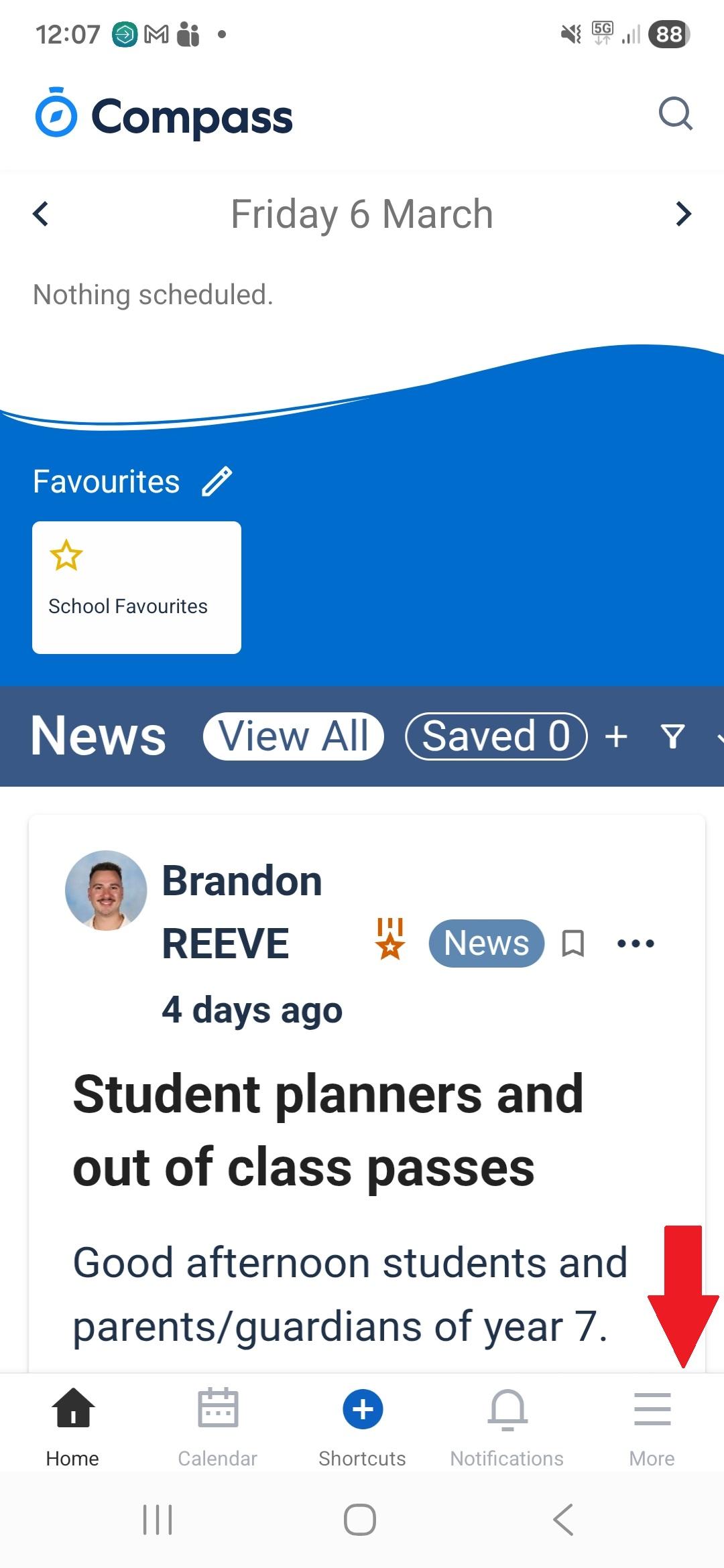
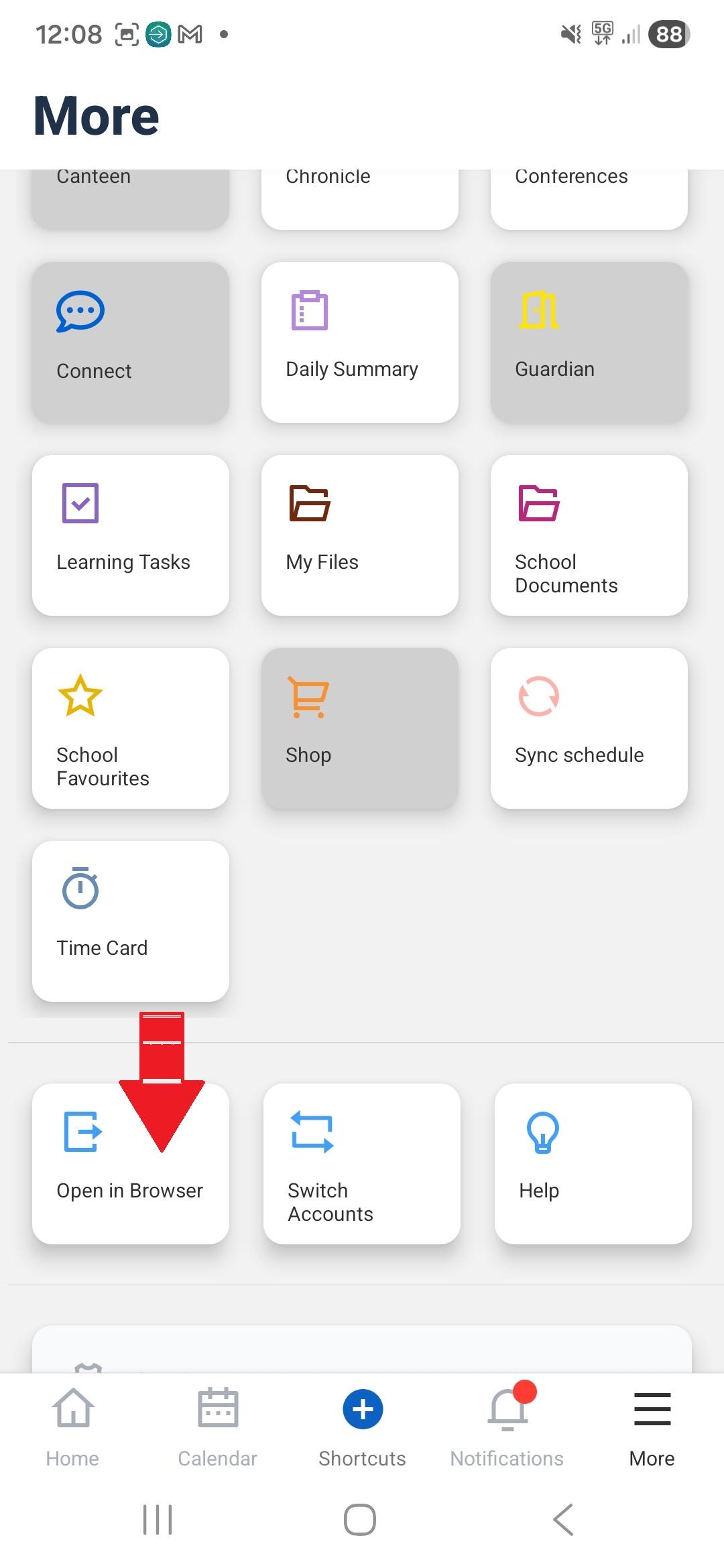
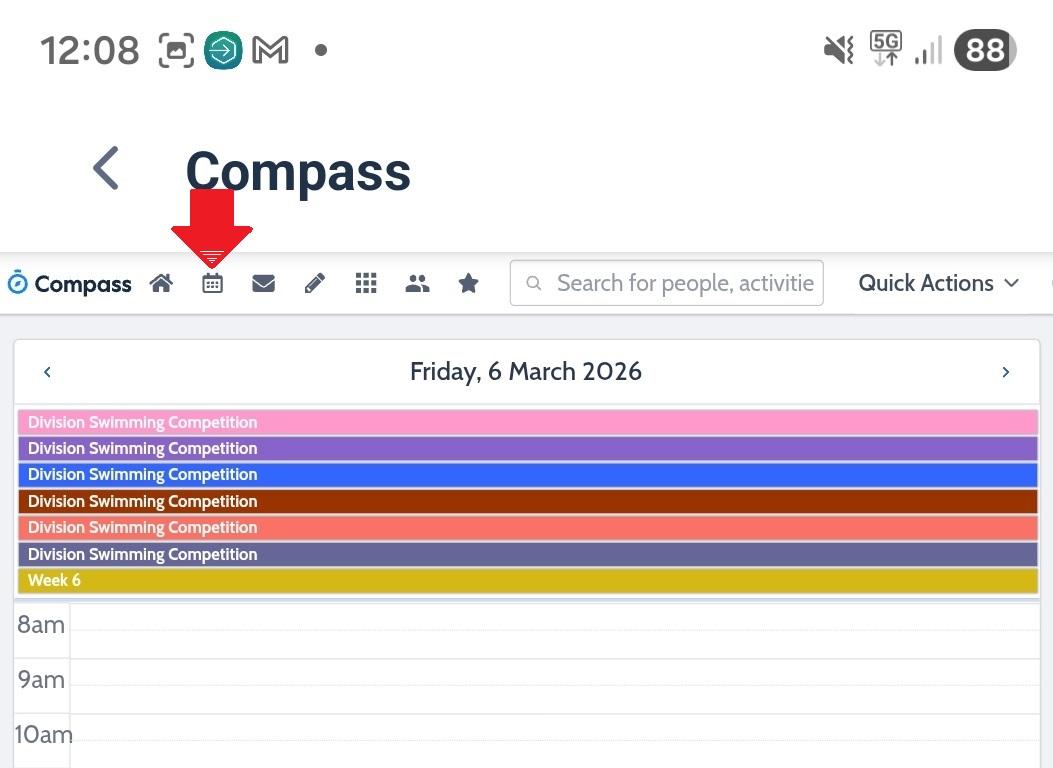
Parents and Carers can view the school calendar and events on their Compass phone APP by:
Selecting the bottom right icon 'More' (image 1)
Scroll down and select Open in Browser (image 2)
At the top select the second icon - Calendar which will open a screen showing the calendar layers and parent visible layers (image 3)
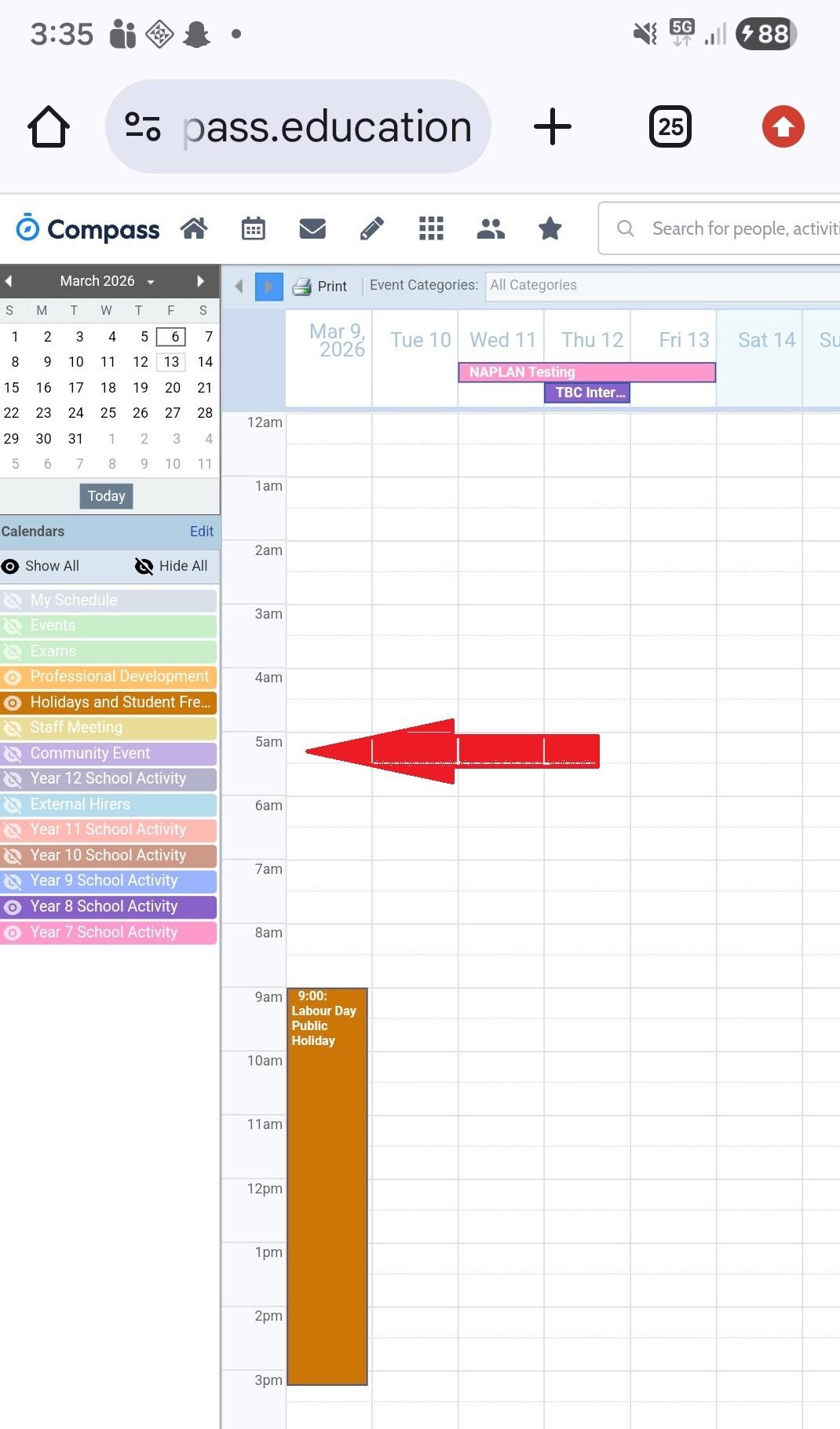
If you click on these layers they will show/hide that layer in the calendar. Clicking on the event (light green entries) will take you to the information page about that event.
Josie Millard - Principal