
News from the Office
Book Fair is Open! 📚
Families are warmly invited to visit the Book Fair during the following opening times:
- Friday 14 August: 8:30 am – 9:00 am and 3:30 pm - 4:00 pm
- Monday 17 August: 8:30 am – 9:00 am and 3:30 pm – 4:00 pm
- Tuesday 18 August: 8:30 am – 9:00 am and 3:30 pm – 4:00 pm
We encourage cashless payment where possible. QR codes are available throughout the Book Fair for online purchases, and EFTPOS payments can also be made at the school office.
Every purchase helps support our school library by earning Scholastic Rewards, which are used to purchase new books and resources for our students.
We look forward to seeing you at the Book Fair!
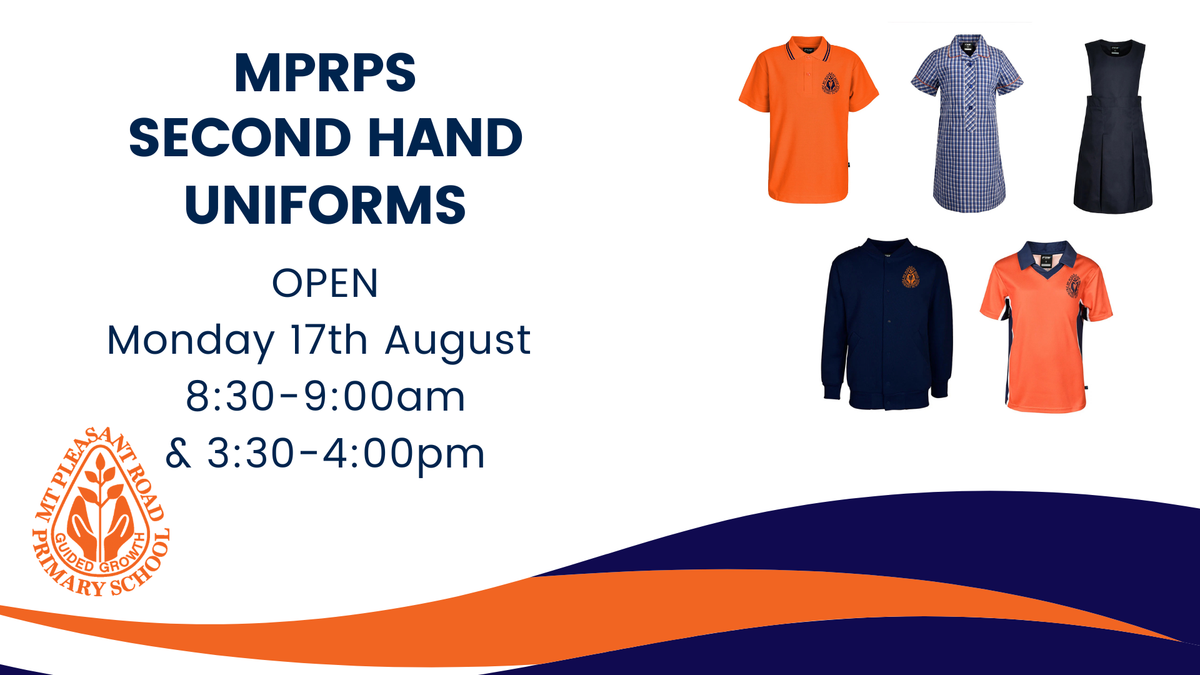
Second Hand Uniform Sale
Tuesday & Thursday Lunch Orders
Nourishing, locally sourced, wholesome lunch orders are supplied to Mount Pleasant Road Primary School every Tuesday (trial day) & Thursday by Balanced Living Catering.
Orders must be placed using the online provider Flexischools, please click on this link to get access to create an account. https://flexischools.com.au/
Once registered, select Mount Pleasant Road Primary School, add credit to the wallet in the app and place your order by 9pm the night prior. You can view the menu once in the app by clicking on ORDER FOOD.
Orders are transported using sealed reusable, thermally insulated “hot bags”, to ensure it arrives at just the right temperature for lunch time.
Lost Property
The lost property basket in the office foyer is overflowing with unnamed jumpers, water bottles and h! If your child is missing an item of clothing, please ask them to check the basket. Please ensure all your child's belongings are named so they can be returned easily.
Compass Tips
Contacting teachers - Teachers can be contacted via Compass through the Parent Portal, which is found on the homepage of the website. If you are using a phone app to access Compass, you will need to click on the "More" button on the lower right of the page, then select "Open in Browser".
In the Parent Portal, underneath each student's name, there is an option to email the student's teachers. This will send an email to all of the student's teachers including their main teacher as well as the specialists, so click the red cross on the right to remove the teachers you do not need to email. Any replies will come directly to the parent's email.
Events - When accepting an event and providing consent in Compass, you will need to type the parent/guardian name to provide consent in the section just below the event information. You will not be able to select a payment type unless the consent has been provided.
Missed calls
If you have a missed call from the school telephone number, please check your voicemail before calling back. Every phone extension in the school shows the same caller ID so unless you know who has called you, we will be unable to direct your call. If the matter is important, the caller will leave a message, call back or email at a later time.
Late Arrival, Early Leave & Full Day Absences
If your child arrives late or leaves early, a parent or guardian must present to the school office to sign them in using the Compass kiosk. A late or early leave pass will then be issued.
IMPORTANT: For partial-day absences, please do not record the absence in Compass. Your child's arrival and departure will be logged when you come to the office and sign them in. Only full-day absences should be entered in Compass, which we kindly ask you to do.
Further information can be accessed via - A guide for parents & families (compass.education).