
Reminders
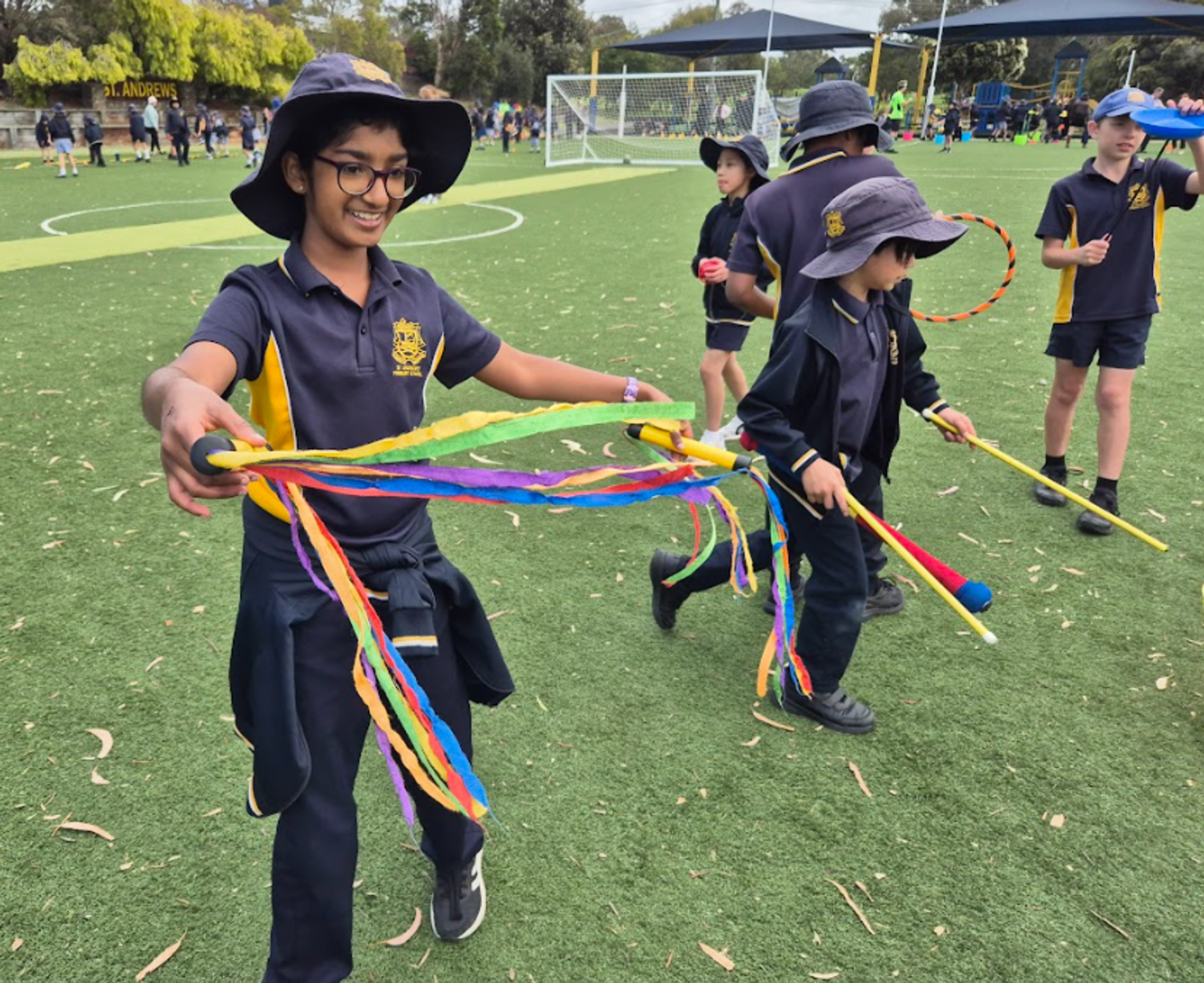
End of Term 4 - Tuesday 16th December
Students will be dismissed at 1.30pm
Carols by Candlelight - Saturday 6th December
The Parish has warmly invited our St Andrew's Choir to sing at their Carols by Candlelight on Saturday 6thth December.
We thank those children who have already committed to attend the Carols
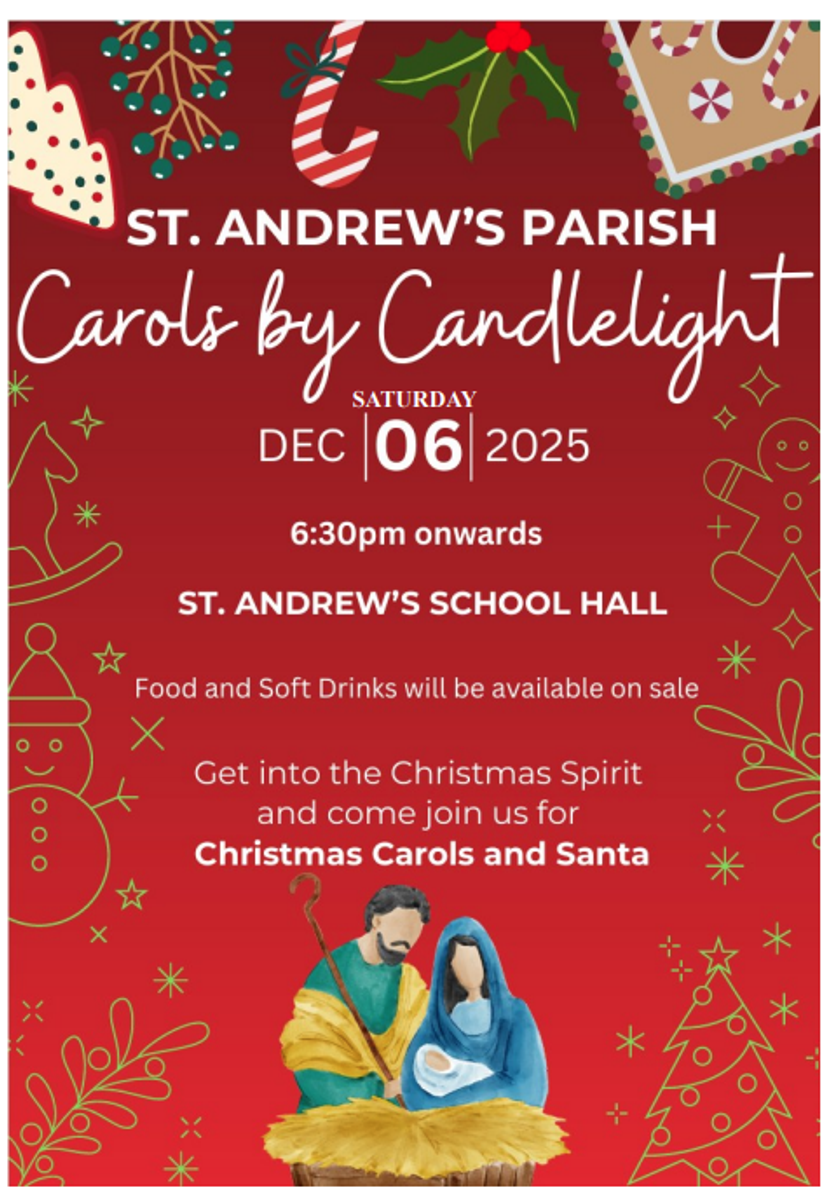
We are delighted to advise families that the Carols Choir is at full capacity, therefore we cannot accept any additional members. Rehearsals with Rosemary Restaino have been held twice a week during lunchtime.
We encourage students to dress up in the Spirit of Christmas.
Simply come along for a relaxed night to celebrate the years’ end along with a touch of Christmas spirit!
Parent Supervision - Saturday 6th - Carols
Please note that parents will be required to be onsite in the hall for the Carols and actively supervising your attending children. It is a Parish event and it is important to be respectful to the performers who are sharing their talents.
Parents are invited to contact Rosemary rrestaino@saclaytonsth.catholic.edu.au if further details are required.
‘Move Up’ Transition Sessions with 2026 Class Groupings
Our children will gather together on Monday 8th December to meet their 2026 class friends and 2026 class teachers. The staff have spent time preparing 2026 class groupings with an emphasis on providing a diverse range of skills, personalities and talents in each class, much the same environment as we experience in all of our social and work settings.
2026 will be a time of meeting new people, making new friends and building relationships with their new teacher. Sometimes children will feel disappointed or upset they are not with friends or with the teacher they were hoping for, but the classes and every student has been carefully considered, with the aim of an amazing year of learning and developing new connections at the forefront of our planning.
The children will gather again in 2026 class groupings on Wednesday 10th December and Friday 12th December. These sessions aim to provide a supportive format, allowing our children the opportunity to experience their 2026 setting prior to the Christmas holidays.
| Monday 8th December | 9am - 10am | Spend time with new class |
| Wednesday 10th December | 1pm - 1.35pm | Class gathering for class lunch |
| Friday 12th December | 2.20pm - 3.05pm | Afternoon activities |
No Food Sharing
As we approach the end of the term we want to kindly remind everyone about our policy regarding the sharing of food. For the health and safety of all students we ask that no food items, including Christmas sweets or treats, be shared at school. This is especially important as we have students with various food allergies and we want to ensure that every child is safe.
Additionally we understand that the holiday season can sometimes create pressure for families. Particularly when it comes to giving gifts. We want to assure you that there is no expectation for students or families to exchange gifts. The holiday season is about togetherness and joy, not about material gifts. Your presence, kindness and support are all that are truly needed.
Thank you for your understanding and cooperation as we continue to create a safe and positive environment for all students. We appreciate your ongoing partnership in making our school a wonderful place for everyone.
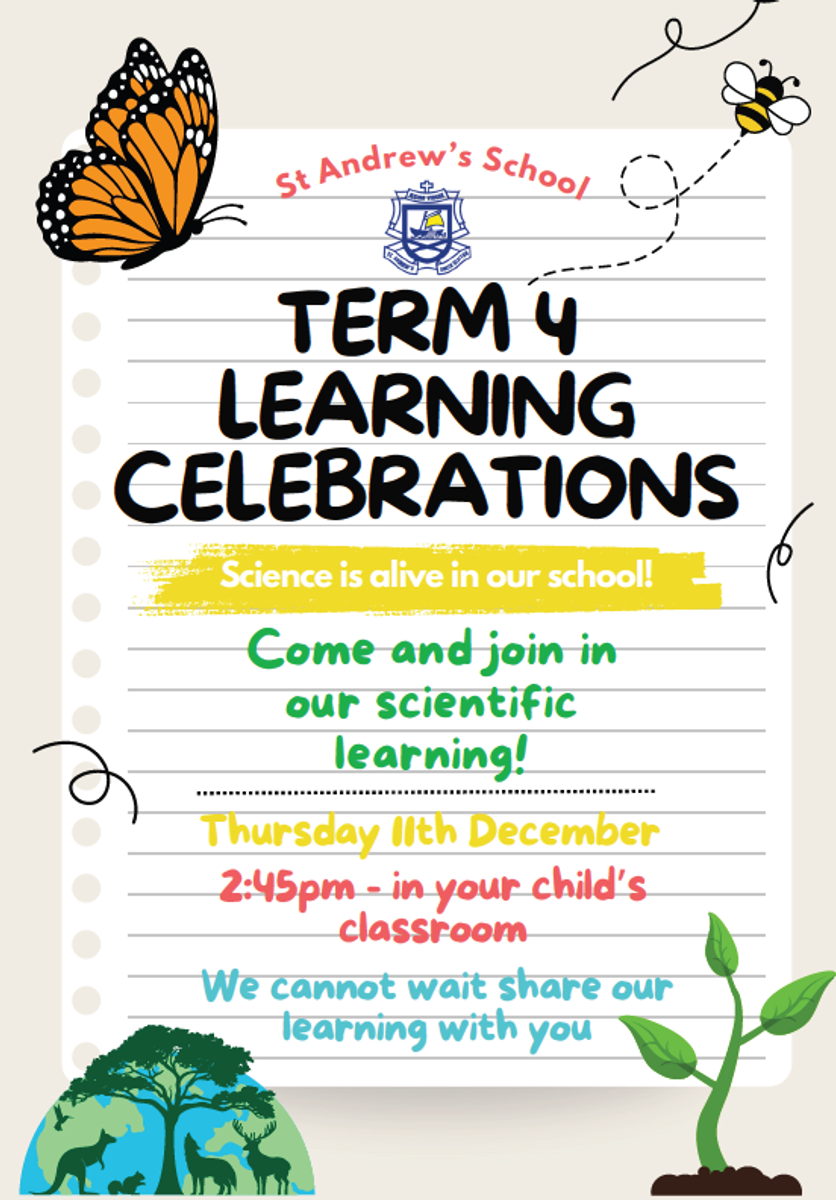
Term 4 Learning Celebrations
End of Year Reports
End of year reports will be sent to parents via a new delivery system through nForma. From Friday 12th December you will be able to access your child's Semester 2 report via an app. Please follow the instructions to download this app. Your child/ren have worked hard this semester and are proud to celebrate their growth.
Getting Started
Download the app
- Go to the Google Play Store or Apple App store on your phone.
- Search "nForma for parents" and download
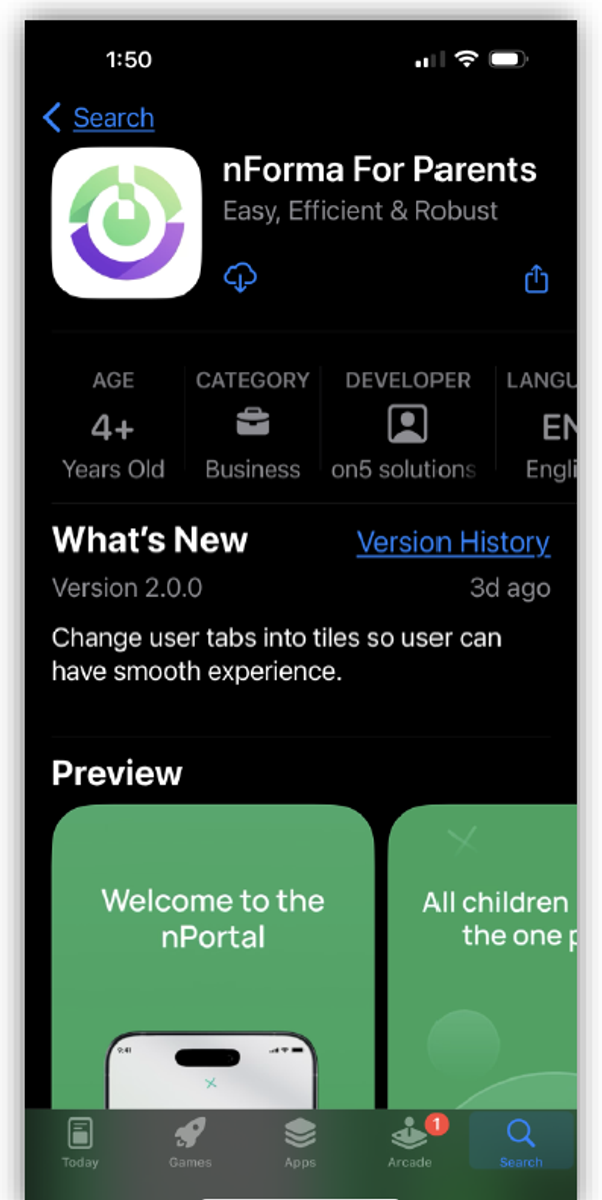
3. Double click to open the app
4. If your Google or Apple email account is registered with us, simply click on "Continue with Google or Apple"
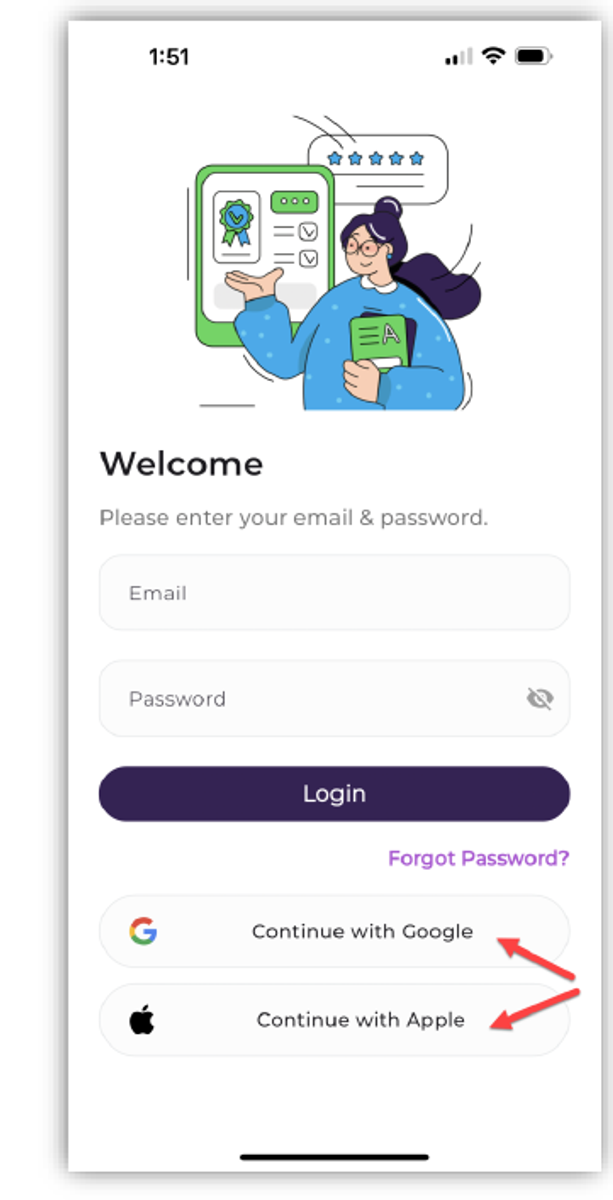
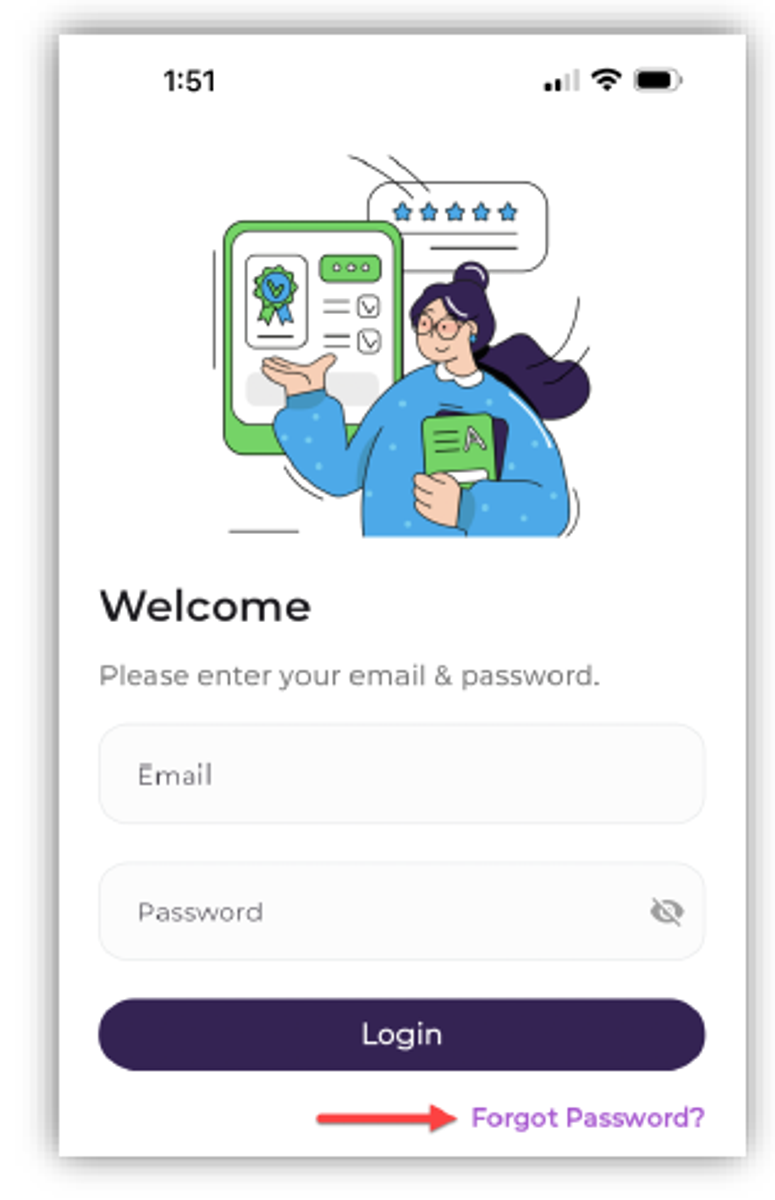
5. If you do not have a Google or Apple email account, simply click "Forgot Password"
6. Enter the email address registered with St. Andrew's and click "Reset Password".
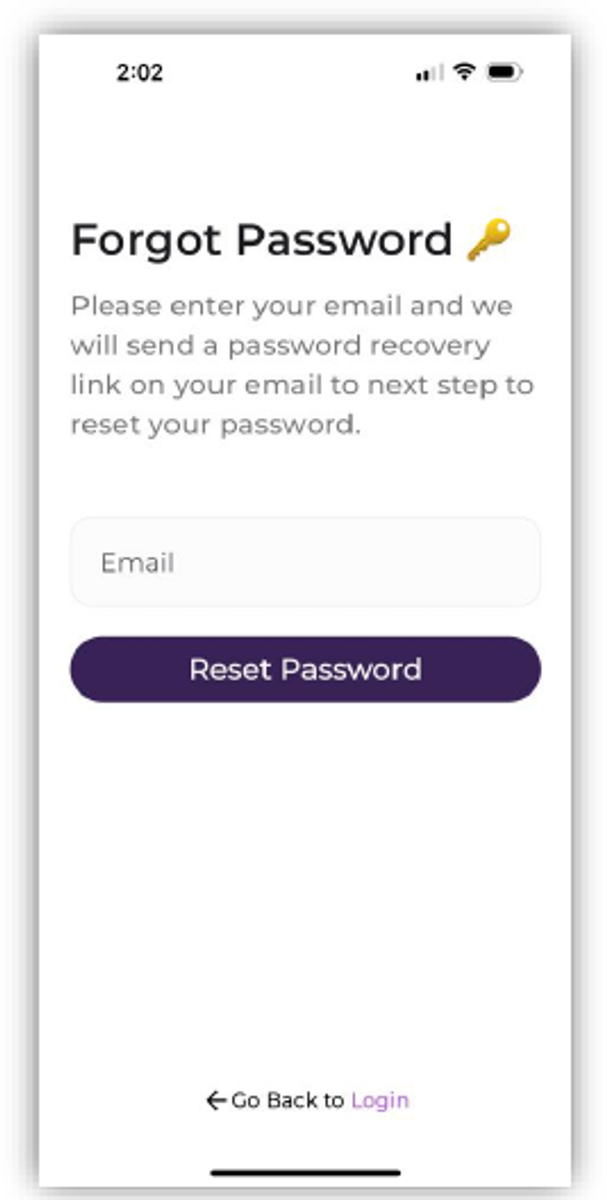
7. Check your email for the reset password link.
8. If you do not receive an email after several minutes, request the temp password by sending an email to Emma Cooper at ecooper@saclaytonsth.catholic.edu.au
Emma will be able to email you the temp password, should your email account be blocked from the nPortal system. You will need to input the temporary reset password through the web browser and not the app. The URL is as below: https://portal.nforma.com.au/login
9. Once you have logged in through the web browser and confirmed your new password, you can log into the app with your new password, not the temporary one.
Reports
Saving time and effort
In your child's profile, you will see a variety of data, such as profile information and assessment reports.
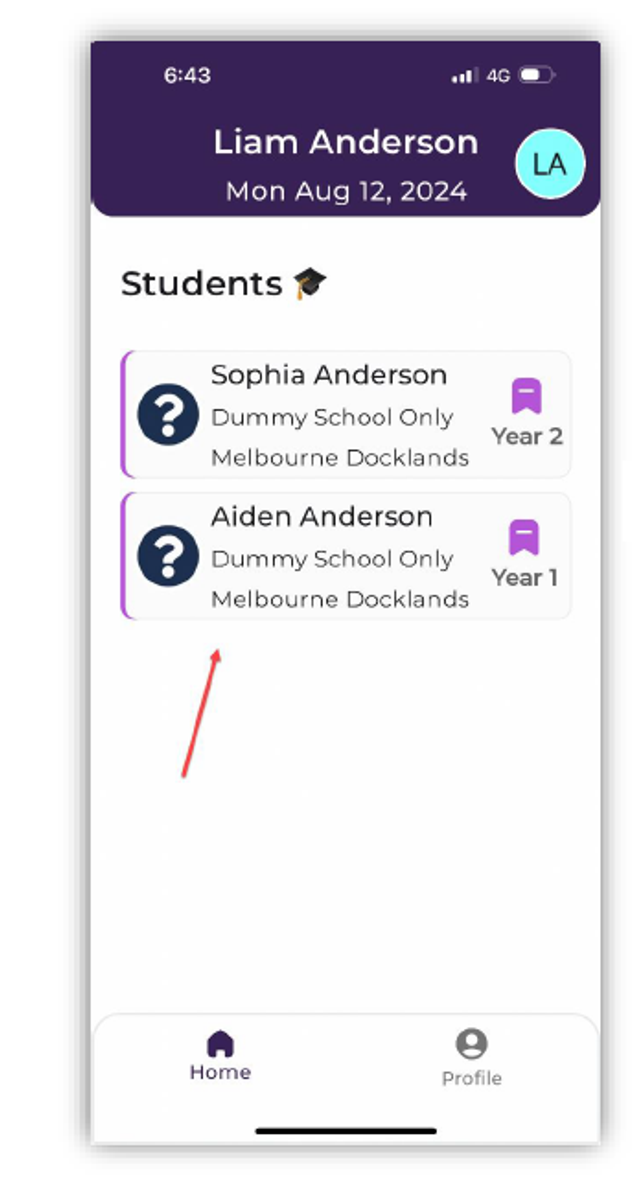
- Select the student

2. Click on report and download
Outstanding Fees & Levies
Thank you to families that have or continue paying their school fees. Term four is almost over and we would appreciate the finalising of any outstanding monies.
Please contact the Office if you are unable to finalise your fee account to discuss options available to help you meet your fee commitment.
office@saclaytonsth.catholic.edu.au or 9551 5094
Social Media Age Restrictions
With Australia’s new social media restrictions coming into effect on December 10, we know many schools and families will be looking for guidance. To support our school community, please read the attached letter.
Late Arrivals Sign in
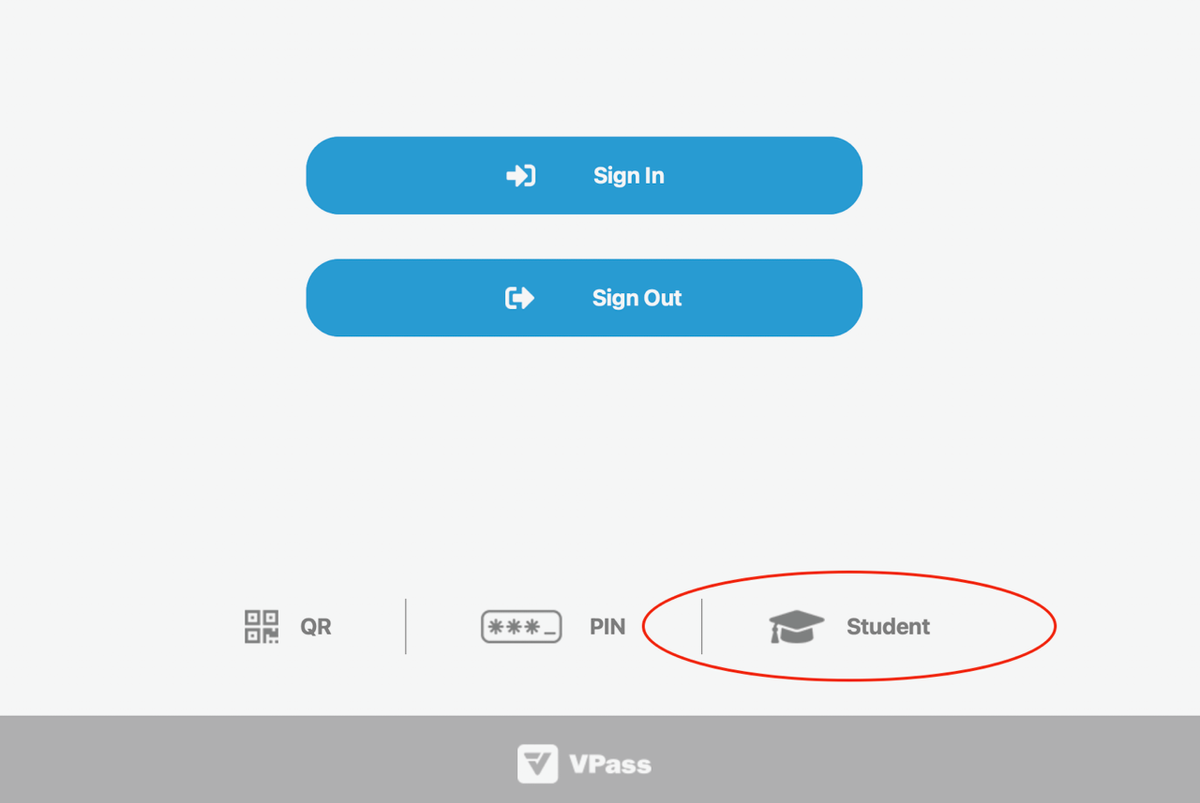
We are excited to announce an important update to our student attendance procedures! To improve the efficiency and accuracy of recording late arrivals and early leavers, we are launching a new procedure on the VPass Kiosk iPad for “Student" sign-in/out that will record directly back to our nForma system.
This streamlined process ensures we always know who is on school grounds, which is vital for student safety and emergency response.
When your child arrives late or needs to be collected early, the sign-in/out process will be quick and easy. Please follow these steps at the School Office Kiosk
| Action | Late Arrival (Arriving after the bell) | Early Leaver (Leaving before the bell) |
|---|---|---|
| Step 1: Locate the Kiosk | Find the VPass Kiosk at the front office. | Find the VPass Kiosk at the front office. |
| Step 2: Start Sign-In | Select the new “Student" button at the bottom of the home page. | Select the new “Student" button at the bottom of the home page. |
| Step 3: Find Your Child | Search for your child's name. | Search for your child's name. |
| Step 4: Complete the Form | Select “Late Arrival” option and then follow the remaining steps. | Select the 'Early Leave’ option and the follow the remaining steps |
| Step 5: Finalise | Once submitted the system will record the time and reason, and your child can make their way to class. | Once submitted the system will record the time and reason, and your child will the be free to leave. |
To start you will click on Student (see diagram below)
Zooper Dooper Friday

With Term 4 warming up we welcome back our Friday Zooper Dooper sales!
Children are invited to bring $1.00 to school to purchase a Zooper Dooper at recess on a Friday.
We thank our Year 6 children for volunteering their time to support the sales of the Zooper Doopers.
PSW
Please find attached the new pricelist for Primary School Wear