From the Office
Please contact the school office on 6423 1373 if you require any clarification.
From the Office
Please contact the school office on 6423 1373 if you require any clarification.
Please note the following information for parking outside the administration office:
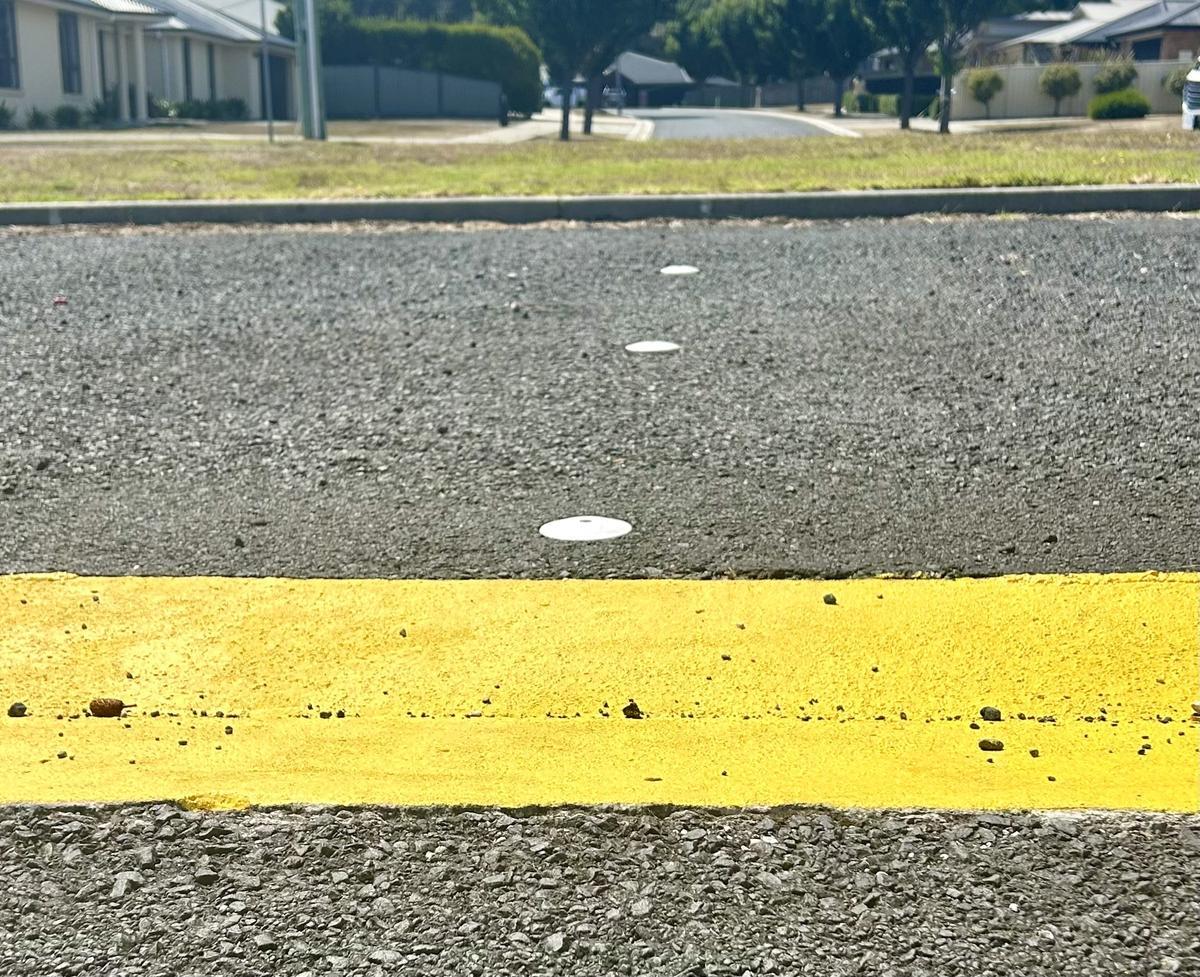
Five parking bays opposite the front office are marked with yellow paint and are reserved for Visitors, Contractors and Special Guests.
Please help us to keep these spaces clear for our guests.
For dropping off and collecting students at the start and end of the day, please use the parent parking along both sides of the Lapthorne Close entry driveway, or utilise the curb side parking along Jiloa Way or in the surrounding courts.
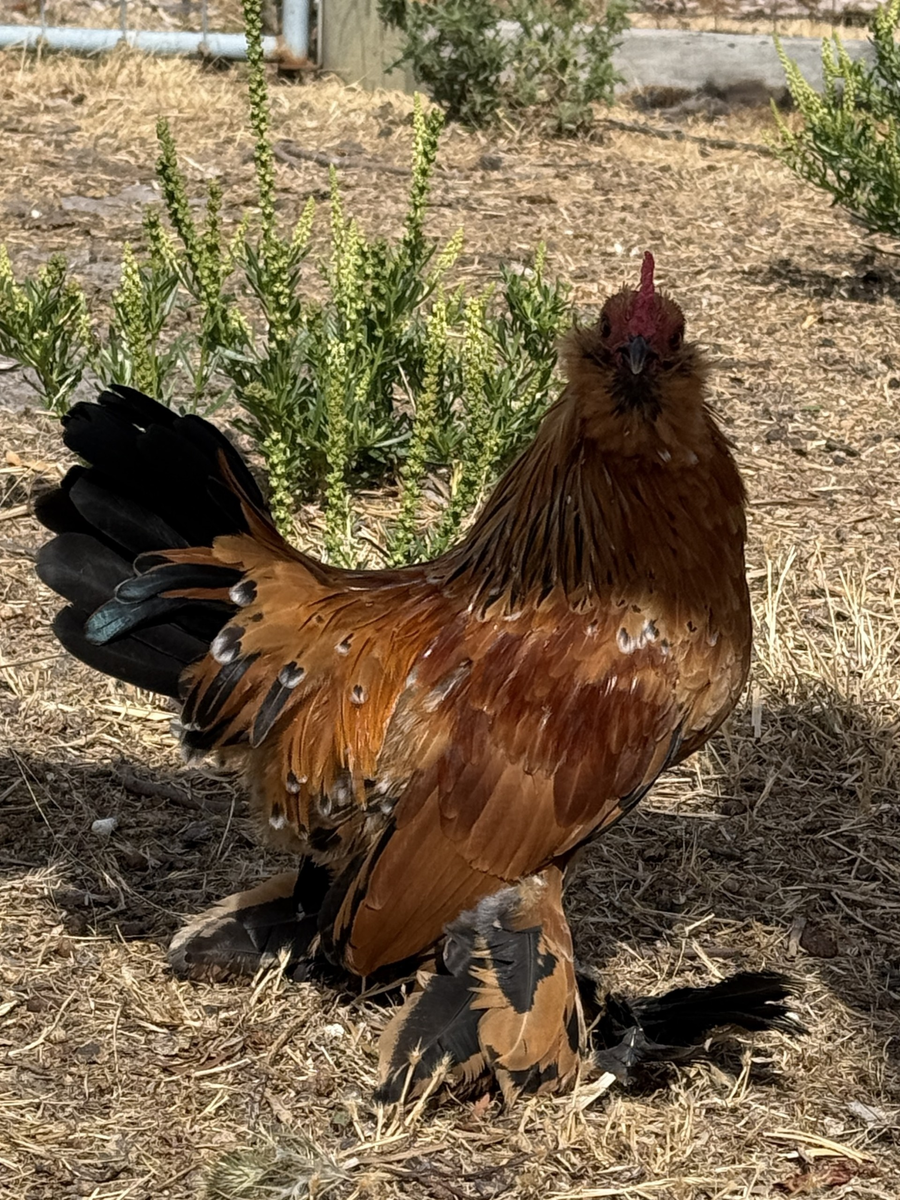
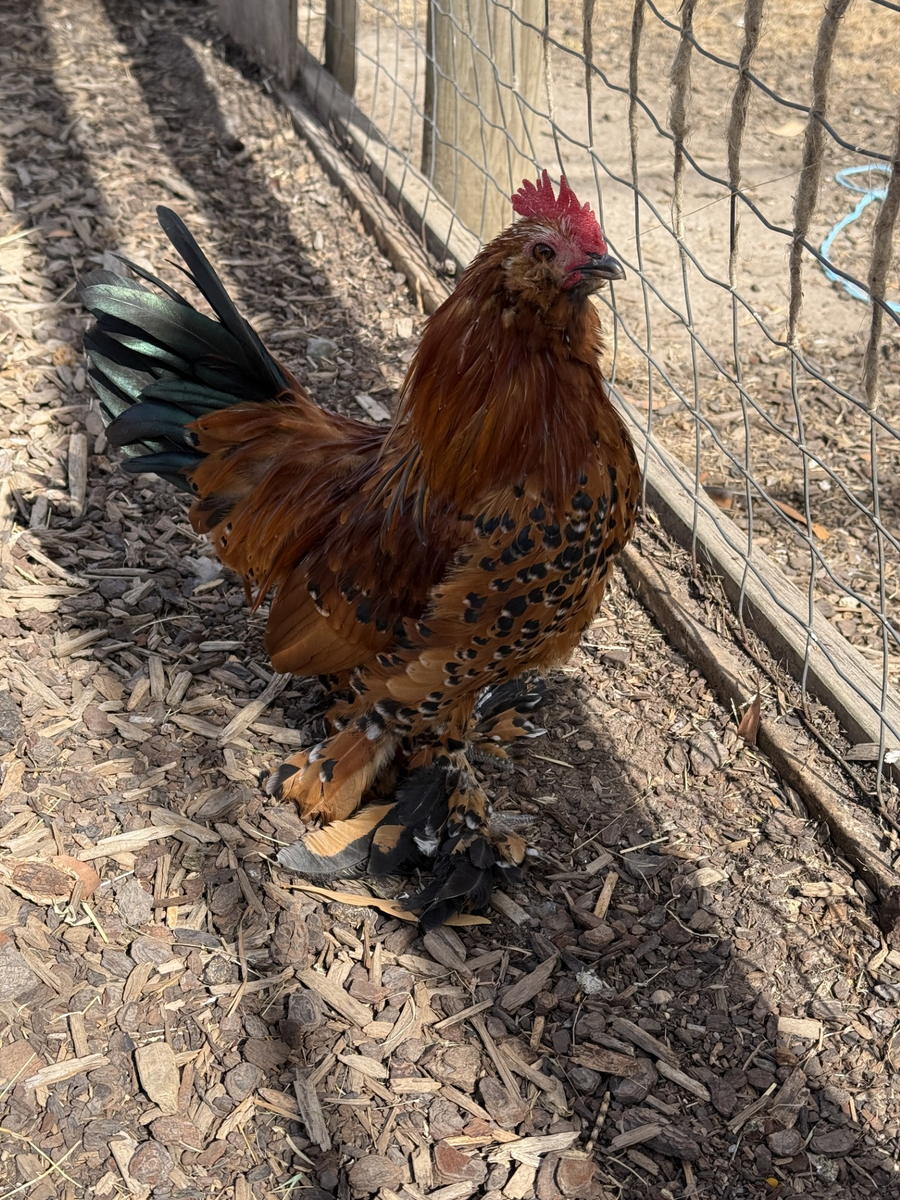
We have some adorable Belgian d'Uccle roosters looking for new homes! They are pure bred, stay small and don't crow as loudly as regular roosters. They would make a great addition to an existing flock.
If you want to see what they look like fully grown, please come and see our rooster, Rocky.
For more information, please contact Rebekah Shurley via email at: rebekah.shurley@dcs.tas.edu.au
Students in Years 3, 5 7 and 9 will be sitting NAPLAN between March 11th and 23rd 2026.
The National Assessment Program-Literacy and Numeracy (NAPLAN) assesses literacy and numeracy skills that students are already learning at school. On its own, NAPLAN is not a test that can be studied for, and students are not expected to do so.
Students will complete tests in Writing, Reading, Conventions of Language (Spelling, Grammar and Punctuation) and Numeracy.
NAPLAN is just one aspect of a school’s assessment and reporting process – it does not replace ongoing assessments made by teachers about student performance; however, students and parents may use individual results to discuss progress with teachers.
NAPLAN has been held in March since 2023, having previously taken place in May. This change was made so school systems would have access to results earlier in the school year. These results can then be used to inform teaching and learning plans for the remainder of the year.
Why NAPLAN is conducted online
NAPLAN online provides a better assessment and more precise results.
One of the main benefits of NAPLAN online is that it uses tailored (or adaptive) testing. This means that students receive questions better suited to their abilities, so they can show what they know and can do.
Online testing also allows us to provide a wide range of accessibility options to support students with disability to access NAPLAN.
Feedback from students is that they find the online test more engaging.
Please note that students in Year 3 complete the Writing Test on paper.
Parent information brochures and other resources
Your questions answered on NAPLAN and what it means for your child: NAPLAN information brochure for parents and carers
The link will take you to the official National Assessment Program (NAP) website.
Please contact the school if you have any further queries.
A reminder that an Extended Leave Application is required for any student absences for an extended period of time. This applies in particular to families taking extended holidays (longer than one week) during school terms.
Parents must notify the school in advance for a planned absence (such as a holiday or appointment) and this will be placed into the school attendance system. Family holidays are required by State Law to be marked as unauthorised absences (See 3.3 in Attendance Policy with reference to the Education Act 2016). Parents wishing to take their children travelling during the school term for a period longer than one week, will need to complete an ‘Application for Extended Leave’ form and receive approval from the Principal prior to travelling.
Please contact the Central Office if you require an Application for Extended Leave form.
Our weekly Jiloa News is one of our methods of keeping our school families and wider community informed of all of the exciting events happening at DCS.
Did you know grandparents and extended family can also receive Jiloa News? It’s a wonderful way for them to stay connected with our assemblies, events and celebrations at DCS.
If you would like family members to receive Jiloa News, simply send us their name and email address. You can email the details to admin@dcs.tas.edu.au or call the Central Office on 6423 1373.
Term 1 is a busy time of year with lots of events happening, so good communication between home and school is more important than ever.
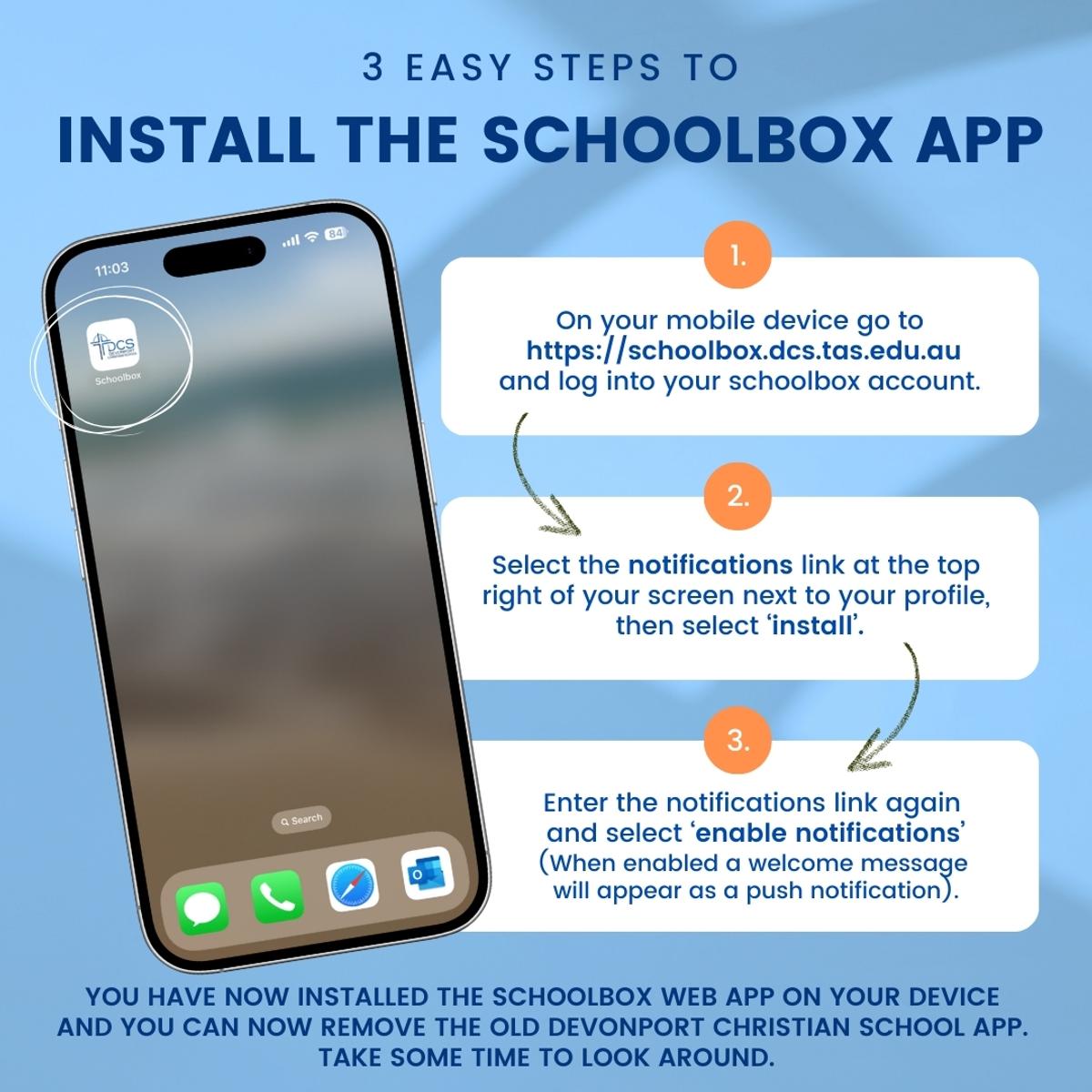
Our main platform for sharing important information is Schoolbox. To make sure you receive all updates relevant to your children and family, we encourage you to download the DCS Schoolbox app. Once installed, you’ll receive notifications whenever new information is available, helping you stay up to date with school news.
To log in, you’ll need your parent Schoolbox username (usually the letter P or S followed by numbers) and your Schoolbox password. If you’re unsure of your login details, please contact the office for assistance.
Once logged in, follow the steps below to install the app on your phone or device. The app gives you quick and easy access to:
School events
Teacher news and updates
Learning moments
Timetables
Step-by-step instructions for installing the app are included below.